
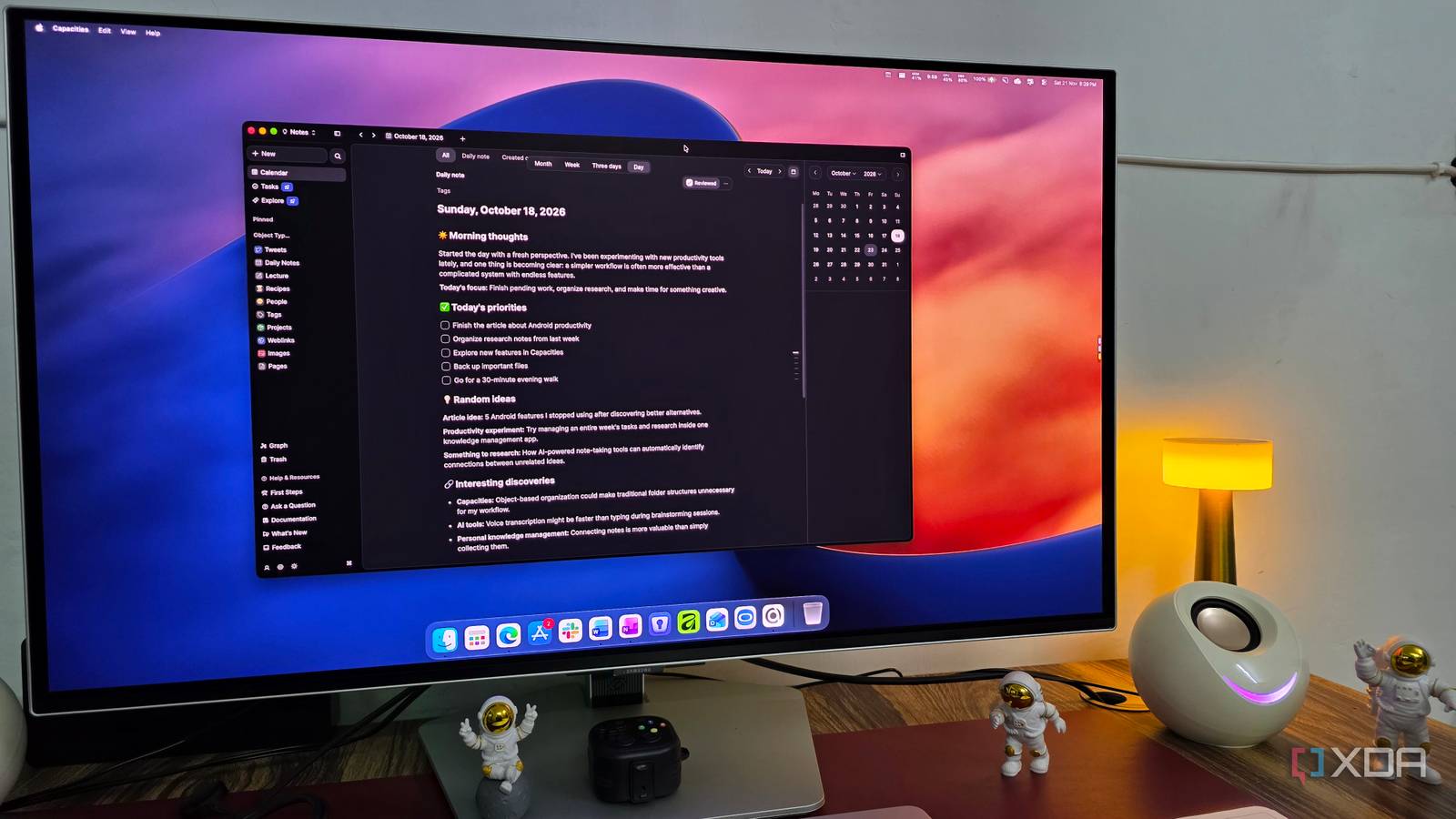
Published Nov 22, 2026, 12:30 PM EST Parth, a seasoned tech writer, wields the keyboard (or pen) with finesse to unravel the intricacies of both Windows and Mac operating systems. He has covered evergreen content on mobile devices and computers for multiple publications over the last six years. You can find his work on AndroidPolice, GuidingTech and TechWiser. Whether it’s demystifying system updates, deciphering error codes, or exploring hidden features, Parth’s prose guides readers through the binary maze. When not immersed in tech jargon, you’ll find him sipping chai, pondering the next software review, and occasionally indulging in a friendly debate about mechanical keyboards. Finding the perfect note-taking app has become something of an obsession for me. I want a platform that can handle everything from quick thoughts and random ideas to detailed research, ongoing projects, and personal knowledge management without making things unnecessarily complicated. The problem is that almost every note-taking app looks impressive on paper, and it’s difficult to judge its strengths and weaknesses until you actually use it. That’s why I decided to spend a month testing four of the popular apps out there: OneNote, Obsidian, Capacities, and Anytype. Microsoft OneNote Nails the basics but feels dated I started with Microsoft OneNote, one of the oldest and most reliable note-taking apps out there. And I must admit, Microsoft has nailed the fundamentals here. From its excellent drawing tools and Sticky Notes integration to stickers, page styles, flexible note organization, and a feature-packed editor, OneNote has almost everything I need to capture and organize information. I liked the familiar notebook, section, and page hierarchy. It’s easy to understand, and the app feels stable and polished after years of development. However, the more I used OneNote, the more I realized how dated it felt by 2026 standards. Unlike modern alternatives, OneNote lacks convenient slash commands for formatting notes on the fly, advanced databases, and a seamless backlinking system to connect related ideas. Sure, I can manually link pages, but the overall experience isn’t nearly as fluid or intuitive as I would like. Microsoft’s recent decision to retire To Do also makes me question its long-term commitment to standalone productivity apps. That doesn’t mean OneNote is going anywhere, but it doesn’t inspire much confidence either. Ultimately, OneNote remains a fantastic digital notebook, especially for traditional note-taking. However, I wanted something more modern and flexible for managing my growing collection of ideas, research, and projects. Obsidian It gives me complete control over everything Unlike traditional note-taking apps, Obsidian gives me complete control over how I organize, connect, and manage my knowledge. It’s offline-first, stores everything locally, and uses plain Markdown files, which means my notes aren’t locked inside a proprietary format. I can access them with virtually any text editor, even if I decide to move away from Obsidian someday. Customization is another area where Obsidian shines. Between community plugins, themes, CSS snippets, Canvas, Bases, and powerful linking capabilities, I could turn my simple note-taking app into a complete PKM system. Whether I wanted a Kanban board, a visual knowledge graph, or an automated workflow to organize my notes (just look at AutoMover plugin), there was usually a plugin to make it happen. However, all this flexibility comes at a cost. The out-of-the-box experience is quite basic, and I had to spend considerable time experimenting with themes, plugins, settings, and CSS to make Obsidian work exactly how I wanted. There is surely a learning curve, especially if you are coming from something straightforward like Google Keep or Evernote. The mobile apps have improved vastly, too, but I still don’t find them ideal for capturing quick thoughts on the go. Sometimes, I just want to open an app, jot down the idea, and move on without thinking about folders, formatting, or my vault structure. Anytype It came close to winning Anytype was easily the biggest surprise in my testing and secured a solid second place. I loved its modern interface, polished block-based editor, and flexible object-based organization system. Anytype uses an object-based system where I could create dedicated spaces for notes, projects, tasks, bookmarks, and more. I also appreciated its templates, collections, graph view, and powerful linking capabilities. It almost felt like a privacy-focused Notion alternative without the usual cloud dependency. However, Anytype isn’t perfect. Its object-based approach requires some getting used to, and I occasionally found myself spending more time organizing information than capturing it. Quick note-taking wasn’t seamless either, especially on mobile. I am not a fan of their chat function either. While I genuinely enjoyed Anytype’s polished interface and thoughtful features, that extra friction kept it from becoming my ultimate winner. Capacities It finally checked all my boxes Capacities turned out to be the clear winner in my month-long comparison. Unlike Obsidian and Anytype, Capacities strikes an excellent balance between powerful features and ease of use. The interface feels modern, polished, and intuitive, and I didn’t have to spend hours tweaking settings or installing plugins to make it work for me. Both the desktop and mobile apps are excellent. I loved its object-based approach to note-taking. For example, I could create a dedicated object type for purchases with predefined properties such as price, purchase date, warranty, product category, and more. It’s a small detail, but it makes managing structured information much easier. However, my favorite feature has to be its integration with WhatsApp and Telegram. With the Capacities WhatsApp inbox, I can simply forward text, images, and interesting links from my conversations and have them land in Capacities without even opening the app. I can then process and organize everything into my notes later. Capacities also offers backlinks, collections, a graph view, and plenty of other features to connect related information. For my workflow, Capacities offers the best combination of modern design, organization, and convenience. Four apps, one clear winner After spending a month with all four apps, I realized there is no universally perfect note-taking tool. OneNote remains a reliable choice for traditional note-taking, Obsidian is unbeaten when it comes to customization, and Anytype offers an impressive privacy-focused experience. However, it was Capacities that managed to strike the right balance between simplicity, modern features, and everyday convenience. I wanted an app that helped me capture and organize ideas without dealing with settings, and Capacities delivered exactly that. It’s my clear winner. Capacities Capacities is a robust personal knowledge management tool.
I tried OneNote, Obsidian, Capacities, and Anytype for a month and I have a clear winner for you
Full Article
Original Source
Read the full article at Xda-developers →KhanList aggregates and links to publicly available news content. We do not host full articles from third-party sources. Always verify important information with original sources.