
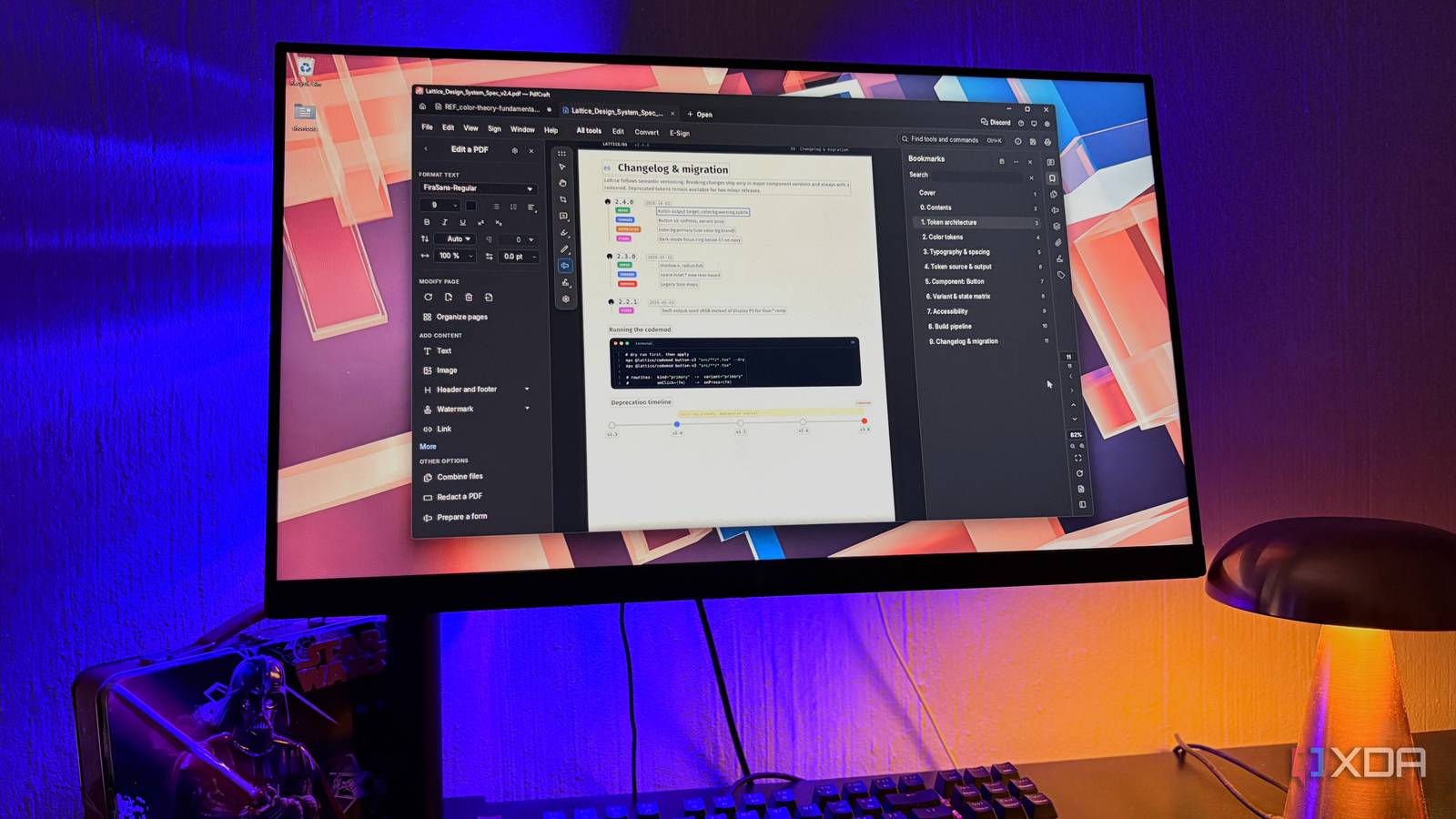
Published Nov 21, 2026, 4:00 PM EST Nolen began their writing career in 2019, with three years dedicated to editing the Creative section at MakeUseOf. Their expertise lies at the crossroads of technology and creativity, covering areas like photography, video editing, and graphic design. Outside of work, you'll often find Nolen diving into a good book, writing their own stories, or playing video games. Adobe Acrobat is usually the first stop when a PDF needs editing, and its free version, Acrobat Reader, doesn't cover as much as its reputation suggests. It's mainly good for opening and reading files, and filling and signing forms. Fixing a typo in the actual text needs a paid plan, and the cheapest one, Acrobat Standard, is $15 a month (on an annual commitment). Merging files needs the plan too, as well as blacking out information. There's no shortage of free PDF tools that claim to replace Acrobat, and I've tried dozens of them. But there's usually a catch after you start putting it to real use - either the tool ends up having its own paywalls, or it simply lacks the feature you need. But I think I finally found an Acrobat alternative that's a real clone. Where the usual free Acrobat alternatives left me Free software usually comes with a catch One of the first Acrobat alternatives that popped up for me was PDFGear. It's actually a decent tool and is still on my PC. It does editing and OCR for free, which is already more than what Reader gives you. But it's closed source though, so nobody outside the company can check what it does with your files, and reviewers still bring up privacy concerns. That isn't great for documents with my personal details in them. OmniTools is one of my favorite utility suites for quick jobs. It's entirely free, open-source, and self-hostable, and when I say it has a little bit of everything, I mean it - there are tools for adjusting images, video, audio, code, PDF files, and more. But it's not quite as comprehensive as Acrobat and lacks many of its advanced functions. There's also Stirling PDF, which is probably the biggest open-source option and has the desktop app now, but it still kind of feels like it was built for an IT department running PDF jobs for a whole office. Then PdfCraft dropped. It comes from the ArtCraft suite, developed by Brandon Thomas, which is a studio that makes free and open-source versions of Adobe's apps. They look and function almost identically, but the code is completely original because they did a clean-room build rather than copy any of Adobe's code. It runs on Windows, macOS, Linux, FreeBSD, and in the browser, and nothing you open in it leaves your computer. The devs call it alpha, and their roadmap puts it at around 55% ready for everyday work at the time of writing, but it's being updated constantly, with releases continuing as I'm writing this. PdfCraft covers the everyday work for free This is how most people use PDF editors Filling in and signing forms is the one job Reader already does for free, so PdfCraft only has to keep up here rather than outshine it. When a document has fillable fields, a banner at the top says how many there are, and a Fields panel lists every field with whatever's been typed in it, which makes anything you skipped easy to spot. Editing is where Acrobat starts charging, since you need Standard to change any text in a PDF. PdfCraft's Edit a PDF tool has a Format Text panel with font, size, and spacing controls, plus an option to keep a document's original fonts. It handled my English documents fine, but they're honest about it still needing improvement when it comes to editing existing text and characters in non-Latin alphabets. Organizing pages works smoothly and is probably one of the tools I rely on most. Every page will have a thumbnail you can rotate or delete, and there's a plus button between pages for slotting another file in, including right at the end. Combine files does the bigger version of that job, and it can pull in documents I already have open in other tabs instead of making me hunt for them again. Also, merging keeps bookmarks, links, and form fields intact. PdfCraft adds changes onto the end of a file instead of rewriting it, so the original basically doesn't get overwritten by any bad edits you might have made, plus it autosaves every minute with crash recovery. Exporting is a little weaker though; the project admits that Word export loses the layout, so I just leave things in PDF. Adobe keeps these behind its Pro plan Acrobat Pro costs $20 a month on the annual plan, which is $5 more than Standard, and a handful of the Pro tools are free in PdfCraft. Redaction is probably the most useful one, in my opinion. PdfCraft's Redact a PDF tool can black out text and images you select by hand, and if a name shows up however many times in a doc, you can search it and redact every instance of it in one swift go. There's also Sanitize document, which deletes the information you can't see on the page, like the author name saved in a file's properties or old comments. Redaction only removes what's visible, so without sanitizing, that hidden info still remains by the time the file gets sent out. Turning scanned pages into searchable text is Pro-only in Acrobat as well. PdfCraft's Scan & OCR can process a whole folder of scans at once, and its Verify screen colors each word by how confident the recognition is, so the odd ones are easier to find and fix. For now, it's only reliable with languages that use the Latin alphabet. Bates numbering, the running ID law firms stamp across every page of a case file, is free too, and it can carry the count across up to 1,000 files. Acrobat's paywalls seem more pointless now For years, Acrobat was the safest bet because it has every tool you need for efficient and safe PDF handling, which justified the price for many. But not only have free options existed for a long time, but they're also getting closer and closer to closing the gap between free and paid tools. PDFCraft
I tried dozens of free alternatives to Adobe Acrobat, and only one does everything I paid for
Full Article
Original Source
Read the full article at Xda-developers →KhanList aggregates and links to publicly available news content. We do not host full articles from third-party sources. Always verify important information with original sources.