
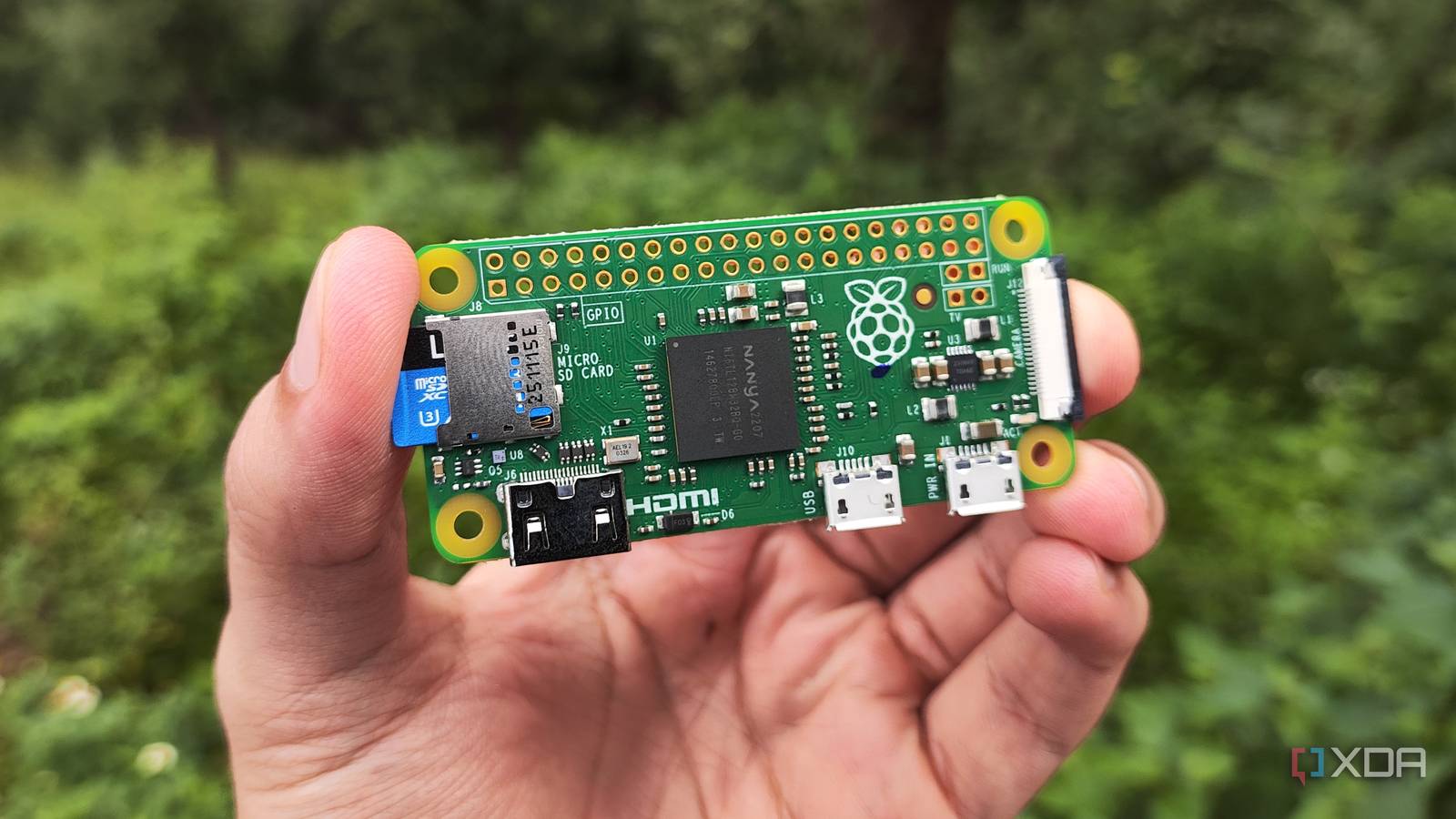
Published Sep 11, 2026, 11:00 AM EDT Ayush Pande is a PC hardware and gaming writer. When he's not working on a new article, you can find him with his head stuck inside a PC or tinkering with a server operating system. Besides computing, his interests include spending hours in long RPGs, yelling at his friends in co-op games, and practicing guitar. The Raspberry Pi Zero was the first device that led me down the Linux rabbit hole, and it’s thanks to this tiny tinkering board that I managed to overcome my fear of the terminal interface. Now that the price tags on the mainline Raspberry Pi single-board computers have inflated beyond control, it’s the only member of this uber-popular family that doesn’t cost hundreds of bucks. The caveat, of course, is that the first-gen Raspberry Pi Zero is extremely underpowered in the specs department. But as someone who has recently started repurposing old SBCs and weak gizmos in my arsenal into self-hosting workstations, the RPi Zero seemed like the perfect guinea pig for my Docker escapades. Well, sticking to lightweight distros and Alpine versions of certain images helped out quite a lot with this project, but before I could choke its system resources with cool containers, I encountered an unexpected bottleneck. A Raspberry Pi Zero can run a surprising number of Docker containers without crashing I even managed to run non-Docker services on this SBC Before I could start experimenting with Docker environments, I still had to choose a distribution for my underpowered SBC. Raspberry Pi OS Lite was the obvious choice, but I wanted to keep resource consumption to a bare minimum. Alpine Linux is a fantastic option for the Raspberry Pi Zero, but having encountered compatibility issues on it before, I shafted that idea real quick. Instead, I decided to go for DietPi, which not only has a minimal footprint, but it also makes setting up basic services a piece of cake. Take Docker, for example. Rather than going through the whole hog of enabling package repos and installing them, I could simply run the dietpi-config utility, choose (Docker alongside Compose), and watch the distribution pull these packages. The fact that it supports SSH by default also means I don’t need to spend extra minutes installing packages that let me access the Raspberry Pi Zero remotely. Anyway, once I’d gotten all the Docker packages configured, I tried pulling the images for my essential containers. Pi-hole was the first one, as it’s the first app I got working on my RPi Zero back in the day. Sure enough, once I’d chosen the correct ports for the container, Pi-hole spurred to life, and I was able to set it as my DNS server right away. Then, I executed the docker run command for good ol’ Nginx, and the RPi Zero had zero issues getting the reverse proxy server up and running. The same goes for Mosquitto, Vaultwarden, and WG-easy, and once I’d limited the RAM specs within their compose files, I didn’t encounter major performance issues. Just to see how far I could push this SBC, I installed Grafana and Tailscale using conventional APT packages. By now, the Raspberry Pi Zero was starting to choke on the system resources, so I stopped a few containers and decided to move into productivity tools. But little did I know that most of these FOSS tools would refuse to run on this uber-weak SBC… Sadly, the ARMv6 (32-bit) processor of the RPI Zero is its biggest limitation Modern Docker images typically don’t support this outdated architecture For my first productivity application, I wanted to go with the lightweight BentoPDF. However, the docker run command for this container suddenly crashed within a few seconds, with the error log stating it couldn’t find the right ARMv6 image for the app. So, I re-attempted the deployment process by switching to different tags, which had the same result. Other applications delivered the same results, and these ranged from the obscure champions IT-Tools, Vert.sh, and Trilium Notes to Heimdall, Authelia, Uptime Kuma, and Homarr. As it turns out, the real problem lies with the Raspberry Pi Zero’s outdated architecture. This SBC has a 32-bit ARMv6 processor, which barely has any new images on GHCR and Docker Hub. Even if it could run something as lightweight as BentoPDF, executing the docker pull command would be futile, as none of the image repositories have new images that support ARMv6 boards like the RPi. Of course, I could technically find outdated ARMv6 images for tools that have been in development for years, but the lack of new features wouldn’t be the only problem I’d have to put up with. Groups like LinuxServer stopped supporting ARMv6 back in 2023, and if I were to deploy containers from extremely old images, I could expose my home lab to the vulnerabilities present in them. Nevertheless, the Raspberry Pi Zero has some utility in 2026 Seeing as how the RPi Zero can still run Pi-hole, WireGuard, and Tailscale, I wouldn’t call this experiment a complete failure. But I wouldn’t call it successful, either, especially when it can’t even handle light monitoring and productivity tools. While I wouldn’t use it as a Docker workstation, it’s still decent for simple GPIO projects where an ESP32 proves to be too underpowered and a mainline Raspberry Pi becomes too expensive of an investment.
I tried building a cheap Docker server from a Raspberry Pi Zero, but limited resources weren’t the only bottleneck
Full Article
Original Source
Read the full article at Xda-developers →KhanList aggregates and links to publicly available news content. We do not host full articles from third-party sources. Always verify important information with original sources.