
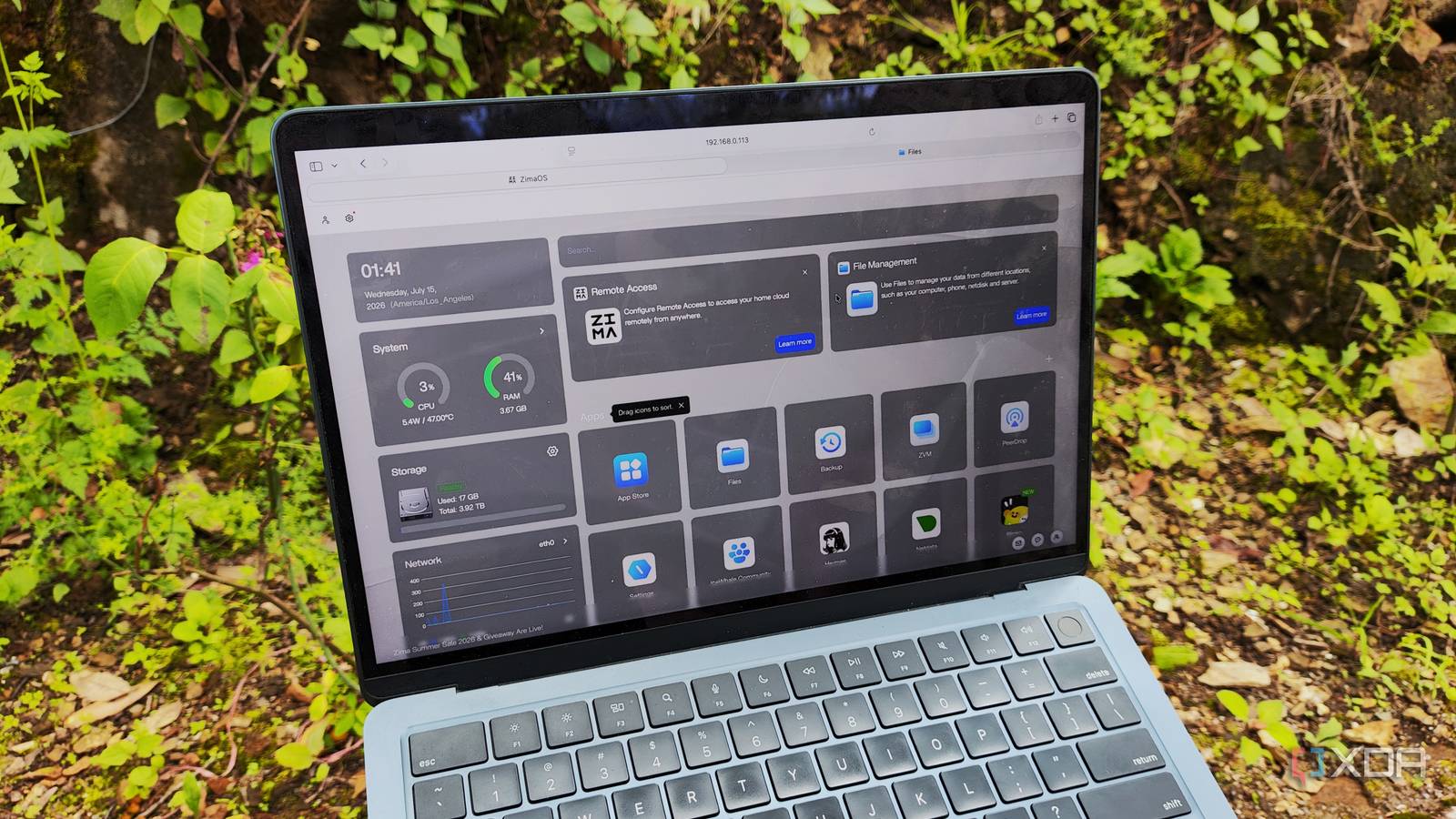
Published Jul 17, 2026, 8:00 AM EDT Ayush Pande is a PC hardware and gaming writer. When he's not working on a new article, you can find him with his head stuck inside a PC or tinkering with a server operating system. Besides computing, his interests include spending hours in long RPGs, yelling at his friends in co-op games, and practicing guitar. One of the biggest lessons I’ve learned after tinkering with multiple Network-Attached Storage rigs over the years is that the hardware isn’t the only aspect that I need to consider when grabbing a backup server. Rather, the operating system under the hood matters just as much as the NAS specs, and considering the sheer number of options out there, it’s easy to run into a mismatched setup where an overkill ZFS-laden distro can be too much to handle for a budget workstation. In fact, that’s low-key the problem I faced with my 2-bay TerraMaster F2-425 last year. While I was able to arm it with TrueNAS, I had to look into too many workarounds to get it up and running on the machine. So, I tried using ZimaOS on the rig, and this lightweight DIY platform ended up becoming my favorite distro for no-nonsense NAS builds involving budget-friendly hardware. ZimaOS’ low system requirements are a godsend for budget NAS rigs You don’t need to allocate an entire drive to the boot files, either I’m primarily a part of the TrueNAS faction, to the point where my 3-2-1 backup pipeline consists solely of nodes powered by this beast of a storage platform. That said, I’ll have to admit that it’s less than ideal for data hoarders, especially for newcomers with little experience in the NAS ecosystem and folks who don’t want to drop extra money on a bulky data-hoarding machine. On budget systems, the 8GB memory requirement is quite a problem, and with the RAM apocalypse still raging on, it’s no longer feasible to slot extra sticks just to run TrueNAS. Likewise, although TrueNAS Community Edition has become easier to navigate, it can be really overwhelming for fledgling tinkerers. Unraid is a lot more forgiving than TrueNAS, but its steep license costs always make me hesitant to recommend the OS. OpenMediaVault is a solid alternative, but it requires some manual configuration for the best results. ZimaOS, however, manages to sidestep these problems altogether. Its low system requirements make it great for cheap NAS units, while its intuitive UI removes the learning curve that you’d otherwise have to deal with on its rivals. Not to mention, ZimaOS also lets me use the boot drive for storing user data, which isn’t something DIY distributions like TrueNAS support without additional workarounds. This makes it ideal for 2-bay NAS units that lack additional SSD slots for the OS drive. Compared to Unraid, ZimaOS’ licensing fees are somewhat reasonable, too. Since ZimaOS’ free license isn’t trial-based like Unraid’s, I don’t need to worry about the OS locking my NAS down after a month if I don’t shell out money on a license. Instead, the free license restricts me to three users, four drives, and ten active apps. I was a bit miffed about the last two restrictions when I first heard of ZimaOS, but seeing as how its perpetual license costs $30, I don’t have a lot to complain about. Moving on from the pricing, installing ZimaOS is a piece of cake, as all I had to do was plug a bootable USB drive that I’d flashed with its .img file into my F2-425, choose a boot drive, and wait for the setup process to complete before adding a new user account via its web UI. And on the subject of its interface… ZimaOS’ web UI is pretty straightforward, even for beginners But it still has all the essential features you could ever want from a storage server Despite my misgivings about Synology’s expensive hardware, I’ve grown fond of the ultra-simple DiskStation Manager distribution powering its rigs. Well, I daresay ZimaOS is more straightforward to configure and easier to use than good ol’ DSM. If you’ve ever used CasaOS for hosting Docker containers, you’ll feel right at home with its sibling’s interface, which packs the important NAS-centric features alongside some neat container (and VM) deployment tools. The Zima Storage wizard makes setting up new hard drives fairly simple, and it even includes conventional RAID levels for folks looking to put spare HDDs to good use. Since ZimaOS has a built-in file manager, it also functions as a simple local cloud – one that doesn’t force me to configure dedicated network shares to swap files between my client devices. That said, ZimaOS still supports SMB shares, and it probably has the easiest way to set them up out of every NAS (or even home server) platform I’ve ever used. Rather than needing multiple config file tweaks or ACL management, the file manager built into ZimaOS shows the Share via Samba option upon right-clicking any directory, where I can also add a new user and toggle Time Machine support. Heck, since ZimaOS ships with PeerDrop pre-installed, you don’t even need to use its file manager when quickly transferring files between two systems. I really adore that it has fully-functional desktop and mobile apps that can monitor my NAS and send backups to it. The distro also has a 3-2-1 backup functionality that can accommodate cloud platforms, USB drives, and LAN shares, including remote devices paired to my home network thanks to Tailscale. The only features that I want to see on ZimaOS are the JBOD functionality, which has the “coming soon” label, and proper GUI support for NFS and iSCSI shares. You see, NFS and iSCSI still need to be configured via typical Linux commands on the latest version of ZimaOS, which is a far cry from ZimaOS’ SMB support. It’s not a deal-breaker by any means, but I really hope future releases add simple menus for configuring these alternate network share protocols. It also supports killer Docker containerization provisions And its virtualization provisions are nothing to scoff at, either On the self-hosting front, ZimaOS borrows a lot of the container deployment capabilities of CasaOS, which is already one of my favorite platforms for managing Docker environments. Similar to the application templates on TrueNAS and Unraid, ZimaOS has an App Store that lets me spin up dozens of useful FOSS tools. But since ZimaOS has default settings for each container, I can deploy nearly every template on its App Store without going through different settings. That said, ZimaOS can pull typical OCI images and turn them into Docker environments as well via a neat menu-based container deployment interface. Better yet, it also supports conventional Docker Compose files and docker run syntax, making it just as handy for more experienced tinkerers. ZimaOS even features virtualization provisions, so it’s capable of creating full-on virtual machines besides containers. Since I’ve only got 4GB of memory to work with on my F2-425, I’ve only tinkered with Fedora, Linux Mint, and Debian a little. However, allocating 2GB of RAM and 2 (out of 4 N100) CPU cores worked decently well on these light Linux distros. Of course, the VM-hosting toolkit isn’t as fleshed out as what I’m used to on TrueNAS (or even Unraid and DSM, for that matter), but it’s good enough for beginners looking to dip their toes into virtual machines. ZimaOS may not be for hardcore tinkerers, but it’s a terrific option for a no-nonsense setup Despite ZimaOS’ user-friendly design, I must admit that I’ll still stick to TrueNAS for my data-hoarding needs. After all, ZimaOS doesn’t have the same data protection features as its ZFS-powered rival, and TrueNAS also has better virtualization tools, advanced network shares (especially when it comes to deploying anything other than SMB), and hardcore RAID provisions. Instead, ZimaOS is better for complete beginners and folks who don’t want to spend hours getting accustomed to a NAS setup. ZimaOS
I tried building a budget NAS with ZimaOS, and it’s a better package than a new Synology
Full Article
Original Source
Read the full article at Xda-developers →KhanList aggregates and links to publicly available news content. We do not host full articles from third-party sources. Always verify important information with original sources.