
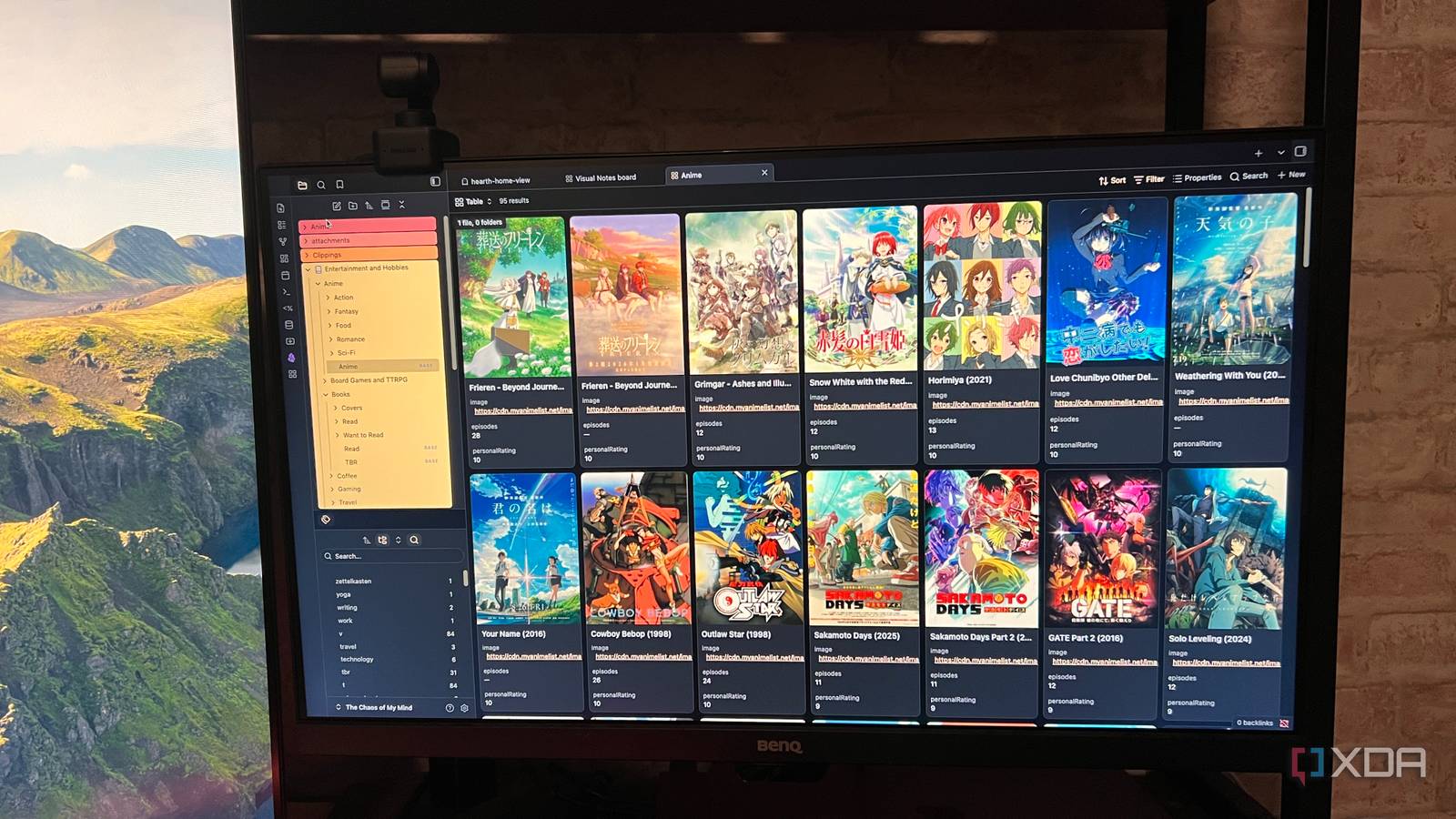
Published Aug 26, 2026, 7:30 AM EDT Patrick is a seasoned writer with more than a decade of experience, specializing in any and all things tech. His work has been featured on platforms like CNET, Yahoo, Xfinity, and many other outlets. When not typing away, he can be found with his nose in a book. Obsidian sits at the center of my workflow, and I use it mostly for taking notes. But while it's largely marketed as a personal knowledge management platform, once you start to factor in the plugins, themes, and other features, it becomes more like a personal operating system of sorts. There are so many features I use Obsidian for that have nothing to do with note-taking, at least not in any productive sense of the word. It's Goodreads and Letterboxd in one I wanted an offline version of Goodreads, and I created one with a combination of the MediaDB plugin and Obsidian's Bases feature. With MediaDB, I can search for a book, movie, anime, game, etc., and instantly create a note filled with the relevant metadata. As a result, I have multiple clean, nicely formatted Bases that show the cover art, my personal rating, and other data at a glance. It doesn't really solve any real problems, but it's a nice way to keep track of things (and I like watching the entries grow as I tackle more of my TBR list or watch the ever-growing list of "must-see" films I'm putting together. It completely replaced Scrivener as my writing environment Plugins give Obsidian an almost identical feature set For years, I used Scrivener for everything related to writing my novels. Now Obsidian has fully replaced it, thanks to a combination of plugins that give it functionality beyond what Scrivener offers. I start with StoryLine for high-level organization of my characters, settings, and more, and the built-in Codex feature makes it easy to see that information at a glance. Other utility-focused plugins turn Obsidian's markdown writing environment into something closer to a standard word processor, with ribbon menus for easy formatting. Obsidian's native features make it an excellent sandbox for anything writing-related. I can interlink notes for quick reference, create templates for character notes, and much more. Sure, Word or Google Docs might technically be better for writing the finished manuscript, but Obsidian handles everything the reader never sees. It outstrips similar tools like Milanote I tried a variety of mind-mapping apps, but I couldn't find any I stuck with long-term. Many online options had expensive subscriptions, while others lacked the features I wanted. Like with so many other issues I've run into, finding the right plugin solved the problem. Visual Notes lets me throw everything at Canvas and stare at it until my brain draws connections. It's a fantastic way to mind-map, with more intuitive controls and features that the base Canvas function doesn't have. Those extra features make it a great mind-mapping tool. Visual Notes makes it easy to create storyboards for books I'm working on, and it comes with a series of predefined templates I can use for everything from project roadmaps to study guides. Of course, I can also just use Visual Notes as a free-form tool to dump everything in my brain on the page and sort it from there. It's my personal editorial database Everything I've ever written in one place When I'm pitching a new publication, I include clips of previously published stories. It's standard practice in the writing world, and it helps editors see similar work I've done and how the story I'm pitching might end up. Keeping track of all of that can be time-consuming and messy, but Obsidian makes it easy not only to store previous articles, but to pull them off the web, too. The Obsidian Web Clipper is often thought of as a note-taking tool, but I also use it to store my own articles. I stick a #past-work tag on each one (along with other tags for better organization), and then I can easily search by topic and subject to find a sample to include. It's a far superior option to storing the files individually, as I have authored thousands of articles over the past 15 years. Searching a file folder for a specific article is already a nightmare, and if I have a specific one in mind, all I can do is hope I remember the naming convention. I treat Obsidian less like a note-taking app and more like a toolkit Obsidian is ridiculously powerful. I do take notes in it, but that's only one potential use. I have built my current workflow around Obsidian, and I can't imagine going back. It has streamlined so much of what I do, and it means I don't waste time bouncing between apps. Obsidian OS Windows, macOS, Linux, iOS, iPadOS, Android Individual pricing Free normally; $4/month for Obsidian Sync Obsidian is a feature-rich note-taking app that's available on different platforms and offers a neat and clean interface. It's also free-to-use for individuals.
I treat Obsidian less like a note-taking app and more like a personal operating system
Full Article
Original Source
Read the full article at Xda-developers →KhanList aggregates and links to publicly available news content. We do not host full articles from third-party sources. Always verify important information with original sources.