
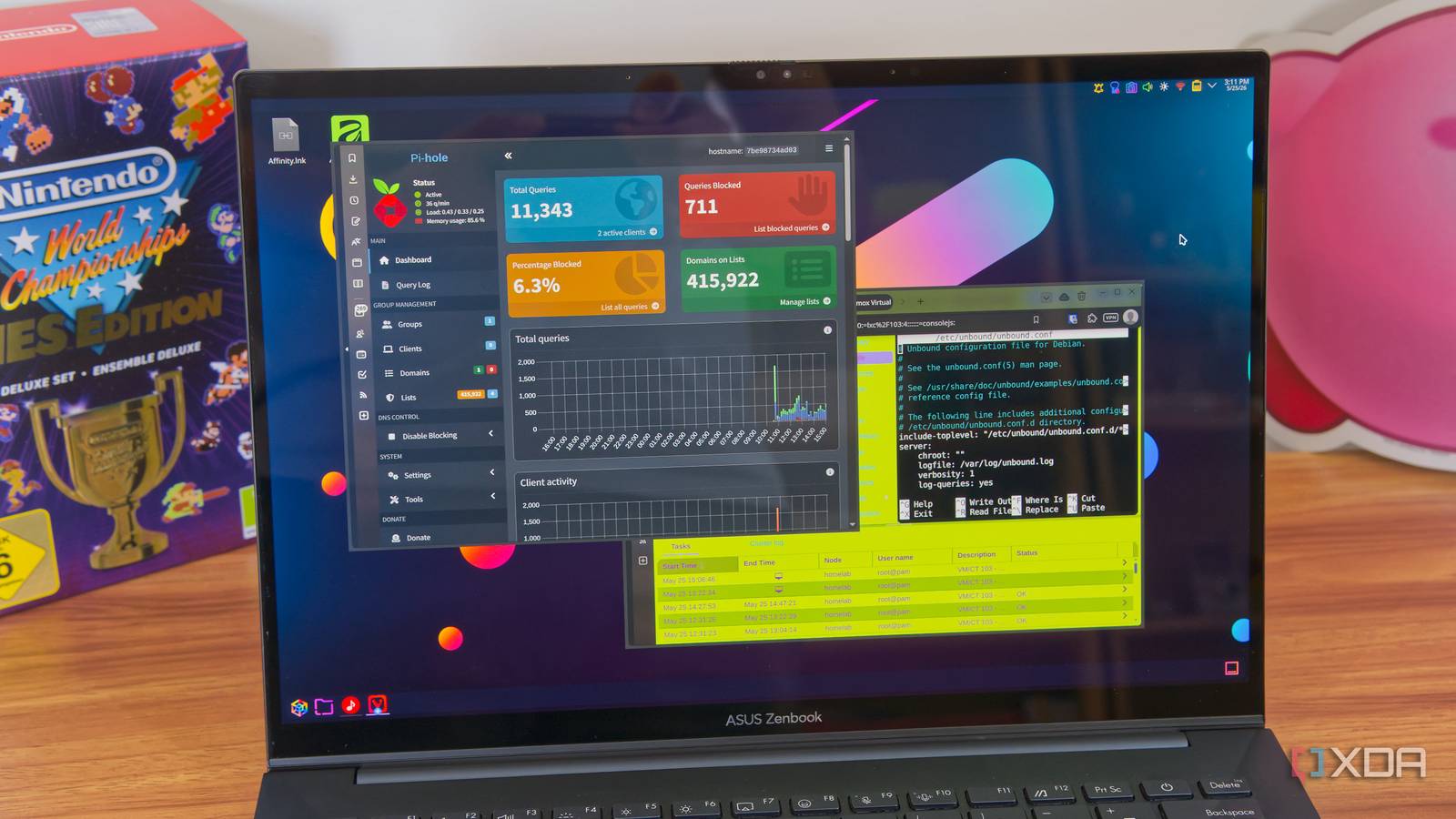
Published Oct 27, 2026, 8:00 AM EDT His love of PCs and their components was born out of trying to squeeze every ounce of performance out of the family computer. Tinkering with his own build at age 10 turned into building PCs for friends and family, fostering a passion that would ultimately take shape as a career path. Besides being the first call for tech support for those close to him, Ty is a computer science student, with his focus being cloud computing and networking. He also competed in semi-pro Counter-Strike for 8 years, making him intimately familiar with everything to do with peripherals. Pi-hole has been a set-and-forget staple of self-hosting for years, and if you don't change much about the way it works out of the box, you shouldn't have to babysit it much at all. You point your router's DHCP at it and it takes care of the rest, but there's a catch that some users forget about. The dashboard only counts the queries that reach it, so if a device happens to send a request to another DNS server, the Pi-hole instance will never see it. This is largely a non-issue for most home networks, but the exception that catches people out is IPv6. Turning it on at the router level can allow your devices to use a different DNS that has nothing to do with Pi-hole, and that can let ads and trackers skip right past your sinkhole. IPv6 can hand your devices another DNS server IPv4 can be set up perfectly, but it won't matter For a typical Pi-hole setup IPv4 is where everything happens: your router's DHCP server gives each device an address, gateway, and most importantly, the DNS address that points to your Pi-hole instance. This works as long as DHCP is the only way your devices can receive their DNS configurations. If IPv6 is turned on, it can throw a wrench into everything. I had turned it on briefly to test some IPv6 self-hosting curiosities, but ended up abandoning it, as many do. When IPv6 is on, devices configure themselves using Router Advertisements, which are messages the router sends out to announce the network prefix. Routers can include a DNS server in those messages using an option called RDNSS, hand one out over DHCPv6, or do both. Out of the box, many consumer routers advertise themselves, frequently by a link-local address starting with fe80. Now, each device can hold two resolvers: one Pi-hole over IPv4 and the router over IPv6, and that's a problem because nothing tells it which one is supposed to be authoritative. How it chooses between them largely depends on operating system. Queries sent to the router go to its built-in forwarder and on to whatever upstream it uses, with no filtering along the way. Pi-hole handles IPv6 itself without trouble, but it's the path the query takes that's the issue. Why only some devices slip past It's difficult to nail down if you're not looking for it This leak of DNS requests can be easy to miss because of the differences in the way that devices pick up IPv6 DNS settings. Android, for instance, has long relied on RDNSS for its IPv6 DNS servers rather than DHCPv6. Windows relied on DHCPv6 for years, gained RDNSS support with a Windows 10 Update, but it still prefers a DHCPv6-supplied server when it receives both. Apple’s platforms and Linux distributions each have their own behavior, so this kind of thing can go unnoticed entirely based on what devices you're using. Your router's IPv6 settings can device which devices leak through, too. My TP-Link Archer offers four: ND Proxy, DHCPv6, SLAAC+Stateless DHCP, and SLAAC+RDNSS. In a mode that delivers DNS only through stateless DHCPv6, Android phones may never pick up an IPv6 resolver and stay on Pi-hole, while Windows machines take the router’s. A mode that uses RDNSS hands the router’s resolver to the phones as well. If every device bypassed Pi-hole, the dashboard would go quiet and you’d notice right away. When only some do, as is the case with most partial leaks, the graph maintains its healthy look, and that's what caught me out. Only a handful of my devices had different behavior from the rest, so I didn't know anything was wrong just based on the dashboard alone. How to check for the leak and close it A 5-minute fix Start in Pi-hole’s Clients view and compare it against the devices you know are on your network. If you notice something that’s missing, check the device itself. Running ipconfig /all on Windows, scutil --dns on macOS, or resolvectl status on Linux lists the DNS servers in use. An fe80 address or an ISP IPv6 resolver sitting next to Pi-hole’s address means you’ve found the culprit behind the leak. The cleanest fix it to give Pi-hole a stable IPv6 address and have the router advertise that. Alternatively, if you're like me and you don't run any IPv6 services at all, you can just turn off IPv6 at the router level, and that should also solve the issue. There are other ways around Pi-hole IPv6 isn't the only one IPv6 can sneak its way past an IPv4 Pi-hole, but it's not the only instance where holes can be poked. There are features like DNS-over-HTTPS that can get past, but some implementations check for a block—Firefox is pretty good about this. Pi-hole also blocks the domains that Apple uses to detect whether iCloud Private Relay can run, so that avenue also isn't possible. Some devices also have public resolvers hardcoded, which can make things a bit more difficult.
I thought Pi-hole was blocking everything on my network, but IPv6 was letting half my devices walk straight past it
Full Article
Original Source
Read the full article at Xda-developers →KhanList aggregates and links to publicly available news content. We do not host full articles from third-party sources. Always verify important information with original sources.