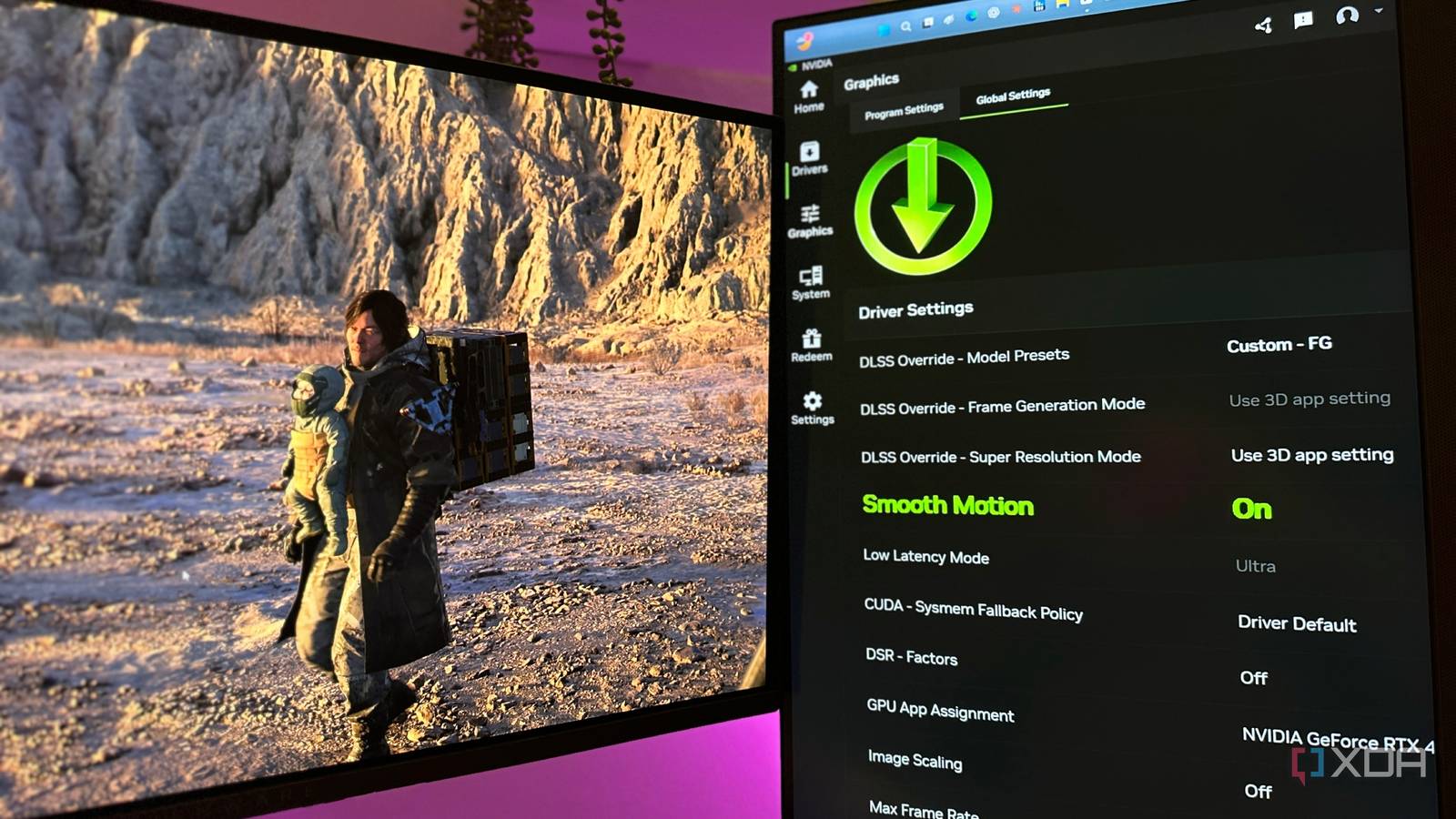
Published Jul 18, 2026, 12:00 PM EDT Gaming has been Samarveer’s greatest passion, and the Literature graduate in him takes immense joy in dissecting games for their themes, messages, and impact. Samarveer holds a deep appreciation of gaming, and considers the platform to be the most immersive and impactful across all media. He can be found engaging with gaming communities online, always ready to debate the finer points of ray tracing or itching to write an 8-page collegiate thesis on any game that impacts him emotionally. Summary Smooth Motion revives older frame‑capped games, making gameplay feel much smoother on modern RTX GPUs. Not a replacement for native FG; Smooth Motion targets games lacking DLSS Frame Generation support. Stacking Smooth Motion with DLSS Frame Generation raises FPS but often increases latency and causes artifacts—avoid combining. A year after Nvidia's Smooth Motion officially arrived on the RTX 40 series, I did little more than skim past it in the Nvidia App. After all, almost every new game now ships with native DLSS Frame Generation support. So I did what any self-respecting PC gamer does with unfamiliar settings: I ignored it. A year later, though, all it took was a few minutes to completely change my opinion. Smooth Motion has breathed new life into my older games, giving them what feels like a smoothness patch that they'd never receive otherwise. After trying it across four very different PC games, I don't think I'll be turning it off anytime soon. Smooth Motion isn't trying to replace Frame Generation It's solving a problem that native implementations never could On paper, Nvidia Smooth Motion does tend to come off as the inferior version of Frame Generation. Unlike DLSS Frame Generation, it operates entirely at the driver level, meaning it can't tap into engine data or motion vectors — tools that native frame generation can use. That's why comparing the two is actually missing the point. The more I thought about it, though, the more I realized I'd been asking the wrong question. Native Frame Generation exists only where developers choose to implement it, but that leaves a huge library of PC games that are still locked to outdated or aging rendering techniques. This includes those with arbitrary framerate caps, or even disappointing frame pacing with abandoned support. In order to get around such limitations, one usually has to hunt down community mods and hope they don't end up breaking the game physics or run into any other weird side effects. That is precisely where Smooth Motion makes the most amount of sense. Instead of competing with DLSS Frame Generation, Smooth Motion targets games that were never invited to the party in the first place. It's not squeezing more performance out of not-so-modern blockbusters so much as it is making older PC experiences feel like they belong on our modern hardware. Nvidia Smooth Motion feels tailor-made for a particular group of games Frame-capped classics get to stretch their legs with this feature It was Elden Ring with Smooth Motion active that truly blew me away. I've spent well over a hundred hours exploring the Lands Between at a 60 FPS cap that I never complained about. The game had always been stable, and yet I had never imagined playing it at what felt like 120 FPS with every graphics setting maxed out at 4K, including ray tracing cranked to High. Flipping a single toggle inside the Nvidia App just ended up changing how the game felt, making me feel like I was playing a sequel or upgraded version all of a sudden. After that clicked, I dove right into other frame-locked games, downloading and playing The Crew 2 to see if its old engine limitation could be bypassed by my GPU's software stack. The result was exactly what I'd hoped for: this overlooked 2018 racer suddenly felt at home running at what looked like 120 FPS. Wolfenstein: The New Order was next in line, and every single time, I came to the same conclusion: these games just needed an official way to feel smoother and more at home on modern hardware. Nvidia Smooth Motion is available in the Nvidia App's Global Settings tab, but it is exclusive to RTX 40- and 50- series GPUs. Without frame generation or developer updates, this would have been a job for modders, but the Nvidia App skipped all my busywork and let me play all my older, frame-capped games with a significantly better experience. Sure, I did spot the occasional compromise, like minor screen tearing in Elden Ring's underground areas, and a few HUD elements artifacting in The Crew 2, but they were so fleeting that I stopped noticing them almost immediately. These were easy compromises to make in exchange for camera movement, traversal, and combat that felt far more fluid than they ever had. For games that were never meant to receive a modern smoothness upgrade, I'd make that trade in a heartbeat, every day of the week. I did try pairing Smooth Motion with DLSS Frame Generation The results varied, but the disappointment was consistent In theory, running Smooth Motion and DLSS Frame Generation alongside each other is inadvisable. After all, they're competing technologies and one would be trying to interpolate frames that the other has already fabricated. When the Nvidia App knows that a game has native FG available and active, it does expect you to pick one lane and stick to it. However, I tried running Smooth Motion in tandem with DLSS Frame Generation, and the results were genuinely surprising. GeForce RTX 4070 Ti + Ryzen 5 7600X | 2160p Game Scenario Avg FPS Render latency (ms) Avg PC latency (ms) Stellar Blade – Very High, DLSS Quality 2x FG only 134 fps 17.7 ms 38.4 ms 2x FG + Smooth Motion 182 fps 22.8 ms 97 ms Cyberpunk 2077 – RT Ultra, DLSS Balanced 2x FG only 76 fps 29.5 ms 59.8 ms 2x FG + Smooth Motion 86 fps 32.8 ms 89.4 ms Backrooms: Escape Together – RT Ultra, DLSS Quality 2x FG only 73 fps 32.3 ms 32.5 ms 2x FG + Smooth Motion 121 fps 53 ms 151 ms For starters, the games I tested already boasted pretty solid Frame Generation implementation. Cyberpunk 2077, Stellar Blade, and Backrooms: Escape Together are built on three different engines, and that's what helped me branch out this little test. In every single case, running Smooth Motion on top of DLSS Frame Generation resulted in significantly increased latency, even though the frame count went higher. But what good is a high framerate if the latency is actively immersion-breaking every single moment? I even noticed lighting artifacts when running both Frame Generation and Smooth Motion together, particularly in REDengine's Cyberpunk 2077 and Unreal Engine 5's Backrooms: Escape Together. The latter was hit particularly badly when I stacked Smooth Motion on top of DLSS FG, as the average PC latency almost quintupled, and even though the frame counter showed me three-digit FPS, it felt nothing but floaty and disconcerting because of the input lag. Even though Stellar Blade did stand out with little to no input lag or latency, the numbers don't lie — the game still saw a 152% increase in latency, going from roughly 40 ms to 100 ms. It's interesting, though, that the least amount of jarring latency and input lag was seen in the game that had the highest frame rate at 4K with native Frame Generation, while the other games struggled to suppress latency and input lag. Gigabyte GeForce RTX 5070 Ti Eagle OC Ice SFF Turn it on selectively, and you'll wonder why you waited so long If you have to use Smooth Motion on top of native Frame Generation, try lowering your graphics settings to lift the base framerate instead. Smooth Motion isn't a setting I'd leave enabled globally, and it definitely isn't something I'd reach for in a modern release. If a game already supports DLSS Frame Generation, that will always be the cleaner and superior solution. However, every time you come across a game with an arbitrary frame cap because of aging engines and no DLSS support, it's a no-brainer to turn on Smooth Motion immediately. Using them together, however, is redundant. Nothing beats a good frame rate and some solid native frame generation. When you find yourself trying to generate more frames from 2D images that the engine never truly generated in the first place, that's when lowering the graphics settings — and lifting the real framerate instead — is the option to stick with. Sure, there's always the chance that you might not notice the input lag and artifacting while pairing Smooth Motion with FG, but those cases are going to be few and far between.
I thought DLSS Frame Generation made Smooth Motion irrelevant — I was wrong
Full Article
Original Source
Read the full article at Xda-developers →KhanList aggregates and links to publicly available news content. We do not host full articles from third-party sources. Always verify important information with original sources.