
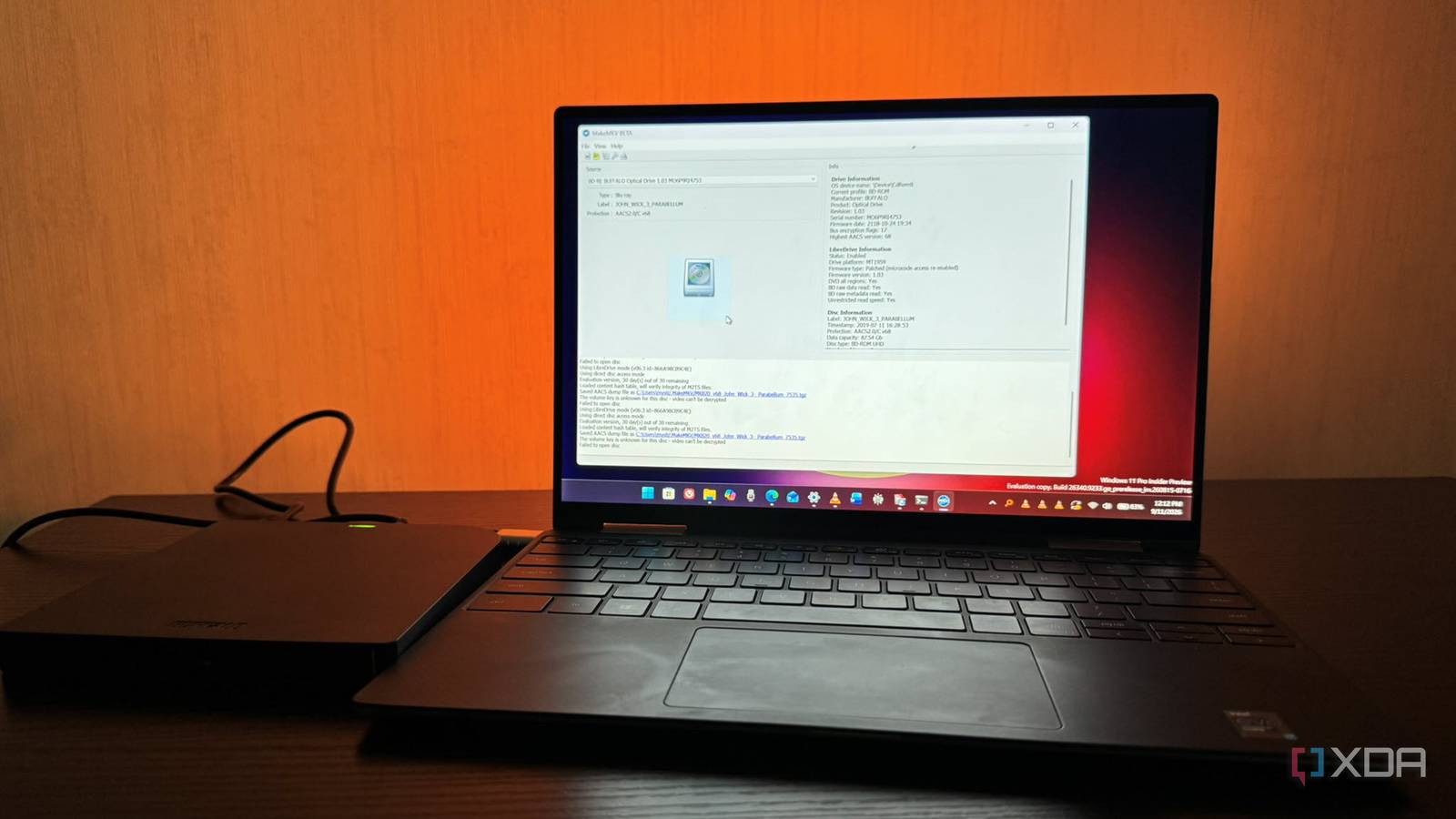
Published Sep 14, 2026, 8:30 AM EDT Based in rural Minnesota, Brian Burgess worked in IT for 10 years before finding his passion for writing about consumer technology. Brian earned his degree in computer and network technology in 2000. He held various IT positions, including help desk support, router installations for IBM, database administration, and other associate network administration roles. He's been a personal technology journalist for 18 years and has written thousands of articles about Microsoft products and services, Android, iOS, streaming, and more. He has written for notable tech sites including XDA, InformationWeek, How-To Geek, Byte, groovyPost, and others. When he is away from the keyboard, you will hear him playing guitar, working outdoors, and watching Star Trek. I used to think that Blu-ray discs were all the same. However, when UHD 4K Blu-ray started to emerge, things changed. I knew they were better quality and would show a crisper image on my display, but ripping them is a different story. I have an old LG BD from 2010 that I installed on my old Dell XPS tower. I figured I'd repurpose the old machine to rip my discs with MakeMKV. It handled my DVDs and 1080p Blu-ray discs; however, all ripping stopped when I tried a couple of UHD 4K Blu-rays. So, I ended up buying a pre-flashed LibreDrive to resume my ripping workflow. Laws regarding copying or circumventing copy protection on Blu-ray discs vary by country and region. Only rip discs you legally own, and make sure you understand the laws where you live. Understanding LibreDrive A Blu-ray ripper you can rely on to back up UHD 4K discs A LibreDrive isn't actually a physical device or drive model. It's a mode of operation where the optical drive and ripping software like MakeMKV work together to provide unrestricted access to disc data. The Libre process works because MakeMKV talks to a drive, which has firmware that's been flashed to bypass the drive's manufacturer restrictions on ripping. MakeMKV will send a small firmware extension to the optical drive's volatile RAM to expose an alternate reading interface. MakeMKV isn't decrypting AACS optical drive encryption; it uses a separate decryption engine and key database to rip the disc. It prevents the drive's firmware from revoking access to the disc's data. Standard Blu-ray drives lack laser optics to read BD-66 (dual-layer) and BD-100 (triple-layer) discs. However, not all drives are Libre compatible, so you need to research which drive's firmware can be flashed to work with MakeMKV. New drives also fail Even brand-new BD-ripping drives struggle with UHD discs If you have a modern Blu-ray ripping drive, that doesn't automatically mean it can work to back up UHD 4K discs. Blu-ray discs have DRM, so you can't back them up. The industry implemented DRM protection because of file-sharing concerns. So standard drives (even brand new) can't access the raw disc info locked behind Advanced Access Content System (AACS) 2.0/2.1 encryption, which is added for DRM protection. Getting past the encryption requires a specific drive model, flashed firmware, and MakeMKV to build your LibreDrive, which lets you back up (rip) UHD 4K Blu-ray discs with ease. I think that anyone who buys a physical copy of their movies and shows should be allowed to back them up. Especially if they want to do self-hosted Netflix scenarios with Jellyfin, Plex, or Emby. Owners of physical copies should be allowed to rip discs and add them to their servers without jumping through so many hoops. However, it is an unfortunate reality, and learning how to build a LibreDrive with a compatible optical drive, firmware flash, and MakeMKV is essential when building a self-hosted media library. Flash your own drive? It depends on time and experience When buying or building a LibreDrive, consider these key points. First, decide whether you want to flash the drive's firmware yourself or buy one that's pre-flashed and ready to rip UHD discs out of the box. Flashing your own drive takes time and patience. It will also save you some cash. Typically, the cost difference is around $100 to $150 between a Libre-compatible drive and a Libre-ready drive. Also, if you do it yourself, buy one with firmware you can flash. Only specific chipsets support it, like the MT1959 chipset architecture. Buying the wrong model wastes time and money. If you flash the drive incorrectly with the wrong community-built firmware pack using a utility like SDFtool, it will overwrite the firmware and brick the drive. I ended up buying a pre-flashed Buffalo BRXL-PUS6U3B external Blu-ray drive since I didn't want to waste time flashing it myself. I wanted something that would allow ripping straight out of the box. I will likely flash my own drive in the future, but I have several movies I want to add to my Plex, Jellyfin, and Emby servers. Then I consolidate all the server libraries using Infuse on my Mac and Apple TV. Some folks make a living buying compatible Blu-ray drives, flashing the firmware themselves, and selling them on eBay and other outlets. An important tip if you plan to buy a pre-flashed LibreDrive is to confirm the terminology in the listing. For instance, "Libre-compatible" or "Libre-ready" only means that it can be flashed — so, if you want to do it yourself, look for those terms. But avoid those listings if you want one that is ready to rip your movies for Plex or Jellyfin straight away. Instead, look for "LibreDrive pre-flashed" or "unlocked." But even then, don't buy it blindly; confirm it works. I asked my seller to send screenshots showing it working with MakeMKV on BD-66 and BD-100 discs, plus a shot proving it completed the rip successfully. There's good information about it in the MakeMKV LibreDrive forum. A simple UHD 4K ripping workflow I can now rip most of my UHD Blu-rays to Plex or Jellyfin with ease thanks to MakeMKV and my pre-flashed LibreDrive. When it arrived, I tested it with a BD-66 and BD-100 disc to verify it worked. If it didn't, I would send it back and get a refund. You can always flash a compatible drive yourself, but you need the right firmware to complete the process successfully. Thanks to this new drive, my UHD 4K (and DVDs and 1080p Blu-ray) ripping has become more efficient.
I thought all Blu-ray drives were the same until I found the perfect one for ripping physical media to Plex
Full Article
Original Source
Read the full article at Xda-developers →KhanList aggregates and links to publicly available news content. We do not host full articles from third-party sources. Always verify important information with original sources.