
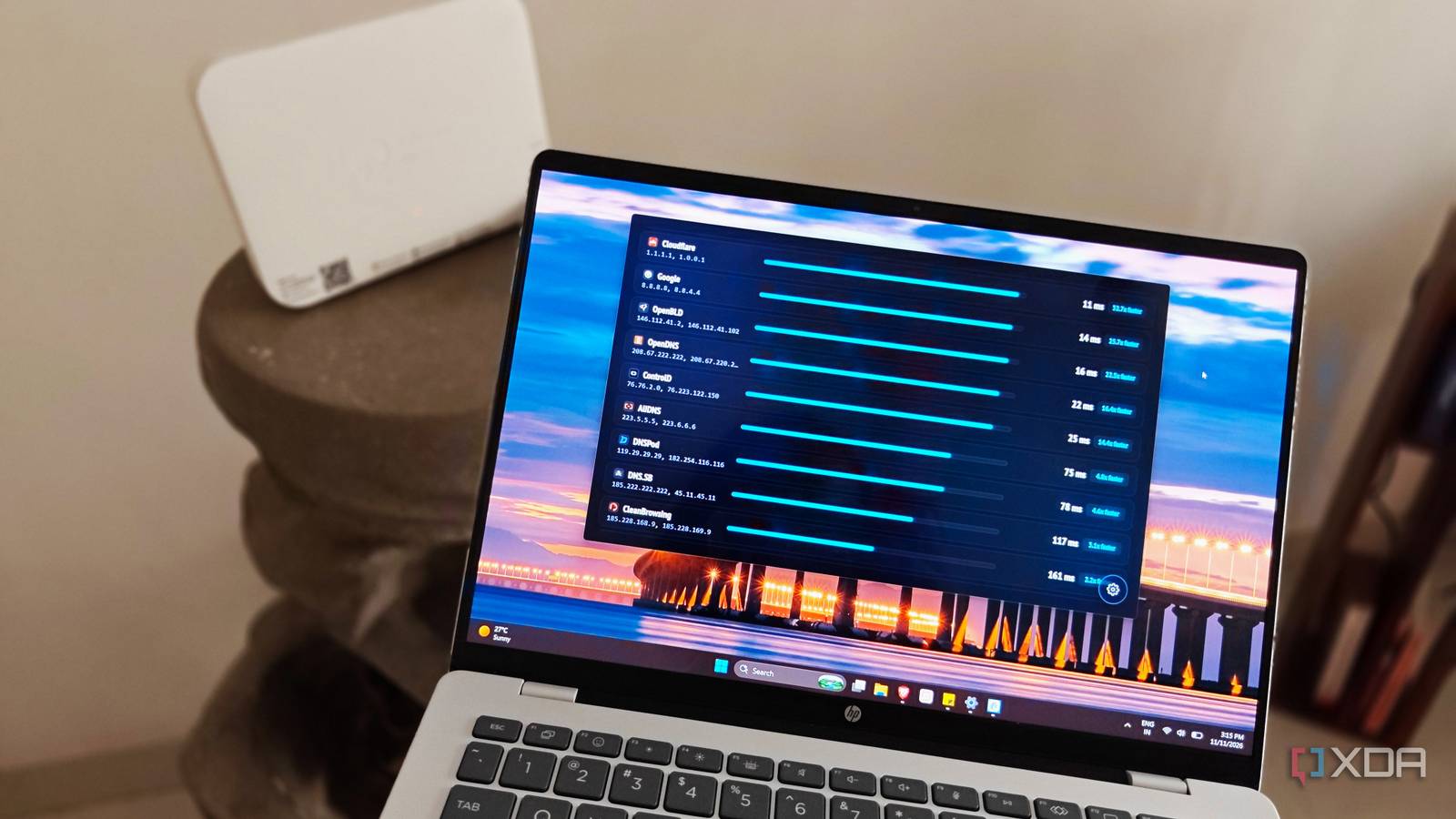
Published Nov 11, 2026, 8:01 AM EST After a 7-year corporate stint, Tanveer found his love for writing and tech too much to resist. An MBA in Marketing and the owner of a PC building business, he writes on PC hardware, technology, and Windows. When not scouring the web for ideas, he can be found building PCs, watching anime, or playing Smash Karts on his RTX 3080 (sigh). Even after messing with tons of settings on the router's admin page, most people never think of changing their default DNS servers. Your ISP's DNS servers are almost always slower than any other free or paid alternative available. Not only does it make your network feel slightly sluggish, but it also lowers your network privacy, since your ISP can monitor every domain you visit. Replacing your default DNS with Google or Cloudflare DNS is often recommended, but which one is actually better, all things considered? I decided to test it on my system, both on Ethernet and Wi-Fi, to conclude which resolver takes the win. It's not just the DNS speed that matters, but also the privacy, control, and convenience that determine which alternative comes out better. DNS speed is often overvalued Almost any DNS server is better than your ISP's "DNS speed" refers to the round-trip time it takes for a query to be resolved into the respective domain name. It's the delay between typing a common website name, such as "xda-developers.com," and the time the website starts to load. So, when I set out to test the relative performance of Google and Cloudflare for my PC, I had to decide which test to run. I had previously relied on online tools, such as DNS Speed Test, but they are only partially representative of real-world usage. They often skip the initial cold-start handshake penalty seen with real-world queries, and mostly test DoH (DNS over HTTPS) instead of the commonly used UDP/TCP DNS. Although they're still fine for a relative comparison, I decided to use a Windows app this time for a more representative test. You can download DNS Speed Tester from the Microsoft Store for a system-wide test of commonly available DNS servers. I ran the test on both Ethernet and Wi-Fi on my Windows PC to observe how DNS performance varied between a fixed and wireless connection. While the difference was negligible, Cloudflare was clearly faster than Google in both cases (2/4ms compared to 9/10ms). The results may flip for your location, depending on distance, routing, and congestion differences. The gap between Google and Cloudflare isn't huge. Anything below 20ms is considered excellent, so changing your default DNS to either Google or Cloudflare should get rid of any sluggishness you're experiencing when browsing social media apps, buffering Netflix streams, or connecting to game servers. The real choice between the two resolvers concerns other factors. Winner: Cloudflare Network privacy should be the priority Cloudflare takes a clear win You may not notice the difference between Cloudflare's 4ms and Google's 10ms resolution time, but if you care about privacy, you'll certainly care about what each of them does with your data. Cloudflare commits to deleting most DNS query data within 25 hours, doesn't sell your data to advertisers, and gets audited by a "Big 4" firm to review its privacy practices. Google, on the other hand, keeps some of your DNS query data for up to 48 hours, retains other non-personally identifiable data, such as domain names, request types, and response codes permanently, and anonymizes user IP addresses by storing only city- or region-level location. While Google doesn't use your data for advertising either, it doesn't feature a Cloudflare-like third-party audit commitment. Replacing your ISP's DNS server won't hide your network activity completely (like a VPN), but Cloudflare still wins in terms of no-logging and transparency policies. Winner: Cloudflare Some DNS servers offer more control than others Cloudflare has DNS filters and dedicated apps Unlike Google, Cloudflare offers several DNS server variants to allow users to control how much of the web is exposed on their network. Google's 8.8.8.8 and Cloudflare's 1.1.1.1 resolvers don't block anything, but the latter's 1.1.1.2 and 1.1.1.3 servers offer DNS filters for enhanced control. The former blocks known malware, phishing, and malicious domains, so if anyone on your network tries to access them, the resolver will deny access. The latter adds adult sites to the list of blocked domains, allowing parents to stay in control of the data their children can access on the home network. Cloudflare also has a dedicated app for Windows, macOS, Linux, Android, and iOS. It gives you a simple interface to toggle Cloudflare's DNS on or off instead of tweaking your router's settings every time. Plus, it allows you to edit other connection settings easily. Winner: Cloudflare Google is competitive in speed, but Cloudflare wins every other contest While there are other DNS servers, such as Quad9, ControlD, and AdGuard, the two most people are familiar with are Google and Cloudflare. Each of them has been around for a long time and offers fast and stable services. For my location, Cloudflare was the fastest resolver, with Google not far behind. However, in terms of privacy and control, Cloudflare won hands down, featuring more stringent and transparent policies and having dedicated apps.
I tested the two most popular DNS servers head-to-head, and it wasn't a competition
Full Article
Original Source
Read the full article at Xda-developers →KhanList aggregates and links to publicly available news content. We do not host full articles from third-party sources. Always verify important information with original sources.