
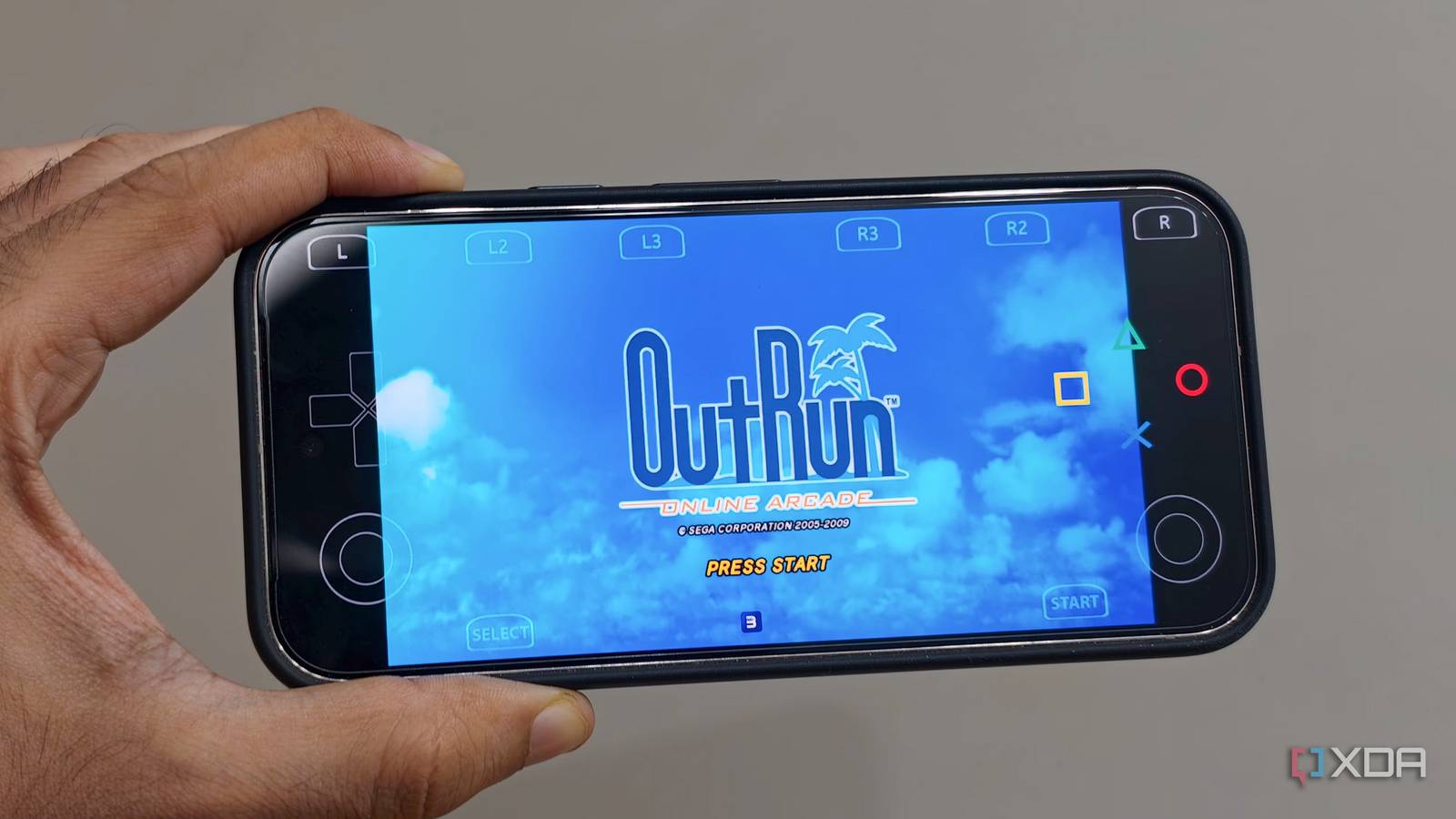
Published Aug 25, 2026, 6:00 PM EDT Dhruv Bhutani has been writing about consumer technology since 2008, offering deep insights into the personal technology landscape through features and opinion pieces. He writes for XDA-Developers, where he focuses on topics like productivity, networking, self-hosting, and more. Over the years, his work has also appeared in leading publications such as Android Police, Android Authority, CNET, PCMag, and more. Outside of his professional work, Dhruv is an avid fan of horror media spanning films and literature, enjoys fitness activities, collects vinyl records, and plays the guitar. The PlayStation 3 is a special console for me, and I have a lot of memories of spending long nights playing through the Uncharted series and Gran Turismo. Lately, I've been wanting to relive some of that nostalgia. Yes, I have a PlayStation 3 lying around somewhere, and yes, I have a computer fully capable of emulating the games as well, but most of my gaming these days is on the go. So, I decided to pop on my favorite retro racing title using a PS3 emulator on my Pixel 10 Pro to see how well it runs. I wanted a practical way to play old classics without sitting in front of the TV. As it turns out, Android-based emulation has come a long way. The Android-based aPS3e PlayStation 3 emulator isn't perfect, but the results are much better than I expected. PS3 emulation on Android is far from ready for prime time Hardware makes a big difference Even before you get started, there are some things to keep in mind. As far as Android-based PlayStation emulation has come, it's not quite stable just yet. The app is very much a work in progress, with compatibility and speed constantly evolving. It's also worth keeping in mind that in-game performance will largely depend on the hardware that you use. The PlayStation 3 used unique processor architecture that can stress out even premium processors. To that end, the best compatibility can be found with Snapdragon-based chipsets. The Pixel's Tensor chip can play simpler games, but the most graphically intensive titles will suffer. Additionally, unlike emulation of simpler platforms like 16-bit or even 32-bit consoles, there's a lot that goes on here before you can get around to playing the game. Shader generation takes a while, and the first few runs might be full of glitches. Subsequent runs, however, yield much better performance. To that end, aPS3e's Vulkan rendering and LLVM recompilation do a lot of heavy lifting when it comes to actually running games. Plus, it has per-game settings and configurations you'll need, because you simply can't have uniform settings that work across titles. As you might've begun to see, PS3 emulation on a smartphone is far from straightforward. To get started with aPS3e, you'll also need a firmware file, which is easy enough to obtain since Sony provides it. The next part, acquiring the games themselves, is more complicated. For most people, that'll mean sailing the high seas. In my case, I had jailbroken and dumped my game collection years ago when I jailbroke my console for homebrew. So, I had legally copied over versions of all my favorite titles. Performance is where things get interesting Shader generation makes the first run much worse than the second Performance and the user experience are where things start to get interesting. I went into this expecting my Pixel to struggle, and that is absolutely the case with heavier titles. The Tensor chip isn't ideal for PS3 emulation. But what surprised me was the number of titles that did run. I kicked off my tests with a copy of my favorite PS3 Tennis game, Top Spin 4. That turned out to be a downer as the game wouldn't even boot. Onto the next one. I switched over to OutRun Arcade, one of my favorite retro-style racing games from the era. The simpler graphics should make it easier to run, plus it's the kind of game that makes a lot of sense on the go. Turns out, the game runs perfectly well once shader generation is complete. After a few runs full of graphical glitches while the shaders were compiled, I was able to connect a controller and drive through races without any slowdowns at all. Basically, the first few minutes of gameplay will invariably look worse than what you'll experience once the emulator is settled in. That said, the Pixel is no powerhouse, and you need to be more careful with settings. Reducing the rendering resolution goes a long way towards giving a stable frame rate. It also helps with heat dissipation because, trust me, the Pixel gets pretty darn hot when running PS3 titles. My Pixel isn't a PS3 replacement, but it's getting there Look, I'll be realistic here. If you are about to buy a phone specifically for PlayStation 3 emulation, I'd think twice. Performance is far from being stable. But if you're okay living with bleeding-edge emulation, opting for a high-end Snapdragon-based phone would be my first recommendation. In my case, I already had a Pixel phone on hand. After testing over a dozen games with aPS3e, I can confirm that keeping your expectations low is in order. You won't be transforming your Pixel into a portable PlayStation 3 anytime soon. But, with simpler titles and the right settings, it's a great look into what is possible with the hardware. Add a controller, and titles like OutRun Arcade become genuinely enjoyable. In fact, I could even manage a couple of fights in Tekken, which was astoundingly cool to see. While my Pixel isn't ready to be a PlayStation 3 replacement yet, the fact that it can even boot and play a subset of titles is immensely satisfying. aPS3e aPS3e is an experimental PlayStation 3 emulator for Android devices.
I tested PS3 emulation on Android, and the Pixel's biggest limitation isn't what I thought
Full Article
Original Source
Read the full article at Xda-developers →KhanList aggregates and links to publicly available news content. We do not host full articles from third-party sources. Always verify important information with original sources.