
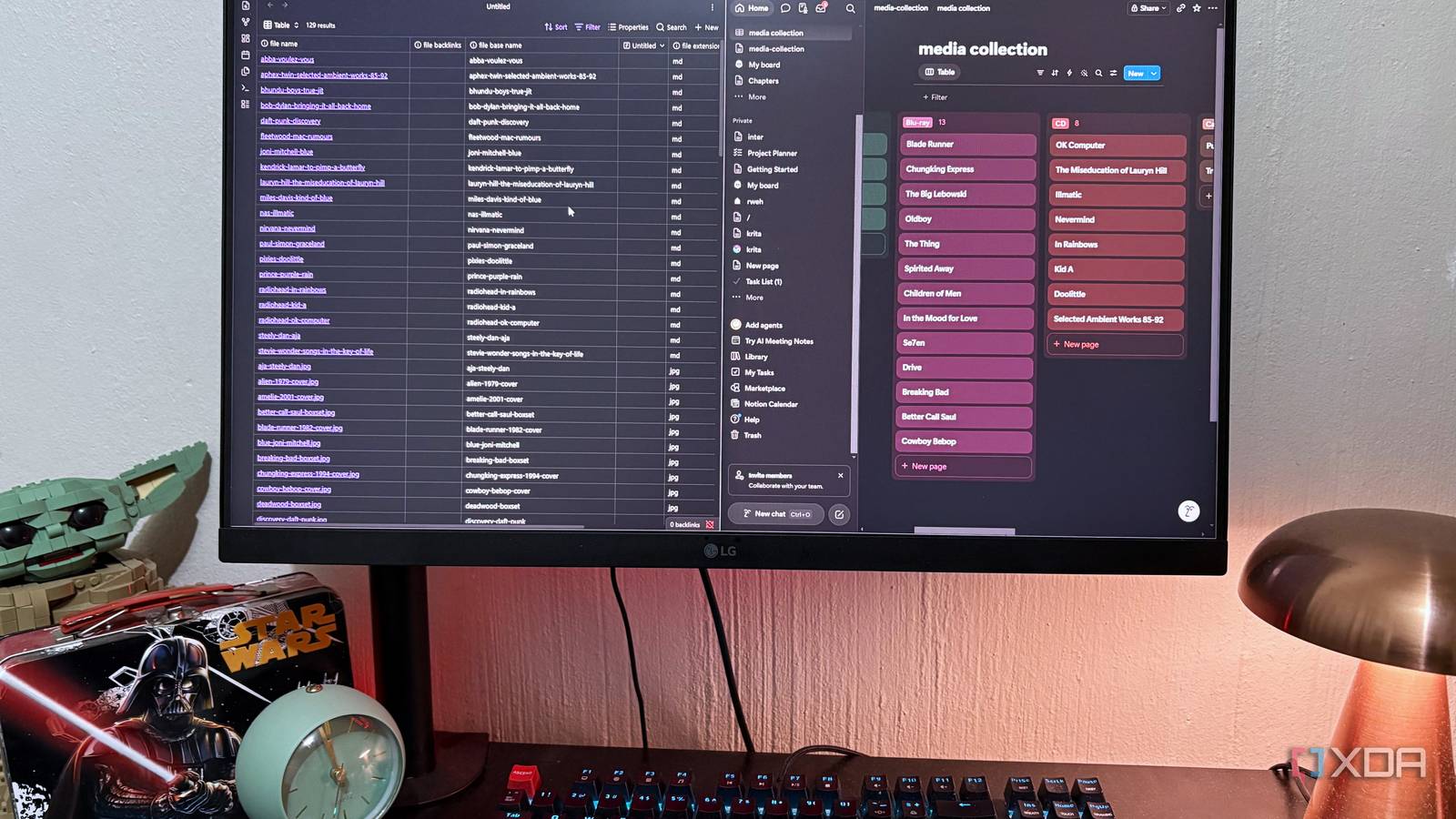
Published Aug 18, 2026, 5:30 PM EDT Nolen began their writing career in 2019, with three years dedicated to editing the Creative section at MakeUseOf. Their expertise lies at the crossroads of technology and creativity, covering areas like photography, video editing, and graphic design. Outside of work, you'll often find Nolen diving into a good book, writing their own stories, or playing video games. Every Notion account has a graveyard of abandoned databases. Databases themselves aren't even that hard to navigate, but they can get tedious under constant maintenance, which is part of the reason I left Notion a while ago in favor of simpler, more minimalist options. One of them is Obsidian's Bases plugin, which finally enabled many to leave Notion behind. But Notion's databases and Obsidian's Bases are quite different. One requires a lot of input, the other sits on top of an already-existing knowledge base. One has rollups, the other doesn't. They're from two different universes, but with the same goal: for you to navigate your files with ease. So, I put both to the test on the same project, and the winner kind of surprised me… It was a small project because nobody needs another abandoned workspace Cataloging my physical media collection was the project I picked because it's small enough to comfortably work with and it's something I've been meaning to do properly for ages anyway. My collection consists of DVDs, Blu-rays, CDs, vinyl, and a couple of old tapes. And they have no real system; half of the stuff is actually sitting inside my closet because I don't know how to properly display it. This project was deliberately unglamorous, because I think the reason half of these organization-admin-type projects get abandoned is that they're too ambitious. I started with a solid base, though. I had a bunch of random notes from the collection, including old emails from ordering this stuff, so I started by feeding everything to Claude so it could straighten it out and give it real properties and frontmatter to work with. I ended up with entries that all have the same properties: format, year, genre, condition, purchase date, price, etc. So there was a lot to work with here. In order to really test Notion and Obsidian, I came up with a couple of criteria I wanted answered by the end of this. What have I overpaid for, what's currently on my shelves, my highest-rated entries, the genre breakdown, and what's in poor condition or needs replacing. The goal was to get answers to these questions as fast and efficiently as possible. Obsidian Bases handled it like it was already halfway done Which turned out to be both a strength and a weakness Bases went from Catalyst beta to shipped core plugin last year, and the whole idea is that it turns your existing notes into a database without requiring you to move or duplicate them anywhere. My collection is already a batch of markdown files with YAML frontmatter for the properties, and I built the base by simply opening the Bases plugin and adding a filter for my "media collection" subfolder. That was literally the entire setup. What makes Bases different from other database tools is that it isn't storing your data - the notes are the data, the base is just a configured view sitting on top of it. I set up a couple of different views inside the same base. A table view for the movies, a card view grouped by different properties, another filtered view for media in poor condition sorted by rating so I'd know what's worth replacing first, and a gallery pointed at the attachments folder for browsing cover art. Clicking any row opens the actual note with the body content intact. This setup is really all I wanted, it gets the job done. But Bases isn't completely barebones. For example, it has two filter layers: one that applies to all views and one just for the current view, and you can nest AND, OR, and NOT groups together. My "needs replacing" view used a nested filter, condition is Poor or Fair AND rating above 6, so I wasn't looking at everything damaged, just the damaged stuff worth caring about. But Bases does run out of room on the analysis side. Of course, it doesn't feature things like rollups and sum or median, well, not out of the box at least, you'd need more plugins for that. When you click on an entry in Bases, it also overrides the current base window with the note you opened by default; it requires extra setup to get it to open in a split view next to the base. The first thing Notion asked me for was more effort But it kind of paid off (and I also took a shortcut) If you've read any of my Notion alternative coverage, you'll know one of the reasons I left it was because of all the setup tax. And here I came face to face with it once again; I was going to have to populate a database from scratch. Luckily, there's a little shortcut that helped me get started: I asked Claude to make a CSV of my "media collection" folder in the vault, because all the notes already had all the necessary frontmatter. Then I simply imported it into Notion and it created the database with all my properties for me. The only problem was, CVS doesn't carry the page contents, which were mainly my notes and thoughts about each piece of media. The payoff was immediate though. Notion's filters are snappier and more advanced. I could instantly check the total amount I've spent, as well as the median cost of a media item, and it revealed quite a bit about my spending habits. I also set up a relation between the collection database and a smaller one I made for purchase trips - every item now linked to the trip I bought it on, and every trip page automatically listed everything I picked up that day. This cross-database linking is exactly why Notion databases are unmatched. The only problem was, it took longer to set up, especially as I started adding the note content that the CSV didn't import. Views are also where Notion visually looks better. The board view grouped by format and automatically color-coded it for me, so it just looked much nicer than what Bases produced. And the calendar view by "purchase date" turned my shopping history into an actual visual timeline - not quite the insight I wanted, but the one I needed for sure. Only one database tool made me want to keep using the setup As much as I love Obsidian and its Bases plugin for quick filtering and overviews, Notion proved why people seem to keep loving the app, despite its bloated nature. Bases just isn't really fleshed out enough for a project like this that contains data spanning several years. Notion really adds the visual polish and those extra features to help you get more than just overviews, but also insights. The only problem was the setup tax, and it showed me why I'll probably keep using Obsidian as my primary note-taker; I never have to worry about my notes not being in the right format or going through conversion steps. But as far as database functionality goes, Notion wins by a mile, and you'll be better off using its databases over any other alternative because most don't come close. Notion Obsidian OS Windows, macOS, Linux, iOS, iPadOS, Android Individual pricing Free normally; $4/month for Obsidian Sync
I tested Obsidian Bases against Notion with a real project, and one of them fell apart
Full Article
Original Source
Read the full article at Xda-developers →KhanList aggregates and links to publicly available news content. We do not host full articles from third-party sources. Always verify important information with original sources.