
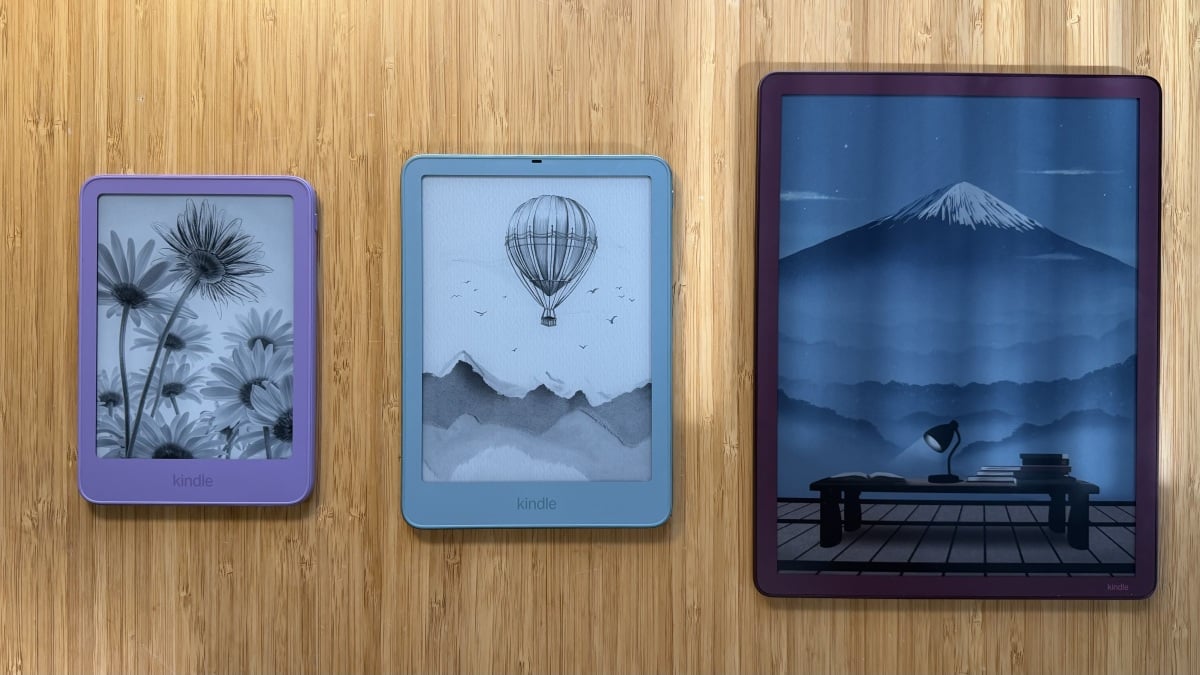
I'm putting the new Paperwhite, Colorsoft, and Scribe head-to-head. By Samantha Mangino Samantha Mangino Lead Shopping Reporter Samantha Mangino, is an e-reader expert. She's tested all the Kindle and Kobo e-readers, diving into the buzziest models. Her love of reading extends beyond the e-reader beat, covering books and authors, too. In the tech space, she covers tablets, smart rings, and headphones. Read Full Bio on October 31, 2026 Share on Facebook Share on Twitter Share on Flipboard All products featured here are independently selected by our editors and writers. If you buy something through links on our site, Mashable may earn an affiliate commission. Credit: Samantha Mangino / Mashable Amazon is back with a new round of e-readers. I've spent years testing Kindles, and the latest batch is impressive and shows why Kindles are the most popular e-readers. You have multiple models to choose from, with a variety of features and price points.After testing the new batch of Kindles, we have a new favorite. The Kindle Paperwhite Signature Edition has edged out the standard Paperwhite as the best Kindle. Overview These are the tech, tools, and products — from laptops to e-readers, from earbuds to robovacs, and more — that Mashable ranks best in class. Table of Contents Choosing a Kindle is just the start. Once you have a Kindle, there's so much you can do to make the most of it. For avid readers, Stuff Your Kindle Day and Libby let you cross every last item off your annual reading list. You can even buy Kindle accessories like remote page-turners and gooseneck stands so you don't have to hold your Kindle while reading. Which, by the way, we love Amazon's new Kindle Click and Page Turn Cover.So, after extensive testing, reading so many books, and attending BookCon, I created this guide to the best Kindles to buy in 2026. Meet the new 2026 KindlesOn Oct. 1, Amazon announced a redesign of the entire Kindle collection. Before the launch, Mashable's tech editor, Timothy Beck Werth, went hands-on with the devices, seeing their vivid new colors like ube, as well as the new aluminum casings on some of the e-readers. Here are all the new Kindle e-readers:Kindle (16GB) — $149.99 to $169.99Kindle, Aluminum (32GB) — $189.99Kindle Paperwhite (16GB) — $199.99 to $219.99Kindle Paperwhite Signature Edition (32GB) — $249.99Kindle Colorsoft (16GB) — $289.99Kindle Colorsoft Signature Edition (32GB) — $319.99Kindle Kids (16GB) — $179.99Kindle Kids Paperwhite (16GB) — $229.99Kindle Kids Colorsoft (16GB) — $299.99Kindle Click page turner — $34.99Kindle Page Turn Cover — $79.992026 Kindle price increasesFor years, Kindle prices have stayed stable, but in August 2026, they finally got an increase. Every model except the Kindle Scribe received a price increase. We can thank RAMageddon, as an Amazon spokesperson said that the increased prices are a result of "significant increases in memory and storage component costs." Here's a breakdown of all the new Kindle prices Our Pick The Good & The Bad Sleek and sturdy aluminum casing Excellent battery life Quick processing No screen ghosting 32GB is an abundance of storage Ad-free lockscreen Page-turn cover sold separately Our review Read our full review of the Kindle Paperwhite Signature Edition (2026). Who it’s for Most readers: Amazon's latest release, the Kindle Paperwhite Signature Edition, is the best Kindle. While we previously saw it as an upgrade pick, the new aluminum casing makes it essential with a sleeker, sturdier case. Inside, it's still the same speedy Paperwhite we love. It turns pages without stuttering, never slowing down when you’re in the thick of the action.People who read on the go: The 7-inch screen has adjustable brightness and warmth but it also auto-adjusts. That means if you're commuting or the sun changes overhead, the Paperwhite Signature Edition will adjust the screen based on your environment. The 2026 model is lighter and thinner than ever and fits comfortably in small crossbody bags. Plus, it’s waterproof, keeping it safe from poolside vacations and spilled water bottles in bags. Why we like it When picking the best Kindle, it always comes down to this question — Paperwhite or Paperwhite Signature Edition? Historically, I've preferred the Paperwhite, finding that the Signature Edition doesn't have enough features to justify its price. The 2026 Kindle Paperwhite Signature Edition finally fixes that. With a new aluminum case, the Kindle Paperwhite Signature Edition feels like a high-end piece of tech. With a thinner body and square edges, this new Kindle feels more like a smartphone or tablet than it does an e-reader.But inside the more advanced chassis is still the same e-reader you love. It's fast with a high contrast 300ppi resolution. The matte display is glare-free and easy on the eyes. With adjustable warmth and brightness you can read with it in bright summer sun at the beach and then turn it down and warm it up when you're in a dim bedroom. And speaking of the beach, its IPX8 rating makes it safe to use in the bath or at the pool.It is a more expensive e-reader at $249.99, especially compared to the Paperwhite's $199.99, but here's what you get for an extra $50. The upgraded aluminum case makes that $50 nearly worth it compared to the plastic exterior of the Paperwhite, but the Signature Edition also has an ad-free lockscreen, 32GB of storage compared to the Paperwhite's 16GB, wireless charging, auto-adjusting brightness, and best of all, compatibility with the new Kindle Page Turn Cover.Plus, the Kindle Paperwhite Signature comes in more exciting color options. While the Paperwhite just comes in graphite, the Signature Edition also comes in a stunning seaglass green. Details The Good & The Bad Quick performance Extremely lightweight and compact Generous storage space New flush-front design and redesigned power button No adjustable warm light Not waterproof Short battery life compared to Kindle Paperwhite Our review Read our full review of the Kindle (2026). Who it's for Budget shoppers: Especially in light of the Kindle price increases, if you want to read books on an e-reader but need a budget-friendly model, the regular Kindle is the best option. It recently got an update, too, and the 2026 Kindle is better than ever. It’s the smallest Kindle, with a 6-inch screen that makes it pocket-sized (if you have big enough pockets). But with a budget device, keep in mind you have to make some sacrifices. The basic Kindle isn't waterproof nor does it have adjustable warm light. Why we like it Amazon made some updates to the 2026 Kindle that make it worthy of its higher price tag. It has a new, flush front design for a sleeker look. Plus, the design team made a change we've been dying for — they moved the power button to the side of the device. Plenty of specs have stayed the same between generations. It still has a 6-inch screen, 300 ppi resolution, and six weeks of battery life. What truly makes it stand out is just how lightweight it is. The 2026 Kindle weighs 18 grams (.66 ounces) less than the previous generation and it's a noticeable difference. It feels like you're barely holding anything; plus, it's even better for travel as it takes up very little space and weighs just half a pound.It's a speedy little e-reader, too. Its screen is responsive and loads books within seconds. The only thing that could make the e-reader better is if Amazon added an adjustable warm light and made it waterproof. However, according to Amazon, the lack of those features keeps it affordable.The device is now available in its basic format in either ube or graphite. However, it's also available with an aluminum backing, making it more like a tablet. The aluminum Kindle is more expensive at $189.99, but it does come with 32GB of storage. Details The Good & The Bad 30% faster than previous models Power button moved to side of device Available in aluminum casing 16GB model not compatible with page-turn cover Our first impression We have yet to thoroughly vet the new Kindle Paperwhite, but before the device's release, we got a sneak peek of the new models. We were impressed by the new aluminum models of the Kindle Paperwhite. Plus, I'm pleased to see that the power button has been moved to the side of the device. Based on how much we've loved previous generations of the Kindle Paperwhite, we feel comfortable saying the new gen will be a good purchase. Details The Good & The Bad Waterproof Adjustable warm light Worry-free guarantee 6 months of Kindle Kids+ Choice of cover included Black-and-white only interface More expensive than regular Paperwhite Who it's for Note: On Oct. 1, 2026, Amazon released a new version of the Kindle Paperwhite Kids. We are currently in the process of testing the new e-reader.Young readers: If you're raising a voracious reader, the Kindle Paperwhite Kids is the best Kindle for kids. It's waterproof, which means it stands up to juice spills and dips in the pool. Plus, it comes with a Kindle case included. It's designed to be kid-proof, not just physically, but also with built-in parental controls. If you're concerned about monitoring your kid's bookshelf, this Kindle allows you to approve downloads by kids and displays age-friendly titles that kids can easily access. Why we like it More than anything else, a Kindle for kids has to be waterproof, which is why the Kindle Paperwhite Kids is the best choice. It comes with everything we like about the standard Paperwhite: a beautiful, high-resolution screen that works faster than any previous generation.But what makes it great for kids is that it's a distraction-free device. It doesn't come with ads, notifications, or the temptation of games or video. I also like that it's a bit heavier than the standard Paperwhite, giving it a sturdier design. Plus, the built-in case adds an extra level of protection.The parental controls are easy to use and set up, and the device also comes with a six-month free subscription to Amazon Kids+, which provides unlimited access to thousands of age-appropriate books. The library of books is easy for kids to navigate and offers classics like Lois Lowry's The Giver and modern classics like Diary of a Wimpy Kid.What I don't love is the price, especially now that it just rose by $50. At $229.99, it's more expensive than the standard Paperwhite. If you want to go for a budget kids' pick, I'd go for a standard Kindle, which you can set up as a kids' device during setup to ensure parental controls and add an Amazon Kids+ subscription for $5.99 per month. Plus, as your kid ages, you won't have to upgrade to a more teen-friendly e-reader. Details The Good & The Bad Great battery life Zoom feature works well Ad-free homescreen Nice aluminum casing Some color flashing Expensive — try to buy it on sale Who it's for For color enthusiasts: The Kindle Colorsoft would probably be a better option for kids than for adults, serving as a bridge between colorful storybooks and more challenging chapter books. But it works for adults too, especially those who want color or to use the Page Turn Cover. Why we like it The Kindle Colorsoft makes some modest improvements over its predecessor, introducing the same design changes as the rest of Amazon's 2026 Kindle lineup. That means the new Kindle Colorsoft has a slimmer build, magnetic Pogo pins, and edge-to-edge color, so the bezels now match the device's color. Overall, it's an improvement, but it doesn't solve the problems of the original device, nor fully justify the $289.99 price (or $319.99 for the Signature Edition).Unfortunately, E Ink technology has extremely dim and muted colors. Even if you crank the vibrancy settings all the way to the max, the colors are disappointing. When you compare the Kindle Colorsoft side-by-side with graphic novels or books with illustrations, the differences are extremely obvious. If you want to read comics or similar color artwork digitally, you're better off with a tablet.With those major caveats, if you want a Kindle with color, this is the best option. On the plus side, we love the fig colorway (it matches the burgundy iPhone), and the color lockscreen artwork does look great. Details The Good & The Bad Better proportions than previous models New front light creates a brighter surface Well-organized home screen Fantastic note organization Expensive Hard to hold for long periods of time Our review Read our full review of the Kindle Scribe (3rd Generation). Who it's for Note takers and annotators: If, looking through your bookshelf, your books have dog-eared pages, highlighted lines, and scribbles in the margins, your instinct might be that an e-reader isn't for you, but I'd like to introduce you to the Kindle Scribe. It's the only Kindle with writing capabilities and comes with an included stylus pen that magnetically attaches to the side of the e-reader; it's ready for all your handwritten thoughts.The pen moves nicely across the screen, mimicking the texture of writing on paper. Its larger screen also makes it better for writing and reading PDFs.In addition to a library of books, the Kindle Scribe also comes with a journal section where you can take notes. The notes feature is especially great for students who want to handwrite notes, convert their handwriting into text, and manage documents through Google Drive. Why we like it The 2025 Kindle Scribe got a much-needed upgrade. All the good stuff has held over with the addition of some major improvements.It's still big, with an 11-inch display, which does make it a little more awkward to hold while reading, but for writing or annotating, it's optimal. Unlike other tablets (I'm looking at you, iPads) that require you to buy a pen separately, the Kindle Scribe comes with a pen that conveniently attaches to the side so it doesn't get lost. However, it's not the most secure magnetic hold, so be careful not to bump the pen off accidentally.Writing on the Kindle Scribe is a joy. Before testing this e-reader, I used my iPad and Apple Pencil to annotate readings, but I never loved it because the screen felt too slick for the Apple Pencil. The Kindle Scribe does not suffer this problem, as the matte screen lends some friction to the pen, making it feel like you're writing on paper. I enjoyed writing with the pen, and I swear my handwriting looked better on the Kindle Scribe than on my iPad.It finally got a processing update that makes it as speedy as every other Kindle. Gone is the lag when switching between journals and books. Plus, the displays have greatly improved, too, as the 2025 Kindle Scribe has virtually no ghosting. Like the Kindle Paperwhite, the Scribe's battery life lasts 12 weeks. It also has multiple storage options, as you can choose between 32GB or 64GB.It's not your only option if you want a Kindle that can write. The Scribe Colorsoft is also available, and while we appreciate that model, it's quite a bit more expensive. The 2025 Scribe is a better value, it just doesn't have the wow factor of color. Details More 2026 Kindle updatesAs of May 20, 2026, Amazon no longer lend software updates or provide web services to devices released in 2012 or earlier, essentially bricking them. Users will still be able to read currently downloaded books on the device, but to add new books, they will need to connect the device to a computer. This is a huge hit, especially to Libby users who need web service access to read borrowed books. The affected Kindles include: Kindle (1st generation)Kindle (2nd generation)Kindle DXKindle DX GraphiteKindle KeyboardKindle 4Kindle TouchKindle 5Kindle Paperwhite (1st generation)Owners of these Kindle models are obviously upset, as it means they'll need to purchase a new device to maintain access to all features. While some are considering switching to a different e-reader, like a Kobo, Amazon still makes great e-readers, and it's a testament to the brand that devices that are at least 14 years old are still going strong.Which Kindle is right for you?If you're concerned about buying the newest tech, that's not an issue since, as of October 2026, there are nine new models to shop.Before you choose a Kindle, you need to ask one question first: Do you want it to be waterproof? If you prefer reading near a body of water — whether in the bath, by the pool, or at the beach — that immediately narrows down your options. Since the Kindle Oasis is no longer available, your waterproof options are the Kindle Paperwhite, Paperwhite Signature Edition, Colorsoft Signature Edition, and Paperwhite Kids. Trying to decide which Kindle is right for you? Above all, you need to decide if you need a waterproof e-reader. Credit: Samantha Mangino / Mashable Beyond water resistance, here are a few other features to consider:Display size: The basic Kindle has a 6-inch display, while the largest has a 10.2-inch display.Storage capacity: Kindles range from 16GB to 32GB of storage capacity.Battery life: The new Kindles generally have outstanding batteries. On the low end, they last up to six weeks per charge, while others last up to 12 weeks.Writing capability: The Kindle Scribe is the only model that allows you to write with the included stylus. The latest Kindles all boast a maximum brightness of 94 nits and a 300 ppi, high-resolution display with zero glare, so you can enjoy sharp text and images at any viewing angle. Kindles are also equipped with WiFi connectivity, allowing you to download all the reading material you could ever want. Plus, you can listen to audiobooks on Audible via the built-in Bluetooth connection.Not to mention, out of all the e-readers I've tested, Kindles have the best compatibility with Libby. I love the digital platform because I can read for free and support my local library. Some other e-readers require you to download your library e-book to a computer and then upload it to an e-reader, but with Kindles, your e-books are sent straight to your device with a click.And if you were a die-hard Kindle Oasis fan and are attached to page-turning buttons, your best option is to get the Kindle Paperwhite Signature Edition with the Page Turn Cover. How to get free e-books on Kindle With just a click, transfer your Libby e-book to your Kindle device. Credit: Samantha Mangino / Mashable Your Libby ebook will automatically populate in your Kindle library. Credit: Samantha Mangino / Mashable The best way to read free e-books on a Kindle is with Libby. Libby allows you to borrow e-books through libraries, and all you need is a library card. Through the Libby app, borrow books and then select the "Read with Kindle" option, which allows you to send these e-books to your Kindle library.Another option for finding free e-books is through Stuff Your Kindle events. These are author-driven events that offer limited-time deals on e-books, often making them heavily discounted or totally free.How to make the most of your KindleThrough our testing and daily use, we've spent a lot of time with Kindles, learning how to make the most of them. We've written extensively on all the ways to maximize your Kindle, so be sure to browse through our guides and explainers:How to make the most of your Kindle: 8 features you need to useThe best Kindle accessories for reading in luxuryWhat is Stuff Your Kindle Day? The best way to fill your e-reader with free booksI've read hundreds of free Kindle books with Libby. Here's how.What is Kindle Rewards? Earn free credits when shopping the Kindle storeWhat is Kindle+? A library of books at your fingertips for just $12 a month.Where to get free e-books: Load up your e-reader without spending a dimePrime members can get a free e-book every month with Amazon First ReadsHow to download EPUB files on your Kindle8 Kindle features you should be usingHow to delete books from Kindle Frequently Asked Questions In the past, the Paperwhite has been Amazon's flagship e-reader, with the Paperwhite Signature Edition being the more luxe option. However, with the 2026 redesign, it seems like the script has been flipped, with Amazon pushing the Signature Edition while the standard Paperwhite takes a back seat.Plenty remains the same between the devices. They have the same 7-inch screen with 300 ppi resolution and adjustable warmth and brightness. Both are waterproof with IPX8 ratings and 12-week battery life. The new devices also have easy-to-open back panels to make replacing the battery that much easier.The Paperwhite is the cheaper option at $199.99, but it comes with only 16GB of storage (which, to be fair, is still plenty) and is available in graphite with a plastic casing. The Signature Edition is more expensive at $249.99, but comes with 32GB of storage and is available in the aluminum finish in seaglass green and graphite. Beyond its nicer finish, it also has an ad-free lockscreen, automatic front-light adjustment, a rotating screen, and wireless charging. The real perk of the Paperwhite Signature Edition is its compatibility with the Page Turn Cover, which adds page-turning buttons to your Kindle. Unfortunately, while a lot of Amazon devices get regular discounts throughout the year, we only see Kindle discounts during big shopping events like Prime Day and Black Friday. However, even at full price, these devices earn a strong recommendation from Mashable. Kindle Kids editions come with built-in parental controls. It displays a library geared toward kid-friendly and age-appropriate content. Plus, it allows your kid to request books to read that you have to approve in the Kindle app — that way, you know exactly what they're reading.Unlike other Kindle models, the Kindle Kids includes a built-in cover and a free one-year Amazon Kids+ subscription that provides access to thousands of books for kids ages 6 to 12. Plus, it comes with a worry-free guarantee: If the Kindle Kids gets damaged within two years of purchase, they'll replace it totally free.However, any Kindle can technically be a suitable device for kids. When setting up a Kindle, you'll receive a prompt asking if the device is for children, which enables parental controls on it. Yes, you can buy new Kindles at Best Buy. However, if you're searching for the best price and a convenient shopping experience, we recommend sticking with Amazon. Since the Kindle store is also hosted at Amazon, you'll need an account there anyway, and it's hard to beat Amazon's prices on its own products. The Mashable team is split on this question. Our resident Kindle expert Samantha Mangino (yours truly) recommends most people opt for the ad-supported version. However, Mashable Tech Editor Timothy Beck Werth recommends paying a little more to get a Kindle without lockscreen ads. Though this increases the price by $20 to $25, you won't be subjected to annoying ads for books every time you lock your e-reader. Instead, you'll see black-and-white photographs of writing implements and other book motifs.When you're buying a Kindle, you'll notice that Amazon selects the "Lockscreen Ad Supported" version by default. Shoppers must manually select "Without Lockscreen Ads" if they want to remove advertisements from the lock screen. This increases the cost of the base Kindle from $149.99 to $169.99; the Kindle Paperwhite increases from $199.99 to $219.99. For serious readers who hate ads, we think it's worth the added cost. To select the best Kindles of 2026, I assessed the current lineup of Kindle devices. I tested each of these e-readers to get a comprehensive view of each device. I also compared them to the other e-readers I've tested. I made sure to pinpoint which models are waterproof for a worry-free outdoor reading experience as well as those better suited for children. Kindle models vary wildly in price; I made sure to include an affordable Kindle as well as splurge-worthy, treat-yourself picks. This includes auto-adjusting displays for indoor/outdoor reading, warm light settings to block blue light, and page turn buttons for one-handed reading. How easy was it to download and read new books from Libby or the Amazon store? Did the Scribe's stylus work smoothly? Samantha Mangino, is an e-reader expert. She's tested all the Kindle and Kobo e-readers, diving into the buzziest models. Her love of reading extends beyond the e-reader beat, covering books and authors, too. In the tech space, she covers tablets, smart rings, and headphones.
I tested all of Amazons e-readers, and this is the best Kindle to buy
Full Article
Original Source
Read the full article at Mashable →KhanList aggregates and links to publicly available news content. We do not host full articles from third-party sources. Always verify important information with original sources.