
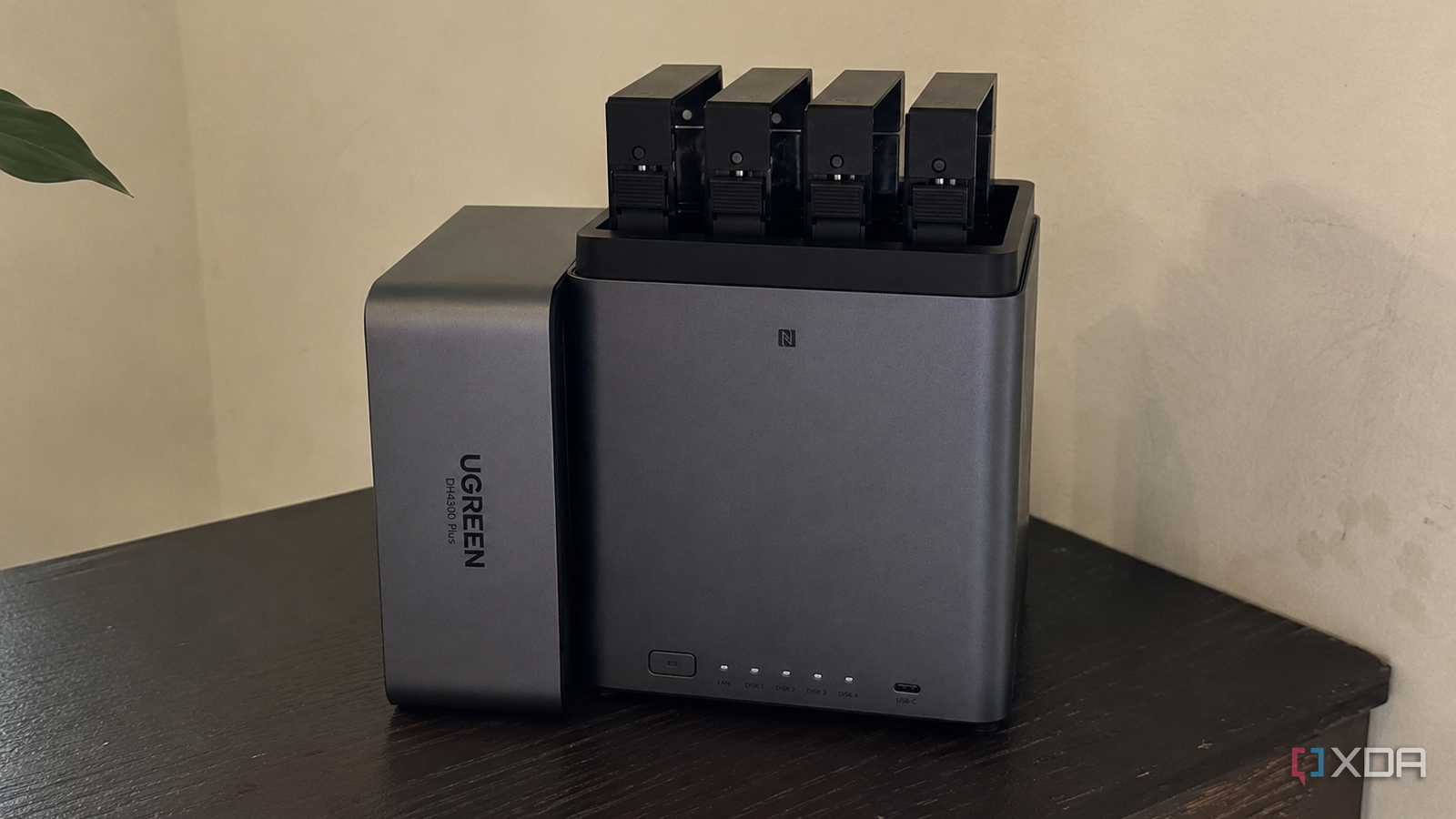
Published Aug 1, 2026, 8:30 AM EDT Anurag is an experienced journalist and author who’s been covering tech for the past 5 years, with a focus on Windows, Android, and Apple. He’s written for sites like Android Police, Neowin, Dexerto, and MakeTechEasier. Anurag’s always pumped about tech and loves getting his hands on the latest gadgets. When he's not procrastinating, you’ll probably find him catching the newest movies in theaters or scrolling through Twitter from his bed. Running a local LLM alongside Home Assistant sounds like a good use for a NAS. The machine is already running throughout the day, your smart home data stays within your network, and you don’t have to depend on a cloud model every time you want to control a device. But the truth is, most NAS hardware is designed for storage, which means it doesn't have hardware good enough to run local LLMs. I tested seven local models on my Ugreen DH4300 Plus, ranging from the tiny FunctionGemma 270M to Phi-4 Mini 3.8B, with several Qwen and LFM models in between. I didn’t limit the test to basic commands such as turning a light on or off. I also gave the models ambiguous requests, commands that should not trigger an action, and automation tasks that required a structured decision. Most of the models worked under ideal conditions, but they started missing devices, returning unusable tool calls, or taking too long once the requests became more complicated. Only one was accurate and fast enough for me to consider using it regularly with Home Assistant. Your NAS decides what you can run And it's often not much The Ugreen DH4300 Plus I’m using has a Rockchip RK3588C with eight ARM CPU cores and 8GB of memory. Ugreen advertises 6 TOPS of AI performance, but Ollama doesn’t automatically use the Rockchip NPU inside a regular Docker container. The models therefore run on the CPU, which places the practical limit at around 2B parameters for regular use. Quantized 3B and 4B models can run, but they take longer and compete with the other services running on the NAS. This isn’t specific to Ugreen. The popular Synology DS224+, for example, uses a four-core Intel Celeron J4125 and comes with only 2GB of memory. You can expand it to 6GB, but that still leaves less room for the model once DSM, Home Assistant, and other containers take their share. Tiny models should run, but anything approaching 3B parameters becomes difficult to justify for frequent smart home commands. A more powerful device such as the TerraMaster F4-424 gives you a better starting point with its Intel N95 processor and 8GB of DDR5 memory. Its x86 processor also makes running containers easier than on some ARM-based systems, but the LLM still relies mainly on CPU inference unless you have supported acceleration. You get more room to test 3B and 4B models, although a smaller model will usually make more sense if you want responses quickly. Home Assistant also gives the model more work than a regular chat prompt. It sends entity names, their current states, and the available tools as context before the model handles your request. The prompt grows as you expose more lights, switches, and sensors, even if you only ask it to control one device. Home Assistant recommends exposing fewer than 25 entities to smaller local models. I kept the test between 10 and 15 entities so every model received the same manageable context. The exact model size your NAS can handle will change with its processor and available memory, but the broader rule remains the same: a model loading successfully doesn’t mean it will respond quickly or call the correct Home Assistant tool. How the seven models compared Only Qwen3 1.7B was worth running Credit: I ran every local model against the same set of commands and kept the exposed Home Assistant entities unchanged throughout the test. The requests covered direct device control, ambiguous entity names, multiple-device commands, and instructions where the model should not perform any action. I paid more attention to the tool selected and the arguments returned than to the final written response because a convincing answer is irrelevant if the wrong device changes state. FunctionGemma 270M was the smallest model in the test and returned function calls quickly, but the generic version was too easy to confuse when multiple tools or similarly named entities were available. That result wasn’t entirely unexpected because Google positions FunctionGemma as a base for further fine-tuning rather than a finished general-purpose model. Home-FunctionGemma 270M was considerably better suited to the task. It has been trained on 240,000 Home Assistant requests and works through the Home LLM integration, so it understands the structure of Assist API calls despite its small size. It handled straightforward smart home language well, but its narrow training also made it less dependable when a request moved outside familiar Home Assistant phrasing. Still, it remains the most interesting alternative because it requires far fewer resources than everything else I have tested. Qwen3 0.6B also ran quickly and supports tool calling through Ollama, but its accuracy dropped with ambiguous and multiple-device requests. LFM2.5 1.2B was fast for its size and often selected the correct function, although its Python-style function output created parsing problems because Home Assistant and Ollama expect a more standard tool-call format. A model that chooses the right action but returns it in an unusable format still fails the automation. Llama 3.2 3B and Phi-4 Mini 3.8B were the largest models in the comparison. Both had more room for understanding natural language, but they were slower on the NAS and didn’t provide enough of an improvement in tool-call reliability to justify the additional memory and processing time. Qwen3 1.7B was the only model that gave me a reasonable balance across the entire test. It was small enough to run regularly, supported Ollama tools without additional formatting work, and remained more consistent when the request required restraint or contained unclear wording. That made it the only model from the seven that I would continue using with Home Assistant. Qwen3 1.7B gets the balance right But you should still rely more on Home Assistant Assist Qwen3 1.7B works well on a NAS because its Q4 version is only around 1.4GB, yet it still has enough capacity to understand less direct requests and return valid tool calls. Ollama officially supports tools with the model, so it also avoids the formatting problems I encountered with LFM2.5. I run it with a 4,096-token context window, thinking disabled, and the temperature set close to zero. Keeping only two to four previous messages prevents the conversation history from consuming unnecessary context, while keeping the model loaded avoids waiting for it to start again with every request. The better setup is to let regular Home Assistant Assist handle simple commands first and use Qwen3 only as a fallback. Most direct requests remain fast, while the model handles language that requires some interpretation, such as deciding what “it’s getting dark in here” should mean. I still wouldn’t give a small local model unrestricted control over locks, heaters, or alarms. Those should remain deterministic Home Assistant automations. Qwen3 is useful for interpreting language and selecting from tightly restricted actions, which is enough to make smart home control more flexible without handing the entire house to an LLM. Take your home automations to next level While Home Assistant already supports a lot of basic automations, you can take things to the next level by adding an AI model to the mix. This gives you the freedom to use natural-language commands that Home Assistant wouldn’t otherwise understand.
I tested 7 local LLMs on my NAS for smart home automation, and only one didn't fall apart
Full Article
Original Source
Read the full article at Xda-developers →KhanList aggregates and links to publicly available news content. We do not host full articles from third-party sources. Always verify important information with original sources.