
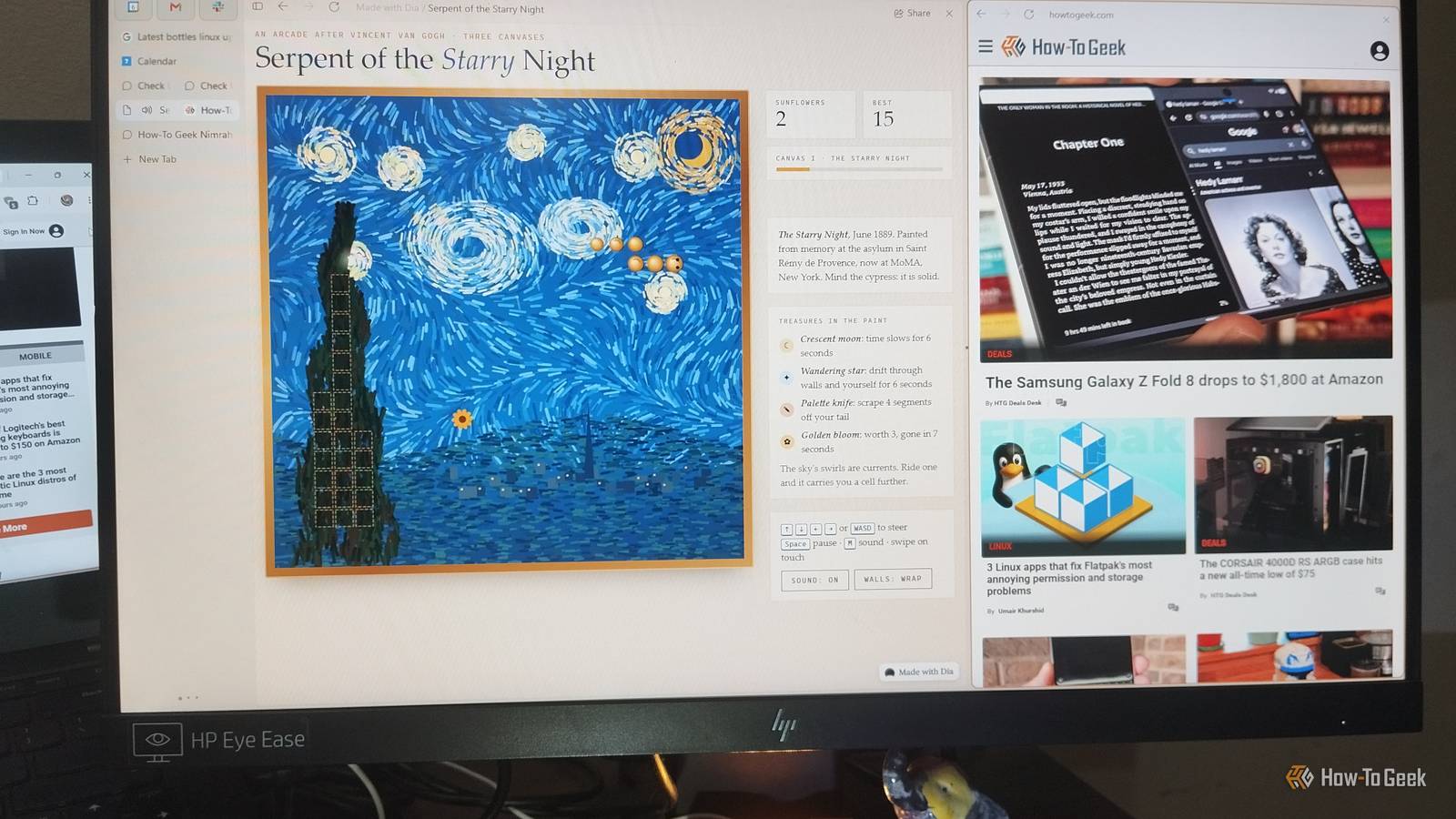
Published Nov 9, 2026, 1:30 PM EST Nimrah has spent the last five-plus years writing about technology, with Linux being one of her favorite subjects to explore. Her work covers everything from Linux and open-source software to databases, cybersecurity, and everyday software. She has contributed to Baeldung, Make Tech Easier, and LinuxHint. She particularly enjoys turning a concept that initially seems complicated into something anyone can understand. Away from tech, she loves to read, cook new recipes, and try new restaurants and cuisines. I spend a good chunk of my day in a browser, jumping between research, source-checking, writing in a CMS, and keeping up with emails. Chrome has been my home base for years, so switching browsers wasn't exactly something I was looking to do. But part of my job is testing new tools to see whether they're worth adding to my own workflow and giving honest feedback to my readers. So when I heard that Arc was winding down its browser and recommending Dia, an AI-focused browser, I was curious enough to give it a proper week-long test. I wasn't looking for another chatbot. What interested me about Dia was the idea of having those capabilities right alongside the tabs I already had open. Could it actually make my everyday browsing and workflow easier, or would it just give me another tool to keep track of? Switching from Chrome was easier than I expected Importing everything took minutes I downloaded and installed Dia, then imported my Chrome data. Everything just worked. All my profiles, passwords, and bookmarks were imported within minutes. I didn't have to rebuild my browsing setup from scratch. My first impression was mixed, though. Dia puts tabs in a sidebar instead of the familiar horizontal strip at the top of Chrome. My muscle memory hated it on day one. You can change the layout, but I decided to give the default setup a chance. By the second or third day, I had stopped thinking about it. The sidebar began to feel natural, especially with the number of tabs I tend to keep open for work. Dia also emphasizes privacy, giving you control over what it remembers and which tools can access your workflow. It says it doesn't sell your data or use it to build advertising profiles. I didn't encounter any ads during my week of browsing, either, which was a pleasant bonus. Dia's search behavior frustrated me at first A quick settings change fixed my biggest annoyance My usual search routine is simple. I type something into the address bar and press Enter, expecting Google to show me results. Dia initially complicated that habit by deciding whether my query belonged in Google Search or Dia Chat. Thankfully, I found a setting under Settings -> Advanced -> Address bar that let me set Google as my default search engine. I could still switch to Dia Chat using the down arrow whenever I wanted an AI response. Alternatively, I could open a new tab, click the Chat button in the title bar, and start a conversation, just as I would with any AI chatbot. That one adjustment made a big difference. I could keep using Google the way I always had, then turn to Dia when I wanted to discuss something. That's just my personal preference, though. Dia made my everyday workflow easier I no longer had to copy and paste everything into a chatbot I still start with Google, official documentation, and original sources. Dia doesn't change how I research. It changes what I can do with the research I already have open. I can mention one or multiple tabs in a chat and ask questions about them instead of copying text into a separate AI tool. That alone saved me a surprising number of context switches. Dia Chat comes with two default slash commands for summarizing and replying to selected chats. However, you can create more using Skills in its Settings. All you need to do is give a skill a name and write a prompt, then type / followed by its name to use it. I created a few for tasks I perform regularly, such as /feedback. Dia went beyond answering questions I uploaded nine screenshots to test its image analysis I write alt text for screenshots almost daily, so I was curious to see how Dia would handle the task. I also wanted to test whether its chat had any upload limitations compared with free versions of ChatGPT and Claude, which offer limited image uploads. I uploaded nine screenshots and simply asked Dia about them. It analyzed all nine images and offered to write Alt text for each one. I gave it my exact guidelines, and it followed them surprisingly well. It caught mistakes my editor and I had missed I also asked Dia to analyze articles I’d published on different sites. It gave me a detailed report on what was working, how I wrote, my strengths and weaknesses, and even a rating of my style. But what really caught my attention was its ability to spot small editing mistakes in my published work. It found three minor errors across my recent articles, including two typos and one reused caption. They had somehow slipped past both my editor and me. I wasn't expecting this because all I had asked for was a general report. Connected apps help, but they don’t act for you Dia made checking my inbox less of a chore Using @ mentions, I asked Dia to check my unread emails, and it gave me a solid summary. I could also give it someone's name and ask it to find their email address in my inbox. It located the information and then helped draft an email on a topic I specified. All that's left is to send the draft. Calendar and Google Photos exposed some limitations When I mentioned @calendar, Dia asked for permission before accessing anything (it did the same with Gmail, Photos, and other services). It could tell me what was on my schedule, but it couldn't create an event. Instead, it provided a template and steps for doing it myself. With Google Photos, it initially reported that my library was empty. After I uploaded a photo, it described its details but couldn't preview the image, as it could only read its metadata. I even built a Snake game A vague prompt produced a playable game On a whim, I typed a one-line prompt for a Snake game without any technical details, curious to see what someone with no prompting experience would get. The result surprised me. I asked for harder gameplay and levels, and Dia delivered. When the game didn't fit my screen, I asked it to make it responsive, and it did. It's not a reason to switch browsers, but it shows what's possible. Don't worry, it's not too good to be true Dia still has some rough edges For all the things I liked, Dia didn't make my other AI tools redundant or change how I use my browser. Its responses sometimes felt slower than those from dedicated AI tools. I also missed having built-in image generation, so I still had to rely on other tools for that. Chats are saved in history, but getting back to a previous conversation wasn’t as convenient as in ChatGPT or Claude. I had to keep the tab open or search through history, and there may be a better way I haven’t found yet. My week covered everyday prompts, summaries, writing quick drafts, image analysis, and a simple game. I didn’t try complex multi-step workflows or technical troubleshooting, and I didn’t fact-check every answer. So I can’t make a strong claim. Treat my experience as practical daily use, not a benchmark. It’s worth trying if you live in your tabs I'd be lying if I said Dia hadn't tempted me to make it my permanent browser. But I'm not ready to rely on it just yet. I still need Google, other AI chatbots, and my usual services, each for its own purpose. For now, Dia can stay on my computer while I gradually work it into my routine. I'm in no hurry to make it my default browser or turn a week-long experiment into an impulsive decision. Would I recommend giving it a try? Absolutely. Try it for a week and see how it fits into your workflow. I'd love to hear what you think!
I switched from Chrome to Dia for a week, and here's what stood out
Full Article
Original Source
Read the full article at Howtogeek →KhanList aggregates and links to publicly available news content. We do not host full articles from third-party sources. Always verify important information with original sources.