
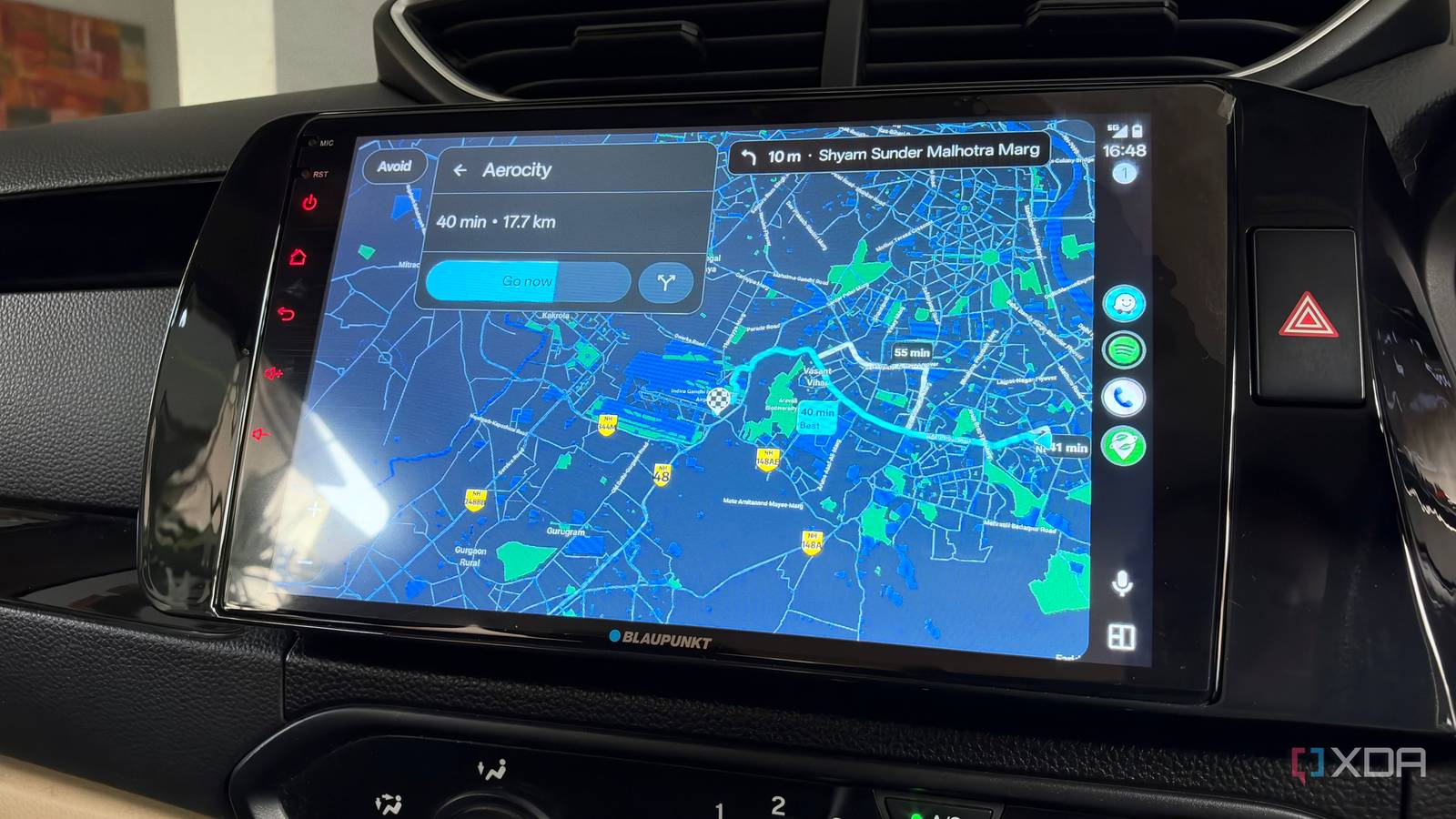
Published Oct 7, 2026, 3:00 PM EDT Dhruv Bhutani has been writing about consumer technology since 2008, offering deep insights into the personal technology landscape through features and opinion pieces. He writes for XDA-Developers, where he focuses on topics like productivity, networking, self-hosting, and more. Over the years, his work has also appeared in leading publications such as Android Police, Android Authority, CNET, PCMag, and more. Outside of his professional work, Dhruv is an avid fan of horror media spanning films and literature, enjoys fitness activities, collects vinyl records, and plays the guitar. Google Maps is my everyday go-to for navigation for its excellent database of businesses and opening hours, but lately I've been coming back to Waze much more often than I expected. And it's all because of one Waze feature that makes route awareness so much better. You see, when I'm driving somewhere unfamiliar, knowing that I'm going to run into traffic is only part of the story. I want to know why traffic is slow, whether a lane is blocked or there's an accident, so I can plan around it. That's where Waze's crowdsourced reporting makes a huge difference. Drivers can report crashes, hazards, police sightings, and much more directly from the car. These reports immediately show up for other drivers approaching the same route. Make no mistake: Google Maps lets you do the same. However, Waze's hyperactive user base is what makes it work. After all, an app dependent on user reports is only as good as its active user base. Waze helps me make better route decisions The biggest benefit of Waze's reports is that they let me plan my route better. Unless I'm on the expressway, there are usually multiple routes to my destination. Often, these are routes a navigation app won't pick on its own. When Waze shows me that there's an accident ahead, I can take a Waze-suggested alternate route, my own preferred route, or, in an extreme scenario. Yes, I've been there, parked my car, and chilled at a coffee shop for a bit instead of sticking around in traffic for an hour or two. Hazard reports are just as useful, if not more so. Recently, I was stuck for three hours on a route that usually takes me 45 minutes. The reason? A bus that had broken down. Knowing this ahead of time would've helped me plan better. In fact, this incident played a big role in me actively checking Waze more often than before. Using Waze also helps you create a feedback loop. Yes, I'm consuming information shared by other users. However, the app makes it easy enough to contribute back, even using Android Auto. It's been helpful that I've been self-motivated enough to share back with the community. This community element is what makes Waze so much more useful than Google Maps. Waze gives you a heads-up about what's coming up ahead Better situational awareness When I'm out on a long road trip, avoiding redundancy in navigation is crucial. That's another reason why Waze is quickly becoming my go-to. Many third-party navigation apps, like Organic Maps or Magic Earth, can tell me where to go. That's a solved problem. But few can give me a heads-up about what the journey will be like. When you start navigation, Google Maps gives you a broad idea of the route you'll take and how long it'll take. But you only find potential interruptions once you start driving. Waze tells you about these interruptions ahead of time. I can glance at the map and see all the reports along the route before I start driving, or even while I'm on the road. If I see several incident reports clustered around a single stretch of the road, that's a dead giveaway that I'm going to run into delays. But what matters is having enough information to decide whether to follow the suggested route or take a different one. Credit: In addition to the larger warnings that can cause significant route disruptions or make you change your route, I also like the smaller warnings Waze provides. Waze can alert me to things such as speed bumps, sharp curves, railway crossings, and changes in the speed limits. Put together, using Waze gives me a lot of situational awareness. Like any crowdsourced tool, you have to treat it as another source of information to make a more informed decision. If the app warns you of something on the road, keep in mind the incident report might not be recent, and the object might no longer be there. More importantly, the app counts on you to improve the data set by updating those reports as you drive further. Thanks to Android Auto, that's incredibly easy and can be done right there from your car's infotainment system. Waze augments Google Maps but doesn't replace it For me, Waze's appeal isn't that it's a Google Maps replacement. In many ways, it is not. Google Maps remains the map app I use when I need to figure out my destination or know whether the store will even be open by the time I get there. Waze serves a different purpose. It gives me route awareness and a running stream of information about the road itself. And the best part is that this information comes from other people who are riding that same road.
I switched back to Waze for one feature Google Maps still refuses to get right
Full Article
Original Source
Read the full article at Xda-developers →KhanList aggregates and links to publicly available news content. We do not host full articles from third-party sources. Always verify important information with original sources.