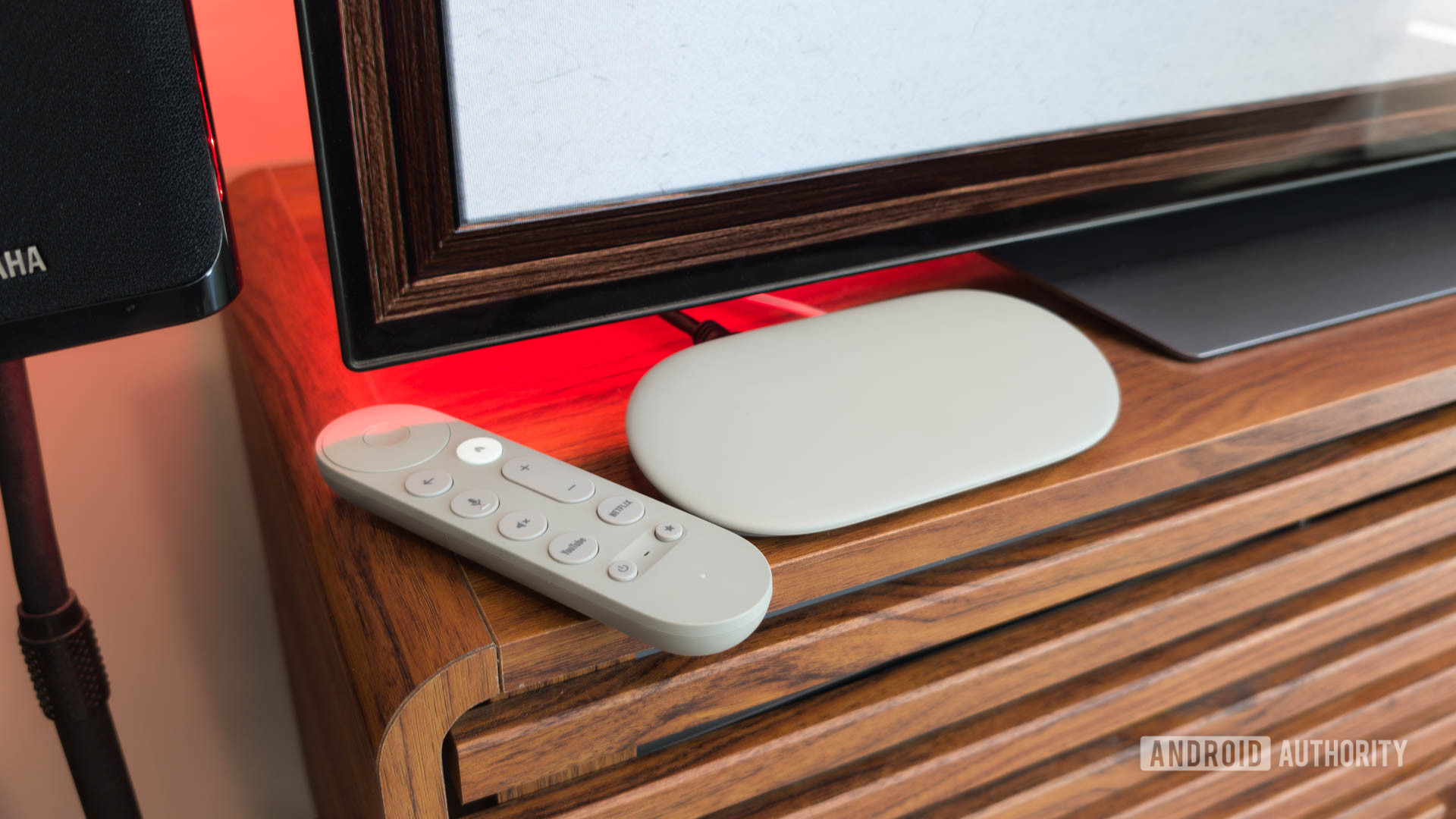
C. Scott Brown / Android AuthorityFor the past five years or so, the Amazon Fire TV Stick 4K has been my trusty streaming companion. Everything was going fine until maybe a year ago, when I noticed the interface had gotten quite sluggish, switching between apps became a chore, and the buttons on the remote would sometimes stop responding. Having outlived its usefulness, I decided to ditch it and get the Google TV Streamer earlier this year.Google launched the TV Streamer in 2025 as the successor to the Chromecast with Google TV. The main perks of the new model include improved performance, an Ethernet port, and Google Home integration — all super-useful features that I wanted and that were missing on my old Fire TV 4K. Setting it up was very easy with the Google Home app, and the interface’s fluidity was a refreshing upgrade from the clunky Fire TV software.I was thrilled with my new purchase, and everything was roses — until it wasn’t.Have you faced any issues with your Google TV Streamer?3 votesLike many Google products, the TV Streamer is prone to developing weird issuesC. Scott Brown / Android AuthorityA few weeks into using the Google TV Streamer, I noticed a strange issue where the box would randomly refuse to wake from sleep. I’d turn my TV on using the Streamer’s remote and just get a blank screen — the kind you get when no input source is detected. If I pressed the Home or any other button on the remote, my TV’s input overlay would change for a second, as if it had detected a source, but would then switch back immediately and display nothing.My first thought was maybe it was the HDMI cable, so I swapped it with others that I know for sure work, but still no dice. The only way out of this was to unplug the USB-C power cable from the TV Streamer, wait a few seconds, and plug it back in. And just like that, things would go back to normal once the box rebooted. This wasn’t a consistent issue, but it happened often enough to annoy the heck out of me.Software glitches seem to be part and parcel of the TV Streamer experience.This little manual rebooting routine sometimes threw another curveball my way. At times, the Google TV Streamer refused to power up, throwing a “Low power” warning on the screen. Google’s official troubleshooting steps for this are to ensure you’re using the supplied power adapter and cable, which, obviously, I was. How is it possible that the Streamer was running just fine one day, and the next, it’s not getting enough power? It made no sense.Another completely random issue I encountered was when just the volume up button on the TV Streamer’s remote stopped working. Thankfully, unpairing and repairing the remote immediately fixed this. But the fact that I had to do all of these workarounds every other week on a premium device that’s built to do just one thing was extremely disappointing.A solution as old as time itselfC. Scott Brown / Android AuthorityMany of the Google TV Streamer problems have a permanent fix, but I simply couldn’t find an answer for the issues I was facing. In Google’s support section for Chromecast and the TV Streamer, many of the solutions documented require resetting the device. I was trying to avoid this last-ditch method as it meant setting up everything all over again. It was either this or go back to the Fire TV Stick. I was left with no choice.If you’re facing similar issues with your TV Streamer and can’t find a solution, try resetting it. To do this, long-press the Home button on the remote and the center button on the navigation dial to access All settings. Scroll down to System, then About, and select the third option labeled Factory reset.WARNING: Doing so will wipe all data (accounts, apps, etc.) from the TV Streamer and restore it to factory default settings, similar to resetting a smartphone.Doing a factory reset multiple times over is a real pain, but it eventually does the trick.The first time I reset my Google TV Streamer, the blank-screen issue went away for a bit, but resurfaced a few weeks later. I had to reset the TV Streamer once again. During one of the setup phases, the Home app on the Streamer was broken, as the Home panel was inaccessible and the app on my phone couldn’t detect the Streamer. That meant yet another factory reset.I basically went through this process around four to five times over a week or so until things, miraculously, stabilized. It’s been more than three months to this day, and I’ve not had any of the aforementioned issues yet, knock on wood. No blank screens, no low-power warnings, nothing.For $99, I expected a better quality product from GoogleC. Scott Brown / Android AuthorityThis isn’t Google’s first attempt at a streaming device, so it baffles me how the company managed to botch it so badly. The Google TV Streamer is by no means cheap at $99, and for this money, I expect it to perform as advertised from the get-go. It’s fantastic when it works well, and I wouldn’t dream of going back to the Fire TV Stick, but these random software glitches are inexcusable. The software updates aren’t quick enough either, which only adds to the woes.Then, there’s the lack of Gemini on the TV Streamer for regions outside the U.S., Canada, and a few more western markets. Google hasn’t officially launched the TV Streamer in India, where I’m based, so I understand not getting it, but why region-lock it anyway? We have Gemini here on our phones and in Android Auto (albeit after a long wait), so there shouldn’t be any reason why I can’t use it on the TV Streamer.Going beyond software, Google should have made the TV Streamer’s hardware experience a bit more premium, too. For instance, there’s no HDMI cable in the box, which means that’s an additional purchase. Also, the remote could have been built better with a few metal elements, instead of being all plastic. Honestly, I sometimes fear cracking it if I accidentally sit on it on the couch. It wouldn’t have hurt to have a built-in rechargeable battery, either.For all its quirks, though, I still feel the Google TV Streamer is a great little streaming device. So long as you know what you’re getting into — and if you can find it on sale — you could do worse.Thank you for being part of our community. Read our Comment Policy before posting.
I swapped my Fire TV Stick for the Google TV Streamer — then one glitch almost ruined it
Full Article
Original Source
Read the full article at Androidauthority →KhanList aggregates and links to publicly available news content. We do not host full articles from third-party sources. Always verify important information with original sources.