
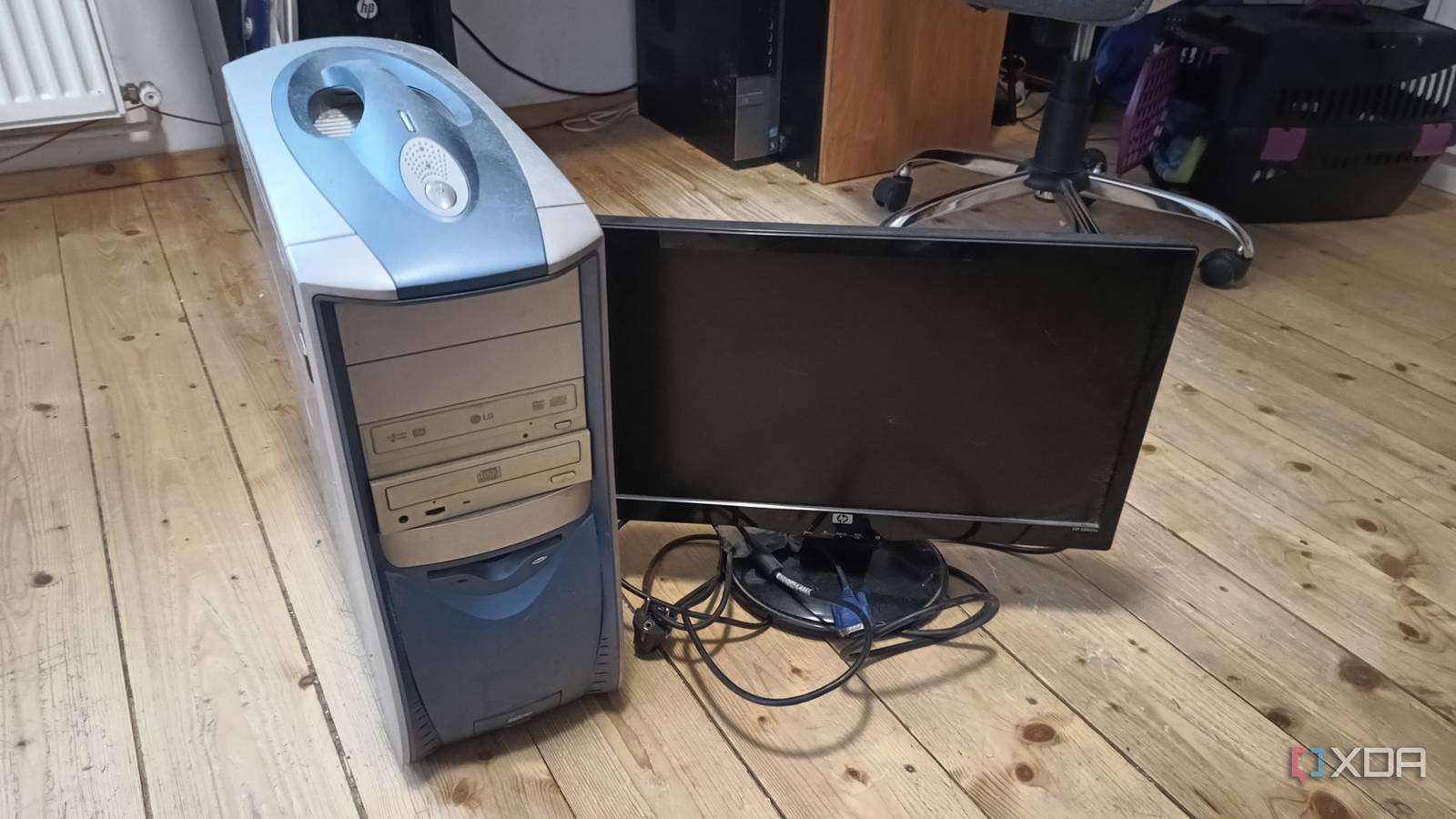
Published Sep 9, 2026, 10:00 AM EDT Shekhar Vaidya is a veteran technology journalist and computer science engineer. He is the founder of TechLatest, where he has spent years providing technical analysis on hardware and Windows ecosystems. Now a Computing Writer at XDA, Shekhar leverages his deep background in NAS, storage solutions, and PC internals to help readers master their tech. I repurposed an old office PC as my homelab server a few months ago. When one service worked well, I started deploying another one. Before I knew it, I had deployed more than it could handle at once. From compute and storage to ingress, DNS, and backups, it was handling everything (barely). The major issue wasn’t that the hardware was too weak to handle the load; I was asking one machine to do too many things at once. That was when I decided to deliberately strip every other responsibility and keep only one. And eventually, it did more than I asked for and ended up changing how I pay for subscriptions. I used to run everything on this thing. Then I gave two jobs away. The box that did too much, badly I am not going deep into my old office PC this time; I have already talked about it many times in my previous pieces. I will start by describing what it was doing. Once I repurposed the old PC as a homelab server, I stacked it with everything I could think of. Computation, storage, ingress, DNS, and backups — everything was on the PC’s plate. Individually, the PC could handle them in a blink, but with the 10-year-old hardware, it wasn’t the best idea to run them simultaneously. For example, the media server could run smoothly even with 2-3 4K streams, but what if my phone’s photo backup also started to sync or I was transferring a file at the same time? It would be a disaster. Sorry, it would not be; it was a disaster. I faced similar instances a few times. A background photo sync can wait, but a stream and file transfer can’t. My point is, all the workloads were competing for the same CPU, RAM, disk, and I/O resources. And more importantly, the PC was acting as the sole point of failure. If something went south with one part of the system, it could affect all the services. I’m not saying that I faced catastrophic failures, but the setup had reached the tipping point. That was when I decided to make some structural changes. After a lot of thought, I gave the old office PC-cum-home server a single job: the compute part. I moved other responsibilities, such as storage and ingress, elsewhere. The old NAS became the dumb storage, and I rented a cheap $5 VPS for pure ingress. So, the PC’s only job was to serve as a media server. It became a dedicated Jellyfin machine. Its only job now is making my own library worth watching Transcoding is the whole point The best part of moving other responsibilities out of the PC was that Jellyfin was no longer competing with the rest of the homelab for resources. The total available resources had become the new ceiling. And for a small homelab like mine with a few streams a day, it was more than enough. More importantly, the files weren’t even on the same machine; I mounted the NAS on the PC as storage for Jellyfin. So, the only thing the PC was doing was pure transcoding. I could throw in whatever media I had in any format, resolution, or bitrate. Jellyfin could convert it on the fly. But let's talk a little bit more about how a 10-year-old PC could handle multiple streams simultaneously. The answer is Intel Quick Sync. The PC has an Intel CPU with integrated graphics (iGPU). Jellyfin on Linux supports hardware acceleration via VA-API for pre-Broadwell legacy GPUs and QSV for mainstream GPUs. I am not going to discuss the what, how, and why part; the main point is that the iGPU worked as a dedicated video processor instead of making the CPU do everything. So, VAAPI via /dev/dri was the magic that made the old PC a dedicated media server. Since the PC only had one job, the video playbacks and remote streams improved drastically. More consistent transcoding and fewer resource spikes are what made me cancel a few monthly subscriptions. Jellyfin iOS compatible Yes Android compatible Yes Jellyfin is one of the best Plex alternatives you can get, and that's thanks to its open-source nature and powerful set of features. There are apps for basically every platform and it's completely free to run your very own server. I still pay for streaming. Just never for three at once. One subscription, whenever it earns it You might be wondering why I didn’t cancel any of my subscriptions earlier, when I already had Jellyfin on the PC. I could have canceled them, but given that the media server was struggling to run smoothly with other services stacked together, it didn't seem like the right decision. I was paying for Netflix, Amazon Prime, Disney+, and a few more regional OTT apps each month. To be clear upfront, I didn’t replace all of them with Jellyfin. My small library can’t compete with these platforms, especially their exclusives. But my own library became the default for a large portion of what I and my family were streaming every day. I didn’t need all the subscriptions running at the same time. So, I started rotating them instead. These streaming platforms became an optional source, and I renewed them only when there was a specific show, movie, or catalog I actually wanted to watch. My regular routine changed from "Let's watch this movie because I have a subscription" to "Let's renew Netflix to watch an exclusive." Before a dedicated Jellyfin machine, the scenario was different. Canceling one subscription meant losing a regular streaming source. But since Jellyfin had become my regular streaming source, I could let go of those recurring bills. And I shifted the regional OTT subscriptions to my ISP’s bundle billing at a fraction of the cost. In the end, the old PC didn’t replace my streaming subscriptions, but it optimized the bills I was paying each month even when I didn’t need all of them at once. And giving the PC a dedicated job complemented the whole setup and gave me enough independence to decide when a subscription was worth paying for. One job, and it did more than I asked The old office PC, when trying to do everything at once, failed in all of it. But I stripped its jobs down to only one; it did more than I expected. When the storage and ingress moved to different infrastructure, Jellyfin got all the headroom it wanted to make my streaming experience better. My own library has become the regular source for streaming. I still use other platforms, but not all of them at once. I only pay for the one I actually want. The broader takeaway is that giving old hardware one useful job can be worth more when you stop asking it to do more.
I stripped my old office PC down to one job, and it killed three monthly subscriptions
Full Article
Original Source
Read the full article at Xda-developers →KhanList aggregates and links to publicly available news content. We do not host full articles from third-party sources. Always verify important information with original sources.