
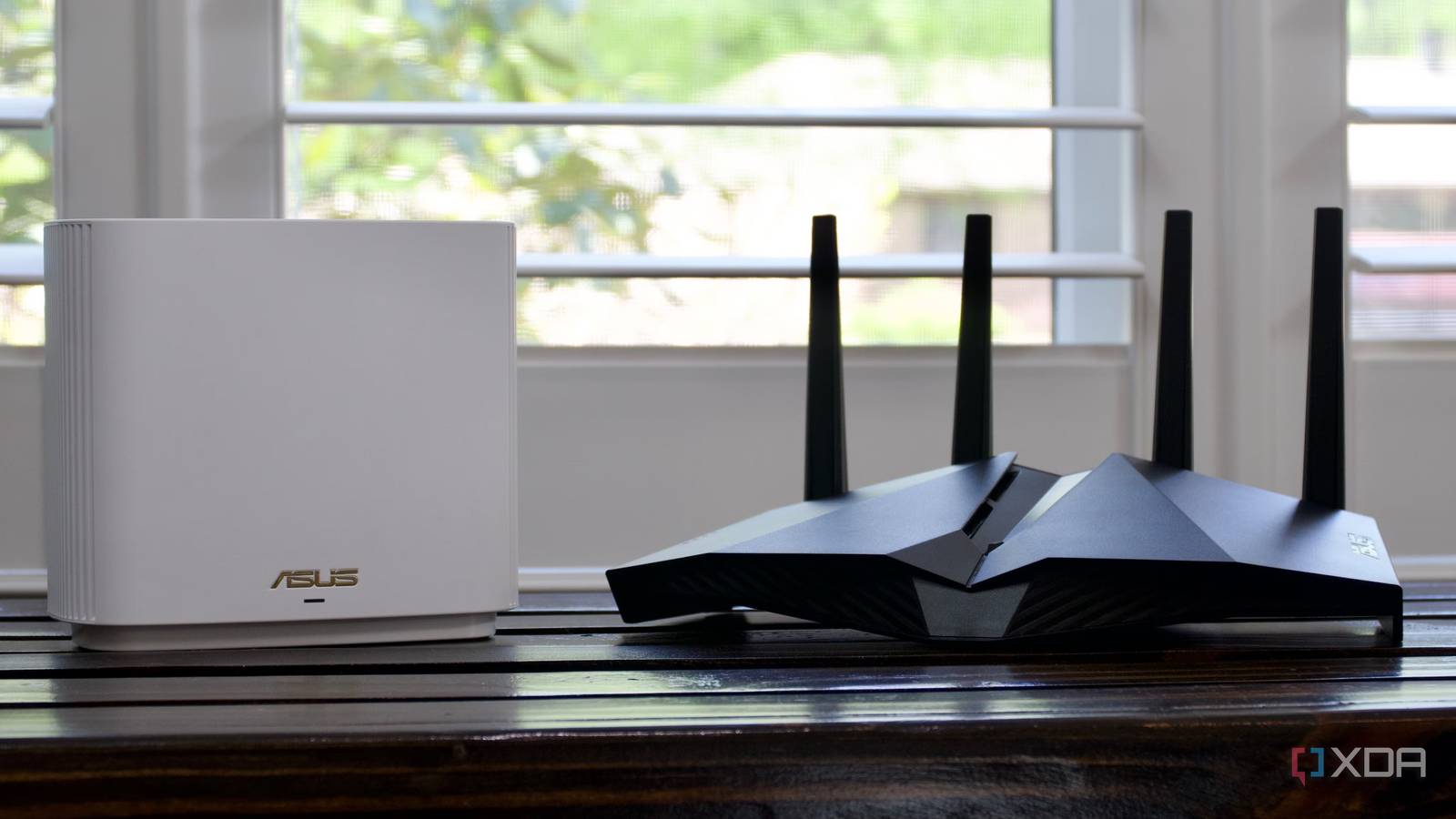
Published Aug 16, 2026, 8:00 AM EDT Shivansh began his tech journey as an avid reader of tech publications, which inspired him to launch his career in video media at Sillycorns. He has led content across multiple tech YouTube channels and Instagram accounts, crafted go-to-market (GTM) strategies for Vivo, and consulted on digital growth. Coming full circle to his roots in written media, he now delivers deep-dive tech journalism. Outside of his professional work, Shivansh loves watching movies, riding bikes, and playing cricket. For three weeks, a $600 gaming router sat open in my laptop tab. Big, bulky, eight antennas, a glowing logo. I kept going back to that tab because I kept losing gunfights. My shots landed a beat late, and I skipped a heartbeat. My friends saw enemies, and I saw “game over”. Annoyed enough, I went looking. Forum threads and videos all said the same thing: upgrade to a gaming router. Spoiler alert: I did not upgrade. Thanks to one fine evening, I found three things a router cannot do. And you need to know this before you buy one. See, your Wi-Fi is basically a drive. Your data leaves your router, crosses your house, and then merges onto a road owned by your internet provider. Along the way, your data can get stuck in three places. Sadly, a router cannot fix any of them. Though gaming routers do one thing that isn’t printed on the front of their box, it is definitely worth paying for. Let me walk you through it the way I found it. The speed limit is the same for everyone The FCC set it, not router brands I started where the data starts: with how loud a router is allowed to be. In the US, a home router can’t push more than 4W out into the air on 2.4GHz. This is a number written into federal law, and every router sold here is built to sit just under it. This 4W number isn’t only about the radio, though. It also covers the antenna. Push one up and the other has to come down to make sure the sum never crosses the 4-watt line. So it’s a speed limit. And a speed limit doesn’t care what you paid for the car. The $600 router and the $60 router are a Ferrari and a Civic on the same residential street, both stuck at 25 miles per hour. Fine. So it can’t be louder. Then what are eight antennas even for? That’s where I’d been wrong for years. Those antennas don’t shout louder They just point better I used to think “high-gain antenna” was a fancy way of saying “stronger signal.” It isn’t. An antenna doesn’t add speed or penetration to the signal. It aims. Think about your car’s headlights. Switch from low beam to high beam, and the road ahead lights up much farther. But you didn’t add a bulb. You didn’t add power. You took the same light, squeezed it into a narrower shape, and everything off the sides got dimmer. That’s an antenna. Same watts, pointed somewhere else. And that’s genuinely helpful. If you’ve got a long house and a bedroom at the far end, aiming is exactly what you want. I am not trying to take that away from anybody. The point to note is: it cannot make anything arrive faster, and it cannot lower your ping. So that was one thing I had backward. The other was that I’d been counting those antennas like lanes on a road. My router had more lanes than my laptop had cars It took me one simple search Your router doesn’t send everything down one path. It splits your data across a few of them. Lanes, basically. More lanes sound better, and they are — if you’ve got enough cars to fill them. But two extra lanes on an empty road don't get you home any faster. So I checked how many cars my MacBook and my sister’s Windows laptop have. It took me just ten seconds, and I got the number: two cars on each laptop. That’s the moment I stopped wanting the $600. If my laptop can only ever hold a two-way conversation with the router, then all those extra lanes simply don’t help lower my gaming ping. And since I have only a handful of devices at home, the extra lanes will mostly go unused. Log in to your router's Gateway IP Address and check its MIMO configuration (number of lanes). Then run sudo wdutil info (on macOS Terminal) or netsh wlan show wirelesscapabilities (on Windows PowerShell) and check how many Spatial Streams (cars) your laptop has. If they are equal, you probably don't need to upgrade. If the router has twice or more lanes, you definitely don't need to upgrade. So first, there’s a speed limit, and then bigger, more antennas don't help the way I expected them to. All of this left me with the part of the drive I don’t own. I can manage my driveway, but never the highway This is not an exclusive feature Here’s when my ping actually falls apart. It’s not the Wi-Fi. It’s my sister in the house starting a big upload while I’m mid-match. My game’s tiny packets end up stuck behind their huge ones, like being trapped behind a truck on a one-lane road. There’s a fix for that, and it’s old. It’s called QoS, and all it does is choose which packets go first, letting the tiny game packets jump the queue. That’s the feature gaming routers put on the box. So I went to see how much better their version was — and then I opened my router’s settings page and found the same switch sitting right there, turned off, where it had been for years. I flipped it. It cost nothing, yet it helped me manage my driveway and skip the traffic. Once your data leaves the house, your router has no say. Not the route it takes, not the traffic it meets, nothing. If you are wondering about RGBs, no, they also don’t manage the highway (or anything). Which left me with one honest question. If it isn’t the power, the antennas, the lanes, or the route — what is the extra $540 actually buying. And some of it is worth every dollar This is where I stop poking fun, because expensive routers genuinely are better. Just not for the reason on the box. You are buying a faster processor and more memory. Sorting all the traffic — deciding who goes first, thousands of times a second, is real work. Put a cheap router on a fast connection, and it starts slowing down instead. If you’ve got a gigabit fiber and you want it to stay smooth when the whole house is using it, you need something that can keep up. That costs money. You are also buying ports. If your plan is faster than 1Gbps, a 1Gbps socket on the back of the router is a wall. No antenna gets you through a wall. And you are buying updates, and a router that doesn’t quietly reboot itself every Thursday. Boring, but that’s what the money is for. This is something that, if router brands tell you on the box, you might not want to buy their $600 gaming routers anymore. However, I am not from a router brand, which is why I drafted an honest version of the spec sheet for you. $60 Wi-Fi 6 router $600 gaming router Comments How loud (EIRP) equally (say 4W) equally (say 4W) capped by the FCC How many cars (usable streams) same (say two) same (say two) spare lanes go to others Wired Link Latency less than 1ms less than 1ms independent of antenna Ping to a remote game server set by ISP's route set by ISP's route almost no relation with router Who goes first (QoS) OpenWrt is open-source OpenWrt in a different dress same game, different name RGB and Flashy Chassis no yes looks don't reduce ping How long it gets updated less span longer updates do not bring speed Multi-gig port available sometimes available almost always useful, costs money CPU headroom at >1Gbps no yes useful, costs money The table above shows you a perfect picture of where your money actually goes. So let’s jump to the conclusion now. If you are on a multi-gig plan with thirty devices and a NAS, the expensive router wins outright, and I would buy it too. But that’s not my case. I have a 300Mbps plan, mostly used by a console, a TV, and two laptops. There’s a free bufferbloat test that deliberately loads up your connection and grades how well it holds together. Run it before you spend anything. If you get an A while the line is busy, your router isn’t your problem and a new one won’t feel like an upgrade. I closed the tab and bought a cable So I ran the test on the setup I already own, with the line loaded up. Grade A. There was nothing left for a $600 router to fix. So I bought a $10 Ethernet cable instead and spent ten minutes running it along the wall. It doesn’t care how many antennas my router has. It ignores the whole 4-watt thing entirely. And my shots land on time now, with the same $60 dual-band Wi-Fi 6 router. If you are staring at the same tab I was, do these three things first. Check how many spatial streams your laptop has. Look for the QoS switch you probably already own. Run the bufferbloat test. If all three come back fine, the router was never your problem. It’s either wall(s) … or your gaming skills.
I stopped wanting a $600 gaming router after these three simple tests
Full Article
Original Source
Read the full article at Xda-developers →KhanList aggregates and links to publicly available news content. We do not host full articles from third-party sources. Always verify important information with original sources.