
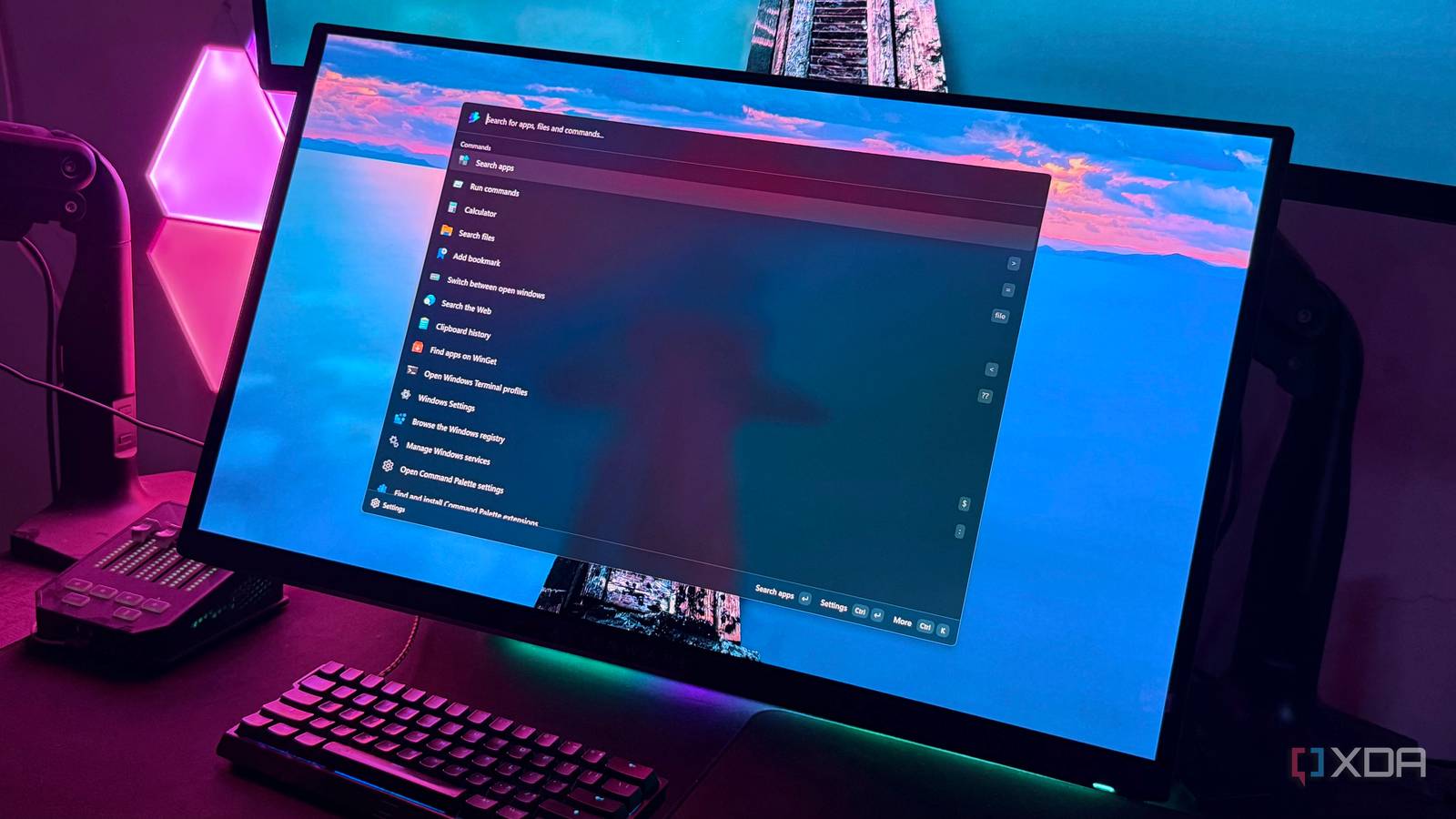
Published Sep 28, 2026, 1:30 PM EDT Hamlin has been in the tech field for over nine years. Since 2017, his work has appeared on MakeUseOf, Android Police, OSXDaily, Beebom, and more. He served as the Senior Editor at Valnet's MakeUseOf for over two years before joining XDA. He uses a high-end gaming rig for desktop use and a MacBook for traveling, but dislikes some of the quirks of macOS. You're more likely to catch him at the gym or on a flight than anywhere else. Windows Search is fine for the most part, but if there's one thing I don't like about it, it's just how inconsistent it can be. Sometimes, I'll type the exact name of an app, and Windows Search will prioritize a web result or something completely unrelated. I'm also not a big fan of the Start menu recommendations that take up space with things I rarely want to open. These little quirks are what made me experiment with PowerToys Run in the past, but even that felt too basic to stick with long term. Command Palette, though, is much closer to the Windows Search experience I've always wanted. After all, it's the successor to PowerToys Run, so I was fully expecting it to be better when I first tried it. What I wasn't expecting was how much better it would be as a keyboard-first launcher, letting me switch between open windows or install apps through WinGet. At this point, I've already reassigned PowerToys Run's keybind to Command Palette, and with its compact search box enabled, it feels like a proper, leaner replacement for Windows Search. Command Palette gets the basics right without the clutter A predictable search experience is what I've been missing The first thing you notice when you open Command Palette is how instant it feels. There's no opening animation like Windows Search to make it feel slower than it needs to. Then, when it comes to actually searching for something, the results have been mostly spot-on without web results getting in the way or showing up as the "Best match." For instance, if I want to launch 007: First Light, I just need to type "0" and it's the first result. But in Windows Search, doing the same brings up the Bing result for the game, or worse, Assassin's Creed: Shadows for some reason. All in all, I can just type a couple of letters and blindly hit Enter without worrying about Command Palette opening something different. That confidence is really all I want from a launcher. Sure, having to use a prefix like file when you specifically want to search for a file may not be your cup of tea, but that's the trade-off for a focused search experience. Windows Search trying to do it all at once is what creates most of the clutter in the first place, so I actually prefer how Command Palette keeps things separate. But it's everything else it can do that made me switch Window switching, extension support, WinGet integration, and a whole lot more The one thing I use the Command Palette for almost as much as launching apps is switching between open windows. Even though Alt + Tab works perfectly fine, it can become a mess when you have too many windows and apps open. With Command Palette, I just enter the prefix followed by ping google.com to quickly check my ping without manually opening CMD first. It can even run commands I'd normally use the Run dialog for. But what makes Command Palette really stand out is its extension support. This has always been an area where I found PowerToys Run lacking, especially compared to something like Alfred or Raycast on Mac. You can browse and install community-made extensions from the Extension Gallery, like Process Killer or Currency Converter. I highly recommend EverythingExt, which lets you use Everything's index for file searches, although you need Everything installed separately. Command Palette also has some handy extensions pre-installed, like WinGet, which lets me search for and install apps without opening a browser or manually entering commands in CMD. Windows Search trying to do it all has its advantages But most of the time, I already know what I'm looking for As much as I prefer Command Palette, there are times when Windows Search is genuinely more convenient. For starters, when I press the Windows key, I immediately see all the apps I've pinned there. That saves me from typing at all. Then, as I said earlier, Windows Search just does a better job of surfacing files when I type in the filenames. No need to enter a prefix or jump into a dedicated file search first. It also has the edge when it comes to showing obscure settings pages. For example, even if I use the $ prefix and type HDR settings in Command Palette, it doesn't give me a result. So as you can see, having everything in one place can sometimes be handy. But most of the time, I know what I'm searching for before I even bring up Command Palette. I'd rather spend an extra second typing a prefix if it means getting more predictable results in return. And considering how much more I get with extensions, I don't feel like I'm missing out on much anyway. I rarely rely on the things that Windows Search still does better, and it's not like using Command Palette stops me from pressing the Windows key to access my pinned apps. I hope Command Palette is a glimpse of Windows Search's future What Windows Search needs is a revamp, and honestly, I won't be surprised if this is Microsoft experimenting with a different search experience before bringing some of these ideas to Windows 11. After all, PowerToys has always felt like sort of a testing ground for Windows features. Just look at FancyZones, which PowerToys users got long before Windows 11 launched with Snap Layouts. If that's anything to go by, I can't wait for the day I can finally press the Windows key and get the same clean, predictable search experience without needing PowerToys at all. Microsoft PowerToys is a collection of free, open-source tools that can improve Windows productivity.
I stopped using Windows Search after finding Microsoft's better launcher
Full Article
Original Source
Read the full article at Xda-developers →KhanList aggregates and links to publicly available news content. We do not host full articles from third-party sources. Always verify important information with original sources.