
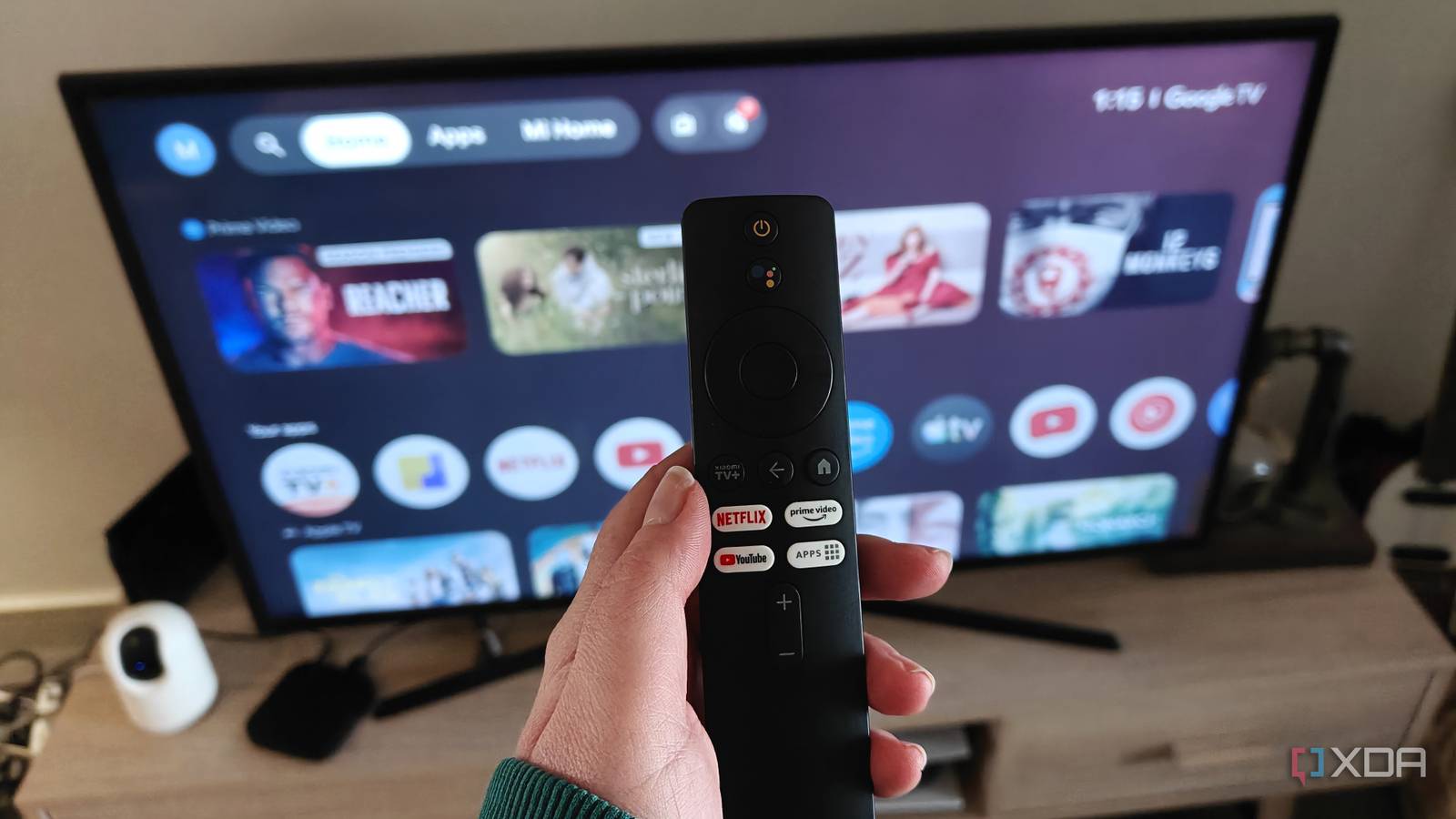
Published Aug 21, 2026, 3:00 PM EDT Megan is a Software Writer at XDA Developers who has been writing about consumer technology since 2016. With a postgraduate degree in New Media journalism, she has always been passionate about diving deep into topics and writing about them in a way that makes them easier to understand for everyday consumers. She runs her own blog called Tech Valkyrie and has contributed to Tom's Guide and Android Authority. She also worked at MakeUseOf as a Lead Editor. In her spare time she plays video games and geeks out about the latest tech. When it comes to your home entertainment setup, your TV is often the centerpiece. For many people, it's where most of their entertainment setup budget goes, and it plays a core role in their streaming experience. However, if you're like me, your TV might not be what clinches it. In fact, my TV is the most outdated part of my entertainment setup. Instead, I brought it into the modern era with a single device that means I no longer have to rely on my smart TV's apps or laggy interface — my smart TV box. My smart TV is an outdated piece of tech It lacks many modern features Even though my TV is a smart device, I don't really use its smart features at all. Rather, it's there to be a large 4K display with sound — not a smart device. Don't get me wrong, it has smart features, including the ability to download streaming apps and connect to Google Home. I just don't use them. But even before my TV was old enough to stop receiving updates, I was frustrated with its streaming apps because of their slow performance. Even using the remote to navigate between apps is extremely laggy. Never mind actually trying to open an app and start streaming a series. For a long time, I used a Chromecast as a workaround — casting media from my phone rather than using the native apps on my TV. However, constantly relying on my phone wasn't ideal, especially for streaming apps that didn't support casting. Since I didn't have the budget to upgrade to a newer TV, I decided to try out a smart TV box instead. One device gave me access to a faster experience The difference is night and day When I bought my Xiaomi TV box, I didn't realize just how much it would improve my experience. The small box connects to my TV using an HDMI cable, providing all the smart features I need. Running streaming apps on the device works much better compared to my TV. There's no constant lag, I can quickly switch between apps, and I have access to Google TV features like new content recommendations from the platforms I subscribe to. It's not perfect. Occasionally there is minor lag, but I've improved the device's performance by limiting background processes. And even when its performance is less smooth than I would like, I remember how much better it is compared to my TV's interface. It also has a built-in Chromecast, so I still get to cast from my phone if an app doesn't have an Android TV version. This is helpful when viewing content from platforms like Coursera and Skillshare. The TV box includes a dedicated remote that wakes my TV, so the experience is seamless. I was expecting a small performance boost, but instead I got an entirely different experience without needing to upgrade my TV. I got a TV upgrade without upgrading my TV This allowed me to put off an upgrade for a few more years Besides being faster than my TV's native apps, my TV box has a few other features that have helped me stave off upgrading my TV. My TV box supports Google Assistant and voice typing, which are helpful when searching for specific items on the Google Play Store. Speaking of apps, because my TV box uses the Google Play Store, I have a wider variety of streaming apps than on my TV's OS. I can even sideload apps if I choose. Since it's linked to my Google Account, I benefit from faster sign-in for certain apps. There are caveats to not upgrading my TV, however. Because it doesn't support newer HDMI standards, I don't get the full benefit when connected to my gaming devices that support HDMI 2.1. Since it features older LED technology, I also don't get the richer tones and deeper blacks associated with newer technology like mini-LED panels. These are features that would require changes to the display and connectivity hardware, not simply to the device I use for streaming. My TV box will keep me going a bit longer While I do eventually want to upgrade my TV to benefit from newer display technology, I don't have to be in a rush or stretch my budget further than it should. Thanks to my TV box, I have a performance and streaming upgrade that will tide me over for quite a while longer. When I do upgrade to a newer TV, I also won't be constrained by its OS or app store if I encounter similar limitations to my old TV. If I want to stay in the Google TV ecosystem, my TV box will connect with a newer TV too.
I stopped using my TV's streaming apps after plugging in one device
Full Article
Original Source
Read the full article at Xda-developers →KhanList aggregates and links to publicly available news content. We do not host full articles from third-party sources. Always verify important information with original sources.