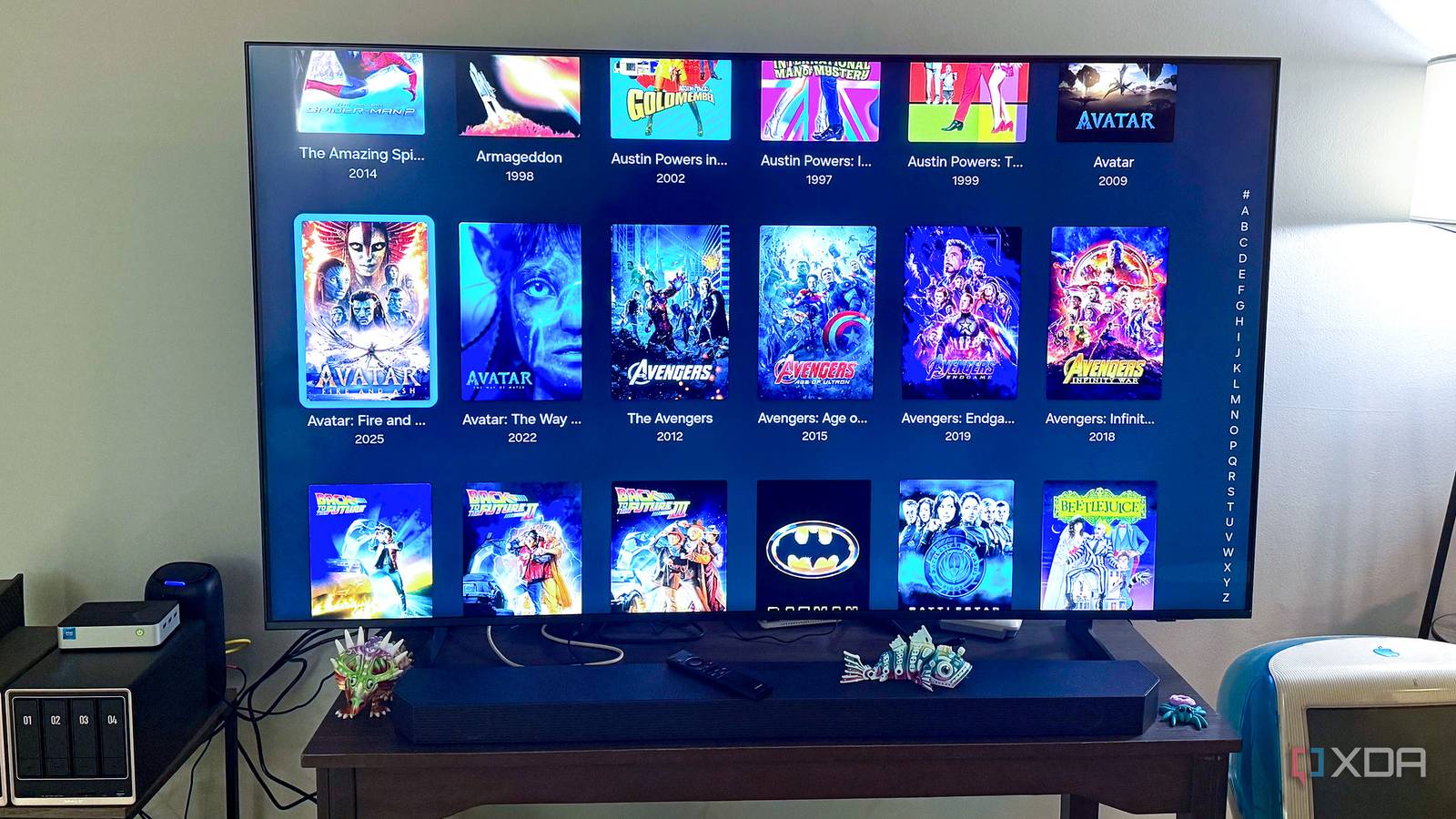
Once Jellyfin is installed, scanning properly, and playing media without throwing a fit, it’s very easy to keep poking at Jellyfin itself. I’ve done it plenty of times. You start wondering whether there’s a plugin you’re missing, a transcoding option you should tweak, or some obscure server setting that would make the whole thing feel better. Most of the improvements I notice day-to-day, though, have come from everything around Jellyfin rather than Jellyfin itself. A better client, cleaner files, sane storage, reliable networking, backups, and even a small travel server have done more for my experience than another afternoon spent digging through the dashboard. A better client can matter more than server tweaks Infuse fixes daily playback annoyances without touching Jellyfin itself The clearest example in my setup is Infuse on Apple TV. Jellyfin has its own clients, and I’ve used them, but the client is what I’m actually staring at from the couch every time I want to watch something. The server could be running perfectly in the background, and I’d barely care if browsing the library felt clunky or playback was more annoying than it needed to be. Changing the client fixed more of that for me than changing anything on the server. Infuse Pro became my preferred front end because it handles the viewing side of the equation in a way I like, while Jellyfin keeps doing the server work behind it. I’m still using my Jellyfin libraries and users, and I’m not replacing Jellyfin with something else. I’m just not asking Jellyfin to own every piece of the experience anymore. That turned out to be a much better arrangement than trying to make one application do absolutely everything exactly the way I wanted. That’s also why I’m slower now to blame the server when one device acts weird. If Jellyfin works fine elsewhere, but one streaming box is giving me trouble, I’ll look at the client first instead of immediately changing transcoding behavior for the whole server. Different clients don’t all behave the same way, and that matters more than I used to give it credit for. It’s not a particularly exciting upgrade, but using a client you actually like improves Jellyfin every single time you sit down to use it. Good naming keeps scans, artwork, and libraries predictable everywhere File organization has probably caused me more unnecessary cleanup than any Jellyfin setting ever has. If folders are named inconsistently, seasons are split oddly, or filenames don’t clearly identify what they are, I’m giving Jellyfin more chances to guess wrong. Sometimes it guesses correctly anyway, which almost makes bad habits worse because you think you got away with it. Then one scan goes sideways, and you’re manually fixing a match that never should have been ambiguous in the first place. I’ve become much more particular about metadata and NFO files for the same reason. I don’t want every rebuild, migration, or rescan to depend entirely on a fresh lookup producing the same result I had before. Keeping useful metadata beside the media gives me something more durable than whatever happens to be in an application database at that moment. It also makes moving media between tools less painful, which matters when Jellyfin is only one part of a larger media setup. Separate libraries help keep that mess under control, too. I’d rather decide what belongs together up front than dump everything into a couple of huge directories and expect Jellyfin to sort out the presentation later. Different users may need access to different things, and some collections make more sense when they’re kept apart. Once the files are organized before Jellyfin touches them, permissions, scanning, and browsing all become less fiddly. Storage, backups, and networking shape the experience too Reliable infrastructure prevents problems Jellyfin cannot solve itself cleanly Credit: Storage organization becomes more important the longer you run a media server because mystery folders accumulate quickly. I want to know where my movies live, where television lives, where application data is stored, and where backups are going without rediscovering the layout every time I touch the NAS. That also makes it easier when other services need access to the same media. A clean directory structure isn’t exciting, but neither is trying to remember why a folder exists six months after you created it. If you’re troubleshooting Jellyfin, try isolating the layer that’s actually failing before changing server settings. Test the same file on another client, check whether the issue also happens locally, and rule out naming, metadata, storage, or network problems first. That can save you from “fixing” Jellyfin when Jellyfin wasn’t the problem. Backups are another part of the setup that’s easy to ignore while everything works. The media itself may be replaceable, depending on where it came from. Still, I don’t want to rebuild configuration, users, metadata work, and application data because one container or storage device went bad. I care far more about protecting the stuff that would take hours of tedious work to recreate. A backup does nothing to make tonight’s movie start faster, but it becomes the most important part of the server very quickly when something fails. The network can be just as important because a bad connection can make a perfectly good Jellyfin server look broken. If a client is struggling over Wi-Fi, the server starts taking the blame even when the media and hardware are fine. Reliable Ethernet where it makes sense, decent Wi-Fi where it doesn’t, and avoiding obvious bottlenecks have saved me from chasing problems in the wrong place. I’ve even gone the opposite direction for travel and used a small Jellyfin server with the media already on it instead of depending on my connection back home. Jellyfin tweaks still matter when playback actually struggles Plugins and transcoding settings can solve specific real problems There are still plenty of cases where the real fix is in Jellyfin. Hardware transcoding matters when a client can’t direct play, especially if multiple people are using the server or you’re streaming remotely. Plugins can add useful features that aren’t available by default. I’m not arguing that the settings page is decorative, because it absolutely isn’t. Server-side tuning is also appealing because it feels immediate. You can change one thing, replay the problem file, and find out pretty quickly whether you helped or made things worse. That’s a lot more satisfying than reorganizing storage or fixing naming conventions across a large library. I understand why it becomes the first place people look, because I’ve done the same thing. And sometimes the server really is the problem. If hardware acceleration is misconfigured, a client lacks codec support, or the machine can’t keep up, cleaning up filenames won’t solve playback. You still need to understand how Jellyfin works well enough to fix those problems when they happen. I don’t think every annoyance deserves to start with another trip through the server settings. But server tuning cannot rescue a messy foundation Fixing the plumbing first makes every later tweak easier The question I’ve started asking is whether I’m fixing an actual Jellyfin problem or just annoyed while using it. Those aren’t always the same thing. If hardware acceleration is misconfigured, I’ll fix it. If I’m correcting metadata again, waiting on an unreliable remote connection, or fighting with one particular client, I’ll look elsewhere first. Cleaning up the rest of the setup also makes real Jellyfin problems easier to identify. Predictable filenames remove one source of uncertainty, organized storage makes paths obvious, and a dependable network removes a whole category of playback problems before troubleshooting even starts. Backups also make experimenting less stressful because I know I’m not gambling the whole setup every time I change something. Once those pieces are sorted out, there are fewer variables when something does go wrong. That’s why I’d put most of these upgrades ahead of plugin hunting now. I’d pick the right client, settle on a naming scheme, separate the libraries properly, clean up storage, protect the application data, and make sure the network isn’t the thing falling over. I’d also think about how I actually use the server away from home instead of assuming remote access is always the best answer. None of that makes Jellyfin itself more capable, but it makes the whole setup much easier to live with. The best Jellyfin upgrade may not be Jellyfin Jellyfin is still the center of my media setup, but it isn’t the whole thing. The client controls what I interact with; the files and metadata control what Jellyfin understands; the storage determines how manageable the library stays; the network decides whether any of it feels reliable; and backups determine whether a failure is an inconvenience or an entire project. Once I stopped treating all of those pieces as separate chores and started treating them as part of the Jellyfin experience, the useful upgrades became much more obvious. So before I go looking for another plugin or tweak transcoding again, I check the boring stuff first. I want clean files, a client I actually enjoy using, organized storage, backups I trust, and a stable path between the server and whatever screen I’m watching. Jellyfin still needs tuning when there’s a genuine Jellyfin problem, and I’m not pretending otherwise. I’ve just found that most of the quality-of-life improvements I care about happen outside Jellyfin, where they quietly make everything else work better. Jellyfin iOS compatible Yes Android compatible Yes Desktop compatible Yes Jellyfin is one of the best media servers, but getting it to work best for you might come down to more than just the server itself.
I stopped tweaking Jellyfin and started upgrading everything around it instead
Full Article
Original Source
Read the full article at Xda-developers →KhanList aggregates and links to publicly available news content. We do not host full articles from third-party sources. Always verify important information with original sources.