
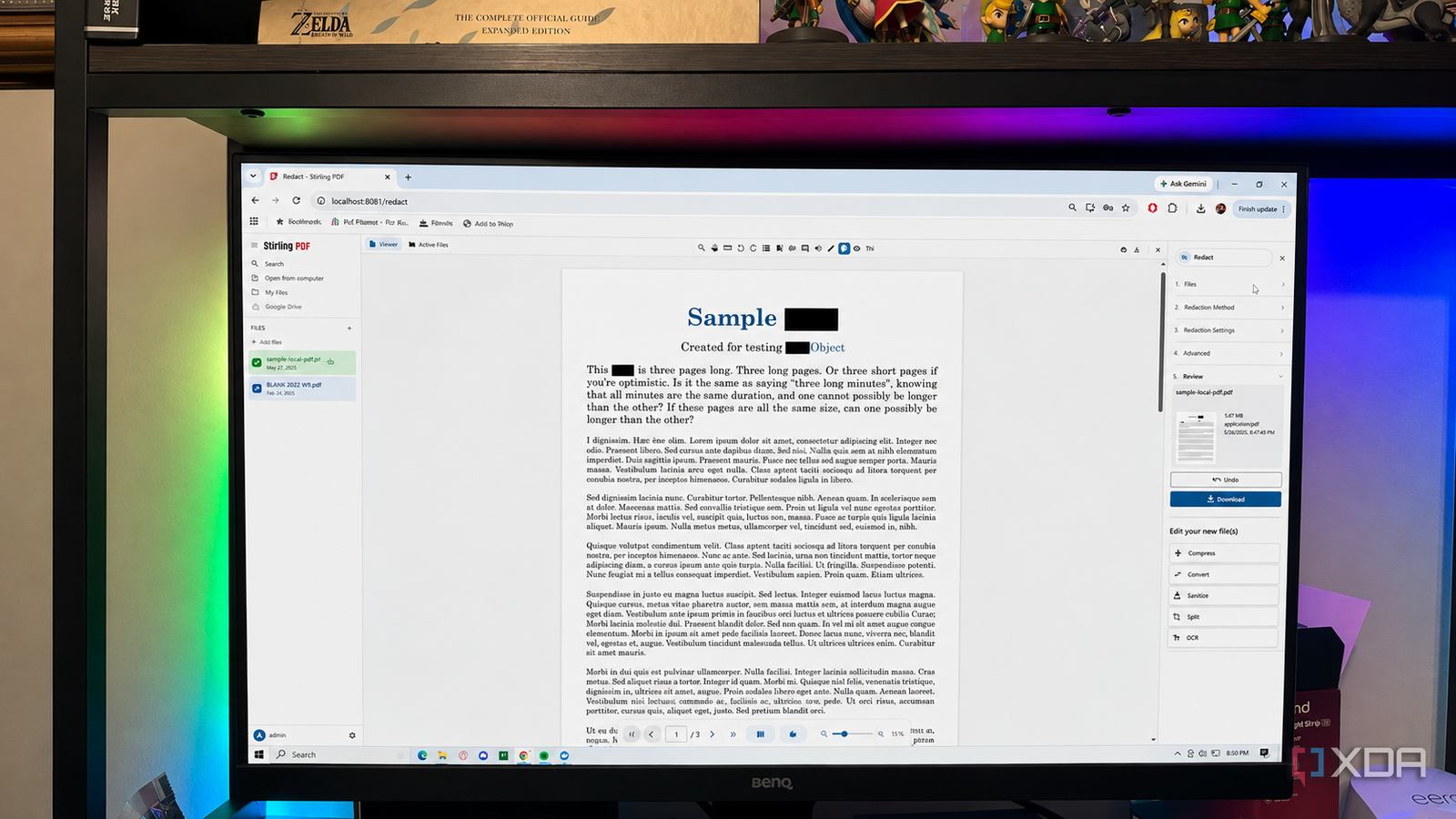
Published Sep 4, 2026, 10:30 AM EDT Patrick is a seasoned writer with more than a decade of experience, specializing in any and all things tech. His work has been featured on platforms like CNET, Yahoo, Xfinity, and many other outlets. When not typing away, he can be found with his nose in a book. PDFs are an unpleasant fact of life. They're a pain to work with and edit, and yet nearly every important document you'll ever sign will appear as a PDF. Do you really trust those free editing websites to safeguard your information? Here's the thing: I don't want to upload a document containing my address, banking info, Social Security number, or any other vital piece of information to a random website, no matter how convenient it might be. If you find yourself needing to edit a PDF, you can self-host a tool like Stirling PDF that will do the job far better than one of those sketchy sites, and it does all of it locally. I don't upload sensitive PDFs anymore Sensitive files stay on my machine As a freelancer, I deal with a lot of tax forms. These forms all, inevitably, have to be sent back as a PDF, which means I need a PDF editor to fill them out. At the start of my career, I'd use less-than-reputable PDF editing sites out of convenience. Later, I used tools like Photoshop to edit. Yes, Acrobat would have been a better choice, but I didn't know at that time. It's a miracle I didn't experience identity theft after revealing all that personal information on those forms, but I somehow made it through. With Stirling PDF, I don't take that chance. Everything happens on my device. I can easily edit a 1040 tax form and enter my Social Security number, name, and address, or enter my banking info for direct deposit, without worrying that I'm giving a bad actor a direct line to my funds. That's not to say that online PDF editors are necessarily unsafe. I don't know whether they are or not (although anything I can't verify myself will get the side eye until I can). My reasoning is more along the lines of: why take the risk if I don't have to? A single Docker container replaces a host of utilities Anything those sites can do, Stirling PDF can do better Here's the thing about random PDF editors on the web: they're usually limited in what they can do. Stirling PDF, on the other hand, is a fully-featured suite that can handle nearly anything you throw at it. Text editing is an obvious use, of course, but you can also use it to merge PDFs, compress files, scan the text with OCR (optical character recognition), and convert file types. If that's not enough, you can also sign and timestamp a PDF. It doesn't stop there. If you have a password-protected PDF and you want to make it easier to access, you can do that (provided you know the password). Stirling PDF doesn't act as a cracker, however, so if you have forgotten the password, you'll need a different tool. It also has tools for cropping, splitting, and rotating pages, adjusting the scale and size, and much more. In other words, if there's something you need to do to a PDF form, Stirling PDF can probably handle it without issue. It works even offline And that gives me peace of mind Using those online tools requires, well, an internet connection. And while it's not often that I'm entirely offline in 2026, I appreciate the fact that Stirling PDF works without the need for the web. Well, after setup, that is. Once the files are downloaded and the Docker container is up and running, I can access Stirling PDF with or without Wi-Fi. The documents are processed locally, not on a remote server, so it makes no difference whether I have access to the web or not. The fact that it works without internet is a pretty good indicator that everything is processed on-device, rather than on a remote server somewhere, and that gives me peace of mind when working with sensitive personal data. But Stirling PDF isn't necessarily easier than using a website You still need to install it and set it up Stirling PDF impresses me in many ways, but I won't pretend it's necessarily easy to use. I'm familiar with self-hosting, so installing a Docker container wasn't a problem, but I remember the first time I fired up Docker and started reading the documentation. It was overwhelming, and I completely understand why self-hosting can be intimidating for users who aren't as tech-savvy. An online tool is simple to use. You just upload the file, make your changes, and download it again. To use Stirling PDF, you need to install Docker, pull the image, handle the ports, and then create an account, and that's all before you start working on the PDF itself. Case in point: the default installation didn't work for me, as Stirling PDF's default port was already in use by something else. I had to change the configured port number before I could use it. That's a lot of effort if you don't work with PDFs that often, but in my opinion, the privacy is worth it. Stirling PDF is possibly the best PDF tool I've ever used I've worked as a freelancer for 15 years at this point, and that means I've dealt with a lot of forms and, in turn, a lot of PDF utilities. Stirling PDF might be the best of them all, and I don't say that lightly. Acrobat is a good application, but the cost is too steep, especially when Stirling PDF can do everything I need, and the only cost is a bit of my time. Stirling PDF Stirling is a privacy-first, open-source PDF platform that combines everyday editing tools with scalable AI automation, APIs, and self-hosted deployment options.
I stopped trusting online PDF tools after finding out what one Docker container does offline
Full Article
Original Source
Read the full article at Xda-developers →KhanList aggregates and links to publicly available news content. We do not host full articles from third-party sources. Always verify important information with original sources.