
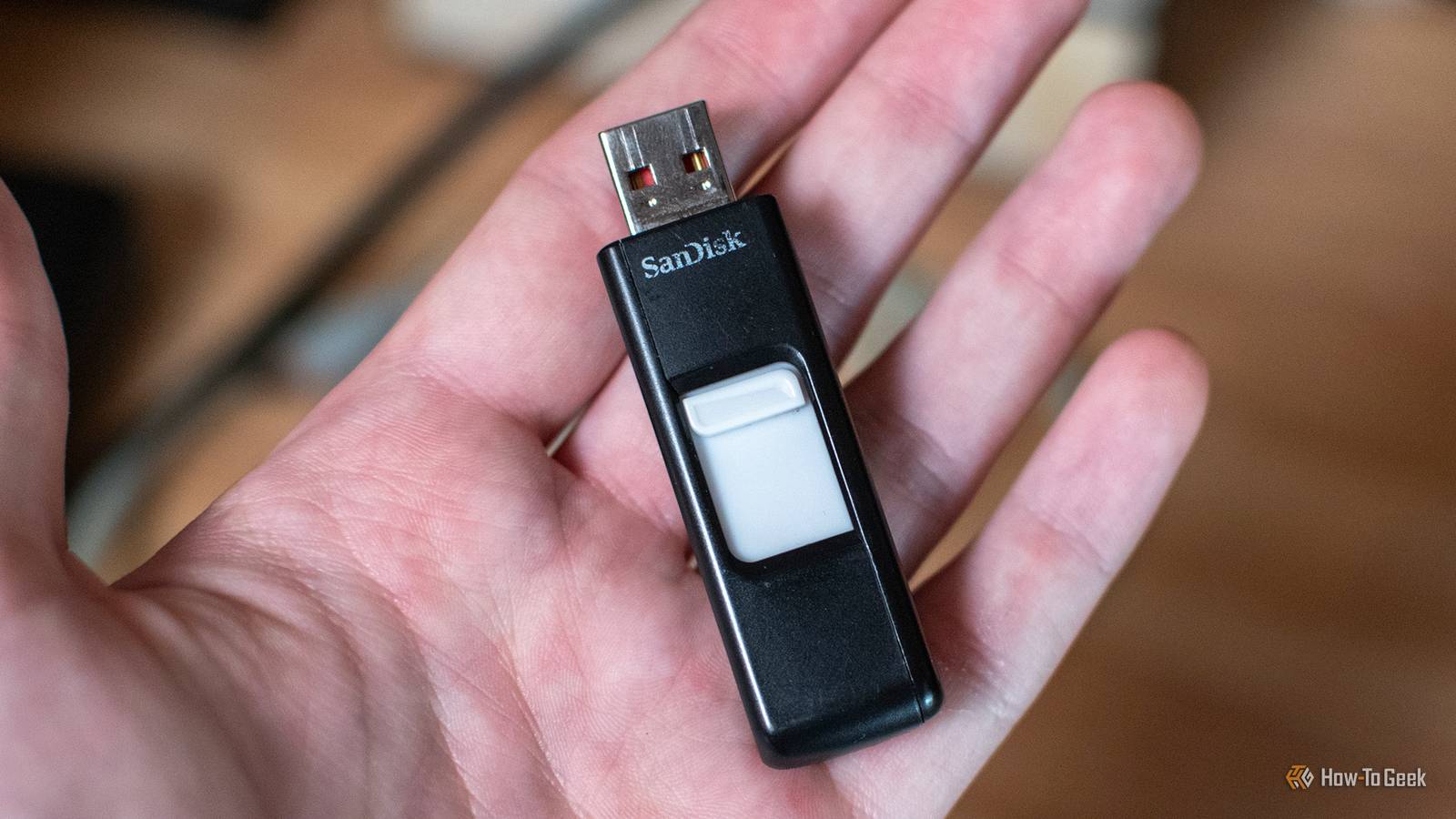
Published Oct 29, 2026, 7:30 AM EDT Patrick Campanale has been in the tech space for well over a decade, specializing in PC/gaming news and reviews, as well as maker-focused products to build small businesses. With a start in technology back in 2010 surrounding the Palm/webOS ecosystem, Patrick spent his formative years developing mobile applications as well as blogging for various publications, eventually leading to starting his own website in 2014. After running a technology blog for a few years, he stepped out of that role and into the world of high-end custom PC manufacturing and building, with a focus on YouTube video production and overclocking. Then, in 2017, Patrick joined the 9to5Toys team as an editor/writer/reviewer with over 14,000 articles being published during his time there, ranging from deals and roundups to in-depth reviews on the latest technology, video games, 3D printers, and more. In his free time, Patrick loves to create projects from wood using various robots and methods, including leveraging the technologies of CNCs and lasers. If Patrick isn't working on a computer or playing video games, he's likely in his 2-car garage workshop creating something unique. In addition to all this, Patrick is also the media director at his local church where he feels God has called him to serve, and he loves every minute of it. At one point in time, USB drives were all the rage for file transfers. I kept one in my pocket at almost all times and I had several around the house for various purposes. Over time, USB drives quietly stopped being so popular. But I still have uses for them in my homelab, so here are the main reasons why I’ll never throw away old USB drives. I always need a new installer USB drive I love Ventoy, but Ventoy doesn’t love every OS installer Credit: Hannah Stryker / How-To GeekCredit: Nick Lewis / How-To Geek I used to have one flash drive that I constantly overwrote whenever I needed to install a new operating system. It was really annoying, and when I finally discovered Ventoy I thought I was done with building installers for every operating system. If you’ve never heard of Ventoy, it’s a really neat little piece of software. What you do is flash Ventoy to a USB drive and then you just drag and drop the installer ISOs you want to have onto the flash drive. Then, you can boot to Ventoy and select which installer you want from Ventoy’s boot menu. This made things so much simpler for me. I had a spare 128GB USB-C/A flash drive from years ago that I put Ventoy on and started putting all my ISOs onto. I had a bunch of ISOs on it, including Windows 11, Ubuntu (both server and desktop), and several other niche Linux distros. Ventoy worked perfectly for me—until it didn’t. One day I went to install OPNsense on a mini PC using Ventoy and it just didn’t work. I did a bunch of research only to find that Ventoy doesn’t work well with all installers, and sometimes it’s just simply better to have a dedicated installer for certain operating systems. I hate overwriting the same USB drive every time I need a new installer Having a dedicated installer drive is so much nicer After realizing that Ventoy wouldn’t work for everything, I found an old flash drive that I got at a trade show years ago sitting in a drawer. It was a 16GB USB 3.0 flash drive that had some press files from like 10 years ago on it, so I didn’t need what was on it anymore anyway. I overwrote it as the OPNsense installer that I needed and everything finished perfectly after that. This was the first time I realized that, though I loved having a dedicated installer drive where I could just throw all my ISOs, it wasn’t the only installer drive I would ever need. Since then, I’ve started keeping those extra flash drives from random places or devices I buy to use for making dedicated installers as I need. When I need it, that installer drive can actually become an OS boot drive Some operating systems simply prefer to boot from a flash drive for some reason Credit: David J. Buck/How-To Geek Sometimes, an operating system (like Unraid) might prefer to be installed on a flash drive instead of a normal storage device like an SSD or HDD. In fact, up until Unraid 7.3, Unraid could only be installed on a USB drive and not an SSD or HDD. This is yet another reason I keep random flash drives around my office—just in case I need to test an operating system like Unraid that needs to be installed on a flash drive. 3D printers need USB drives, too And not every 3D printer comes with its own anymore Credit: Patrick Campanale / How-To Geek My homelab isn’t just networking devices and computers. I have maker equipment in it, too. My office has three 3D printers and two UV printers in it right now, with more 3D printers as well as lasers and CNCs in the garage, too. The problem is, most of the 3D printers in my homelab (Bambu Lab and Elegoo) need a flash drive for external storage of 3D printing files and timelapses. Why companies went away from microSD cards for this is beyond me, but they did. 3D printers used to ship with small 4GB flash drives that had drivers and stuff on them, but that has also changed since 3D printing software is becoming more universal. So, I definitely want to keep flash drives on hand for when a new printer arrives so I have a drive to throw in it for storage. Storing both 3D printing files (to re-print from the touchscreen) and timelapses is important to me, and I really don’t feel like buying a new flash drive for every 3D printer I get, so keeping extras on hand that come from other devices just makes things more convenient for sure. Flash drives might not be used for moving files around anymore, but they still have uses for me These days, if I need to move files around, I’m reaching for one of my portable SSDs. They have faster read and write speeds than most flash drives I have and there’s also a lot more capacity available there. Flash drives, for me, have become more about single-purpose tasks instead of general-purpose. Operating system installer, 3D printer storage, or boot drive are all things where the flash drive just has one job to do—and it does it well.
I stopped tossing old flash drives, and my homelab is better for it
Full Article
Original Source
Read the full article at Howtogeek →KhanList aggregates and links to publicly available news content. We do not host full articles from third-party sources. Always verify important information with original sources.