
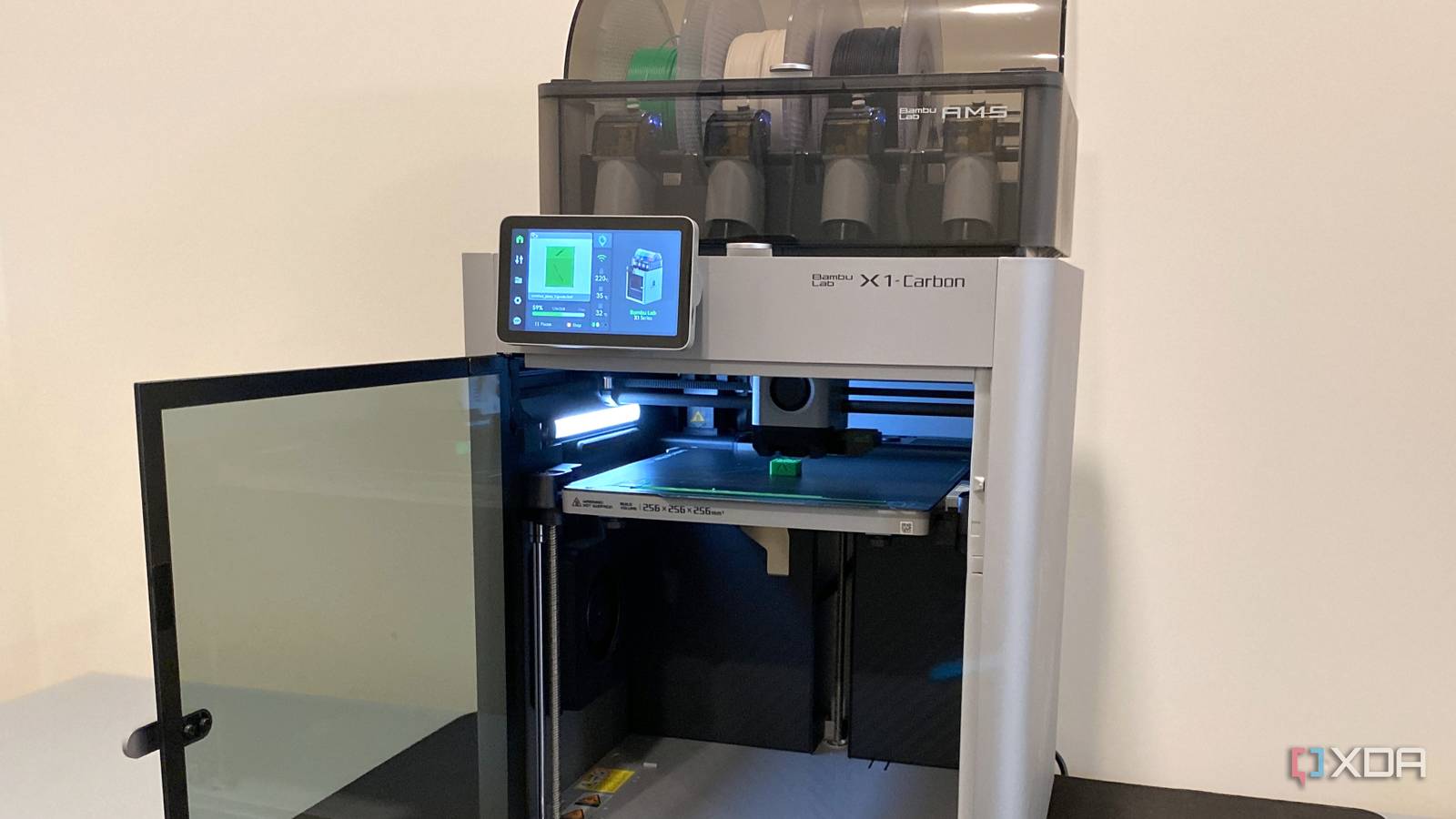
Published Oct 4, 2026, 3:30 PM EDT Maker, meme-r, and unabashed geek, Joe has been writing about technology since starting his career in 2018 at KnowTechie. He's covered everything from Apple to apps and crowdfunding and loves getting to the bottom of complicated topics. In that time, he's also written for SlashGear and numerous corporate clients before finding his home at XDA in the spring of 2023. He was the kid who took apart every toy to see how it worked, even if it didn't exactly go back together afterward. That's given him a solid background for explaining how complex systems work together, and he promises he's gotten better at the putting things back together stage since then. For years, anything I printed that was bigger than a coffee mug came with an extra step baked in: drop it into the slicer, watch it hang off the edge of the build plate, and reach for the cut tool. My Elegoo Neptune 2 was a great little machine, but its 220 x 220mm bed decided the shape of everything I made, and anyone who's owned a bedslinger knows using the entire print volume is a pain. Helmets became quarters, busts became halves, and every project ended with an evening of superglue, filler, and sanding seams that never quite disappeared. Then I moved to a Bambu Lab X1 Carbon and its 256 x 256 x 256mm build volume, and kept splitting models anyway, purely out of habit. The thing is, a lot of split models are workarounds, remixed from one-piece originals that were a click away the whole time. These days I check the file list before I touch the cut tool, and more often than not, the whole thing fits. If you've upgraded to a bigger bed too, whether that's a CoreXY flagship or a bedslinger with a larger build volume, you should stop cutting things up most of the time. Split models are a build-volume workaround, not a design choice Blame the 220mm era Credit: Source: DougBurton1969/MakerWorldSource: MB3D X1C A1 mini/MakerWorldCredit: Source: MB3D/MakerWorld For a long time, the default hobbyist printer had a bed of around 220 x 220mm, my Neptune 2 included, and compact machines like the Bambu Lab A1 Mini still sit at 180 x 180 x 180mm. A wearable helmet doesn't care about any of that. So the community did what it always does and started remixing, cutting popular models into pieces that fit the printers people actually owned. You can see it in the descriptions. A remix of Seankfields' Rogue One Shoretrooper helmet on Printables exists because, in the uploader's words, "I had to slice up a few pieces to fit my 200mm x 200mm bed." Over on MakerWorld, there's a Mandalorian helmet cut into 10 separate plates specifically for the Bambu Lab A1 Mini. That one's a remix of a "Mandalorian Helmet for 220mm bed" remix from Thingiverse, which makes it a remix of a remix, each step shrinking the pieces to suit a smaller machine. None of that is a criticism, to be clear. Those remixes are genuinely useful if you own a small printer, and I relied on them for years. But every cut is a seam, and every seam is a job: gluing, lining things up, filling the gap, sanding it flush, and hoping the paint hides whatever you missed. It's also a weak point that wasn't in the original design. Follow the remix chain back to the source Here's the pattern I wish I'd noticed sooner. The split version is almost never the designer's original file. Take the Invincible faceshell on Printables. The original by toyota prints as a single piece, and DragonDesign's remix splits it in two, explaining, "I split it into 2 parts, to be able to print it on smaller machines." Same mask, same geometry, one extra seam, and a ton of extra post-print processing. Remixes usually credit what they're built on, so when you land on a split model, click through to the source. If you've got a larger bed now, the original is often the version you actually want. 256mm changes what counts as a big print Your sanding block is going to feel neglected On paper, the jump from 220mm to 256mm doesn't sound dramatic. Run the numbers on the plate itself, though, and it adds up quickly. A 256 x 256mm plate has about 35% more area than the Neptune 2's 220 x 220mm bed, and roughly twice the area of the A1 Mini's 180 x 180mm bed. That's the difference between a model that needs to be quartered and one that just needs to be rotated a bit. And the spec sheet actually undersells the gap, because this is the volume you can use. On a bedslinger like the Neptune 2, the entire bed whips back and forth along the Y axis, and trying to use all of it was a lesson in what goes wrong. Adhesion was flaky near the edges of the plate, and thin prints struggled pretty much anywhere, so I leaned on extra supports and rafts just to keep parts stuck down. Taller prints picked up artifacts as they got higher. And a few times, the print head clipped a print while traveling and knocked it clean off the bed, which is a special kind of heartbreak. The X1 Carbon isn't immune to failed prints, to be clear. But with the bed only moving down in Z while the toolhead does all the running around, the full 256mm is fair game, and I don't find myself nervously avoiding the edges of the plate anymore. The benefits are more than cosmetic, too. One piece means no glue joints, no alignment keys, no filler-and-sand cycle, and no mismatched layer lines where two halves meet. It also means one print job instead of juggling four plates across a weekend. Sure, it's not all upside. A one-piece helmet is one long print, and if it fails at hour 18, you've lost the whole thing rather than a single quarter. Big curved prints can also need more support material, which is exactly why the Shoretrooper remixer split some pieces further to "eliminate most of the supports." And 256mm still has limits. A full-length prop sword or a chest plate won't fit on the X1 Carbon, so the cut tool isn't going anywhere. It's just not my default anymore. The models that ship both versions prove the point for me Sometimes the cut is the design My favorite example is the Batman: Under the Red Hood helmet by Michael Bradley on Printables. It's a single free listing with 13 files, and it covers every printer size in one download. There's a "Solid" version that prints as a single-piece helmet, plus a cut-up version of that same solid helmet (minus the eyes) for smaller printers, sized for a 140 x 140 x 230mm build volume. Same model, same designer, and the only reason the split version exists is bed size. I can't actually put the "Solid" version on my X1C because it's too high for the 256mm Z-axis, but that sounds like a good reason to upsize again, upgrade to the H2D, and get a 350 x 320 x 325mm print volume in the process. Plus, then I can get around to printing the Underware cable management panels for under my desks in double time with both printers running. The Red Hood helmet isn't alone, either. Here's how the models I found stack up: Model Site One-piece version Split version Split targets Batman: Under the Red Hood helmet (Michael Bradley) Printables Yes, "Solid" file in the same listing Yes, same listing 140 x 140 x 230mm Invincible faceshell (toyota / DragonDesign) Printables Yes, the original Yes, separate remix "Smaller machines" Rogue One Shoretrooper helmet (Seankfields / Jace1969) Printables Original linked from remix Yes, separate remix 200 x 200mm Mandalorian helmet (LionPrint remix chain) MakerWorld / Thingiverse 220mm-bed remix upstream Yes, 10 plates Bambu Lab A1 Mini But there's a catch worth knowing about. The Red Hood listing also includes a two-piece "Split" version, and that one has nothing to do with bed size. According to the designer, the solid helmet's bottom ring has to flex to get over your head, while the split version comes apart like the movie prop and lets you make the overall helmet smaller. That cut is a functional choice, and printing the solid version instead would change how the helmet is worn. So the rule isn't "never print a split model." It's "read the description first." If the split exists for a smaller bed, and you don't have a smaller bed anymore, skip it. If the split exists because the designer wanted it to come apart, respect the cut. Check the file list before you reach for the cut tool Splitting models was the right call when my printer couldn't fit anything bigger, and it's still the right call for prints that genuinely won't fit, need stronger layer orientation, or would drown in supports as a single piece. But for the helmets, masks, and busts that make up most of my big prints, the one-piece version is usually already there, sitting in the same listing or one remix link upstream. I just wasn't looking for it. Now I look first, and I spend a lot less time with filler and sandpaper. If you've upgraded to the X1 Carbon or any other printer with a 250mm-class bed, dig through your saved models and check which ones you've been cutting for no reason. If you're still weighing up whether the extra build volume is worth it, our guide to the best 3D printers is a good place to start, because bed size shapes far more of your prints than you'd think. Bambu Lab X2D Build Volume 256 x 256 x 256 mm Printing Speed 1000 mm/s The X2D is a two-nozzle multi-material 3D printer with a large print volume.
I stopped splitting 3D models in half after upgrading my print bed
Full Article
Original Source
Read the full article at Xda-developers →KhanList aggregates and links to publicly available news content. We do not host full articles from third-party sources. Always verify important information with original sources.