
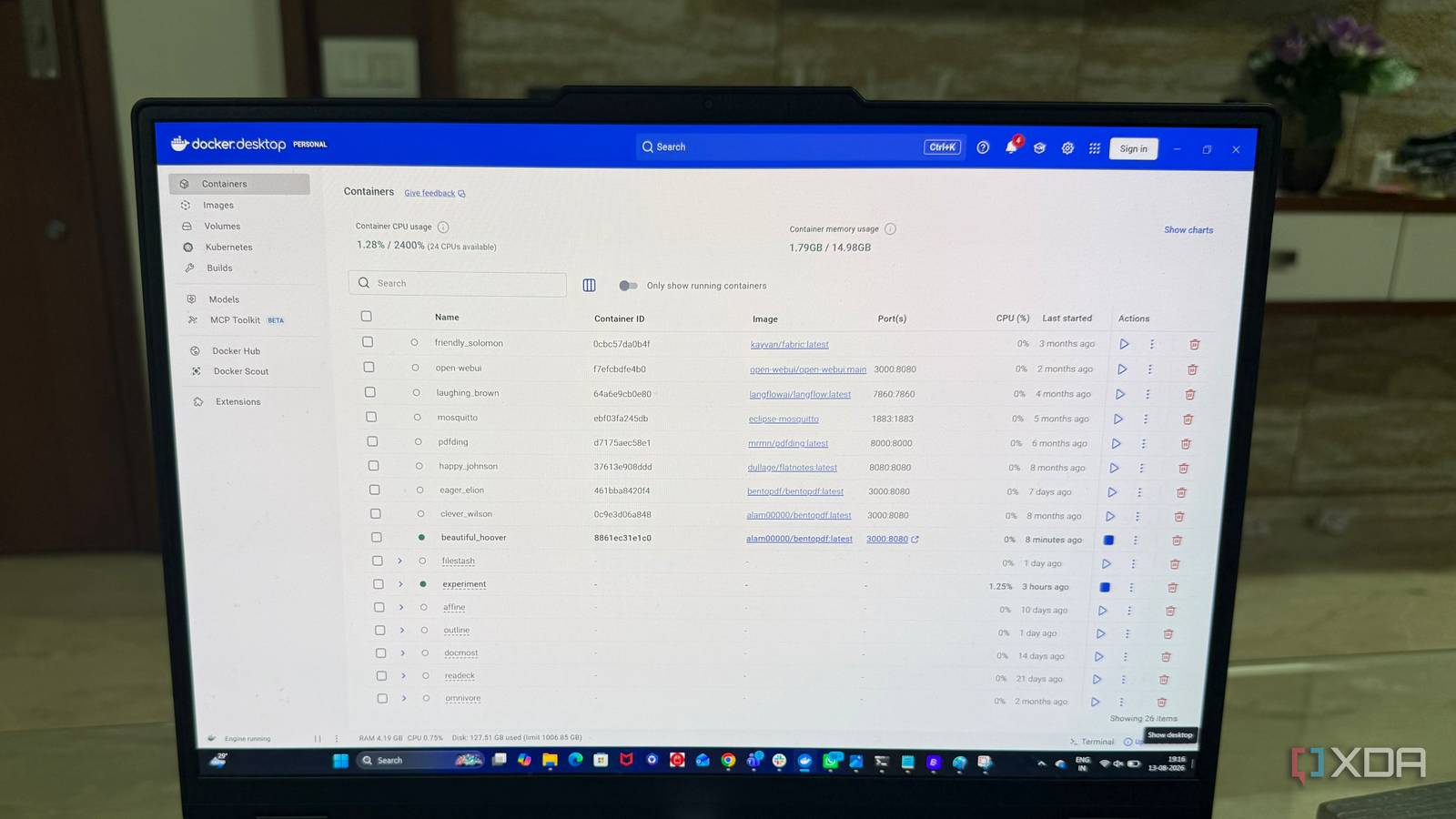
Published Aug 18, 2026, 10:30 AM EDT Beginning his professional journey in the tech industry in 2018, Yash spent over three years as a Software Engineer. After that, he shifted his focus to empowering readers through informative and engaging content on his tech blog – DiGiTAL BiRYANi. He has also published tech articles for MakeTechEasier. He loves to explore new tech gadgets and platforms. When he is not writing, you’ll find him exploring food. He is known as Digital Chef Yash among his readers because of his love for Technology and Food. Self-hosting has always been about controlling the software I use. Docker made that even easier. I could try a new application, deploy it in minutes, and keep adding more services to my server. That flexibility is one reason I enjoy running my own infrastructure. But over time, I noticed my home server was becoming more complicated than it needed to be. I had built a setup around experimentation, convenience, and curiosity. Eventually, I decided to rethink how I managed it. I didn't replace my hardware or rebuild everything. I simply changed how I approached running my self-hosted services. My Docker server was a container graveyard I had way too many containers running all the time My Docker setup grew slowly, and I didn't notice how crowded it had become. Whenever I wanted to try a new self-hosted app, I spun up another container and left it there. After a while, my server had a long list of containers that I had started for completely different reasons. Some were apps I used regularly, while others were things I had installed just to test them. A few were projects I had moved on from but never bothered to clean up. Since Docker made it so easy to add another service, I rarely stopped to question whether I actually needed it. The problem wasn't any single container. It was the sheer number of them. Looking through my Docker environment, I realized I had created a collection of services instead of a setup built around what I actually use. That was the first thing I fixed. The problem with running everything 24/7 24/7 uptime was costing me more than I realized Once I looked closely at what those containers were actually doing, I started noticing how much background activity was happening. Some services checked for updates, refreshed data, ran scheduled tasks, or kept their databases active even when I wasn't using them. That didn't mean my server was struggling. Most of the time, everything worked perfectly fine. But I didn't like the idea of having services constantly doing work simply because I had started them once. I also had the occasional background job I didn't expect. A container might suddenly use more CPU or memory because it was indexing files, processing something, or performing a scheduled task. These were small things, but they added up across a larger setup. I realized I was treating uptime as a default rather than something each service actually needed. That made me rethink how I was running my server. Separating "always-on" from "use-when-needed" I also group my Docker services The biggest change I made was deciding that not every service needed to run all the time. I started looking at my containers based on how often I actually used them. The services I used regularly stayed available. Everything else became an on-demand service that I could start when I needed it. This worked particularly well for tools I only used occasionally, such as testing projects, file utilities, and other experiments. I also started grouping related Docker services instead of keeping everything in one large collection. I separated them by use case, which made the setup much easier to understand. For example, I could keep my regularly used services together while putting experimental or occasional tools in their own Compose projects. When I wanted to work on one of those projects, I knew exactly which stack to start. This also made stopping services less intimidating. I knew what each group contained and what depended on it. I wasn't randomly turning containers on and off anymore. The result was a Docker setup that matched how I actually use my server. My server feels better now The easiest server upgrade cost me nothing The best part is that I didn't need a hardware upgrade to notice a difference. My CPU, RAM, storage, and everything else stayed exactly the same. I simply changed how I used the resources I already had. Tasks that involve file management, browsing self-hosted apps, or working with larger files feel more consistent now. There is less of that occasional sluggishness I had started to accept as normal. Even opening a service or switching between different applications feels snappier. I also notice it when I'm doing something more demanding. The server seems to have more breathing room, so heavier tasks don't make everything else feel slow at the same time. A better way to think about self-hosting This experience also changed how I think about my home server. I used to see it mainly as a place to host applications. Now I see it more as a personal infrastructure layer that should quietly support what I do. That shift makes me care more about reliability, simplicity, and whether a service genuinely earns its place. I don't think there is a perfect number of containers or a universal setup that everyone should follow. What works for me might be completely different from what works for someone else. The important part is knowing why each piece of your server exists.
I stopped running every Docker container 24/7, and my home server has never been better
Full Article
Original Source
Read the full article at Xda-developers →KhanList aggregates and links to publicly available news content. We do not host full articles from third-party sources. Always verify important information with original sources.