
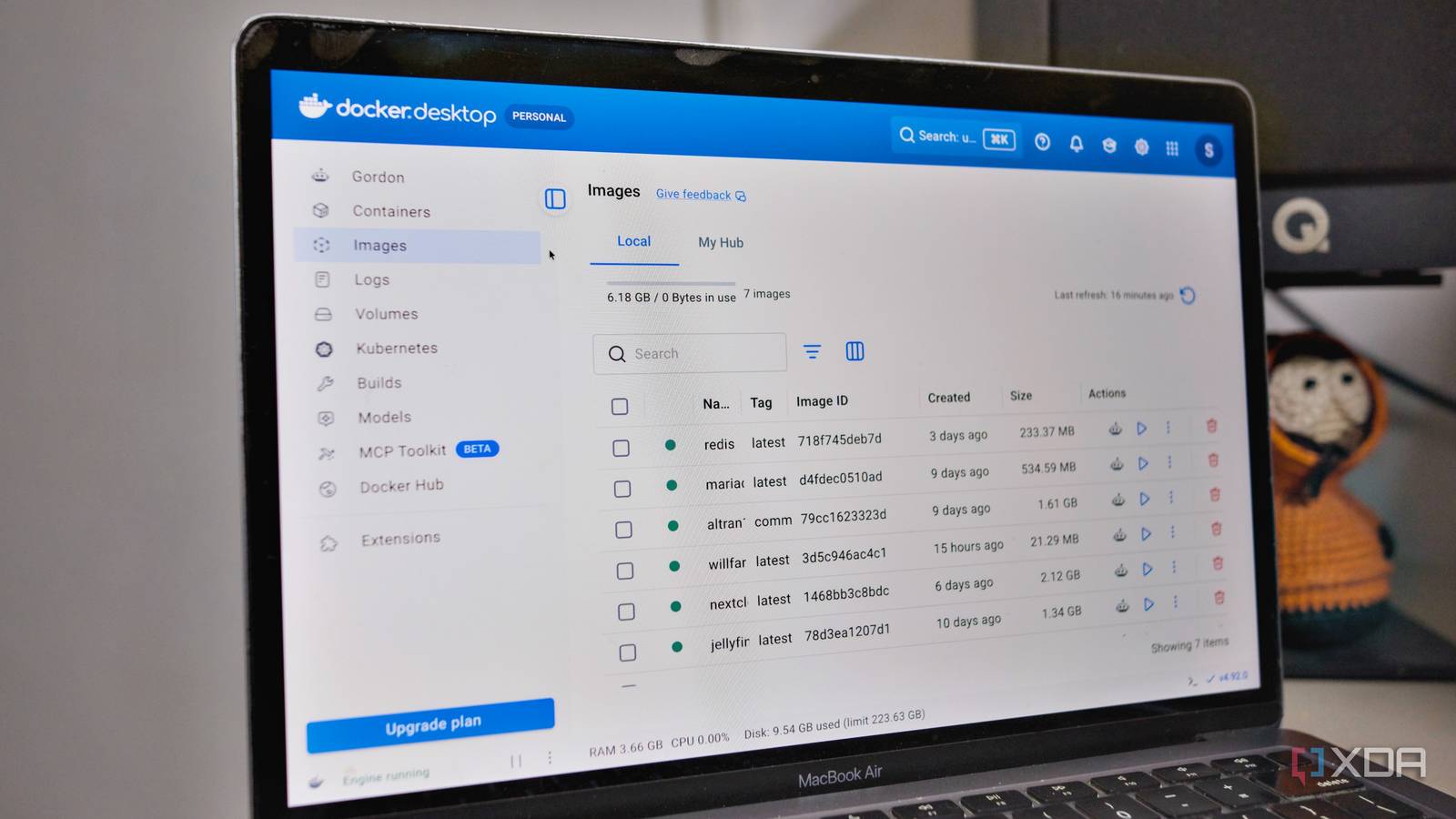
Published Sep 25, 2026, 5:30 PM EDT Samir Makwana is a technology journalist and editor from India since past 18 years and his work appears on MakeUseOf, HowToGeek, GSMArena, BGR, GuidingTech, The Inquisitr, TechInAsia, TechWiser, and others. He has written news, features, and gadget reviews for national technology media publications. His passion is to help people with their technology problems and gadget purchases. For that, he has worked for some of the biggest international technology publications, covering news, explainers, how-to guides, listicles, and product-buying guides. He has worked as an editor and managed teams since 2015. His expertise broadly covers computers, smartphones, game consoles, headphones, smart home products, browsers, and apps. Docker has been reliable enough on my home server that I never thought much about the latest tag in my Compose file. That changed the day I decided to test Jellyfin’s release candidate version 12 before it went stable. Weeks later, my container refused to fetch the finished build. Chasing that down sent me into troubleshooting mode, and that’s when I learned what the latest tag really is, and what I assumed about it turned out to be wrong. The latest tag isn’t a promise about version numbers; it's a tag that someone else controls. Understanding that changed how I write every image in my server's Compose file. What the latest tag actually is What Docker does when you skip the tag Every container image needs a tag, and if I don’t specify one in the docker run command or Compose file, Docker quietly downloads the one tagged latest for me. So, when I use the docker run jellyfin/jellyfin command, Docker treats it as jellyfin/jellyfin:latest, whether I meant it or not. That’s what surprised me most, because latest isn’t just a keyword Docker uses to pull the newest build. It’s an ordinary tag name that the project’s maintainers choose to attach to whichever build image they want. Typically, that tag points to the most stable build, which may not be the most recent one. Most projects treat it as shorthand for their current stable release, which is why it usually behaves as people expect. There’s no compulsion, though, as the maintainer could point the latest tag at any build, which could be from last year or a beta. That’s why Docker just grabs the build tagged as latest and doesn’t announce the build. Even if I looked at my Compose file, I couldn’t tell that either. My stuck Jellyfin release candidate proved the point Exact tags are specific, and the latest doesn’t chase pre-releases I wanted to try Jellyfin version 12’s release candidate and pulled the image with the 12.0-rc7 tag, as per the release notes. That pulled the new build right away, and I spent a weekend exploring the redesigned web layout and playback controls. A week later, when Jellyfin 12 stable was released in early September, my container didn’t fetch the latest finished build even after I ran the usual docker compose pull command, followed by docker compose up -d. It turned out that a release candidate tag like that is a one-time label, and the pull returns the image I already have. So I switched back to the latest tag in the Compose file, expecting it to fetch the latest finished image, but that didn’t help either. Jellyfin’s Release Candidate 12 cycle release notes said testers need to use the exact release candidate tag or a separate preview tag instead. Meanwhile, the latest tag would keep pulling the latest stable Jellyfin 10.11 release. That only changed when the Jellyfin 12.0 build was finished, and the maintainers pointed latest to the 12.0 stable build. Only the maintainer decides which build gets the latest tag among all published image versions. A tag being the newest build a project has published, and a tag being what the latest build currently points to, turned out to be two completely separate facts. Jellyfin iOS compatible Yes Android compatible Yes Desktop compatible Yes Jellyfin is one of the best Plex alternatives you can get, and that's thanks to its open-source nature and powerful set of features. There are apps for basically every platform and it's completely free to run your very own server. The risk of the “latest” tag applies to all containers That quiet jump carries more than a version bump Using the latest tag next to images in Compose files can be risky in general, not just for Jellyfin. Many projects use the latest for its rolling stable channel, and the maintainer could suddenly update it to a new version. When the pull happens, Docker will automatically download the new version without a warning. Tools like Watchtower can make this riskier because they automatically check for updates and download them on a schedule. Jellyfin’s own jump is a good example of what can happen. Its release notes call for backing up the data directory first, since database changes made in Jellyfin 12.0 can’t be rolled back without restoring that backup. Also, it mentions removing and reinstalling plugins around the migration and running a full library scan afterward. The upgrade happens quietly when a scheduled docker compose pull command runs on Jellyfin or anything else. Choosing how to use a specific tag The fix was boring: I just replaced the image names and latest tags with exact version numbers in my Compose file. My Jellyfin block now reads image: jellyfin/jellyfin:12.1, the latest image for Jellyfin version 12. Whenever I am ready to jump to the latest build, I back up the config and volumes for safety, then update the tag to pull and recreate the service. Pinning a specific tag doesn’t mean I block the security fixes and features. Instead, I take my time choosing when to apply them. I use Diun to nudge me when an image gets a new tag. That gives me time to decide whether to update the container and not apply the update automatically. I’m choosing to install updates, and not avoid them I still update every container on my server regularly. The difference is that a floating tag no longer decides when that happens or what build it pulls in. I now use an exact tag in my Compose file, which tells me precisely what version is running. I only move to a new version after I back up and review the release notes. The stuck Jellyfin release candidate made me actually realize what the latest tag means instead of assuming what it does. Now every image reference in my Compose file says exactly what’s running on my server. Docker Docker Desktop simplifies container management on Mac, Linux, or Windows with a GUI, handling setups like port mappings and file systems
I stopped pinning Docker images to 'latest', and my containers stopped breaking randomly
Full Article
Original Source
Read the full article at Xda-developers →KhanList aggregates and links to publicly available news content. We do not host full articles from third-party sources. Always verify important information with original sources.