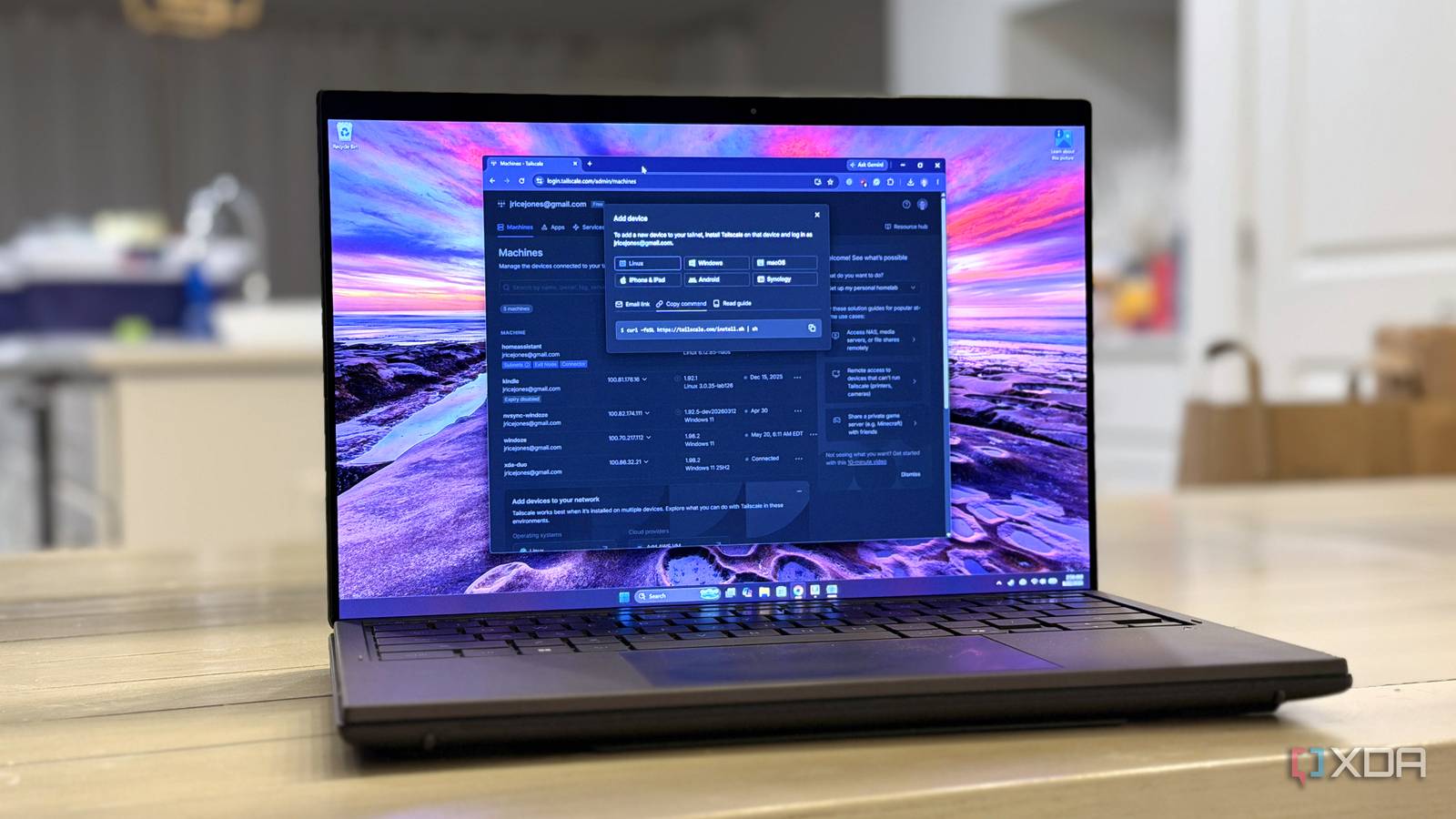
Published Jul 17, 2026, 5:30 PM EDT Korbin is a Linux system administrator who spends most of his time in a terminal figuring out how things actually work. Over the last decade he's written hundreds of articles about Linux configuration, troubleshooting weird problems, and using open-source tools in the real world. He also works a lot with Windows systems and networking, especially in mixed environments where things don't always behave the way the documentation says they should. Writing things down is how he makes sense of it all and hopefully saves someone else a few hours. I've been running local LLMs for a while now. Tools like Ollama make it trivial to pull a model and start chatting right away, and some of the better models like Qwen2.5-Coder have closed the gap with cloud models for everyday tasks. The main reason I kept my ChatGPT Plus subscription alive was for the convenience of accessing AI when I'm away from my desk. I had the app on my phone and used the website whenever I was on my laptop away from home. Using Tailscale is how I finally addressed that discrepancy. It's a mesh VPN built on WireGuard that creates a private network between all my devices, without requiring any port forwarding or exposure to the public internet. After setting up Tailscale on my devices, I could reach my local LLM from anywhere, exactly the way I was using ChatGPT, except none of my conversations were leaving my house, and AI wasn't costing me a subscription fee every month. The setup that made it possible Three pieces of software and an old desktop do all the work The server hosting my local AI is the same old repurposed desktop that I use for handling most of my other home lab projects. The hardware is nothing that'd be considered impressive anymore. It can comfortably run a 14B model, or something heavier if I'm patient with the response time. For most everyday tasks, it works perfectly fine. The only downside to it was that I couldn't reach it outside my own network. Ollama runs as a background service on the box and serves the local LLM. I use Open WebUI as a frontend, which gives me a proper chat interface accessible in a browser and includes history, search, and file uploads. In that way, it feels a lot like ChatGPT's web UI. That whole setup still works the same as before, and Tailscale just provides the tunnel that lets my phone see the server. I started by installing Tailscale on all my devices (server, laptop, and phone), which only takes a few minutes. As long as you're logged into the same account on all of them, all the devices become instantly reachable from one another. I named my server "home-ai" using Tailscale's MagicDNS feature, so now the chat interface is accessible from the other devices when I navigate to http://home-ai:3000 in a browser. Browsers really hate HTTP, so the warnings about using an insecure site got old fast. Fortunately, Tailscale Serve solves that issue easily by issuing a TLS certificate for my tailnet hostname, so "home-ai" loads over HTTPS without any kind of advanced setup on my part. In the future, I'm considering using Tailscale Funnel, too, which would let me share access with friends or family outside my tailnet. For now, I just have the setup to serve my personal devices. Why this actually replaced the subscription No more paying just for the convenience Local AI, especially the models that run well on my server's outdated hardware, definitely hasn't caught up to GPT-5 on hard reasoning tasks. Most of the questions I pass to an LLM every day are low-stakes and only need basic answers, so the cost of a subscription isn't justified anymore. ChatGPT was just the obvious choice before, particularly with the app sitting on my phone's home screen. Now that my local LLM has the same universal access as cloud AI, the extra cost is less worth it. The other advantage is the peace of mind I have knowing that nothing I type into my home AI touches a third-party server, so I don't need to think much about what I'm comfortable sending to AI for processing. Knowing that everything stays on my local network, for free, gives me so much more satisfaction than paying $20 a month and having someone else handle the logistics for me, which weren't even that challenging to roll out myself. I still reach for ChatGPT every once in a while Cloud AI's availability is hard to compete with Admittedly, I haven't removed the ChatGPT icon from my phone's home screen. At first, I thought that was proof that my setup wasn't so perfect, since I'm not willing to completely let go of cloud AI. But I only really use it in a pinch anyway. If my home server becomes unreachable, it's nice to have a backup option available, and ChatGPT still fills that void perfectly. For the rare times that I need serious reasoning power on a complex task, or my home connection actually goes down (which almost never happens), ChatGPT's free tier still exists. With the one-off questions that I need to send to ChatGPT, I never go over the free usage limit, so why wouldn't I keep it around? The model I use at home is now in my pocket, too All that Tailscale did was make my local AI setup more accessible, which turned out to be the only thing keeping me tied to a subscription. Once my phone could reach my local AI as easily as it reaches ChatGPT, there wasn't much reason left to keep paying. If you've already got a local model running at home, try putting it on a tailnet to see how fast the habit of opening cloud AI apps disappears. Tailscale Tailscale is a tool that allows you to create specific network connections so you can remotely access resources within a private network.
I stopped paying for ChatGPT after putting my local LLM on Tailscale
Full Article
Original Source
Read the full article at Xda-developers →KhanList aggregates and links to publicly available news content. We do not host full articles from third-party sources. Always verify important information with original sources.