
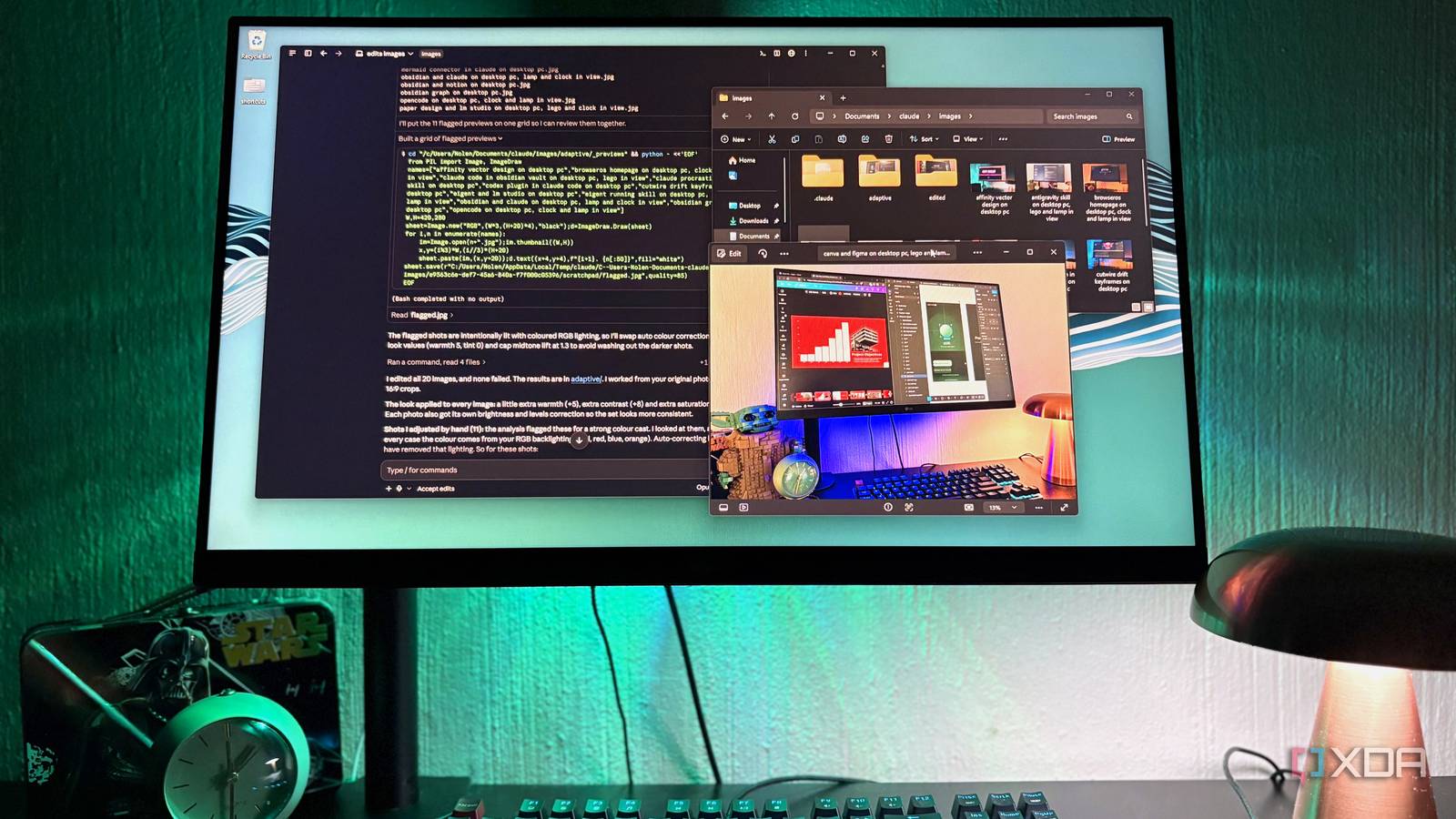
Published Oct 8, 2026, 12:30 PM EDT Nolen began their writing career in 2019, with three years dedicated to editing the Creative section at MakeUseOf. Their expertise lies at the crossroads of technology and creativity, covering areas like photography, video editing, and graphic design. Outside of work, you'll often find Nolen diving into a good book, writing their own stories, or playing video games. There's a boring part to photo editing that doesn't get as much hype as the fun creative bits. Before you get near a color grade or effect, there's usually a batch of shots that need cropping to one ratio, and photos taken on different days still need to look like they came from the same batch. This is exactly what Lightroom is for - it's for doing the same thing over and over to twenty images. Claude Code already does a fair bit of file shuffling on my PC, so it seemed worth seeing whether it could actually edit my image files. Turns out, it can, and I genuinely just didn't know it for far too long. Adobe has a connector for this, as well as other design tools like the Figma and Canva connectors. But that's not what I'm talking about here. Instead, I made Claude edit my images with code. Claude Code can edit photos…sort of It doesn't need a slider, just a script Claude Code isn't secretly tucking away an image editor somewhere, it just uses code, as well as its own vision. If you ask it to brighten an image, it will write a Python script and then run it on your machine, which on Windows means going through PowerShell. The actual editing comes from Pillow, a Python imaging library. When I first tested it, Claude noticed Pillow wasn't installed, so it grabbed it before carrying on and the edit landed as a new file next to the original, which it didn't touch. This does mean that Python needs to be on your PC already. Pretty much anything that applies to the whole frame is fair game. Crops and resizing are the obvious ones, but a good chunk of Lightroom's Basic panel can actually be accomplished here too, including warmth, tint, saturation, brightness, contrast, and more. Format support comes down to what Pillow can open. JPEG, PNG, and WebP work straight away. HEIC photos from an iPhone need an add-on first, and RAW goes through a separate one that can read the files but never save them back as RAW. Seeing the photos is a separate thing. Claude can only look at JPEG, PNG, GIF, and WebP. I gave Claude two skills for two kinds of editing One follows the recipe, the other actually looks at the photo A skill in Claude Code is a folder holding an instruction file plus any scripts it needs. Put it in a .claude\skills folder inside your project and it turns into a slash command. When I first started playing around with images in Claude, I realized that there are two ways to approach it. Presets and adaptations. So a batch that needs the same crop on every photo and would be quick to describe, falls under Preset editing. Whereas fixing each photo based on what's wrong with that photo specifically needs Claude's eyes and reasoning first, which falls under Adaptive. So I made both skills. In the preset skill, one script covers crops and resizing alongside some basic color adjustments, and I wrote plain-English amounts into the instructions so "slightly" and "a lot" map to actual values without me typing numbers. It only checks a single before-and-after sheet at the end to keep things fast. Plus, the settings get saved to a recipe file for next time. For the adaptive skill, I wrote it so Claude measures every photo first. This is where it will take into consideration the existing lighting and color cast, then write a plan with different corrections for each image rather than having the batch share one look. Anything unusual gets flagged, and Claude only opens those previews to make a call. On my batch, 11 shots came up for a strong color cast. After looking at them, it worked out the color was coming from my RGB backlighting and left it in. It even put the flagged shots into one grid to compare them, which wasn't anywhere in the instructions. Both skills write to their own folders and strip location data by default. Running both skills as one batch workflow The jobs that used to need Lightroom now happen in two prompts Most of what sends me to a tool like Lightroom is just chores and cleanup. Sorting also comes into it since Lightroom keeps collections as virtual folders inside its catalog and building them meant a lot of clicking around the Library module. Claude handles that part better, actually, because it's much quicker. For the edits, I almost always run the Preset one for crop jobs and resizing, since I'm going to do that in an editor somewhere anyway. The Adaptive skill comes into play afterward when my shots need individual attention for coloring and lighting. Triggering either one is just a slash command followed by a plain sentence describing what I want. Each pass also lands in its own folder. The screenshots here were from one of my first test runs with these skills, and I added a bunch of images I work with on the daily - the featured images of my articles. These are never meant to look perfect, I deliberately shoot them to look like it's the average's Joe's desktop, but they do need to meet a specific aspect ratio, plus a little color pop never hurt anyone. So here, I let Claude handle the cropping. And then I asked it to add a little warmth because some of them are taken at night when the big blue-white overhead light is turned on. The results weren't anything spectacular, which was the point, and it saved me from opening a dozen files in an editor and adjusting them individually. Lightroom's Basic panel, minus Lightroom Obviously, this isn't going to replace a comprehensive editor, but it's got the basics handled so I don't have to start up a heavy app just to make some small adjustments. A photo look ends up as a sentence and a small recipe file, which I could reopen months later or pass to someone else without exporting a preset first.
I stopped opening Lightroom when I created a Claude Code skill that batch-edits my images
Full Article
Original Source
Read the full article at Xda-developers →KhanList aggregates and links to publicly available news content. We do not host full articles from third-party sources. Always verify important information with original sources.