
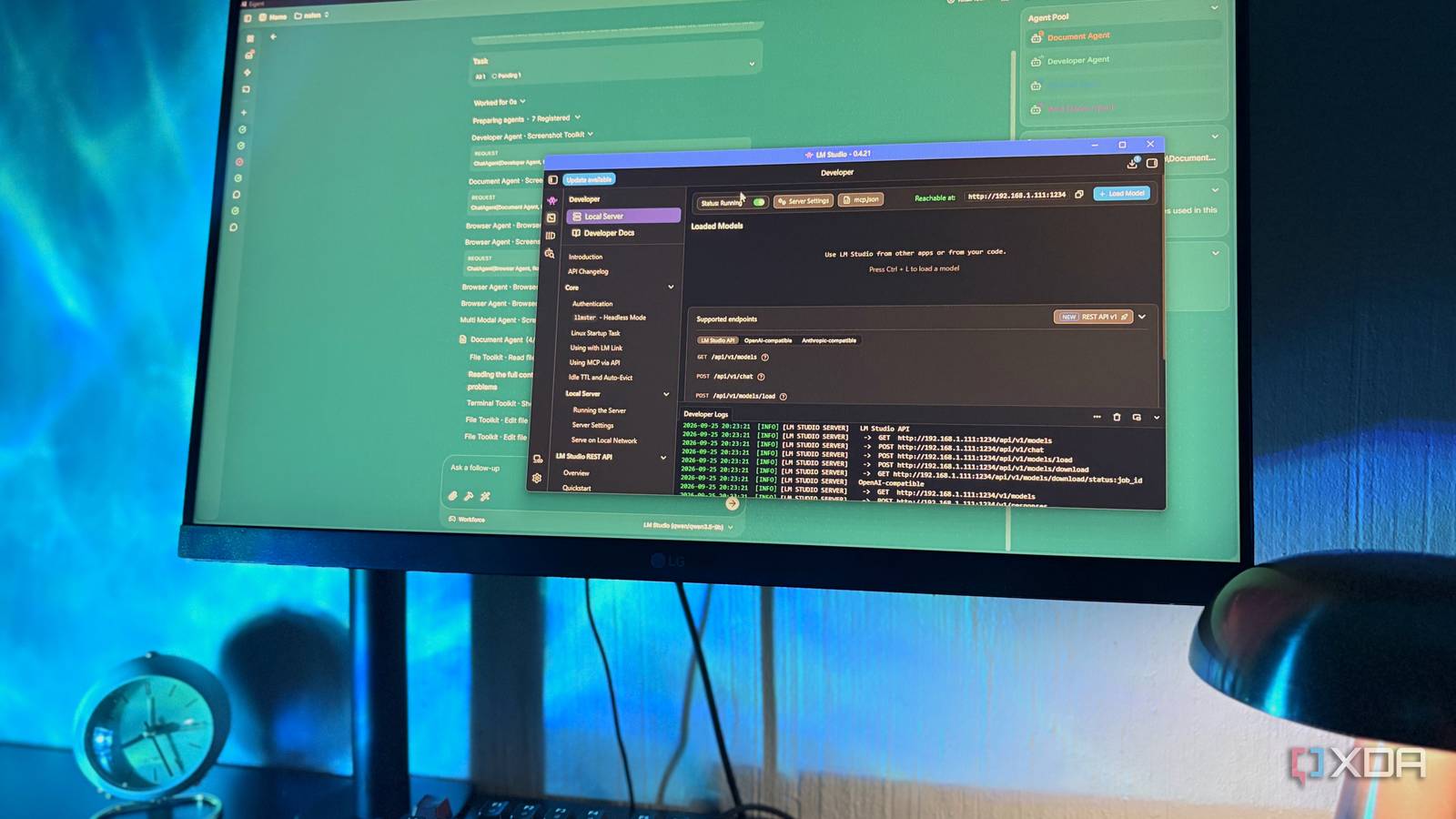
Published Sep 27, 2026, 6:00 AM EDT Nolen began their writing career in 2019, with three years dedicated to editing the Creative section at MakeUseOf. Their expertise lies at the crossroads of technology and creativity, covering areas like photography, video editing, and graphic design. Outside of work, you'll often find Nolen diving into a good book, writing their own stories, or playing video games. Local AI agents are the private, free take on tools like Claude Code. And the idea is super appealing if you're trying to avoid a subscription and keep your data private. A local agent runs on whatever model is already on your disk, so you hand it a folder with a regular job you'd give to any other agent, but nothing ever goes to an unknown server. I think that's a pretty easy sell. What gets skipped with this concept is how fast an agent chews through context compared to regular chat. Want to ask a couple of questions or work through a few notes? Even a GPU smaller than my 8GB one can handle it smoothly and fast with a Gemma 4 model. But if you want to give the AI multi-step instructions for a folder filled with files, that's when context will come and bite you… Want to stay in the loop with the latest in AI? The XDA AI Insider newsletter drops weekly with deep dives, tool recommendations, and hands-on coverage you won't find anywhere else on the site. Subscribe by modifying your newsletter preferences! Why local agents run out of room so fast Most local runners hand you crumbs and call it a day Context is the amount of text a model can keep in view at once, measured in tokens, and the model's replies count against it as well as your messages. This is why a multi-step job is where an agent starts chewing through context. An agent sends its instructions and a description of every tool it can use with each request, and every file it reads gets added on top, so the count climbs with each step of the task. One of my top agent tools is Eigent, it's open source and lets you hook it up to any local LLM you have on disk. And reaching the context limit is exactly what happened when I gave it its first couple of multi-step jobs, and honestly still happens if I roll with the defaults. It split the task into subtasks, and all of them came back with "Context size has been exceeded". Part of the problem is how little room local runners give a model out of the box. LM Studio, which is just my default, sits at around 2k-4k tokens on its standard presets. Ollama drops to 4k on cards under 24GB of VRAM, even though its own docs say agents and coding tools want at least 64,000. llama.cpp defaults to around 4k as well, which I found out when it cut off a small coder model mid-conversation. Those defaults are low because context gets reserved in VRAM, and a huge window would crash most consumer cards on load. On my 8GB card that's tight, since Qwen 3.5 9B's Q4_K_M file already takes up over 5GB. The settings that actually matter The context slider is just one of them This is about more than just pushing up the context slider, it's about managing your VRAM. So yes, raising the context is an obvious fix. It gets set when you load the model in your server, so changing it means ejecting it and reloading. Model choice matters before context becomes a problem, though. You're going to want to pick a model and a quant that actually plays nicely with your hardware. A quant is a compressed version of the model, with the weights stored at lower precision to shrink the file, so Qwen 3.5 9B goes from around 18GB at full precision to around 5GB at Q4_K_M. Higher quants like Q8_0 are closer to lossless but use about twice the memory, and whatever the weights take up is VRAM the context can't use. On my 8GB, I think 4-bit is the sensible pick. Of course, you're also going to want something that's strong at tool-calling, in which case you can't go wrong with the Qwen, Llama, or GLM families. When it comes to the overlooked but important settings, there are two different ones at play here. Your runner will probably have a setting that lets you quantize the KV cache separately, which is what I do in LM Studio, as long as the Flash Attention is on. I set both K and V cache to Q8_0, the milder option. Going down to 4-bit there can cost some precision, and LM Studio labels the feature as experimental anyway, so I'm not in a rush to push it further. The Thinking setting also comes out of your context budget. The small Qwen 3.5 models supposedly ship with reasoning off by default, but my logs still showed reasoning tokens on some requests. I honestly haven't tracked down what's switching it on, or whether it's coming from Eigent's side or LM Studio's. Either way, I recommend keeping this off. Last, but not least, you're going to toggle your context length and GPU offload until you hit the sweet spot. For me, I like to leave around a 1.5GB buffer between the model load and my actual memory, which is achievable even when I push context length up to 32k. LM Studio's memory estimate helps here - if the Total climbs higher than the GPU number, that extra is spilling into system RAM and things might start to slow down. What my agent could actually do afterwards It's slower than Claude, but it works Eigent's model setup only asks for things like the key, endpoint, and model name, but there's no context length or KV Cache or GPU offload settings in its UI. So wherever you're hooking in your local LLM from is where you're going to finalize those settings. The first time I tried to run a task with Eigent was with Qwen 3.5 9B at the default settings - it ran for almost 30 minutes and then gave up. But once I entered the settings I discussed above, things started to happen. Eigent registered seven agents and read a pricing card page I'd designed. It edited the file directly, then wrote a CHANGES.md with a line for each fix. Another run stopped partway to ask whether I wanted the fixes applied. With the bigger context and the KV cache quantized, its agents could read the file, run commands and make edits all in the same run, then go back and write a second file on top of that. One agent worked through all six of its steps without a single context error, which is exactly the multi-step back and forth an agent needs room for. It still took around 14 minutes, so still a little slow, but a major improvement on the same model at different settings. The boring settings are the ones that matter My 8GB is always going to be a limitation when it comes to local workflows, and since I don't plan on upgrading any time soon, I have to make do with what I have. Luckily, there are a handful of settings that, when using them in tandem, can actually give you a usable context window for local agentic tasks. One agent worked through multiple steps on the same tasks using the same model, but only succeeded after I optimized these settings.
I stopped my local LLM agent from running out of context, and now it handles what Claude Code does
Full Article
Original Source
Read the full article at Xda-developers →KhanList aggregates and links to publicly available news content. We do not host full articles from third-party sources. Always verify important information with original sources.