
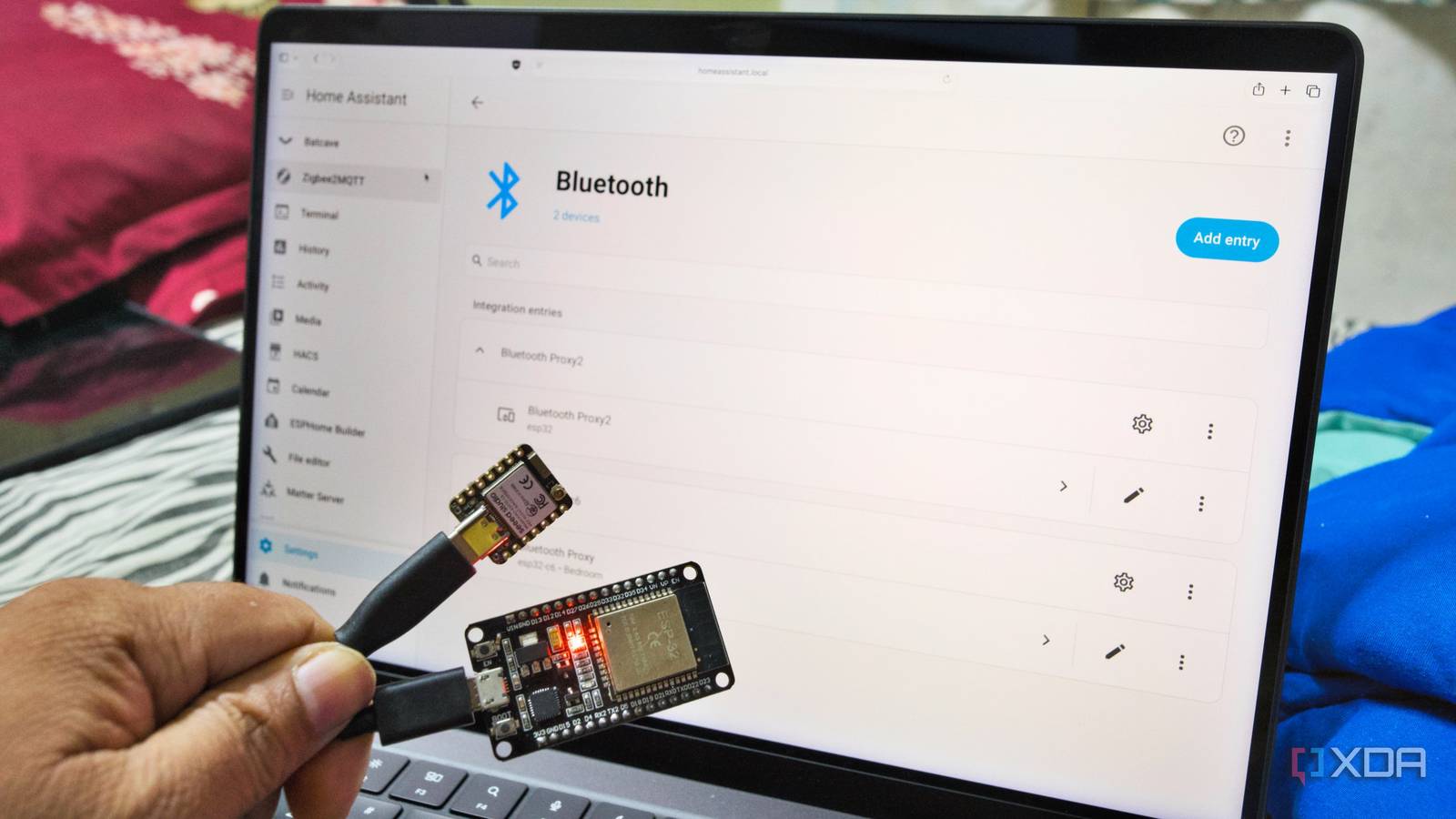
Published Oct 6, 2026, 11:00 AM EDT Samir Makwana is a technology journalist and editor from India since past 18 years and his work appears on MakeUseOf, HowToGeek, GSMArena, BGR, GuidingTech, The Inquisitr, TechInAsia, TechWiser, and others. He has written news, features, and gadget reviews for national technology media publications. His passion is to help people with their technology problems and gadget purchases. For that, he has worked for some of the biggest international technology publications, covering news, explainers, how-to guides, listicles, and product-buying guides. He has worked as an editor and managed teams since 2015. His expertise broadly covers computers, smartphones, game consoles, headphones, smart home products, browsers, and apps. My Home Assistant server sits in the corner of my bedroom. The HP ProDesk 600 G6 mini PC running it has no Bluetooth adapter, so anything more than a room away simply doesn’t show up. ESP32 builds I placed farther out kept dropping off because nothing relayed the signal back to the server. The devices showed up on Home Assistant briefly, then disappeared, and there wasn’t a clean fix short of moving the server or running a cable. I flashed two ESP32 boards with ESPHome’s Bluetooth proxy firmware and put them where the signal needed to be, and the problem went away. If you want setup steps, the guide about making Bluetooth proxies covers them. This is about what comes after: what the proxy connects to, where it stops, and the settings that actually matter. That’s why my two Bluetooth proxy boards now cover every Bluetooth Low Energy device in the house. Active mode changes what the Bluetooth proxy can do Passive scanning only listens; active connections command them Out of the box, a Bluetooth proxy just listens. That’s plenty for a thermometer that broadcasts a reading every few seconds, and it’s why those sensors go easy on the batteries. A switch bot or a lock is a different job. Home Assistant has to connect, send a command, and wait for the device's confirmation. That’s what active mode is for. You can turn on active mode, and the proxy starts acting like a relay. It stops being a passive listener. All I needed to do was open the Bluetooth proxy config in ESPHome, add active: true, and reflash the firmware. The board doesn’t change physically, but Home Assistant now treats it as a two-way bridge instead of a passive receiver. Devices that appeared only in the Bluetooth scanner started showing up as fully controllable devices. After that, any integration that supports active connections can use the proxy to talk to devices, not just listen to them. Check the device’s integration page on Home Assistant before buying new ones. Passive sensors rarely need an active connection, but anything with a button or a lock might. Three connection slots set the real ceiling One board can’t serve every command-driven device ESPHome’s documentation caps each Bluetooth proxy at three simultaneous active connections, and I hit that faster than expected. My smartwatch, smart TV, and smart speaker were already filling slots, and window and door sensors at the far end of the house kept dropping off or timing out as a result. The fix was to put another proxy in the bedroom. Home Assistant’s Bluetooth integration pools every proxy and any USB adapter into a single setup, then routes each device to a suitable one. Adding a proxy node works more like adding slots than reconfiguring anything. I now run three proxies across two bedrooms and the living room. Passive sensors only broadcast information, so they don’t take any slot. That’s why a single board can handle a couple of thermometers and still choke on a handful of switches. Firmware choices decide how reliable the proxy is The ESP-IDF framework matters more than the board specs My first Bluetooth proxy randomly dropped connections with the BLE devices. While I waited to buy a better board, I temporarily ran an old Android phone as a Bluetooth proxy. It worked well enough to confirm the signal problem was solved, but running a phone continuously for a job that a $6 board could handle felt like overkill. Once I got proper boards, I looked into why ESPHome specifically recommends the ESP-IDF framework for making proxies. I’d been using Arduino initially, assuming broader community support would help if I hit a snag, and it did. Switching to ESP-IDF made things stable, and I stopped having to babysit the proxies after building them. I also learned the hard way that not all ESP32 boards are equal for this job. The ESP32-C3 is single-core, so Wi-Fi and the BLE tracker share the same core, which can cause trouble connecting to Wi-Fi. That’s not an issue on dual-core boards like the WROOM-32. Those are what I’d recommend for a proxy that needs to stay up 24/7. Not every Bluetooth device plays nice with the proxy BLE-only support means the legacy Bluetooth devices stay out The proxy handles Bluetooth Low Energy devices only, which leaves older devices out entirely. My old Bluetooth speaker and headsets don’t connect to the Bluetooth proxy even if they’re detected. Meanwhile, newer smartwatches and earbuds show up, but as presence signals from their broadcasts, not as controllable devices. The board doesn’t gatekeep, and Home Assistant needs a native integration for the device, so I check that list before buying anything new. That habit has kept me from buying gear that would’ve ended up unsupported. That’s the deal with a $6 ESP32 board. It extends Bluetooth reach, but it doesn’t add the support Home Assistant already has. Two boards cover every BLE device my server couldn’t reach The two boards now handle every Bluetooth device my Home Assistant couldn’t see. That three-slot cap is real, but the second board helped solve it before that became a problem. The BLE-only devices are the limitation I can’t get around, so I check the Home Assistant integrations list before buying anything new. It’s a small habit that’s kept me from wasting money on unsupported gear. Home Assistant OS Windows, macOS, Linux iOS compatible Yes Android compatible Yes
I stopped losing Bluetooth devices in Home Assistant after flashing two ESP32 boards with ESPHome
Full Article
Original Source
Read the full article at Xda-developers →KhanList aggregates and links to publicly available news content. We do not host full articles from third-party sources. Always verify important information with original sources.