
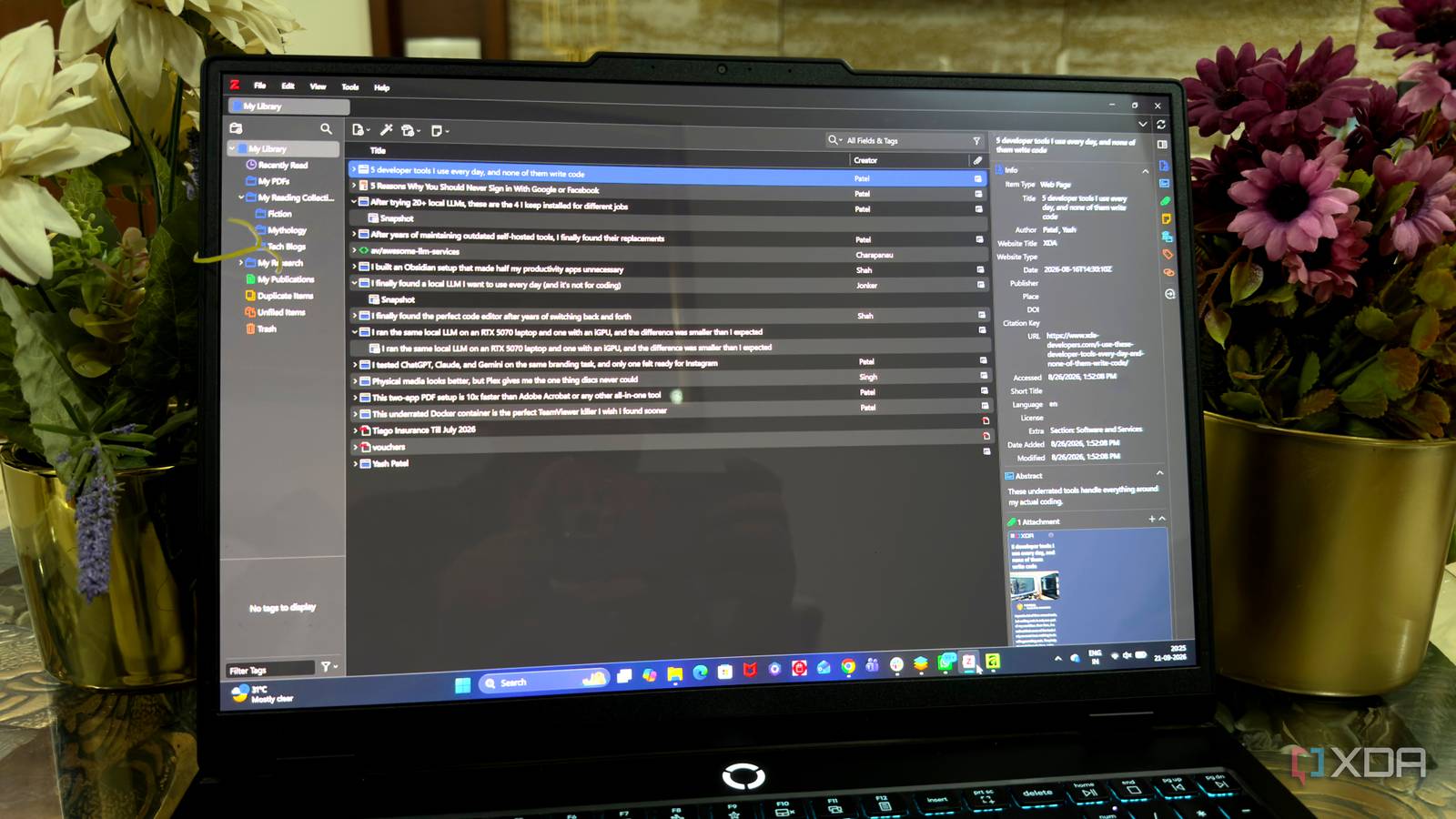
Published Sep 24, 2026, 2:01 PM EDT Beginning his professional journey in the tech industry in 2018, Yash spent over three years as a Software Engineer. After that, he shifted his focus to empowering readers through informative and engaging content on his tech blog – DiGiTAL BiRYANi. He has also published tech articles for MakeTechEasier. He loves to explore new tech gadgets and platforms. When he is not writing, you’ll find him exploring food. He is known as Digital Chef Yash among his readers because of his love for Technology and Food. My work requires me to read a lot. Between researching articles, checking product announcements, reading technical documentation, and going down the occasional interesting rabbit hole, I come across more useful information than I can remember. For a while, I thought saving everything was enough. It wasn't. The real value of something I read often shows up weeks or months later, when I need that information for a completely different article. That's when I realized I needed a better way to keep my reading useful over time. I started using Zotero to build a personal research library, and it has changed how I handle the things I read. My reading collection was scattered everywhere I had information, not organization For a long time, I treated everything I read as something I might need later, but I never had a consistent way to keep track of it. Interesting articles would stay open in browser tabs until I eventually closed them. PDFs would pile up in my Downloads folder, while screenshots, copied passages, and useful links ended up mixed in with unrelated files. The problem became more noticeable when I started researching a topic I had covered before. I would vaguely remember reading something useful, but the details were gone. I knew it existed somewhere on my computer or online, yet finding it again often took longer than I expected. I also had a habit of saving things with whatever filename or location was convenient at the time. That worked when I had only a handful of files. As the collection grew, though, those small decisions started making everything harder to manage. I wasn't losing information. I was losing track of where I'd put it. Zotero became my library My reading finally found a home I eventually started using Zotero as the central place for the things I wanted to keep. I liked that it was built around references rather than simply acting like another folder on my computer. That made it feel much more suitable for the kind of material I collect while researching. I began adding articles, research papers, reports, and other useful sources to my Zotero library. The browser connector made saving something I was reading fairly quick, so I didn't have to interrupt my reading just to organize it properly. For PDFs, I could keep the document alongside its related reference instead of treating the file as a standalone download. Zotero keeps the information around a source together. Instead of having a document in one place and its details somewhere else, I could keep the source and its associated information connected. It gradually became my default destination for anything I considered worth keeping. I didn't need to rethink my entire setup. I simply changed where I saved useful reading material. Search replaced my folders Finding things finally became effortless The biggest change for me was how I started finding things. I no longer needed to remember which folder I had created, what I had named a file, or where I had decided to put it. I could simply search for the subject I remembered and let Zotero narrow things down. If I wanted to find something I had saved about local AI models, I could search using a related keyword instead of trying to remember the exact title. The same worked when I only remembered an author, publication, or part of a title. I still use collections to keep broad areas separated, but I don't spend much time building a complicated folder structure. I also use tags when I want to connect things that belong to different topics. This has made my library much easier to navigate. Instead of organizing everything around where a file lives, I organize it around what the information is about. Search does most of the work now. It fits my workflow Works without changing my routine Zotero works well for me because it doesn't force me to change how I research. As a tech blogger, I'm constantly jumping between product documentation, company announcements, research papers, technical articles, and reports. I can add useful material as I come across it without turning every reading session into an organizational task. It also fits naturally into my writing process. When I start an article, I already have a place for relevant material while I'm researching. I can keep sources I may need later without creating a separate system for every project. Another thing I like is that Zotero doesn't make me choose between reading and organizing. I can quickly save something and keep going with what I was doing. When I have more time, I can clean things up or add more context. That makes the whole setup feel practical rather than complicated. I stopped losing good reads I didn't need another complicated productivity system. I needed a simple way to make the information I come across useful beyond the moment I read it. Zotero gave me that without adding much friction to my day. Now, my reading feels more intentional, and I waste less time retracing my steps. For a blogger who is constantly researching, that small change has made a surprisingly big difference. Zotero Zotero collects sources and other metadata from research papers, webpages, etc., that can be inserted into documents in the form of citations.
I stopped losing articles I'd already read by building one searchable library
Full Article
Original Source
Read the full article at Xda-developers →KhanList aggregates and links to publicly available news content. We do not host full articles from third-party sources. Always verify important information with original sources.