
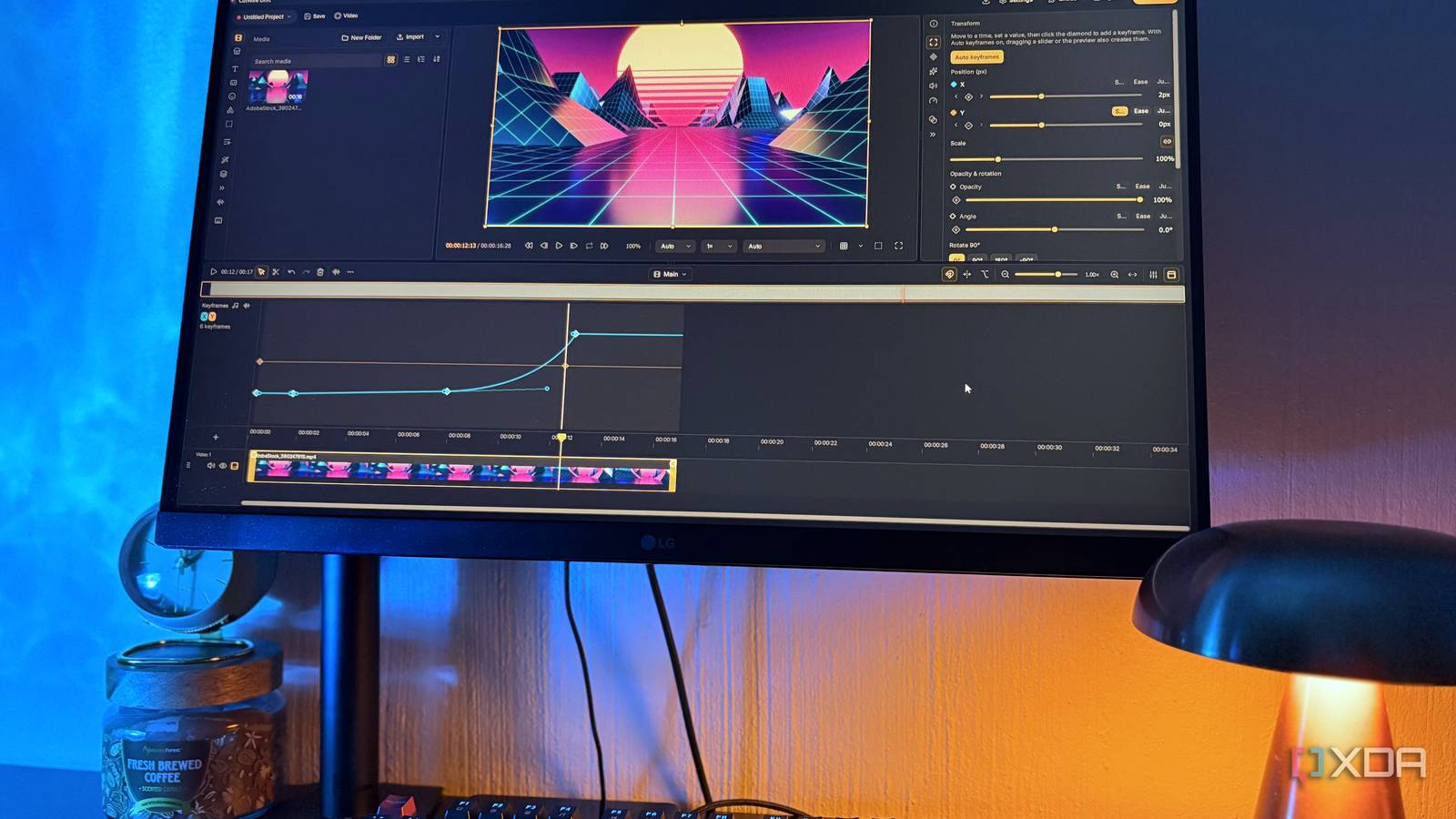
Published Oct 2, 2026, 6:00 AM EDT Nolen began their writing career in 2019, with three years dedicated to editing the Creative section at MakeUseOf. Their expertise lies at the crossroads of technology and creativity, covering areas like photography, video editing, and graphic design. Outside of work, you'll often find Nolen diving into a good book, writing their own stories, or playing video games. Not paying for editing software seems like the more convenient route, but that's not always the case. Sure, you don't have a bill to deal with, but you usually have to put up with the quirks and shortcomings of free editors. The easy ones let you handle the basics, but as soon as you want to animate a bit of text you're out of options. While the more complex ones either chew resources or are just hard to navigate. It's not easy finding something that sits in the middle. Drift turned up in my search for new editors, and it sits perfectly in that balanced middle. It's a free, open-source editor from CutWire Studios, a nonprofit, and its first public release only went out at the end of July, but it's already on version 0.7. It even has an AI agent built in, but I left that out for my first test run because that deserves its own moment, and I wanted to see how it holds up without the AI. Drift gives you everyday editing without the learning curve If you've used any editor before, you'll already know this one If you know your way around video editors, then you already know how to navigate all of Drift's basics. It uses a proper multi-track timeline, and the select and blade tools sit on V and B the same as CapCut, so my hands just went to the right keys. I like its reframing feature. You drag a box over the part of the shot you want, and Drift saves that framing while the original video stays available, so you can come back later and frame it differently. I tried it on some landscape stock footage for a vertical cut, and being able to nudge the frame around afterwards was better than defaulting to cropping. The quickest way to make anything move on the screen is through its presets. Every clip gets its own in and out animation, set separately, so a clip can slide in from the right and then just fade away at the end, or not animate out at all. And there's also a big range of text styles so you're not building every title from scratch, and you get a bunch of adjustable properties like outline and glow. Combined with the other basic tools like cutting and trimming, this is pretty much all you need for basic edits for a social media account. Anything I styled myself could be saved and reused, and the effects browser previews every effect on a frame from your actual clip, which saves a lot of applying and undoing. You can keyframe almost anything With a full graph editor Keyframing is where Drift starts getting a little more serious. Nearly every value in the properties panel has a small diamond next to it that sets a keyframe at the playhead, even the audio and settings inside effects. With Auto keyframes switched on you don't even need the diamond, because changing a value with the playhead parked records one for you. Each property has its own easing options too, so for example Ease accelerates out and decelerates in. And then there's also a full graph editor you can expand from the top of the timeline. I always like customizing my Bezier curves with the little handles, that's just the quintessential Adobe experience I learned to keyframe with, so having this in a free editor is always nice to have. The graph is a tad clunky. Although I do like being able to adjust its size, I think because of its position, some might miss that they're able to extend it, and therefore won't have enough real estate for custom keyframing. Stabilization uses the same system. Instead of baking a fix into the clip, it writes position keyframes, so the result shows up on that graph where you can tweak it, and there's a tripod mode for locking a shot down entirely. These advanced features are usually pretty rare to find in a completely free editor. Audio isn't an afterthought It goes beyond just a volume slider Audio tends to be where free editors lose me because it usually just consists of a volume slider and maybe some fade ins/outs. Drift shows clip volume in decibels, which already lets me know they're a little more serious about audio control. And you can also keyframe every audio component just like you can the visual stuff. The effect chain has more to it. There's a proper compressor with real threshold and ratio controls (attack and release too), sitting next to EQ and a voice leveler in a utility category that's clearly aimed at cleaning up dialogue. Further down the list there are novelty filters like telephone and underwater. The latest release also added a mixer with per-track strips and stereo meters. Ultimately, the audio of your clips doesn't have to get neglected here. A library of assets Take your pick In the Market tab, there's a library called Drift Assets, made up of animated graphics CutWire makes specifically for Drift. They're Lottie animations, so they scale cleanly, and you can recolor them too. Adding one at the playhead drops it onto its own graphic track. I recommend reading the license before using any of them though. Drift Assets are under CC BY-NC-SA 4.0, which means crediting Drift Assets wherever they appear and not using them for anything commercial, and if you adapt one, your version goes out under that same license, so I'd probably keep them off a monetized channel. The Stock tab is a separate thing that browses outside sources, and it asks you to accept terms before loading. Early software that's surprisingly deep Two months in and Drift already has a mature keyframe editor, audio control, and a stabilizer that hands you its own keyframes to edit, which is pretty impressive. There are a few rough spots, but compared to some of the open-source editors I've been using for years, it's genuinely modern and easy to navigate. CutWire pushes updates often, so we can probably expect the feature set to grow pretty quickly. CutWire Drift
I stopped looking for a free video editor after finding one that handles keyframing like Adobe and CapCut (and it's only two months old)
Full Article
Original Source
Read the full article at Xda-developers →KhanList aggregates and links to publicly available news content. We do not host full articles from third-party sources. Always verify important information with original sources.