
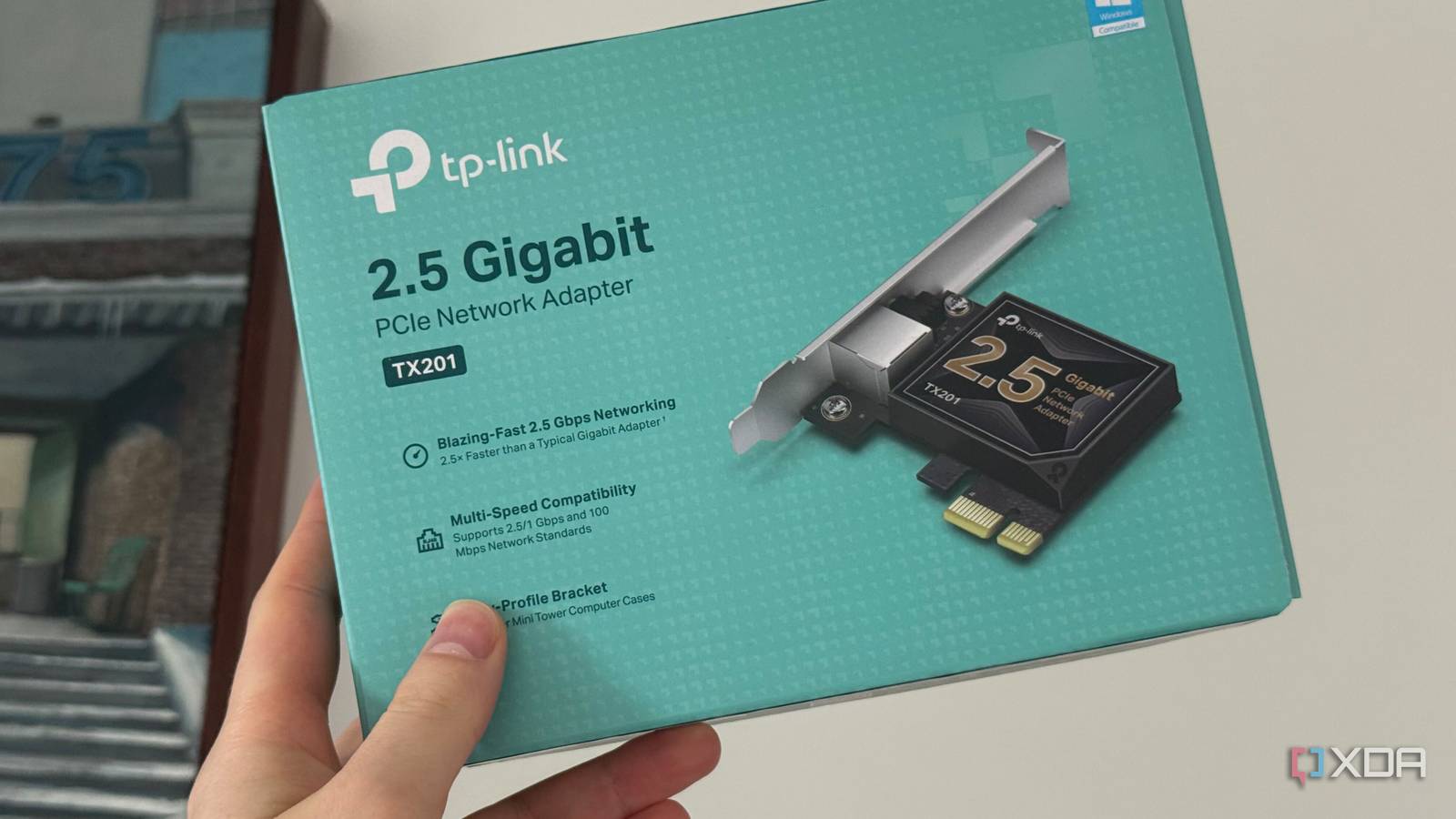
Published Sep 1, 2026, 4:31 PM EDT His love of PCs and their components was born out of trying to squeeze every ounce of performance out of the family computer. Tinkering with his own build at age 10 turned into building PCs for friends and family, fostering a passion that would ultimately take shape as a career path. Besides being the first call for tech support for those close to him, Ty is a computer science student, with his focus being cloud computing and networking. He also competed in semi-pro Counter-Strike for 8 years, making him intimately familiar with everything to do with peripherals. My home lab started as a small side project with very little actually riding on it. It was a space for me to spin up VMs quickly for my schoolwork, and maybe the occasional game server. Now, it houses my primary NAS, which acts as my photo library, storage for recordings, important files, and my media, all of which demand more of the on-board gigabit NIC. Gigabit is completely fine for most of that, but when the other devices in my house run on 2.5 GbE, throwing in a $30 NIC was a no-brainer. It made nearly everything about my home lab just a bit faster, and that made for a greater jump in day-to-day quality of life than I was expecting. A gigabit NIC became the slowest part of my home lab It was a textbook bottleneck Gigabit networking still makes a ton of sense for normal desktop use, especially if your ISP isn't serving you speeds above that number. Streaming won't touch that number and gaming certainly never will, and it's basically reserved for downloads and bulk transfers. When you have a home lab, though, gigabit can become a true bottleneck. Moving large files between machines locally is the first scenario where this crops up. In my case, when moving my collection of media and ISO files for virtual machines onto my NAS, the gigabit transfer speeds weren't problematic, but because my switch and workstation supported higher than that, it felt like I was being robbed. My NAS is spinning platters, but if you were to factor in the speed of an SSD, the bandwidth left on the table is even more stark. A SATA SSD can read at around 500 MB/s, and modern NVMe drives at several times that. Sending data from flash over the network effectively neuters the storage speeds you paid for. PCIe 1x isn't an issue It has more bandwidth than the NIC actually needs Part of the reason why this upgrade felt like it had so much value was the slot it went into. Between my GPU and HBA card, I only have a couple of PCIe slots remaining, but even for a 1x connection, my NIC is far from being starved of bandwidth. A PCIe 3.0 1x connection has roughly 985 MB/s of theoretical bandwidth in each direction after you account for overhead. A 2.5 GbE NIC only uses about a third of that in a best-case scenario. Even if you were to use it at PCIe 2.0 speeds, it's just using over half of what that would be capable of. It's a tiny slot, but it packs a punch. My NAS is being better utilized Speeds closer to what it's actually capable of It's pretty rare that the bottleneck you're experiencing with a NAS is related to the storage itself, and that's just down to bandwidth. A standard 7200 RPM HDD has a rough, best-case scenario speed of 200-250 MB/s. In a two-drive ZFS mirror like I currently run, that number can get up to well over 300 MB/s thanks to aggregate read speeds. The theoretical maximum that a 1 GbE NIC can handle is roughly 125 MB/s, but usually you see around 110-115 in real-world transfers. A 2.5 GbE NIC, by contrast, can handle around 280-295 MB/s, which is a massive upgrade. It can actually take advantage of my ZFS mirror, and that makes things like bulk pulls from my Immich library and large transfers across my network a lot quicker, and is well worth the ~$30 cost of entry on its own. One NIC upgrade sometimes isn't enough The rest of your network has to support it This upgrade only worked because my network was ready for it, not the other way around. I had a 2.5 GbE switch, my other systems were 2.5 GbE equipped, and my router has 2.5 GbE LAN and WAN ports. If any one of those things were plain gigabit, there's a good chance something in the house gets the short straw on speed from the lab. Besides speed, having two NICs has its perks It's a good thing to have in a home lab The biggest practical benefit to buying a higher speed NIC is, of course, the extra bandwidth, but having an additional interface does come with some unique benefits that are befitting of a home lab. The first is network separation. You can put different kinds of traffic on each line, like separating client traffic from backup, storage, or VM traffic, for instance. It can also be used as a form of redundancy, as if one NIC, cable, switch port, or even if the entire switch fails, having the other NIC plugged into a separate switch can be a lifesaver, especially if you're running mission-critical services on your lab. The second big benefit is the ability to use your lab as a router, firewall, or even gateway, with one interface acting as the connection point for the rest of your network, and the other facing the internet. Upgrading your lab's NIC is the best way to use that PCIe 1x slot PCIe 1x sounds like a massive compromise, but if your lab is running on a platform that was made in the last decade, a 2.5 GbE NIC is one of the best things you can slot into it, and the bandwidth it needs is well accommodated by that slot. Networking is only one example of an expansion card that fits well in a 1x slot. There's also SATA controllers, USB expansion, sound cards, serial adapters, and a plethora of others.
I stopped ignoring my PCIe x1 slot, and a $30 NIC card fixed my home lab's network bottleneck
Full Article
Original Source
Read the full article at Xda-developers →KhanList aggregates and links to publicly available news content. We do not host full articles from third-party sources. Always verify important information with original sources.