
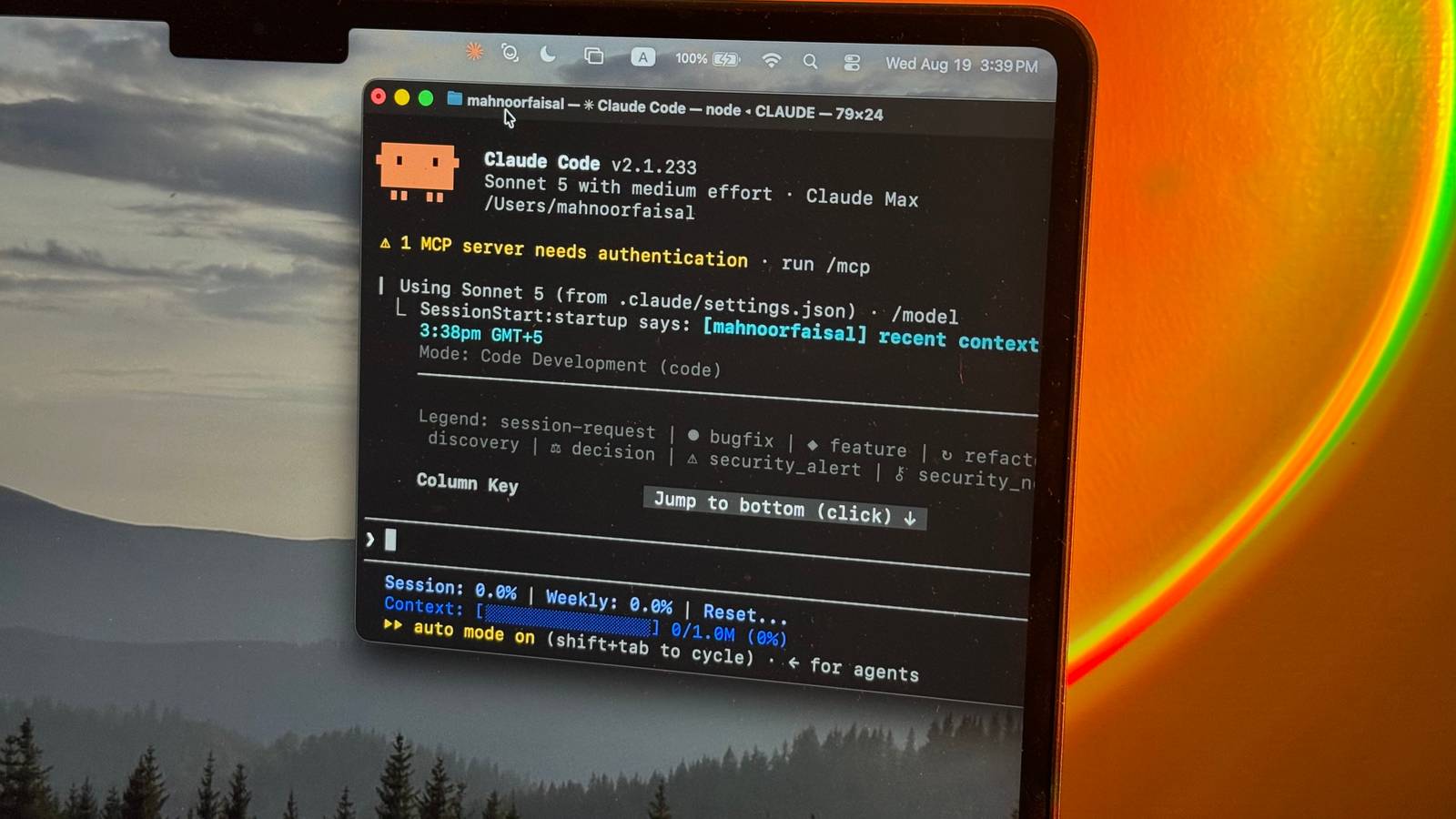
Published Sep 18, 2026, 6:00 AM EDT Mahnoor Faisal is a tech journalist covering AI and productivity tools with bylines at XDA, SlashGear, MakeUseOf, Laptop Mag, and Android Police. She's been writing professionally since she was sixteen, and has since penned hundreds of articles. This includes in-depth coverage of AI tools like NotebookLM to breaking news across the AI space. Her passion for technology started when she received her first iPod Touch (4th generation) on her 8th birthday, and she's been deep in the tech world ever since. Currently pursuing a degree in computer science, Mahnoor brings both a journalist's eye and a technical foundation to her coverage of how AI is reshaping the way we work and learn. There are likely a lot of differences in how you, the reader, and I use AI tools. Your usage habits, the tasks you use AI tools for, your preferred models, and even how heavily you rely on them might all look completely different from mine (or anyone else's for that matter). There's one thing I'm willing to bet all AI users have in common, though. Everyone's tired of the brutal usage limits. While a lot of the blame for that falls on the companies building these tools, we're not doing ourselves any favors either. We're often unknowingly burning through more tokens than we actually need to, and when it comes to tools like Claude Code, a lot of that waste comes down to context. This is exactly why I've stopped letting Claude Code dig through my entire project whenever I give it a task. Letting Claude wander through your project adds up quickly The more Claude has to explore, the more tokens you burn With Claude Code, a surprising amount of usage can disappear before it even begins to solve the problem you gave it. Think about it for a moment. If you give Claude Code a 500-file project for the very first time in a fresh session, it begins with what's called a "fresh context window." In AI terms, the context window is essentially the amount of information a model can keep in its working memory at any given time. While your CLAUDE.md file, memory, and some of your previous configuration are loaded, Claude Code doesn't automatically stuff all 500 files into that context window the moment you open the project. Instead, it gradually fills that window as it works. Every file it reads, search it performs, command it runs, and chunk of output it receives gives the model more context to work with. Keeping all of this in mind, now imagine if you asked the tool a fairly vague question like: Figure out how authentication works in this project and fix the login bug. Technically, the login bug could be almost anywhere. So, before it can actually fix anything, Claude first has to orient itself. It might start by searching the repository for terms like login, auth, session, or token. That search could point it toward a handful of files, which it then needs to open and inspect. By the time Claude finally narrows the problem down to, say, two files, it may have already searched across dozens of others and read a fair amount of code that ultimately had nothing to do with the fix. This is exactly where the token cost starts adding up. The searches Claude performs, the contents of the file it reads, the outputs from the commands it runs, and the conversation you've had with it all contribute to the context it's working with. What's worse is that much of that information doesn't simply disappear once Claude has figured out that it wasn't relevant. Unless the context is cleared or compacted, the session can continue carrying that earlier exploration forward while Claude works on the actual fix. So, even if the final change ends up being nothing more than tweaking a few lines inside session.ts, you may have paid the token cost of Claude figuring out half of your authentication system just to get there! The key is being intentional with context You don't need to start from square one every time While you might've already put two and two together based on the entire explanation above, the easiest way to cut down on all of that unnecessary exploration is to stop making Claude Code figure out everything from scratch. I’ve started treating it much more like I would a teammate instead. If I were asking another developer to fix a problem in a project I already knew well, I probably wouldn't just tell them, "There's a login bug somewhere in here. Go through the entire repository and figure it out." I'd give them whatever useful context I already had. Maybe I'd tell them the issue only happens after a session expires, point them toward the authentication directory, or mention the couple of files I suspect are involved. Claude Code benefits from exactly the same kind of direction. If I already know roughly where a problem lives, I tell Claude that upfront instead of making it rediscover what I already know. Even something as simple as saying, "Start by looking in src/auth and only search elsewhere if you need to," can dramatically narrow the amount of code it has to sift through. If I don't know the exact file, I can still ask Claude to search first rather than immediately start opening files. For example, I might tell it to grep the project for references to a particular function, error message, or authentication term, identify the most relevant matches, and only then start reading through the code. That way, Claude is using the search results to narrow down where it needs to look instead of treating the entire repository as fair game from the beginning. When I know the exact files involved, I can go a step further and use @ mentions to hand Claude the relevant context directly. Instead of saying, "Find the login logic and fix it," I can point it straight toward @src/auth/session.ts and @src/api/login.ts, then tell it to inspect anything else only if those files lead it there! Knowing when to ditch old context matters too Sometimes, the best context is no context at all Being more deliberate about what Claude sees upfront goes a long way, but you obviously can't avoid exploration altogether. There are going to be plenty of times when you genuinely don't know which files matter, or when a task ends up being much more complicated than you expected. The trick in those cases isn't necessarily to stop Claude from gathering more context. It's to make sure all of that context doesn't keep following you around long after it's useful! I find the /clear and /compact slash commands Claude ships with particularly helpful for this. /clear is the more aggressive of the two. It wipes the current conversation context and essentially gives you a fresh start, which makes it perfect when you're done with one task and moving onto something completely unrelated. If I've just spent half an hour debugging authentication and I'm about to start working on the settings page, there's very little reason for Claude to keep carrying all of that authentication-related context with it. /compact, on the other hand, is much more useful when I'm still working on the same task. Instead of throwing everything away, it condenses the conversation while preserving the important details Claude needs to keep going. You can even tell it what you want it to retain, such as the files you've already changed, decisions you've made, or bugs that still need fixing! Ever since I started being more deliberate about the amount of information I'm feeding Claude Code (or any other AI tool, for that matter), I've seen a massive difference in how quickly I burn through my usage limits. It's one of the few changes I've made that lets me get more out of the exact same subscription without forcing myself to use Claude any less!
I stopped giving Claude Code my entire project, and my Claude usage lasted 4x longer
Full Article
Original Source
Read the full article at Xda-developers →KhanList aggregates and links to publicly available news content. We do not host full articles from third-party sources. Always verify important information with original sources.