
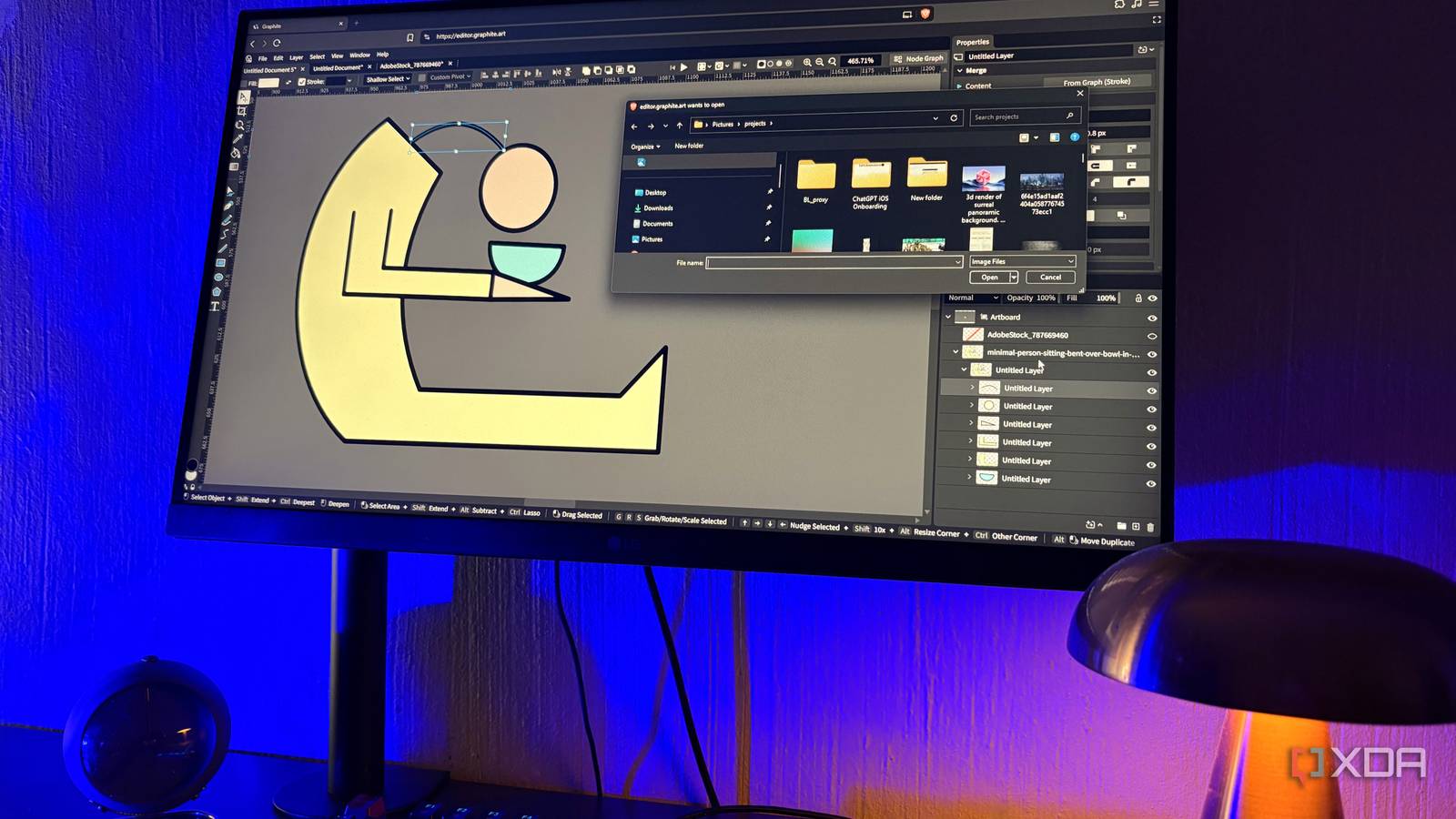
Published Sep 20, 2026, 5:30 PM EDT Nolen began their writing career in 2019, with three years dedicated to editing the Creative section at MakeUseOf. Their expertise lies at the crossroads of technology and creativity, covering areas like photography, video editing, and graphic design. Outside of work, you'll often find Nolen diving into a good book, writing their own stories, or playing video games. If you come from the Adobe ecosystem, or are still in it, you know that most graphics work pipelines mean a two-app dance. Photoshop for anything raster, Illustrator for anything vector, and a folder full of exports bouncing between them every time something needs to be adjusted. Canceling Adobe doesn't really fix it either because most alternatives specialize in either one or the other - GIMP and Photopea for raster, Inkscape for vector. So it's the same story. There is one open-source app that's been an exception to this rule, however, called Graphite. It's still officially in alpha, so it has its rough patches, but the workflow it's building is doing something none of the others have really attempted. Graphite excels at vector work It's got the tools Illustrator has, and a few Illustrator wouldn't know what to do with Graphite is a free, open-source, browser-based graphics editor that's officially still in alpha, built in Rust with a node graph engine called Graphene that basically runs the whole thing. Its core competency is vector at this stage, which is what it was originally built to handle, and it shows in how polished the vector part of it feels compared to everything else. The tools are exactly what you'd want for illustrative work. You've got your Pen and Path for drawing proper paths, Freehand and Spline for looser stuff, the usual shape primitives (rectangles, ellipses, polygons, stars, spirals), as well as Boolean operations, gradients, dash patterns, strokes, and fills. SVG import and export both work smoothly, which I think is probably the most important part for any workflow that's more serious than experimentation. Where it pulls ahead of Illustrator is the node graph. Every shape you draw is also a node, which means I can do stuff like repeat a shape 25 times around a circle with the Circular Repeat node, and if I want it at 10 later, I just tweak the parameter. Same for Scatter Points, Copy to Points, Voronoi Cells, and a handful of other procedural things that would be genuinely tedious to place by hand in Illustrator. The trick that actually makes this workable is that Graphite doesn't force you into a full node-based workflow. It's a layer-node hybrid, so I can work in a familiar layers panel most of the time and only pop the node graph open when I want the procedural bit. Illustrator still wins in a few places though. Mesh gradients aren't a thing here yet, there's basically no print setup at all (no CMYK support, nose bleeds, or anything really set up for print production), and it also can't open .ai files. Not a 1:1 Photoshop replacement, but good enough I have to be honest about this part of the editor: Graphite started life as a vector editor, and the raster tools are still catching up, so anyone coming in expecting a full Photoshop replacement is going to be disappointed. However, it's more than usable… What it does have works well, including Curves, Levels, Hue/Saturation, Brightness/Contrast, Vibrance, Color Balance, Selective Color, and plenty of other standard adjustment nodes. Because they're nodes, the adjustments stay non-destructive by default, which means I can revisit a Curves node a week later and everything downstream updates around it with zero breakage in the chain. Filters are pretty basic for now (Blur, Median Filter, Dehaze), and there's also a brush engine but it's pretty early days. This isn't the app I'd reach for if I wanted to do digital painting or serious photo retouching, to be completely honest, but it's fine for basic composites. Raster imports also work for PNG and JPG, and I can drop an image onto the same canvas as vector work, mask it with a vector shape, run adjustments over it, and export back out. Procedural raster patterns like Mandelbrot fractals and noise are built in as nodes, which is closer in spirit to something like Substance Designer than Photoshop. Graphite used to have an AI image node called Imaginate for Stable Diffusion, but it got removed from the codebase, so there's no built-in AI at the moment. Your biggest limitation here is going to be the missing pixel-editing basics. There's no healing brush yet, no clone stamp, and the selection tools are still pretty limited. The roadmap has full raster editing marked as ongoing, so this will improve over time, but for now it's better thought of as a tool that handles design-adjacent raster tasks rather than serious photo editing. The hybrid workflow Graphite is one of the only tools that pull this off The only other tool that comes to mind for having such a smooth raster-vector hybrid workflow is Affinity - though it's perhaps not the best option for an open-source crowd who prefer not to have their work tied to Canva, which owns Affinity. The thing Graphite does that Photoshop and Illustrator combined don't is that raster and vector actually live on the same canvas, in the same file, with the same layer stack and the same node graph underneath. For example, I can drop a photo onto the canvas, draw a vector shape over it, use the Clipping Mask node to mask the photo with the shape, then add a Curves node to adjust the photo, and stack some procedurally-repeated vector patterns on top of the entire thing, all in one workspace. Because everything is a node under the surface, the pipeline stays live. I can swap the original photo for a different one, and the mask, adjustments, and vector overlay all keep working as they're meant to be. You can also still just work in the layer stack the whole time and never touch the graph if you don't want to, which is what makes this workable for people who aren't already comfortable with node-based tools. Illustrator can technically place a raster image, but you're stuck with basic transforms. Photoshop has vector shapes, but they've always felt like an afterthought compared to a proper vector editor. Graphite treats both as native to the workspace, so vector shapes can feed into raster nodes and raster images can be traced back to vector. After years of the two-app dance, one canvas fixed most of it I don't think Graphite is going to fully replace the Adobe suite, so if you're a professional, a paid stack will always make more sense. But if you're like me, a wanna-be artist and tinkerer, then something like Graphite covers most of what you'd use creative apps for, plus it doesn't cost anything. It's not just a hybrid, but a double hybrid - you get the node-layer workflow, and the raster-vector format. Having one open-source app cover both jobs on the same canvas is genuinely something I didn't expect from something still in alpha Graphite
I stopped exporting from Photoshop and Illustrator, and one open-source app now handles both jobs
Full Article
Original Source
Read the full article at Xda-developers →KhanList aggregates and links to publicly available news content. We do not host full articles from third-party sources. Always verify important information with original sources.