
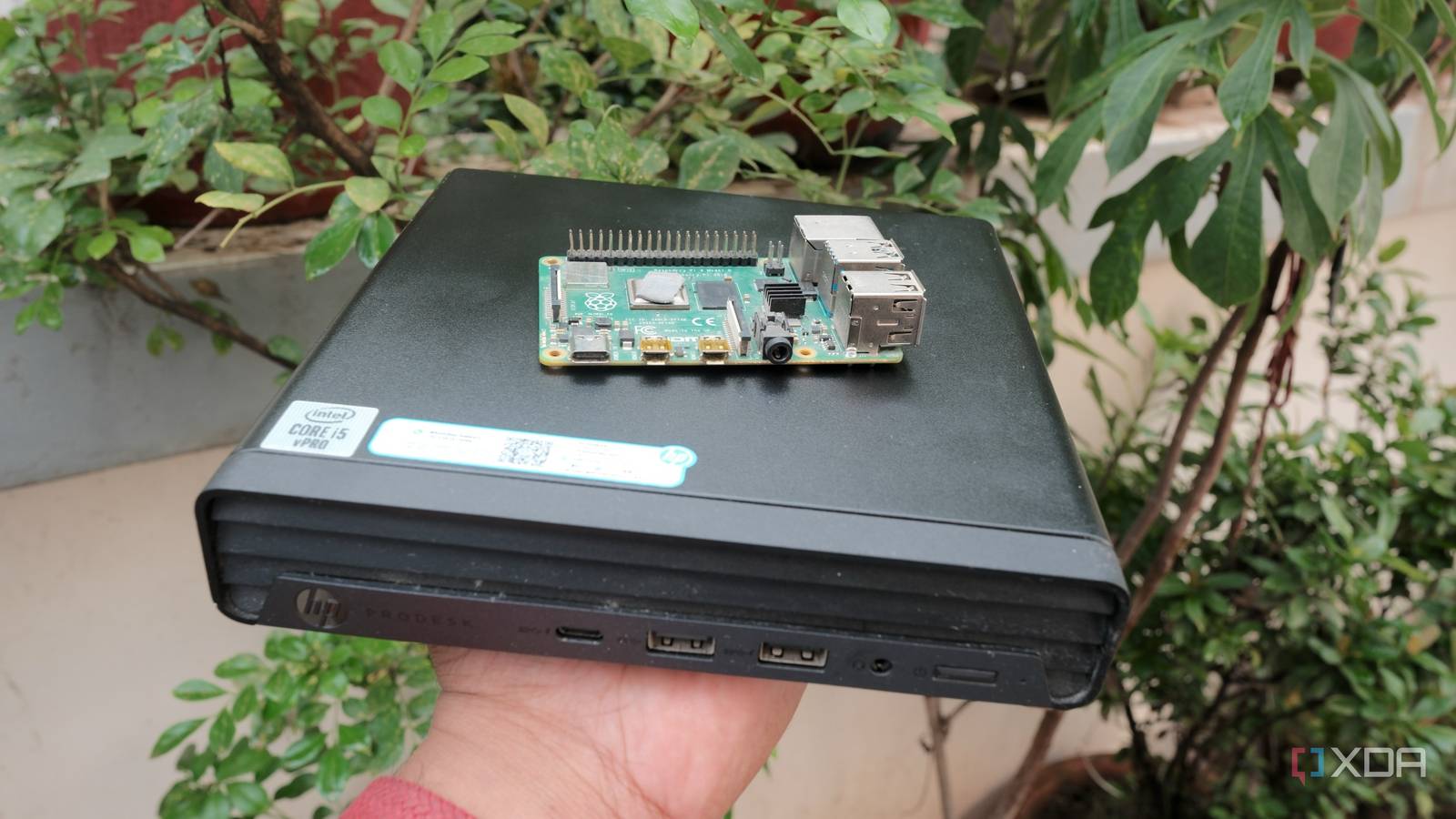
Published Aug 26, 2026, 3:30 PM EDT Samir Makwana is a technology journalist and editor from India since past 18 years and his work appears on MakeUseOf, HowToGeek, GSMArena, BGR, GuidingTech, The Inquisitr, TechInAsia, TechWiser, and others. He has written news, features, and gadget reviews for national technology media publications. His passion is to help people with their technology problems and gadget purchases. For that, he has worked for some of the biggest international technology publications, covering news, explainers, how-to guides, listicles, and product-buying guides. He has worked as an editor and managed teams since 2015. His expertise broadly covers computers, smartphones, game consoles, headphones, smart home products, browsers, and apps. Ever since I started building my home lab around refurbished mini PCs, I haven’t looked back. I admit I was tempted to buy a Pi 5 8GB a few times, but held off because of the price. I even devised a plan to talk my friend into “loaning” his Pi 5 for my home lab since he was barely using it. Instead of agreeing, he got inspired by my endeavor and asked me to help him build a home lab. A refurbished mini PC costs as much as a Pi 5 standard kit today. Despite the price hikes in memory and overall packages, it’s no wonder the home lab community favors mini PCs. Though the spec sheets aren’t nearly as close, the prices are nearly identical. That’s why I stopped myself from buying a Raspberry Pi 5 and am now looking for another refurbished mini PC to expand my home lab. The sticker price on Raspberry Pi isn’t the final cost A refurbished mini PC is an all-inclusive package Talk about buying a Raspberry Pi often suggests it’s limited to the credit-card-sized single board. It won’t boot or work on its own. I’ll need to add a power supply and storage before it does anything. For example, the $80 Pi 5 board needs at least a 27W USB-C power supply that costs $12 and a $30 A2-class microSD card to handle the random I/O performance. I learned the hard way and won’t recommend a random microSD card for a machine running services 24/7. After enough corrupted cards, I got a $40 NVMe SSD for storage and a $49 Argon One V3 M.2 case to accommodate it. Once I ditched the memory card, my total Pi build ran $181, which is a dollar over a refurbished mini PC’s $180. For a similar price bracket, I spotted several refurbished mini PC options from Dell and Lenovo. The Dell Micro and Lenovo Tiny mini PCs with 8GB of RAM and a 256GB SSD, housing an Intel Core i3 or Core i5 Gen 6 to Gen 8 processor, carried a $180 price tag. The price includes a power brick and a Windows 11 Pro installation. Those are the kinds of listings I found at a normal refurbished-device reseller and even on online marketplaces like eBay. That meager price difference had me objectively looking at the Pi 5 and a refurbished mini PC. Buying a Pi board may seem like a good deal, but the cost of other components to build a working kit gradually adds up. Raspberry Pi 5 CPU Arm Cortex-A76 (quad-core, 2.4GHz) Memory Up to 8GB LPDDR4X SDRAM Operating System Raspberry Pi OS (official) Ports 2× USB 3.0, 2× USB 2.0, Ethernet, 2x micro HDMI, 2× 4-lane MIPI transceivers, PCIe Gen 2.0 interface, USB-C, 40-pin GPIO header The Raspberry Pi is back, and the fifth iteration of the SBC is a lot more capable than the older models. From a new quad-core Arm Cortex-A76 CPU, support for dual monitor setups at 4K 60Hz, and a dedicated power button, there's a lot to love about this palm-sized computer. The spec sheet explains the difference in price between the two Hardware headroom favors a refurbished mini PC When comparing the Pi 5 and a refurbished mini PC’s hardware spec sheet, the difference becomes clear. While the Pi 5 has 8GB or 16GB of RAM and an ARM-based quad-core processor soldered to the board, you can’t physically upgrade either. Even when I switched to an NVMe SSD for storage, the single PCIe 2.0 lane capped how much speed I could actually use. It felt like a reminder to treat the SBC as a hobby board for purpose-built services, not a full-blown home server. No matter how old the CPU in the mini PC is, it’s a multicore x86 processor with a dedicated memory controller. I can upgrade the RAM, along with the SATA and NVMe drives, to run them at full speed. That makes a real difference, especially when I want to run resource-demanding tasks on it. But on the Pi 5, the moment I tried putting multiple Docker containers with Pi-hole, it started to freeze and became sluggish. On a refurbished mini PC, I can set up the same stack alongside a media server, using hardware-accelerated transcoding via Intel iGPU’s Quick Sync. That’s not something a Pi can handle. At the end of the day, I prefer a machine that can run Proxmox so I can spin up VMs and LXC containers on bare metal without worrying about the hardware. Buying a refurbished mini PC still requires some homework Trading warranty for spec sheet Though a refurbished mini PC may seem like a free upgrade to the Pi, I had to settle for the lack of a first-party warranty. A Pi kit typically comes with documentation and online guides. On the other hand, sifting through seller posts with non-standard descriptions and without proper model numbers felt like looking for a needle in a haystack. I learned more about the reseller’s grading system than the refurbished mini PCs themselves. Before getting my mini PC, I had almost paid for something that came without a Wi-Fi card and power adapter. So now I check what’s included in the box before making payment at checkout to avoid making the same mistake again. Return policy and component health are the two things I always ask the resellers about. Used components can be swapped out, but no return policy could mean I’d have to keep a lemon. A Raspberry Pi is still the right call for purpose-built projects Pi handles GPIO, camera modules, and low-power jobs well Despite the upgrade, I still keep the Pi around for specific projects. Whenever I need to use GPIO pins to integrate sensors or add camera modules via a HAT, the Pi saves the day. A mini PC doesn’t have that kind of I/O flexibility. For projects meant for lightweight background monitoring, like my home network, I’d still prefer a Pi. It’s a simpler choice since the power consumption is in the single-digit watts, and I can run it off a power bank as well. In the long run, the always-on Pi still consumes fewer watts overall compared to a mini PC. That’s where the cost adds up a bit more for a refurbished mini PC, which has a higher idle power draw. Math has changed, not the hobby My opinion of Raspberry Pi as hardware hasn’t changed. After my attempts, I can confidently say it’s not meant to do everything, certainly not to work as a home server. Also, I consciously stopped using the Pi’s board price in conversation and started talking about the whole kit when comparing it to a seemingly “overkill” mini PC. When running self-hosted services on a home server and tasks that demand enough processing power, I reach for my refurbished mini PC. For other smart home or single-purpose projects, I still use Pi as my go-to option.
I stopped buying Raspberry Pis since refurbished mini PCs cost the same and do far more
Full Article
Original Source
Read the full article at Xda-developers →KhanList aggregates and links to publicly available news content. We do not host full articles from third-party sources. Always verify important information with original sources.