
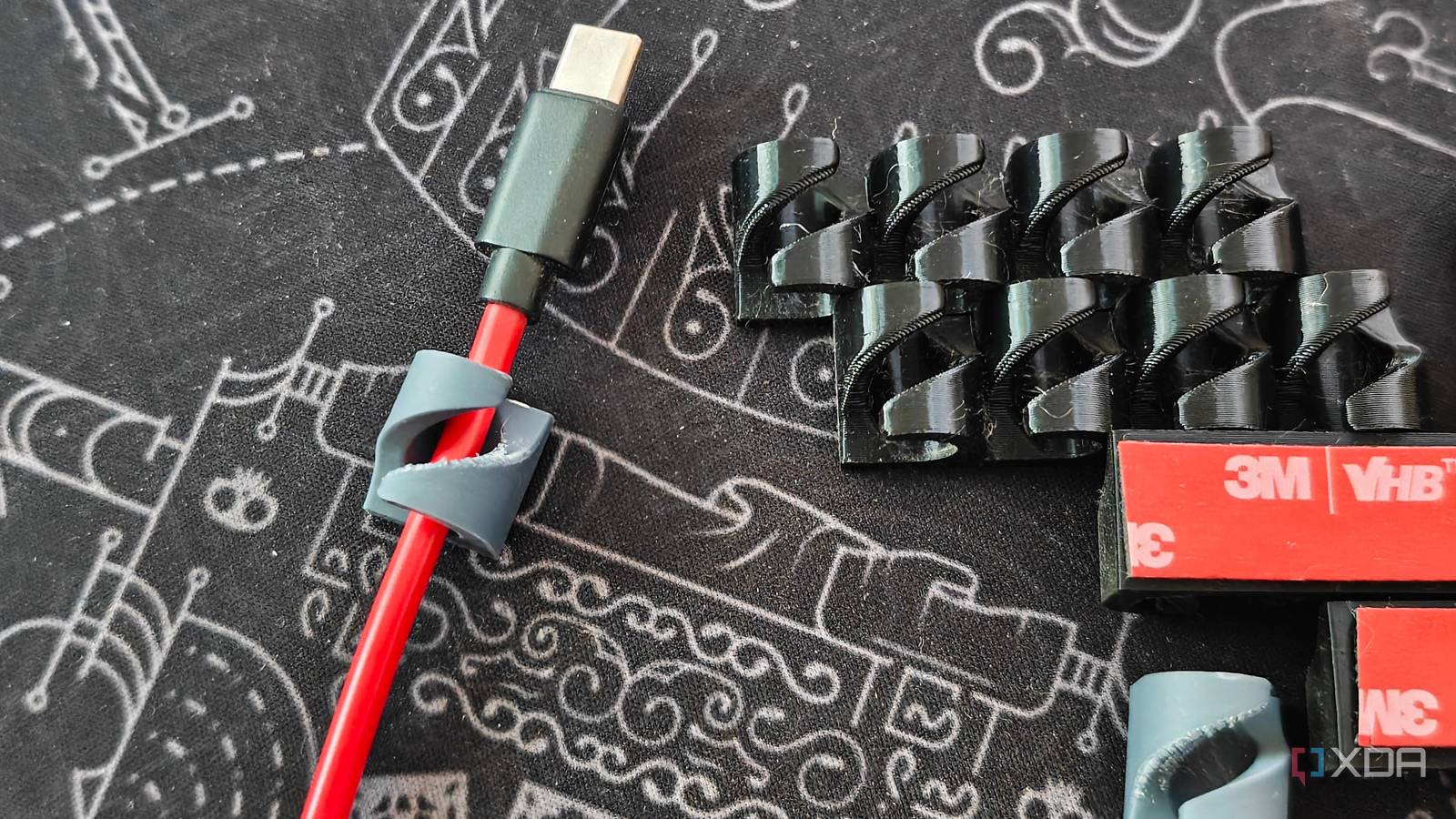
Published Oct 26, 2026, 11:00 AM EDT A seasoned mechanical design engineer turned tech reporter and reviewer, Chandraveer brings more than four years of consumer tech journalism experience to the table, with bylines at Android Police and iPhoneHacks. He's written about everything from UI and UX changes across various apps to emerging software and AI trends. At XDA, he showcases his versatility in the tech reporting space with articles rooted in personal experiences and frustrations. Chandraveer's passion for consumer tech spills over into hobbies such as mechanical keyboards, photography, and 3D printing. With an academic background in design and manufacturing, his insatiable curiosity spans beyond the digital domain. Chandraveer's downtime is an eclectic mix of reading fiction, practicing calligraphy, conceptualizing new products, and enjoying an expansive FLAC audio library. Managing a home office can be challenging if the desk where I get all my work done isn't immaculate. I am routinely bothered by stray cables and small items left out of place, and I am not a big fan of wireless devices because you still need to charge them every so often. Cables are a necessity to keep electronics powered and connected, but managing them is an additional step that saves you from eventually detangling that one cable you're tracing from the rat's nest behind your network switch, home server, or home office. Easy management is rooted in proper labeling and management. While the former is self-explanatory, the latter has spawned an independent product category that goes far beyond Velcro ties and cable combs. With a 3D printer by my side, I've come to understand that products off the shelf cater to the lowest common denominator, and I'm better off improving them myself with prints, or printing out entirely custom parts that solve my specific problems loosely inspired by pre-fabricated products. Cable management at my desk only exemplifies this philosophy in practice. Cable management is a very personal problem The solution is not the same for everyone Credit: dswilkinson/MakerWorld If you told me we're building a PC, I'd happily point you to cable combs and reusable Velcro ties with a reputable YouTuber's video on how to use them all together to clean up your PC's internals. However, handling cables in other areas of your house is a different problem entirely, and I haven't seen two identical situations. None of my 3D printing adventures come close to how much I used it around my desk to tame the mess of dangling cables. For starters, my monitor arm didn't include a cable-management solution that worked. The channel was too narrow to pass an HDMI connector through after the power cable went through, and even if it did, the second PC's DisplayPort input cable would dangle. Though I ultimately replaced the monitor arm, the graceful solution was to 3D-print a cable-routing channel with more generous dimensions so I could thread connectors through without affecting other cables. All I had to do was reverse-engineer the little push pins that held the channel to the arm on the stock plastic piece. Then came the issue of all the wires hanging off the edge of my desk: the HDMI cables, wires for my display and power station, and USB cables for my peripherals. There were at least a dozen of them, with most going off the table's longer edge near the middle, and a couple of others offset by a few inches. Typically, I'd buy adhesive-backed cable managers to keep disconnected wires from falling off the edge and connected ones in place without getting braided in with the rest. However, these stick-on cable managers only handled one, three, or five cables, and shipped in garish black, loud white, or a clear plastic that would yellow in no time. Again, my solution was to 3D print a model from Thingiverse that didn't rely on the cable manager's elasticity. Instead, the smart design only allowed wire removal at a steep angle, so they're reusable indefinitely and not prone to embrittlement or hardening. Moreover, I could string exactly seven of them in a straight line in my slicer to get one continuous print. They stick well to most surfaces with 3M VHB tape, so they are also perfect for holding longer cable runs which may sag underneath my desk. Even my 3D-printed headphone hanger features an integrated flex nib. More advanced solutions benefit even more from the 3D-printed route Have you heard of Underware? My approach to cable-managing the mess of wires on my desk was helped by a server-grade cable raceway, a drag chain for everything connected to my power strip, and a bunch of 3D-printed bits and bobs to ensure things don't stray from their installed location. However, if your desk setup is a little more convoluted, involving hidden drawers, cable retraction systems, and space to mount entire power bricks, you're better off going the 3D-printed route instead of relying on store-bought accessories. The community has long obsessed over the challenges of assembling assorted parts to achieve some discipline under the desk, and achieved great success with modular systems like Underware, the brainchild of YouTube creator Hands On Katie. It's quite like Gridfinity for your drawers in that you print out plates with a modular grid pattern and attach those to the desk with screws. Thereafter, anything that needs managing clips into that grid with custom-fit brackets, cable channels, and other appendages. The system seems cumbersome given the unappealing proposition of designing your own brackets to mount something underneath, but chances are someone has already designed a model, and you just need to hunt down the STL. The system allows for labeling, modularity, and ease of changing things, all thanks to 3D printing. Find what fits your needs, and go from there In fact, systems like Underware underscore how cable organizers may have spawned an entire segment of 3D-printed goods tailor-made to the needs of every user with access to the technology. There's little to lose in giving a few 3D-printed cable organizers a go, whether you need tie-down points inside a PC case, a headphone hanger, or a full system to handle every stray cable under your desk. Some solutions cost more than others, but 3D printing lets you choose the best materials and colors, and even replace parts if they break or get lost.
I stopped buying cable organizers once I started 3D printing my own
Full Article
Original Source
Read the full article at Xda-developers →KhanList aggregates and links to publicly available news content. We do not host full articles from third-party sources. Always verify important information with original sources.