
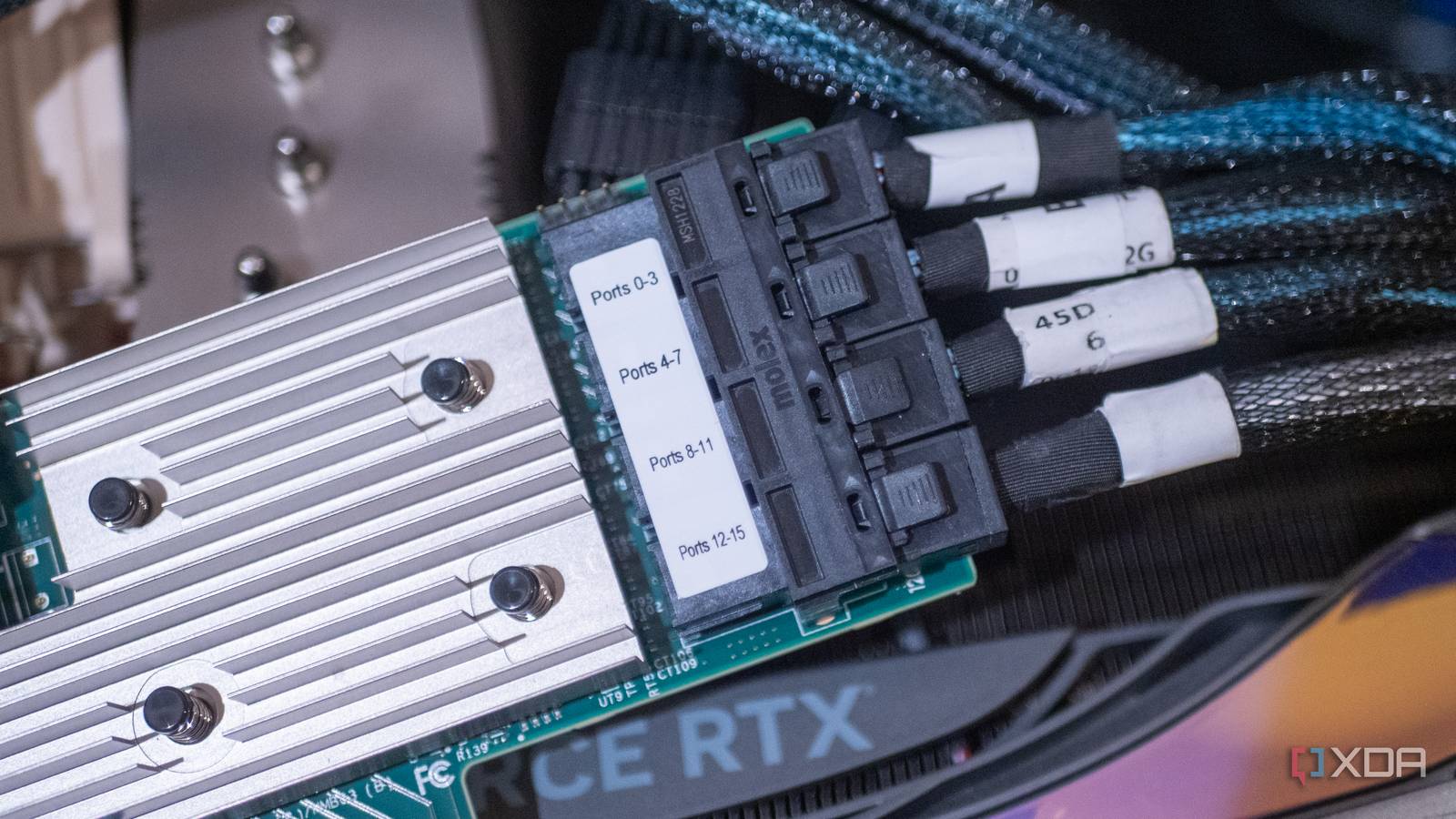
Published Sep 3, 2026, 11:00 AM EDT Korbin is a Linux system administrator who spends most of his time in a terminal figuring out how things actually work. Over the last decade he's written hundreds of articles about Linux configuration, troubleshooting weird problems, and using open-source tools in the real world. He also works a lot with Windows systems and networking, especially in mixed environments where things don't always behave the way the documentation says they should. Writing things down is how he makes sense of it all and hopefully saves someone else a few hours. External storage has gotten good enough that plugging drives into my backup machine's USB ports started to feel like a permanent solution. The motherboard ran out of SATA ports long ago, and since USB 3.0 has enough bandwidth to handle a spinning disk, I've been buying cheap drive enclosures to keep expanding. My backup machine receives rsync jobs from my TrueNAS server every night, and all of that data went to hard drives hanging off a powered USB hub. That setup did work, technically, but required an increasing number of workarounds to smooth it out. When I switched to a used HBA card that fit into a free PCIe slot on the motherboard, all the issues that USB created vanished instantly. It's such an inexpensive solution that I'm not sure why I put up with USB's quirks as long as I did. USB seemed like a good answer at first Until I got tired of babysitting backup jobs Credit: Dāvis Mosāns via Flickr The backup box is an old desktop with only two SATA ports, and those were being occupied by the boot drive and a scratch disk. I needed somewhere to stick four more drives so that I'd have a reliable backup that's separate from my NAS, and USB seemed like the obvious solution. The only things I needed to buy were some drive enclosures and a powered USB hub. I already had a pile of spare drives lying around, and was trying to avoid spending much money on this. A lot of the trouble started with the enclosures themselves. They wouldn't pass any SMART data back to the operating system, so it was difficult to check the reliability of the drives that I was trusting to house my backups. Even finding the drives' serial numbers proved hard because the enclosures only reported their own. Then there were the resets. On occasion, the UAS driver would drop one of the drives completely, which was essentially like unplugging the device and plugging it back in. This happened especially during sustained writes, which is precisely what a nightly rsync job was doing. I'd wake up to find a backup job finished halfway, then have to re-run it. Auto-suspend also gave me some grief. I had to stagger wake-up times for the drives for fear that the hub would brown out if they all came online at the same time. I also wrapped my whole rsync script in retry logic and added extra functions at the end to verify that all backups landed correctly; if not, it would try again. Months of fighting flimsy backups made me realize there had to be a better way. One card addressed all the issues Everything works better when drives are directly attached Once I'd had enough of dealing with USB's antics, I picked up an HBA card and dropped it into the x8 slot that had always sat empty. I ended up with an LSI 9211-8i, and I paid around $30 for it. There are plenty for sale on eBay from reputable resellers. If you decide to take the same route, make sure the listing confirms that the card is already flashed to IT mode. I also grabbed a pair of SFF-8087 breakout cables, which are necessary for plugging SATA drives into the card's SAS interfaces. I removed the drives from their enclosures and placed them inside the PC case. Right after the initial setup, everything began working more smoothly. SMART data works properly now, and the drives are easily identifiable because they're able to report their models and serial numbers. Most importantly, I don't encounter any more issues with the nightly backup jobs. With the increased stability, I've built a proper pool across the drives, rather than treating each one as a separate backup target. I never trusted that kind of configuration over USB, since drives could drop in or out for various reasons. My backup script also went back to being two rsync commands and nothing more, as I could scrap the retry functions I'd tacked on. USB storage isn't always bad Like anything, there are pros and cons An HBA card was the right answer for me, but it won't be for everyone. They're designed for server chassis and generate quite a bit of heat, so a case with decent airflow is ideal, unless you strap a fan to the heatsink. They also require an x8 slot or larger, which disqualifies the mini PCs and NUCs that a lot of people are building home servers around now. I think an HBA card isn't necessary for people who only have a single USB drive, but it's very useful for an array of drives as I had. With one drive and occasional transfers, you're not likely to notice a real problem with USB. Four drives under sustained load every night is a different story, and that's where USB's limitations start becoming evident. I stopped needing to supervise my backups Backups should just work. When I found myself tweaking system settings to make drives behave better and coding additional checks into my rsync script, I knew something had to change. An inexpensive HBA card solved the problem for me, and I no longer need to babysit the backup job.
I stopped babysitting my backups after spending $30 on a used HBA card
Full Article
Original Source
Read the full article at Xda-developers →KhanList aggregates and links to publicly available news content. We do not host full articles from third-party sources. Always verify important information with original sources.