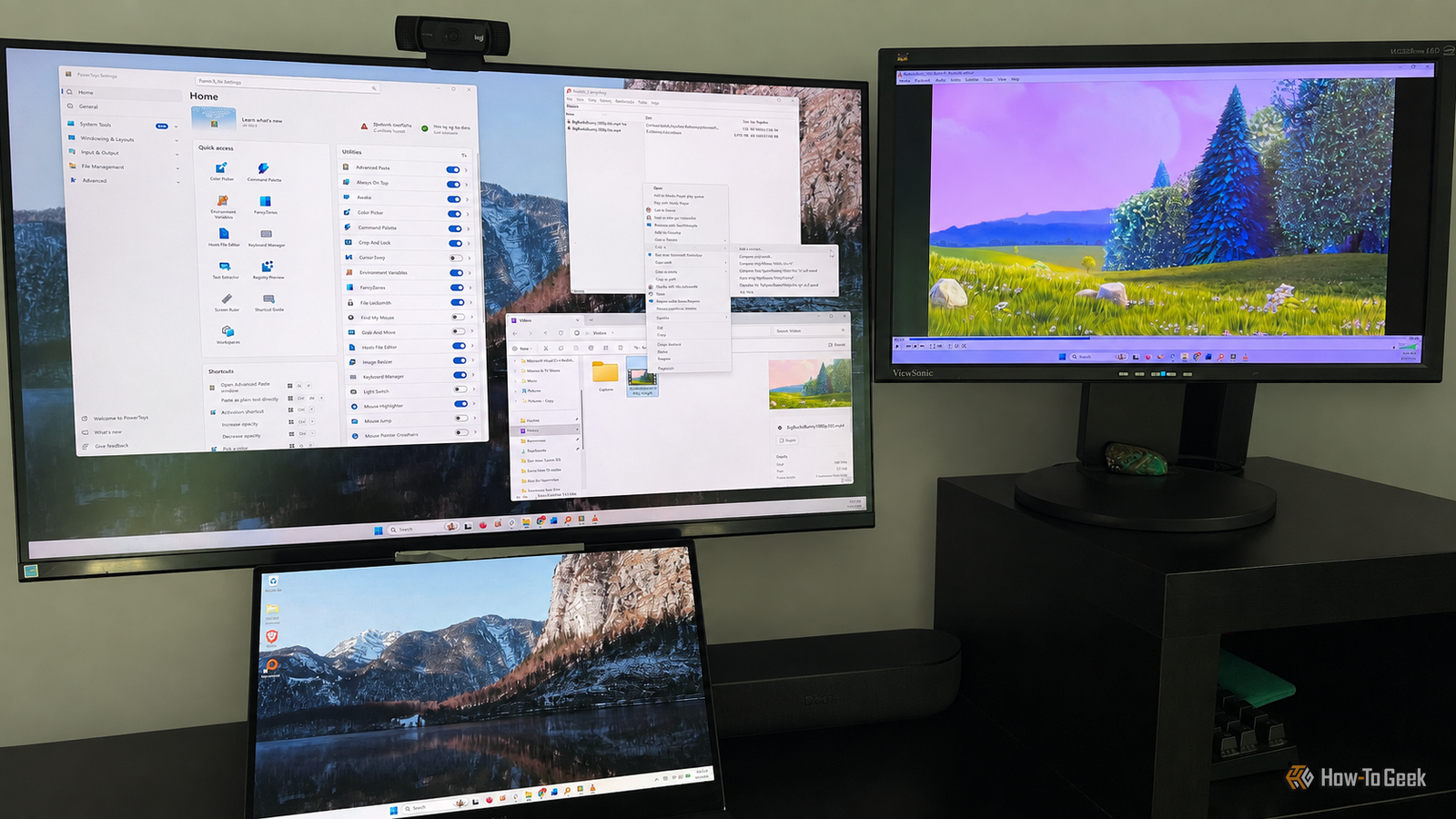
Published Aug 7, 2026, 10:30 AM EDT Rich Hein is a veteran technology journalist with more than two decades covering developer, consumer and enterprise topics. Rich's career has been dedicated to service journalism, connecting readers to content that informs and delights. Previously, Rich was vice president and editor-in-chief for Simpler Media Group, director of audience development for IDG and editor/writer for sites like CIO.com, ComputerWorld, CodeGuru and other tech-centric publications. He's received numerous accolades, including the IDG Summit and Azbee awards and has been covered by Medium for his work in audience development. When not at his desk, Rich lives in Daytona Beach with his wife and three dogs. He enjoys playing guitar, surfing and staying abreast of the latest in tech. Windows has supported a huge software ecosystem for decades, but only a small number of apps have truly changed how people use their PCs. The best ones didn't simply do one job well. They solved problems Windows handled poorly, made everyday tasks easier, and became the kind of software people installed on every new computer. The four apps on this list have all stood the test of time. They remained useful across multiple versions of Windows, influenced what users expected from their PCs, and were free and easy enough for almost anyone to use. That combination helped them move beyond enthusiast tools and become some of the most important Windows apps ever made. It played the files Windows Media Player couldn't I lived and worked through an era when opening a video file on Windows could feel like a guessing game. Windows Media Player was fine when it recognized the format, but far too often it refused to play a file or sent me looking for a missing codec. VLC fixed that problem. It was free, easy to use, and seemed to play almost anything I threw at it, from family videos and downloaded clips to DVD rips and less common file formats. I didn't need to understand codecs, convert the file, or figure out why Windows didn't support it. I could open it in VLC and expect it to work. The app still thrives today, and I continue to install it on every computer I use, regardless of the operating system. 7-Zip made paid compression software unnecessary It's easy to forget now, but people once routinely paid for software just to compress and extract files. 7-Zip arrived as a free, open-source alternative that supported far more than the basic ZIP files Windows could handle. Its own 7z format offered strong compression, but the real appeal for ordinary users was that it worked with a long list of archive formats without registration reminders, upgrade pitches, or a price tag. I've always loved the way 7-Zip integrates with the Windows context menu. I can right-click a file or folder and immediately create an archive, extract one to its own folder, or open it without launching another app first. Windows has gotten much better at working with compressed files, but 7-Zip still supports more formats, offers more control, and fits better into the way I already manage files. After all these years, it's still the compression app that I install on a new PC, right after a browser. Everything made Windows Search feel painfully slow It found files almost as quickly as I could type I've never been a fan of Windows' built-in search. It has improved over the years, and there are plenty of alternatives now, but Everything was the first app that showed me how fast searching a PC could actually be. Instead of waiting for Windows to think about what I typed, I could start entering a filename and watch the results appear almost immediately. That speed changed my expectations of Windows Search. I didn't need to remember exactly where I saved something or click through folder after folder looking for it. Everything made the entire drive feel searchable, and its simple interface kept the focus on finding files rather than trying to predict what else I might want. Windows Search can now pull up apps, settings, web results, and other information, but when I need to find a file on my PC, Everything is still faster and more reliable. PowerToys keeps adding features Windows should already have It gives power users the version of Windows Microsoft never built PowerToys is a free, open-source collection of Microsoft utilities designed to make Windows more productive and customizable. The name dates back to Windows 95, but the modern version has grown into something much more ambitious. It adds tools for arranging windows, renaming files in bulk, keeping a window on top, previewing more file types, remapping keys, launching apps, picking colors, and handling dozens of other small jobs Windows either makes difficult or doesn't support at all. Most people probably won't use every utility, but almost everyone can find something that fixes a daily annoyance. I've used several of its tools over the years, and the collection keeps growing as new gaps appear. PowerToys gives Microsoft and its open-source contributors a place to test new ideas without building them directly into Windows. That separation makes sense, but it also creates an odd situation where one of the best apps for fixing Windows is made by Microsoft itself. Great Windows apps outlive the problems that created them What stands out most about these apps is how difficult they have been to replace. Windows has changed dramatically, built-in tools have improved, and entire categories of software have come and gone, yet these apps are still widely used because they remain faster, simpler, or more capable than the alternatives. That kind of staying power is rare, and it's what earns them a place among the greatest Windows apps of all time.
I still install these 4 free apps on every Windows PC
Full Article
Original Source
Read the full article at Howtogeek →KhanList aggregates and links to publicly available news content. We do not host full articles from third-party sources. Always verify important information with original sources.