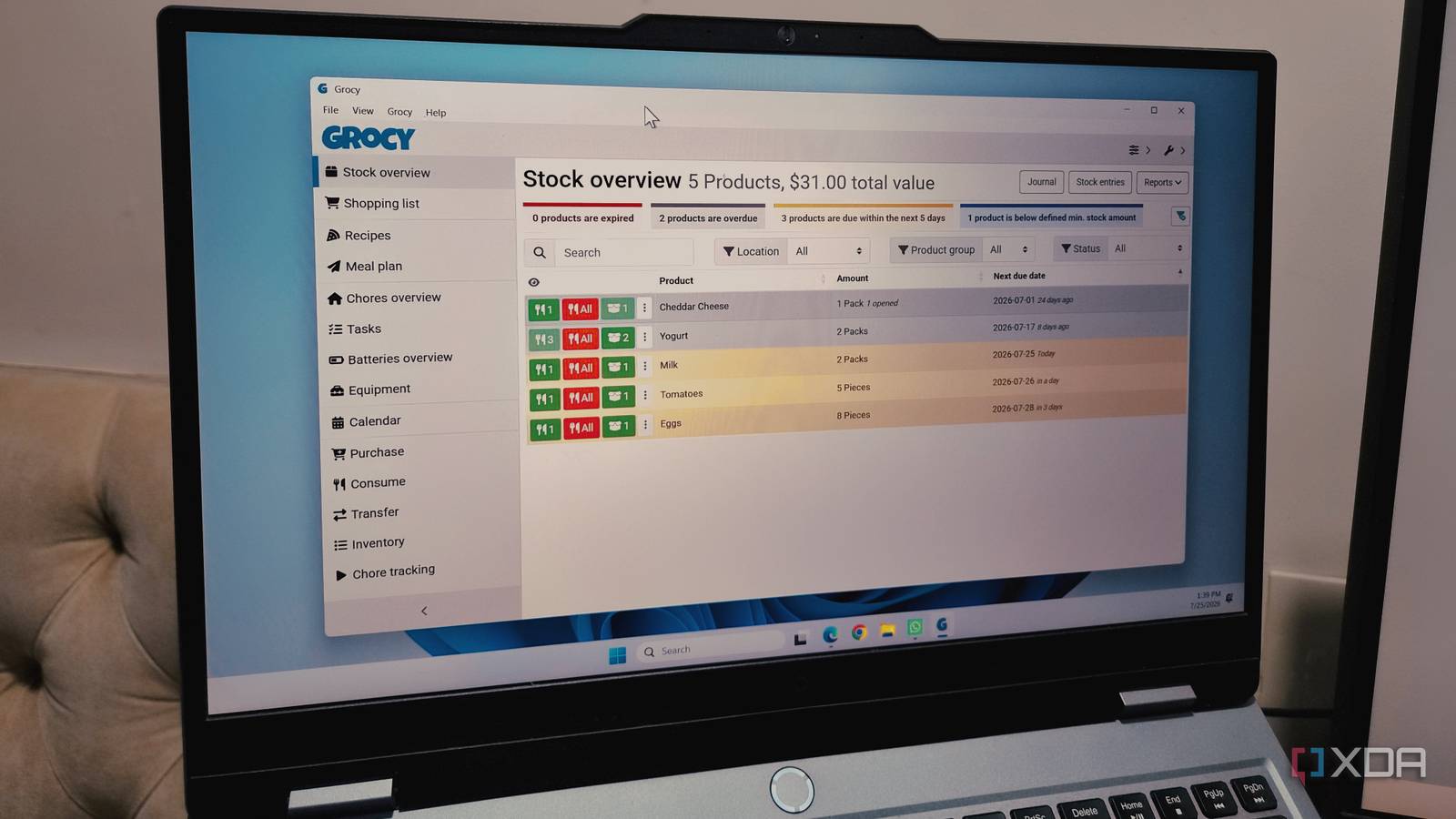
Published Jul 27, 2026, 10:30 AM EDT Parth, a seasoned tech writer, wields the keyboard (or pen) with finesse to unravel the intricacies of both Windows and Mac operating systems. He has covered evergreen content on mobile devices and computers for multiple publications over the last six years. You can find his work on AndroidPolice, GuidingTech and TechWiser. Whether it’s demystifying system updates, deciphering error codes, or exploring hidden features, Parth’s prose guides readers through the binary maze. When not immersed in tech jargon, you’ll find him sipping chai, pondering the next software review, and occasionally indulging in a friendly debate about mechanical keyboards. I thought I had a reasonable idea of what was inside my home until I actually tried to find something. Spare cables disappeared into drawers, groceries expired at the back of cabinets, warranties became impossible to locate, and duplicate purchases quietly piled up. Spreadsheets could have helped, but maintaining one manually sounded like another household chore I would eventually abandon. That changed when I deployed Grocy as a Docker container. I thought I knew what I owned It’s not as easy as I thought The realization hit me during a routine purchase. I was about to order another set of batteries when I discovered an unopened pack sitting in a drawer. A few days later, the same thing happened with charging cables. Then it happened with cleaning supplies, light bulbs, and several pantry items. My memory worked reasonably well for things I used every day. I knew where my laptop charger was and how much milk was left in the fridge. But anything stored for later seemed to disappear from my mental inventory. I knew I needed something better than another round of rearranging shelves. I deployed Grocy with Docker There is a native Windows app, too I already had Docker running on my home server, so deploying Grocy felt like the most natural option. Instead of installing another application on my main computer, I could keep it running quietly in the background and access it from any device on my own local network. Once I had mapped the required port and created persistent storage for the database, Grocy was available through a regular web browser. That flexibility was a major reason I preferred the Docker setup. I could open the dashboard on my Windows desktop while adding several items, and then switch to my phone when I needed to check something inside a cupboard. Docker is not the only way to use Grocy, though. There is also a dedicated Grocy desktop application for Windows. It is a much easier entry point for anyone who wants to try Grocy without building a self-hosting setup first. Grocy is packed with features It handles more than inventory I initially installed Grocy because I wanted a better way to track things around my home. However, once I explored the dashboard properly, I realized inventory management was only one part of what it could do. I could create shopping lists, monitor products that were running low, track expiry dates, and record where individual items were stored. The chores section was another feature that surprised me. I could add recurring household jobs, assign due dates, and record when I completed them. It worked well for tasks that were easy to forget, such as cleaning filters, checking appliances, watering plants, or replacing items at regular intervals. Grocy can also track equipment, batteries, and maintenance-related information. I found it useful for recording which battery belonged to which device or when a household item needed attention. The more I used Grocy, the clearer its purpose became. It gave me one central place to manage the small household details I had previously scattered across notes, reminders, and memory. Recipe planning is a neat add-on My home finally felt under control I did not install Grocy for recipe management, but it quickly became one of the features I used most. I could save recipes, connect ingredients to the products already in my inventory, and see what I could prepare without manually checking every shelf. It also made missing ingredients easier to spot, since I could add them to my shopping list instead of maintaining a separate note. The meal-planning tools made the feature even more useful. Grocy includes a calendar view where I can schedule meals for specific days and get a clear picture of what I plan to cook throughout the week. I previously used Mealie as a separate Docker container for recipes and meal planning. Mealie is more focused and better-looking, but I eventually stopped running it because Grocy covered enough for my needs. Keeping recipes, groceries, shopping lists, and meal plans inside one container was more convenient than maintaining two separate services. My only real complaint is the interface. Grocy is functional, but parts of it look dated and can feel overwhelming when several modules are enabled. The menus, forms, and overall layout could use a visual makeover in the future. It ended my inventory chaos Grocy did not magically reduce the number of things in my home, but it changed how I manage them. I no longer depend on memory to track supplies, locate rarely used items, or remember what needs replacing. Everything now has a digital record, and that small layer of structure makes the entire house feel easier to manage. The initial setup takes patience, especially if you want to catalog a large number of items, but the system becomes more valuable with every entry. If Grocy doesn’t work for you, try Homebox, another capable home management Docker container. Grocy Grocy is an all-in-one home and recipe management tool.
I started tracking everything I own with this Docker container, and my home finally feels organized
Full Article
Original Source
Read the full article at Xda-developers →KhanList aggregates and links to publicly available news content. We do not host full articles from third-party sources. Always verify important information with original sources.