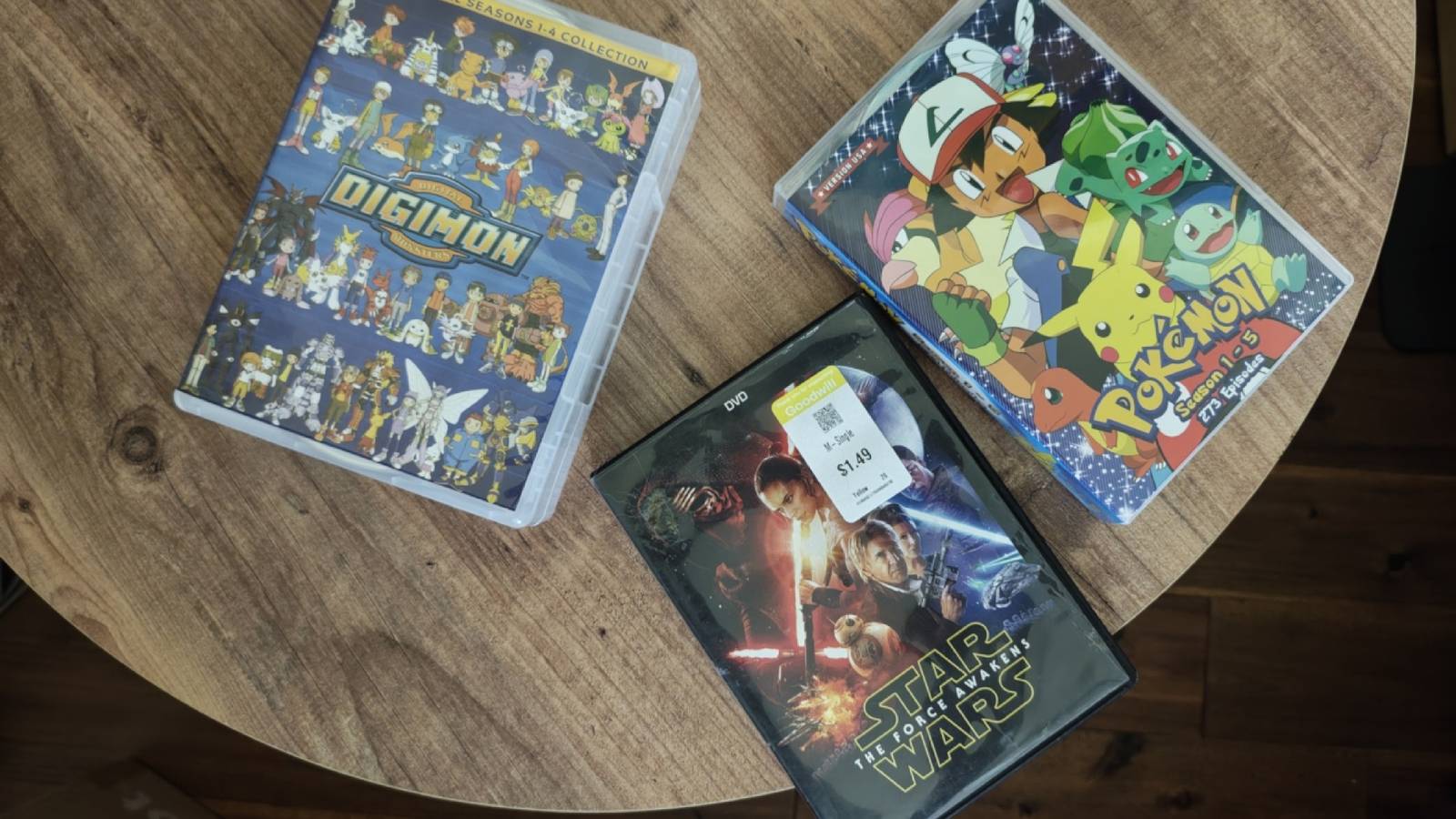
Published Aug 12, 2026, 10:15 AM EDT Bertel is a lifelong tech enthusiast with over a decade of experience writing thousands of articles about Android devices, Linux, and more. Before joining the How-To Geek team, Bertel wrote for the likes of MakeUseOf, MakeTechEasier, and Android Police—at the latter he wrote over 3,500 articles. He delights in helping others decide which tech to bring into their lives... and which tech to do without. Bertel graduated from the College of William and Mary in 2012 with degrees in History and Government. He has spent his entire career as a tech journalist covering Android, Linux, wearables, smart home devices, and more. I'm tired of giving my money to streaming platforms that can take away my favorite shows on a whim and raise their price at a moment's notice. I'm ready to own media again, so this year I started buying my family's favorite shows and movies on DVD. Unfortunately, I quickly remembered what's annoying about physical discs. Where do I store all of these discs? These cases are taking over When I decided that I was ready to buy a NAS and set up Jellyfin, I immediately started hunting down some of my favorite shows, shows that came highly recommended, or just shows I thought I might like. I grabbed every episode of Kim's Convenience. When I finished that, I thought Superstore might be similar enough to hit the same vibes (it did—I love it). I bought The Expanse because I wanted something more intense. I also ordered the complete series of shows that I started a decade ago but didn't stick with to the end, like The Mindy Project and Grace and Frankie. These boxes alone could already fill up a solid chunk of my bookshelf, and I was just getting started. Movies fill up space even faster. My bookshelves are already filled with books, and I'm not particularly interested in swapping them out to store DVDs instead. Yet even if I decide to ultimately pack up the DVDs in a box after they've been added to my Jellyfin, they still take up a lot of space as they sit around waiting to be ripped. I also have hundreds of DVDs from my time in college, and I tossed out the cases for those way back when. They instead occupy a single giant binder. I may ultimately decide to toss out the cases for my new acquisitions as well, but when you're buying the complete series of shows, even those binders fill up very fast. Those old discounted DVDs are often very scratched Be prepared for skips and errors Credit: Bertel King / How-To Geek The thrill of the hunt is one of my favorite things about buying DVDs. I like walking through thrift store shelves, just hoping to find a gem for only $2. I like that many of the movies I want to see are available on eBay for around $5 with free shipping. But there's a catch when it comes to these pre-owned movies—a catch that rhymes. Scratched DVDs can be a challenge to import into Jellyfin. Sometimes only half a movie will rip before it leads to errors. Scratches can be even more frustrating when watching a movie directly in a DVD player. I was watching Sonic the Hedgehog with my kids only to find the middle section of the movie to be so stuttery that it was nearly unwatchable. Speaking of kids, they are notoriously brutal to optical discs. There is a reason children's movies are the most likely to be damaged. DVD quality is a lower resolution than I remember I hope you aren't expecting 720p I have a 4K television, but I don't make the most of it. I don't pay extra to stream movies and shows in 4K. I don't buy Ultra HD Blu-ray discs. I think 1080p video looks perfectly fine. DVDs, however, are not 1080p. They're not even 720p. DVDs are an old enough format that all the videos available on them come in standard definition. Yet you can't even take for granted that everything is 480p. Depending on the aspect ratio, that number goes even lower. Ultrawide cinematic films may even be 360p. This difference in quality is noticeable and disappointing, but it isn't the end of the world. While I can notice when I try, I personally have yet to be bothered by the image quality once I'm actually immersed in what I'm watching. Since DVDs are both more affordable and more readily available than Blu-ray discs, I've chosen to stick with DVDs whenever possible. I would rather have all of my shows be of a consistent image quality than have a few high-res shows bringing attention to the fact that everything else is just a bit blurry. Thankfully, many modern TVs do a good job of upscaling DVD quality into something more pleasing, and there are other tools that can handle the upscaling for you on other devices. Subtitles are quite a bit janky I'm bothered by how they look and what they say Credit: Bertel King / How-To Geek Subtitles are much more commonplace and accepted today than they were in the heyday of DVDs. Streaming platforms pay attention to aesthetics, knowing that this feature reaches a broader audience than merely the hearing impaired. Many, like my spouse, watch everything on Netflix with the subtitles on as a personal preference. After all, modern audio levels are all over the place, with quiet dialogue paired with loud explosions and music. The subtitles on streaming services can easily be updated over time. Some are even handled by AI. That's a can of worms I'm not going to dive into, but I do know that DVD subtitles are not always perfect. They don't come with a software patch to fix them. The text is also much more garish, enough to feel distracting. Digitizing subtitle tracks in a consistent way without embedding them into the video file is also a frustration all its own. Fortunately, Jellyfin can render more attractive subtitles than what ships on the disc, if you put in the effort. I don't regret buying all of this physical media At the end of the day, I enjoy the peace of mind that comes with owning movies, just like I do with music. Plus, the experience of watching these movies is better today than it was in the past. Software like Jellyfin and most of the luxuries of Netflix to my own personal library—except now when I see a category of newly added shows on the homepage, I know those shows are added for good.
I started buying DVDs again and instantly remembered 4 things I hate about physical media
Full Article
Original Source
Read the full article at Howtogeek →KhanList aggregates and links to publicly available news content. We do not host full articles from third-party sources. Always verify important information with original sources.