
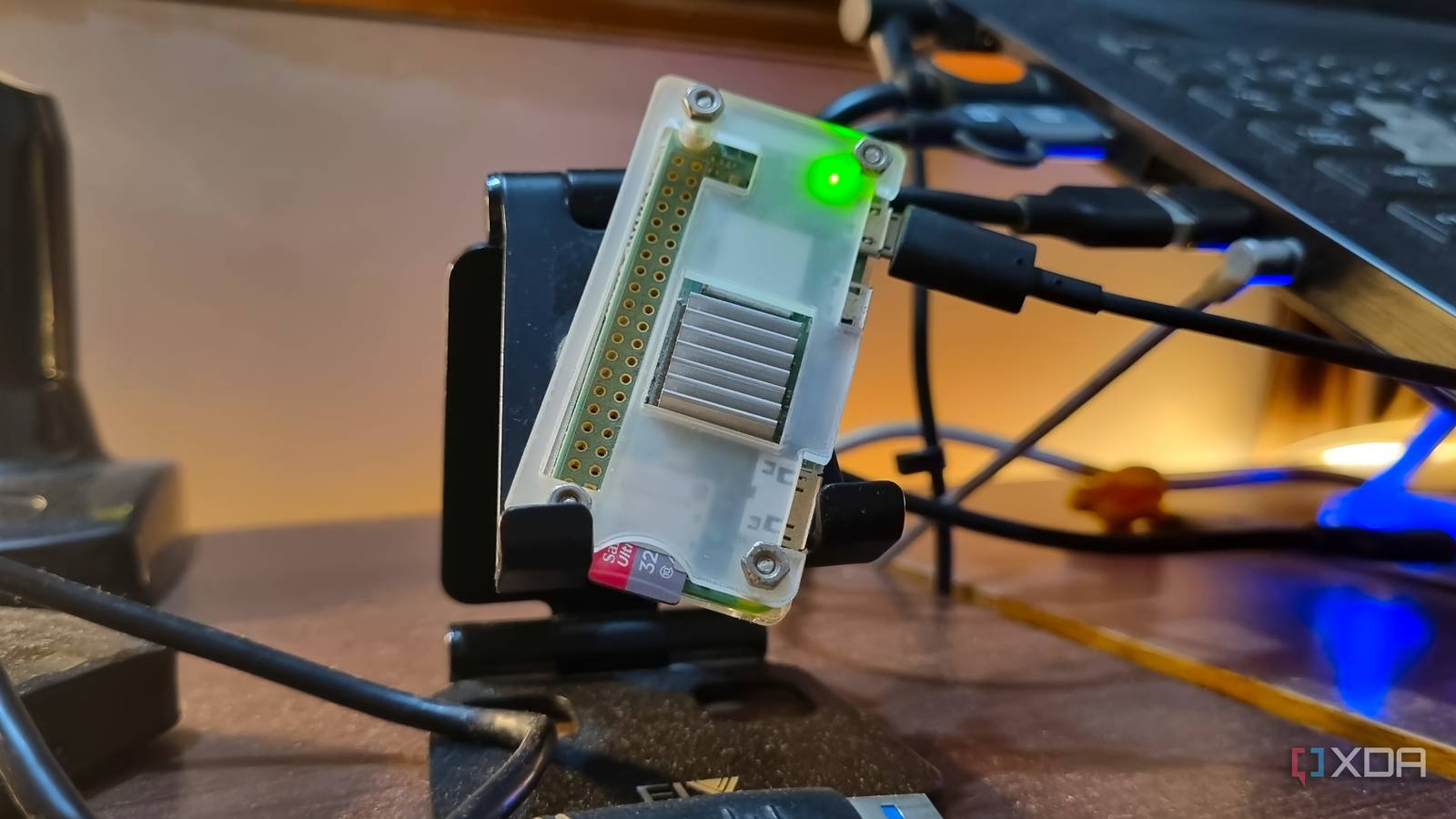
Published Sep 16, 2026, 3:30 PM EDT Abhishek is an author at XDA who covers computing. He has loved computers since he got the Lenovo G570 in 2012. Abhishek holds a master's degree in computer applications and began his writing career in 2018. He loves writing how-to articles, listicles, and informational posts on popular operating systems and web services. He closely follows the Windows Insider program and tests new Insider builds to discover upcoming experimental features and upgrades. His past work includes long-term collaborations with reputed publications like Tom's Hardware, and Windows Latest. When not writing anything, he is busy watching new episodes of One Piece or searching for something binge-worthy. The Raspberry Pi Zero 2 W doesn’t resemble an SBC that you can build a useful server from. Despite its exceptional software support, it’s difficult to envision it as a reliable server that can host useful items. The hardware specs show its severely limited capabilities, which is why many DIY users skip it. But I have found success using it as a small-scale server, with tools that serve a real purpose in my life. It starts with choosing the right OS, because without it, both SBC management and tool handling become a nightmare. Let’s explore how I built a performing server with DietPi, a Raspberry Pi Zero 2 W, and a few other elements. DietPi is very impressive No other Raspberry Pi OS comes close DietPi is the undisputed king of Raspberry Pi operating systems. It’s a bold statement because many would choose the official Raspberry Pi OS Lite for server-use-case tasks. But DietPi has actually evolved to the point that it's become synonymous with this SBC for my projects. The biggest reason for that trust is its low hardware requirements, which are a crucial point for the Raspberry Pi Zero 2 W. It's an SBC that has a quad-core 1 GHz 64-bit Arm Cortex-A53 CPU and 512MB of memory, which makes it challenging to create projects. I've tested DietPi against other lightweight operating systems many times and have never seen close competition except Raspberry Pi OS Lite. This comparison is also limited to hardware resources only because DietPi becomes impossible to beat in other OS features. DietPi runs comfortably on just 70MB for baseline operations and background tasks, leaving plenty for other work. The official Raspberry Pi OS Lite needs about 100MB while Armbian, a more feature-rich competitor, requires about 140MB. Even the occupied storage space is less, leaving more room for other packages. DietPi is also feature-rich. It's contradictory to call it both lightweight and feature-rich, but that's true of DietPi. It includes plenty of CLI tools with navigable whiptail menus that make regular OS tasks easy. DietPi is excellent for command-line noobs because it was the first operating system that didn't force me to run commands to install packages. It has a dedicated store I used to install and test multiple self-hosted tools. Docker setup is essential No more direct package installs DietPi's software repository is comprehensive, so you can find pretty much anything there. However, it still leaves out niche, less-popular tools, and that presents a challenge only Docker can solve. So, instead of downloading everything from the store, I now only install Docker from there. Once set up, it becomes a perfect testing ground for a wide variety of containers before I decide which ones to keep. Going with Docker isn't an easy decision, as I have to sacrifice 50–70 MB of memory to get it running. We're already near the 150MB mark of our total usable memory, which is 415MB. But this trade-off prevents many problems down the road. Individual packages can mean a lot of permission and dependency problems, and Docker avoids that. Even cleanup is easy when you deploy something using Docker, as it isolates the main storage. One additional tool that I deploy besides Docker is Tailscale. I didn't deploy it inside Docker; I chose to deploy it system-wide so I can access both my board and my Docker system remotely. Tailscale makes it possible to solve a few more problems that I hadn't anticipated before trying to deploy tools like Vaultwarden and Pi-Hole. These tools need HTTPS to work, and a beginner will certainly find it easier than going the reverse proxy route. Thoughtful additions that save money I run four containers on the Raspberry Pi, and each has a useful purpose. The first one is BentoPDF, a true Adobe Acrobat replacement for me that saves $15–20 monthly. I can do all the PDF actions and conversions I occasionally need without paying monthly subscriptions. The same goes for OmniTools, a multi-tool suite I use daily for file conversions, compression, and other related tasks. Previously, I had to visit different websites, submit my files, and then often pay to download the converted copy. OmniTools keeps the data private and runs entirely in the browser. The third major subscription killer is Vaultwarden, as I've stopped trusting online password manager tools. I migrated from LastPass to Vaultwarden in one night, and since then, I've been storing the passwords on the Raspberry Pi Zero 2 W SD card. I have an automated system backup strategy in place with frequent exports to other storage drives. I started with an unsecured version of Vaultwarden, but recently added HTTPS support with Tailscale, which wasn't possible before. A Vaultwarden Docker container demands HTTPS and won't let you set up the server without it. I also run Pi-Hole on the SBC, which acts as a DNS server and blocks a lot of ads and tracking across most of the internet. It's not foolproof, and you still need a fallback DNS server and will still see occasional ads in some apps. But it reduces the overall ad menace by a huge margin, and is especially effective for devices where it isn't easy to run an additional blocker like the TV. Cheap and effective SBC setup A $15 SBC paired with a memory card and free operating system and software now saves me a significant amount of money every month. Before implementing this setup, I wasted all that money on tools I rarely used and risked my data on numerous websites. OmniTools and BentoPDF should absolutely be a part of your container stack, as they solve small but pesky problems easily. Hosting a password manager surely comes with its challenges, but it feels nice once you get everything set up. Tailscale serve is a technique you should master early on if you want to do anything HTTPS-related. Raspberry Pi Pico 2 W Raspberry Pi Pico 2 W is the wireless version of the new Raspberry Pi’s low-cost microcontroller board, built on RP2350: a new high-performance, secure microcontroller.
I squeezed DietPi onto a Raspberry Pi Zero 2 W, and it replaced my $50-a-month cloud setup
Full Article
Original Source
Read the full article at Xda-developers →KhanList aggregates and links to publicly available news content. We do not host full articles from third-party sources. Always verify important information with original sources.