
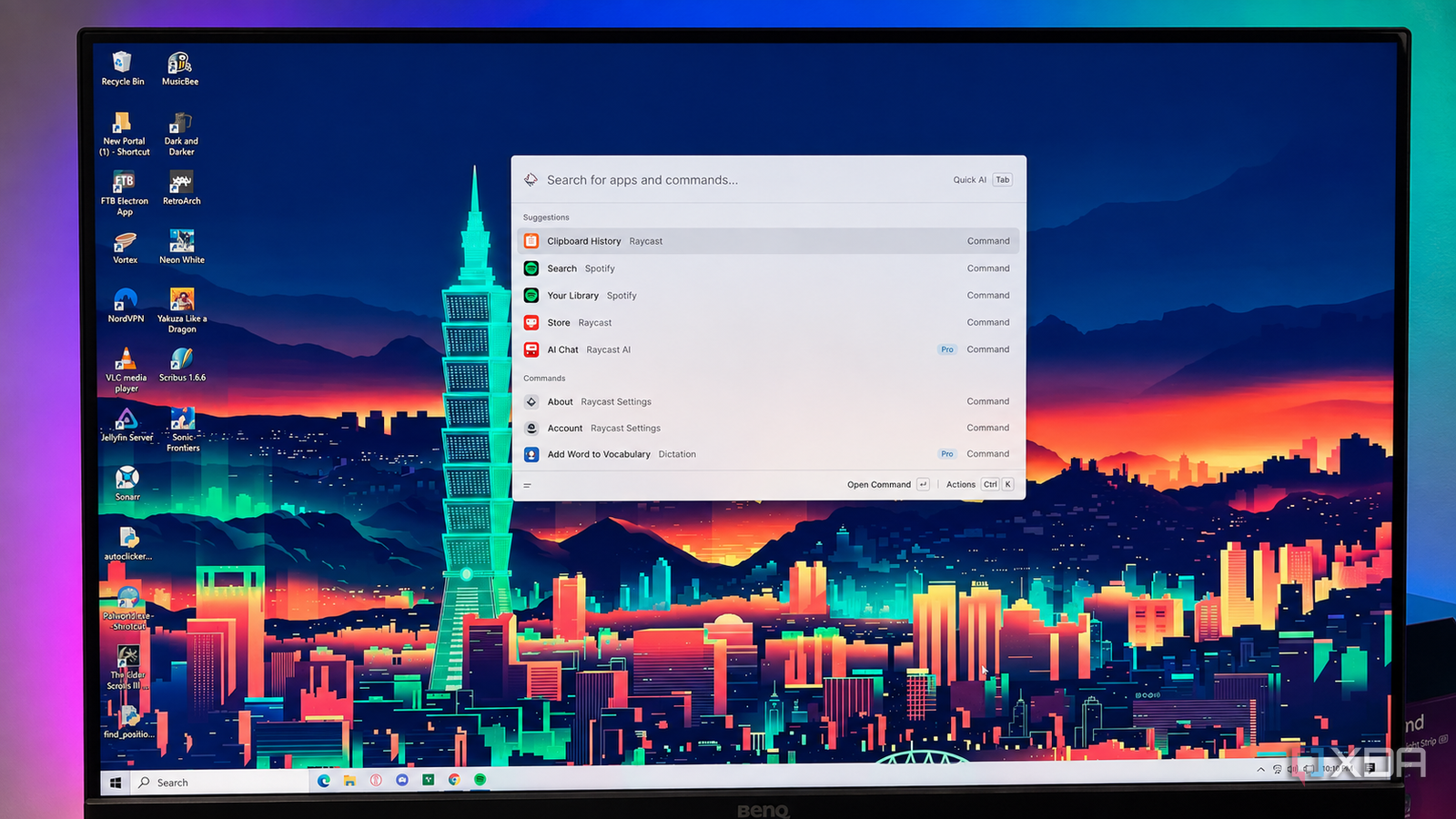
Published Aug 31, 2026, 5:30 PM EDT Patrick is a seasoned writer with more than a decade of experience, specializing in any and all things tech. His work has been featured on platforms like CNET, Yahoo, Xfinity, and many other outlets. When not typing away, he can be found with his nose in a book. For years, macOS has been my daily driver for anything work-related, and that time with Spotlight has spoiled me. I found myself longing for a way to navigate Windows just as quickly, and that's when I came across Raycast. This software calls itself the "shortcut to everything," and as hyperbolic as that sounds, it's not far from the truth. I set out to find a way to bring the best features of Spotlight to Windows, and instead discovered a launcher that matches those features and brings a whole lot more to the table. Finding files and launching apps is just a few keystrokes away The ease of navigating my MacBook is something I wanted to replicate in Windows. It's why I set out to find a Windows-friendly version of Spotlight. Raycast hits that nail on the head with the precision of a carpenter. I bound it to my Windows key, and now, instead of launching the Start menu and spending a few seconds finding what I want, I can bring up what I need with Windows + [file name] + Enter. It's just three steps to reach nearly anything on my machine. It's not just apps. I can search for files, and Raycast uses its own file index that is, at least in my experience, dramatically faster than Windows' search function. I've configured mine to search only my C: drive, but I could just as easily tell it to search any connected drives, like the external SSD I use to host my Jellyfin server. But Raycast has another feature beyond its rapid-fire search functionality. I can configure hotkeys to open any file or launch a specific command, and it even has hyperkey functionality. If you aren't familiar, a hyperkey is a key that's mapped to act like all four modifier keys (on Windows, that's Shift, Control, Alt, and the Windows key) with a single press. The benefit of a hyperkey is that it not only reduces the number of keystrokes you need to input, but also rarely conflicts with other keybindings. But its best feature isn't the shortcuts Raycast is much more than just a launcher Raycast is loaded with other features that often get overlooked. One of the most impressive is Clipboard History. If you've been using a clipboard manager, Raycast can replace that. It not only saves everything you put into your clipboard, but also makes it easy to search. As long as you remember at least one word from whatever you copied, you can search for it through Raycast. It also has a built-in text-expander function called Snippets. You can save these and bind them to a keyboard shortcut. From that point, just type the shortcut and the full text will expand. This is an excellent tool if you use the same phrases over and over for work. It's also a great way to create shortcuts for frequently used code snippets or complex Command Prompt commands. One of my favorite uses for shortcuts is creating a quick link. This lets me open a specific file, folder, or even website in no time at all. I can open my browser directly to my email, my Asana page, or Slack with a specific keystroke. Extensions make Raycast even better The native functions are powerful, but there's more Raycast is wildly powerful out of the box, but a slew of extensions make it capable of so much more. For example, there's a Spotify extension that lets me search for music and start playing it right from Raycast. The app runs in the background, but I can handle all the navigation without touching Spotify's interface (though macOS users can download a different version that plays music without opening Spotify). And that's where one of Raycast's big downsides comes into play. It was originally designed for Mac and just made the jump to Windows near the end of 2025. As a result, many of the most-used extensions are for macOS only. That said, there's an extensive extension collection to browse, and the community is bringing more to Windows all the time. Raycast won't work for everyone It's fast, but there's a learning curve Raycast is built for users who want to keep their hands on the keyboard at all times. If you learn it, you'll be able to navigate around your machine without ever reaching for a mouse, but there's quite a bit to remember. You have to memorize keyboard shortcuts, learn the ins and outs of Raycast, and configure it to match your workflow. This app is designed to help you be more productive, and while you can use it casually, I feel like that wastes much of its potential. All those seconds add up Raycast might sound like a lot of work, but the time it saves is worth it. All those seconds add up. I save time finding files, especially since Raycast indexes and searches much more efficiently than Windows does natively. And I love that I can launch apps without touching the Start Menu. Raycast Raycast is a great app launcher for MacBooks that streamlines your workflow with instant access to apps, commands, and shortcuts.
I spent years waiting for Windows to match macOS Spotlight, then discovered Raycast does it better
Full Article
Original Source
Read the full article at Xda-developers →KhanList aggregates and links to publicly available news content. We do not host full articles from third-party sources. Always verify important information with original sources.