
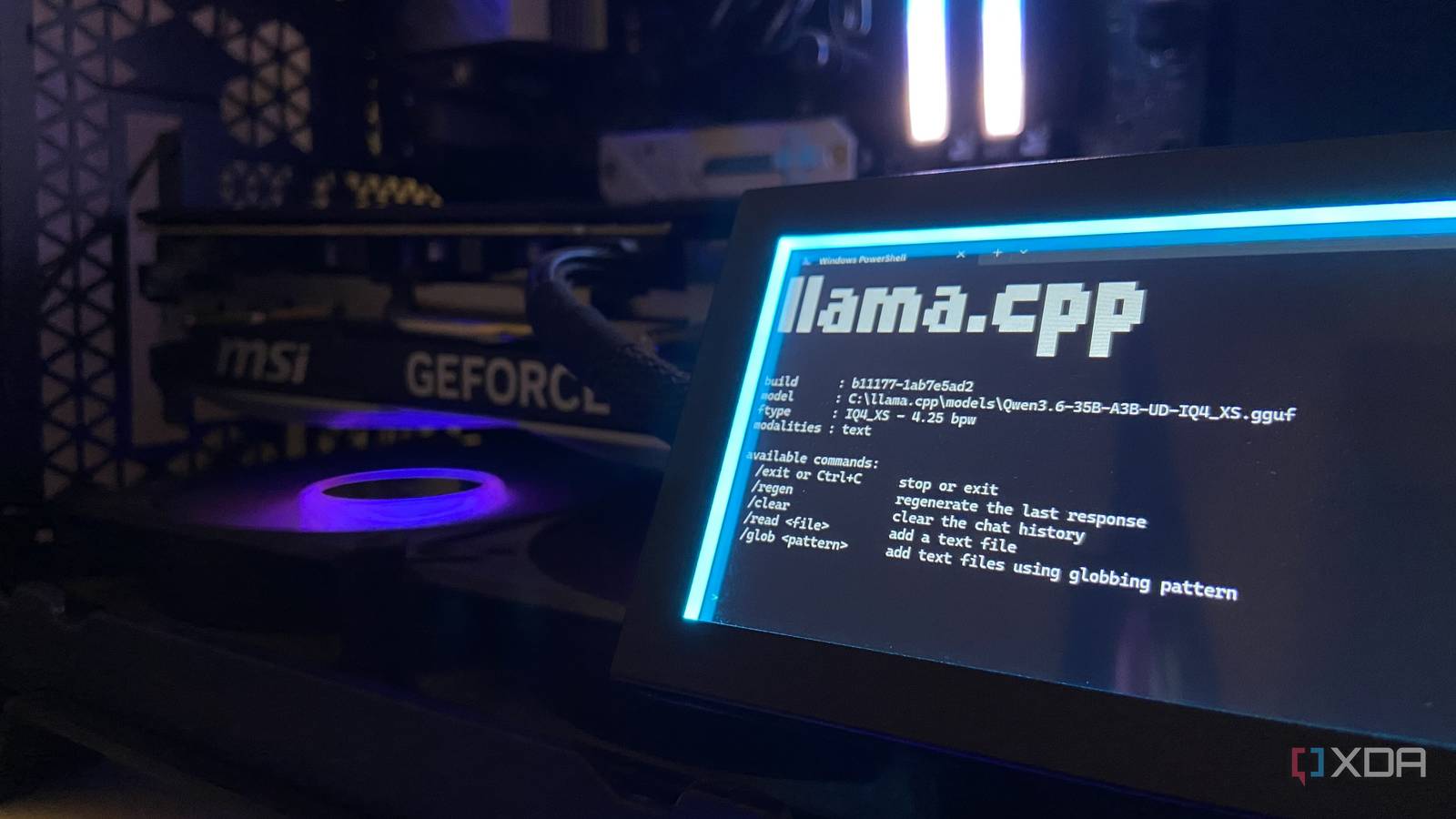
Published Nov 10, 2026, 6:00 AM EST Abhinav pivoted from a career in banking to pursue his first love in writing. Even while working full-time, he continued contributing as an editor-at-large, a role he has held for more than 7 years. A lifelong tech enthusiast who has built three gaming and productivity powerhouse PCs since 2018, his passion for technology keeps him closely following the semiconductor industry, from NVIDIA and AMD to ARM. His MSc dissertation explored how artificial intelligence will reshape the future of work, reflecting his curiosity about the wider social impact of emerging technologies. It's no secret in 2026 that the global dependence on cloud LLMs has seen a rapid and unprecedented rise over the past year. You'd need to look no further than the enterprise spending on AI, which grew from $33 billion in the last year to $177 billion by September 2026. VC firm Menlo Ventures published in its 2026 report that coding tools like Claude Code and OpenAI Codex alone account for $24 billion of it. My own Claude usage bill tells a microeconomic version of the very same story. Every time the five-hour limit disrupted my workflow in the middle of the session, I switched to usage credits billed at API rates, and in a singular month, those top-ups exceeded $300 on top of my existing $20 a month Pro plan. Naturally, it got to this extent because I made the mistake of thinking that it was easier to swipe my credit card and make the limits go away instead of keeping a 14.7GB model file on my drive. The five-hour usage limit was never a wall on Claude Pro It was more like a toll booth which I paid to get past every time Anyone who has ever used Claude knows that it's one of the most expensive AI services available right now. When you're running Claude, it runs two usage limits at the same time. You want to watch the session limit that resets every five hours, and a weekly limit on top of it. Your chats and your Claude Code sessions both count against the same allowance, and hitting either limit means waiting for a reset. There's a way that you can make the problem go away, though, and Anthropic has made it almost seamless to do so. With usage credits, you can top up with as little as $5 and your requests move to a pay-as-you-go billing at standard API rates. You can carry on working until you hit a monthly spending cap that you've set (which I never bothered with), or work limitlessly with an auto-reload option. Claude will buy more credits whenever your balance drops below a threshold, and so the bill will continue to grow without asking for permission. Depending on the model you use and the effort you put it on, the bill can get more or less expensive. For example, Fable 5.1 costs $10 per million input tokens and $50 per million output tokens, which is 2.5x the price of Opus 5.5. On the Pro plan that I am on, Fable 5 and Fable 5.1 don't touch the plan's allowance at all and run from credits right from the very first token. Anthropic's recently introduced Fable 5.2 is a little more economical with $8 per million input tokens and $40 per million output tokens, but it bills the same way on pro. The only exception is its launch week, when all three Fable models are included in Pro's limits at no extra cost, up to half the weekly allowance, until November 16. It costs next to nothing to subsidize my cloud tokens My hybrid cloud plus local AI setup cuts the costs almost in half A lot of users who don't complement their cloud AI coding setup with a local model suffer from either one of two misconceptions. Either they believe their hardware isn't capable enough to run a capable local model, or they believe that local models aren't capable enough for coding to begin with. I, on the other hand, suffered from both. Through my usage of, and my experience coding in Python with Qwen3.6-35B-A3B, I've learned that neither holds up. The model runs on my RTX 4070 Ti Super through llama-server, and once it's running, the only cost is electricity, which I calculated to be around 15 cents per million tokens by my own measurement. I learned it through an initial experiment that quickly turned into a habit. In my Python coding workflow, I begin every task by having the local model develop the initial framework, including the file structure, main loop, the core classes and enough logic to get a first version running. I then run that build myself, and for fine-tuning, I pass it over to Claude Code running Opus 5.5 to check it against my spec and fix errors or check wherever it falls short. On an Asteroids clone I built in September, an earlier Qwen model wrote the first build, and the cost of refining it through Claude came to $0.77 against $1.35 when Claude built it from scratch, which amounted to a saving of 43%. Both the sessions ran on Fable 5, so the gap was entirely attributed to how much less work Claude had to do on the refining. It's easier than ever to set up a capable local model All it takes is the model file and the latest build of llama.cpp I've said it once, and I'll probably say it many times again. The local AI landscape is moving faster than most would've anticipated, and it's possible to complement your cloud AI workflow with a model that's a tailored fit for what you do. Although iterative coding tasks benefit the most from the use of local models getting the first pass at writing your code, there are a wide range of tasks that you can delegate to a local model to prevent burning through your usage allowance. In my local AI stack, I have models like FLUX 3 Image Klein that can generate images through ComfyUI, general-purpose models like Qwen3.6-35B-A3B and Gemma 4 for everyday queries like going through your statements and sorting out your finances, and capable agentic models like Nemotron Bolt which you can use through Hermes Agent to offload everyday tasks like keeping your software up to date. For text models, the setup is as simple as downloading the latest llama.cpp release, picking up the CUDA build (if you have an Nvidia GPU like me) unzipping it, running llama-server, and pointing it towards your GGUF model files. If, however, command lines scare you, free applications like LM Studio and Ollama are a great way for beginners to get started with local AI inference through only a few clicks, both of which handle the whole setup from start to finish. There are no five-hour limits with local models Frontier AI models are powerful, fast, capable, and can call on a wide range of tools and MCPs to aid your workflow. But they are also expensive, expose your data to the cloud, and come with limits that can paralyze your workflow, unless you're ready to keep burning tokens and dollars. Local models aren't close to frontier models on capability, but what they lack in capability is more than made up for in terms of availability and cost. Still, it is my view that it's not prudent to prefer one or the other, but there exists a fine balance between the two that can benefit your workflow and your wallet alike. llama.cpp Llama.cpp is an open-source framework that runs large language models locally on your computer.
I spent $300 in one month trying to get past Claude's rate limits, so I let my GPU do the coding first instead
Full Article
Original Source
Read the full article at Xda-developers →KhanList aggregates and links to publicly available news content. We do not host full articles from third-party sources. Always verify important information with original sources.