
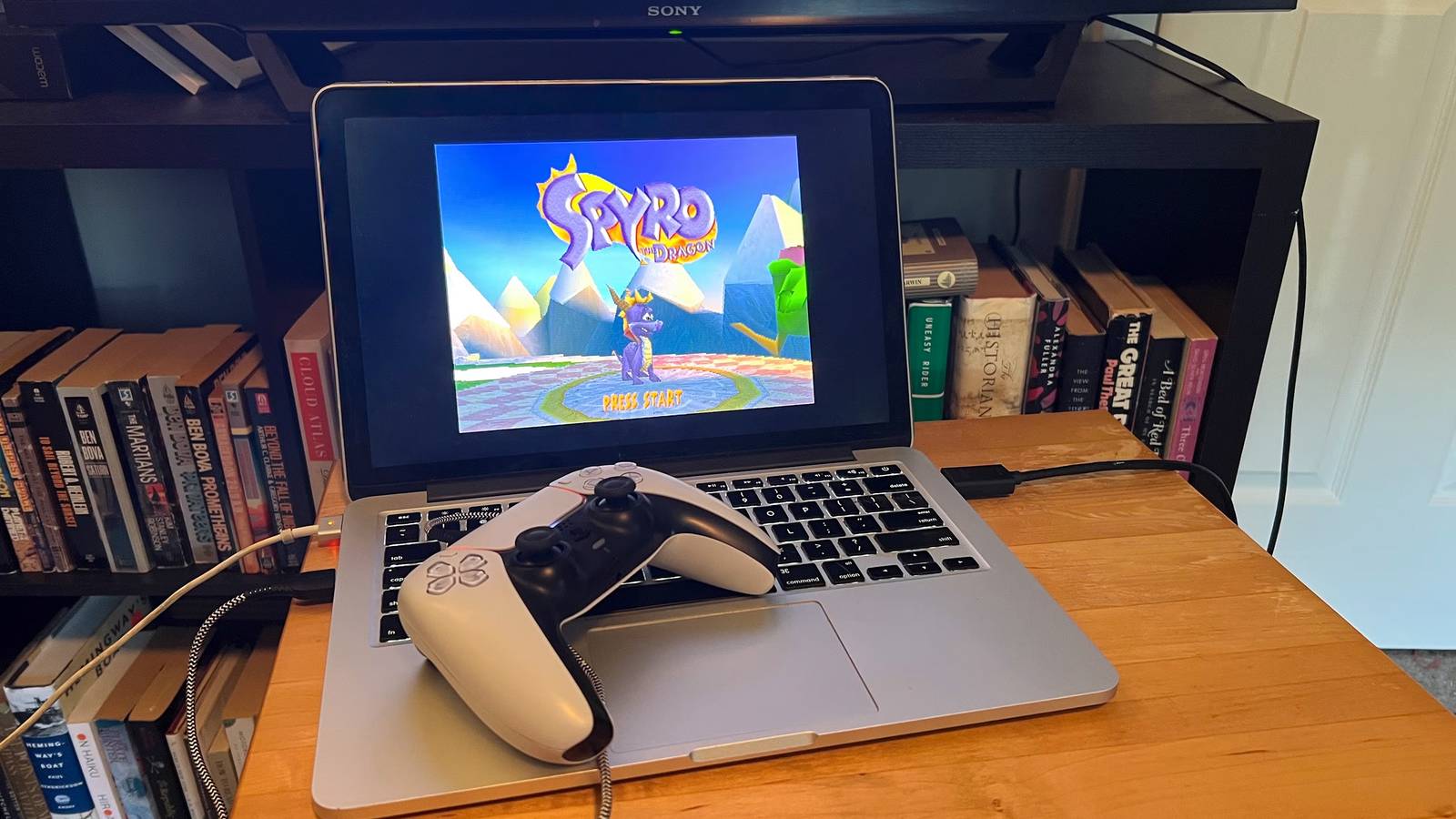
Published Aug 10, 2026, 3:00 PM EDT Patrick is a seasoned writer with more than a decade of experience, specializing in any and all things tech. His work has been featured on platforms like CNET, Yahoo, Xfinity, and many other outlets. When not typing away, he can be found with his nose in a book. When I got my hands on a Steam Deck, one of the first things I did was load up RetroArch and stuff it full of ROMS so I could play on the go. Then my wife took it from me to play Baldur's Gate 3, so I began looking at other options. Rather than buying another handheld, I started poking around some of the old hardware I had. After all, I don't need cutting-edge specs to play Chrono Trigger. I dug out an old MacBook and decided to give it a try. While that old laptop isn't cut out for my daily workflow anymore, it does a great job running OpenEmu and Dolphin. It's lightweight, still has decent battery life, and with a USB controller or two, I can capture the retro gaming experience just as well (if not better) than a handheld. Now, I have a portable retro machine that I can take with me anywhere, but I can also connect to a TV for full-screen play. I went with OpenEmu over RetroArch After some trial and error, OpenEmu is a better fit for the older Mac hardware The MacBook Pro I'm working with is a refurbished 2013 model. It was cutting-edge when I bought it, but it's been 13 years. It doesn't hold up as well as it once did, and after loading RetroArch on it and comparing that to OpenEmu, I found that OpenEmu was just an overall smoother experience. It loaded faster and felt snappier, and I had already used it before, so I had quite a few ROMs loaded in. That's not to say RetroArch is a poor choice; it's my main go-to for emulation for a lot of reasons. I wasn't looking for intense levels of customization, though. I don't need granular control over every ROM. My goal with this build was simply to get a retro machine that worked and could handle my old favorites with ease, and for that, OpenEmu was a better plug-and-play option. One caveat: I also included Dolphin for GameCube emulation, largely because the OpenEmu Dolphin core doesn't perform as well as I'd like. Dolphin on its own offers better performance and less stuttering. Then again, I rarely play GameCube games (I mainly wanted it for my Chao Garden in Sonic Adventure 2). A larger screen is better for some games Text is easier to read than on a handheld When I first played most of the games I'm emulating, I didn't have prescription glasses. I do now, and squinting at a small handheld screen to make out the text isn't my idea of a good time. Playing on an old laptop (especially one with as clear a display as an old MacBook) is a lot easier on the eyes. Of course, a lot of the games are letterboxed; their resolution doesn't match the monitor, and OpenEmu displays them in a way that's true to the original experience rather than stretching and distorting to fill the space. Even with that limitation (and I could force it to go full screen if I wanted), it's still easier to see the text. It also comes in handy for playing two-player split-screen games. Sure, I could technically do that on a handheld, but it would not be a fun experience. The laptop screen is about the same size as some old CRTs, so it's at least passable, but I would likely just plug an HDMI cable into my laptop and output it a TV. Then again, I can also do the same thing with a Steam Deck if it comes down to it. The accessories complete the experience It only feels right when I'm playing with the correct controller Emulating games on a handheld device typically means using its built-in controller. That's not always a bad thing; the Steam Deck feels great in the hand, but there's just something about the feel of a SNES controller that can't be beaten. I have a USB SNES controller that I can plug into my laptop for whenever I get the itch to play Chrono Trigger or Super Mario Kart. I can also use a PlayStation 5 controller for playing PSOne titles, since the design hasn't changed that much (and let's be honest: the newer controllers are way more comfortable). Another USB-powered GameCube controller is all I need for Dolphin emulation, too. Is it necessary? Absolutely not. It's purely a matter of preference for me, but it's an extra step I take just for the nostalgia of it all. That said, I wouldn't recommend using a mouse and keyboard for retro games. They aren't the easiest to control that way, and if you try to beat the original Contra using arrow keys, you're in for a world of pain. An old laptop does come with its own limitations, though More modern emulation doesn't work as well Although the laptop is more than powerful enough to handle emulation up through the PSOne era, GameCube titles have been a bit hit-or-miss. Sonic Adventure 2 works well enough, but certain levels—including the iconic opening level—can be stuttering messes. What's worse, the audio doesn't always sync, and "City Escape" deserves better than that. Beyond performance concerns, there's the fact that a laptop just isn't as convenient as a handheld. While there are benefits, like the larger screen, the ability to just pull out a Steam Deck or ROG Ally and play without plugging in external controllers is worth acknowledging. Using an old laptop is a great solution if you don't want to spend more money, but it's not as plug-and-play as other options. I'm probably going to stick with a laptop anyway, though While I see the benefit in using a handheld device for emulation, I grew up using computers to play older, unavailable titles. I'm not likely to stop anytime soon. Nostalgia is the main force behind my gaming these days, and while the laptop isn't the most convenient retro machine I could use, the ritual of setting it up might make it my favorite. RetroArch
I skipped buying a handheld and turned my old laptop into the ultimate retro gaming machine
Full Article
Original Source
Read the full article at Xda-developers →KhanList aggregates and links to publicly available news content. We do not host full articles from third-party sources. Always verify important information with original sources.