
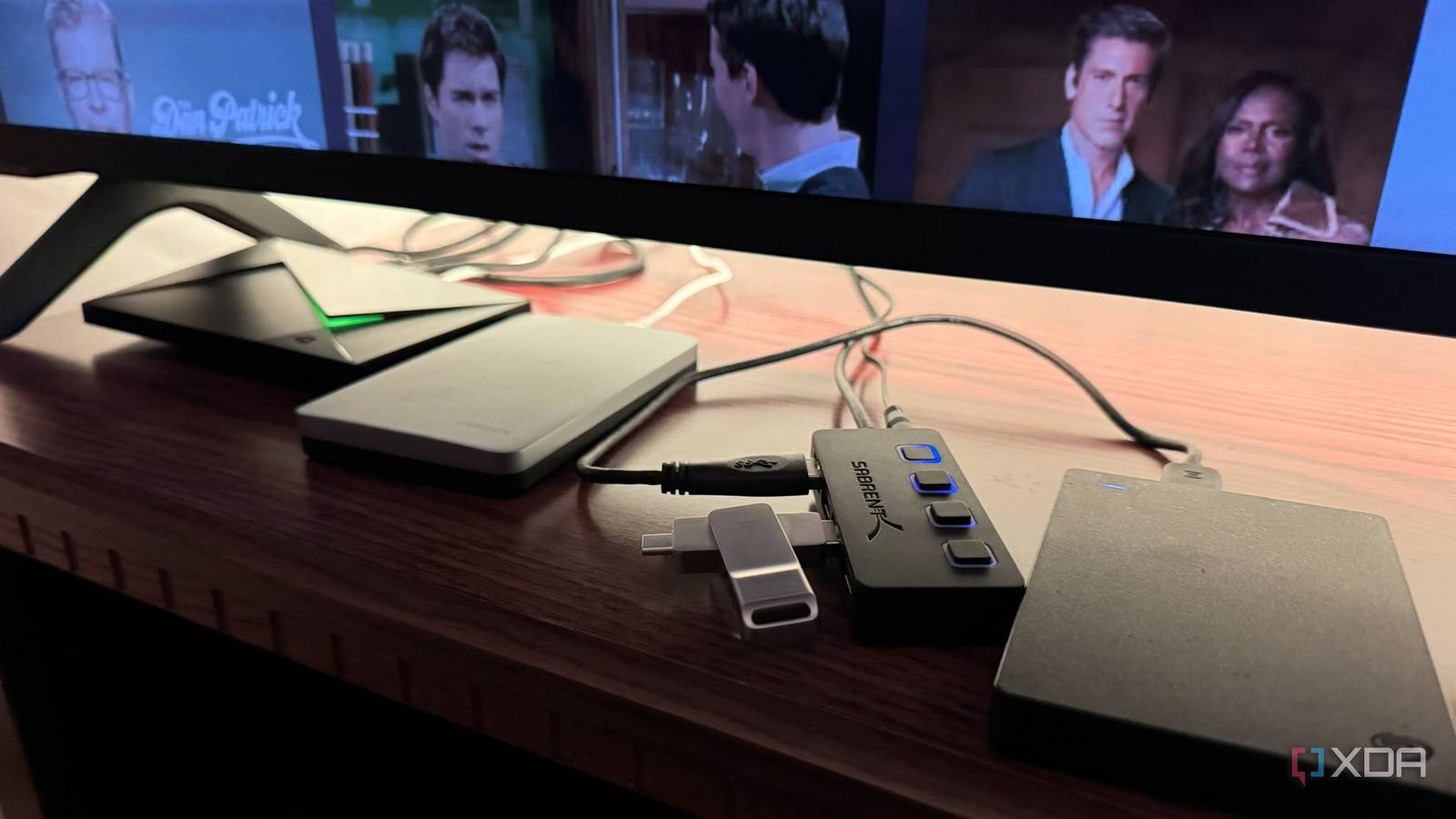
Published Sep 4, 2026, 3:00 PM EDT Based in rural Minnesota, Brian Burgess worked in IT for 10 years before finding his passion for writing about consumer technology. Brian earned his degree in computer and network technology in 2000. He held various IT positions, including help desk support, router installations for IBM, database administration, and other associate network administration roles. He's been a personal technology journalist for 18 years and has written thousands of articles about Microsoft products and services, Android, iOS, streaming, and more. He has written for notable tech sites including XDA, InformationWeek, How-To Geek, Byte, groovyPost, and others. When he is away from the keyboard, you will hear him playing guitar, working outdoors, and watching Star Trek. I have been using Plex on my Nvidia Shield TV Pro as a media server for a while now, but as my media collection has grown, I've considered getting a NAS to help with content flow. However, each time I think about it, I realize that with a bit of extra drive and a cheap powered hub, I can get by without the added expense. Since I don't need access to all my media all the time, usually the two built-in USB 3.0 ports suffice, but when I want to access music, movies, and TV easily shows all at once, I throw in my hub and connect old external drives I no longer use on my primary desktop PC. The hub also gives me mouse and keyboard control. Two USB Ports and a powered hub A hub for drives and peripherals I have most of my media files backed up on external drives, and since the Nvidia Shield Pro has two USB ports, I use them for the media I consume the most through my Plex server on the Shield TV Pro. However, I had the opportunity to add more of my external drives. Instead of ejecting a drive each time and plugging in a new one, I bought an inexpensive, powered four-port USB hub for my media. Now I keep the primary movies and shows on a drive connected to one USB port on the Shield TV Pro, with the hub plugged into the second USB 3.0 port. I can connect a second drive to a hub port, a flash drive, and a keyboard and mouse receiver, so I can comfortably navigate the Shield from the couch. The hub's long cord also makes it easier to swap out drives. A powered hub is ideal for running older spinning external drives. The Shield TV Pro's USB port may not supply enough power for multiple bus-powered spinning disks, especially during startup. Externally powered drives don't rely on the hub's power, but it's good insurance when you connect several devices. With a powered hub, I know the drives will be readable even if they don't have their own external power source. It also doesn't hurt an external SSD or flash drive. Don't expect to connect a seven-port hub to the Shield TV Pro and have all drives and peripherals run reliably at the same time. Plex can index content across multiple drives, but you'll run into power and drive-stability issues when accessing them simultaneously. A NAS or a dedicated server is a better choice for accessing a large media library. But I don't need concurrent access to my media. Swapping out local drives with content works just fine for accessing files with Kodi or VLC. Swapping drives on the fly A new purpose for old drives If you're a computer geek like me, you likely have a bunch of internal and external drives you're not using anymore. From SSDs to mechanical drives to flash drives you used once and forgot, or that still hold old data. You can repurpose drives as external storage by plugging them into a hub. For instance, I found a new-in-the-box Samsung 860 EVO SATA III SSD from years ago that I never installed. I bought a Ugreen enclosure and connected it to my Shield TV Pro. You can do the same with any spinning or solid-state drive, and I have salvaged many drives from different systems this way. Scanning media files, browsing large libraries, and loading files on drives under 7,200rpm feels sluggish. However, even drives rated at 5,400rpm can still stream 4K content with a USB 3.0 connection. But many times a case enclosure is worth more than the drive. Still, I once brought an old Western Digital My Book back into service for music storage and played files directly using VLC and Kodi. Plex recognizing USB drives It doesn't see friendly names The first time I connected a USB drive to the Shield TV Pro, I thought I was losing my mind because Plex wasn't listing it when I went to add libraries from it on Plex Web. It turns out that when a Windows PC formats a USB drive as exFAT, it generates a volume serial number in hex that is separate from the friendly name you give it. So, when I looked on Plex Web, I didn't think Plex was seeing the drive. My Nvidia Shield TV Pro saw the friendly name I gave it, and so did Kodi and VLC. After some research, I found that I should look for the folder with the hex-format serial number and set it to scan the media folders there. This can be a bit confusing when adding multiple drives, but once I learned to note each drive's serial number, it was a piece of cake. I also learned it's easiest to choose the top folder. For example, don't select Movies > Unforgiven; just pick the entire Movies folder. The size of my media library doesn't justify NAS expenses The longer I've been getting by with my Shield TV Pro, hub, and repurposed drives, the less likely I am to get a NAS. I want to get one in the future for set-it-and-forget-it storage and better streaming performance. I wouldn't rely on the "sneakernet" game either. My media library isn't quite large enough to require a NAS yet. I may delete media files to make room for more, but I own my media on disc anyway.
I skipped an expensive NAS and turned my Nvidia Shield TV Pro into a media server instead
Full Article
Original Source
Read the full article at Xda-developers →KhanList aggregates and links to publicly available news content. We do not host full articles from third-party sources. Always verify important information with original sources.