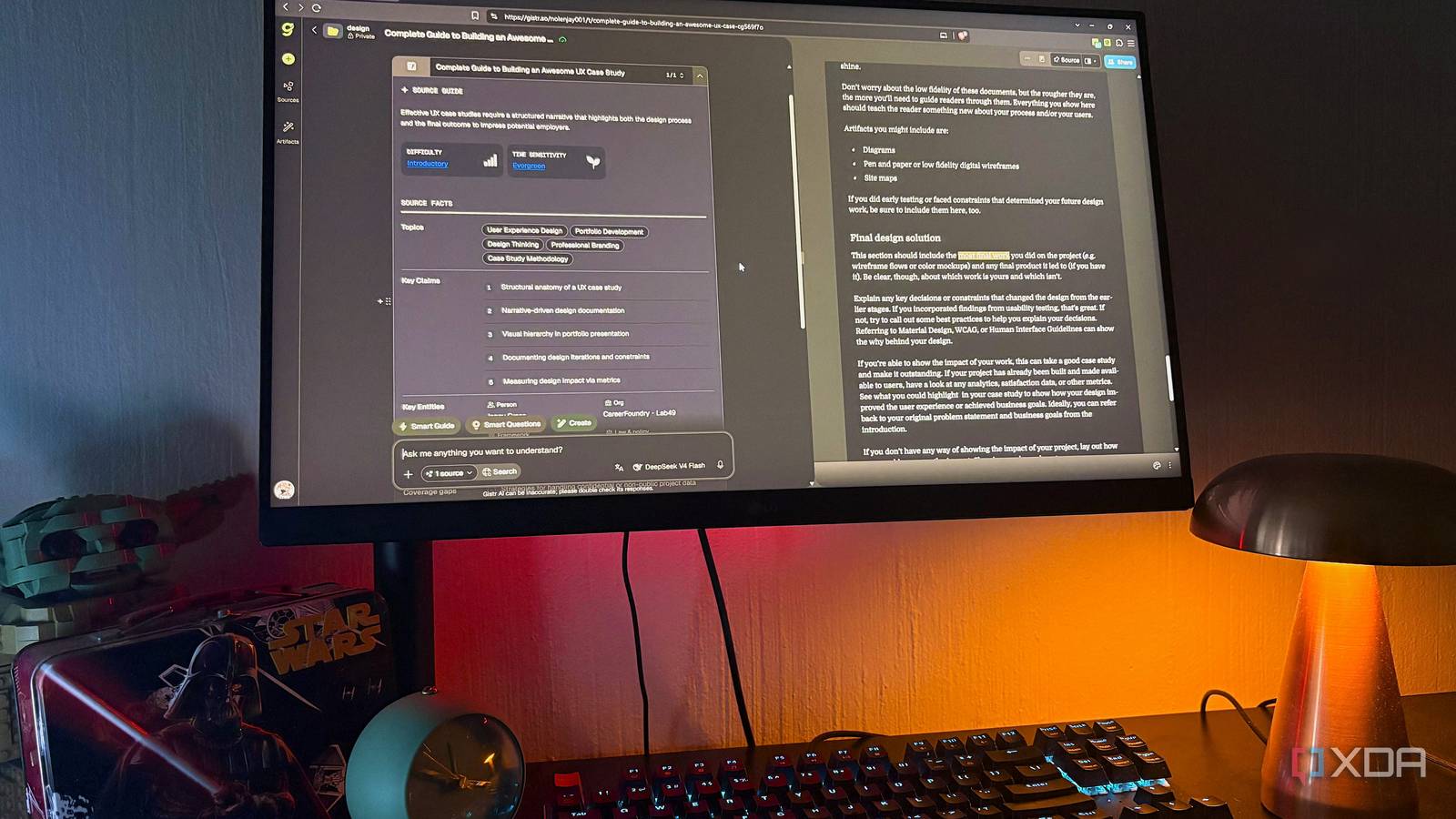
Published Aug 11, 2026, 5:30 PM EDT Nolen began their writing career in 2019, with three years dedicated to editing the Creative section at MakeUseOf. Their expertise lies at the crossroads of technology and creativity, covering areas like photography, video editing, and graphic design. Outside of work, you'll often find Nolen diving into a good book, writing their own stories, or playing video games. The first week of every term hits the same way, no matter the level you're at. You get your course outline, then get overwhelmed, and leave it to "sort later". Going back to school is basically just a homework dump within the first five seconds. And if you're not doing something with it in the first week, you're playing catch-up in a panic by the time midterms arrive. High school feels like a lifetime ago to me now, and college is getting further away too, but now I'm studying online. Which sounds gentler on paper, but actually needs more structure because nobody's chasing me. Whatever kind of student you are, the first few weeks punish you if you don't have a system going in. There's one app I set up before every new term or learning module to help with that, and it's called Gistr… Meet Gistr The notebook that thinks with you Gistr is an AI-native notebook that turns YouTube videos, PDFs, and web articles into structured, searchable, interactive notes. Every source becomes its own "thread", which is simply a workspace with the source on the side and a chat panel on the other (the chat panel is also a block-based editor). Its AI is source-grounded, so it only responds using the contents of the materials you've uploaded and therefore you don't get invented citations, though there is also a web search function if you need outside context. Threads live inside Collections you organize however you want, and there's a browser extension for capturing sources on the go. There's a lot more I'll dive into, but that's the gist of Gistr - kind of like NotebookLM and Notion rolled into one, but way more user-friendly and interactive. The free plan gives you the full workspace with 300 AI credits a day, and if you want more usage there are paid tiers starting from $8 a month, with a 50% student discount on any of them during your academic year. Turn your syllabus into a workspace before the first lecture starts A course outline isn't a plan, it's a to-do list pretending to be one A course outline is a homework dump dressed up as a schedule. I'll get one with twelve weeks of set readings, three lecturers' recorded videos, and a scatter of articles I'm supposed to "engage with", and if I don't do something with it that first week, it just sits pinned in my browser for the next two months. So before I open a single source, I set up Gistr to mirror the course. Each course gets its own Collection. Inside the Collection, each source I'll need this term becomes a thread. Syllabus PDFs, readings, lecture notes/recordings, and YouTube videos, all go into their own threads. By setup day, I've got a shelved library instead of a graveyard of bookmarks or pins. The syllabus thread is a good first move in my opinion - you can literally ask the AI to pull out every deadline and every graded component, and now you've got a simple breakdown of what's actually expected of you. And the note blocks (slash-command editor) let me add my own weekly priorities right next to the AI's breakdown, so the syllabus thread becomes my study plan for the term. I also keep a Collection called "reference" for stuff I want across courses. This is like a miscellaneous mix of style guides, research methodology docs, and frameworks I revisit constantly. So come time to prep for a test, I don't have to hunt through a million folders for one PDF. Threads have a share function too, so if you're in a study group, someone can break down the syllabus and share a link out to the rest. Turn hours of YouTube and podcasts into revision material The problem of watching a 90-minute talk and remembering none of it by Friday YouTube and podcasts are where Gistr genuinely earns its space in your toolkit. So you can add long-form talks, YouTube tutorials a lecturer sent through, a podcast your classmates keep quoting, whatever it is. Audio and video content are always the biggest time sink of any term, and probably also the thing you'll forget the fastest (if you can even focus for that long, given we're in an attention-span epidemic). Keep in mind that Gistr works only with YouTube specifically for video, not arbitrary uploads, so if your lecturer sends a video file, you won't be able to add it here. But audio support is more extensive - you've got Apple and Spotify podcasts, and audio file formats like WAV and MP3, so you can add audio recordings. Similar to webpages and documents, you drop a YouTube URL into a new thread (or add it via the browser extension, including full playlists at once), and Gistr gives you the video on the one side and a workspace on the other. Click any line in the transcript and the video will jump to that moment, and longer videos also get auto-chapters, making long talks easy chunks to navigate. I don't know why more video platforms don't do this natively. The Moments feature is the one I use the most. It auto-highlights the key parts of the video, and clicking one jumps playback straight to that timestamp. So on a first pass I skim just the Moments, which usually tells me whether the whole video is worth watching properly or whether I've already gotten what I need out of it. Then during the actual watch or listen, timestamped notes are gold. Every note you take gets pinned to the exact second of the video you took it at. Later when you have to revise for a brief or test, you've already got the timestamp with the notes you took. And remember, on top of all of this, you've got the AI, so you're interacting with the video or audio transcript right next to your notes. Get through the dense PDFs and readings without drowning in them Doesn't matter what type of student you are or what curriculum you're doing, there's always a stack of PDFs you're expected to get through before the next lecture. And there's the web article equivalent like blog posts and industry references your lecturer emails around. Drop a PDF into a thread and you get the same split layout: document on one side, notes and chat on the other. Same for a web article. And the same source-grounded AI rules apply - Gistr will only answer using the content of that specific document unless you enable web. Ask it something the document doesn't cover and it'll tell you so. Now, if all it did was summarize, we'd be talking about a different app. What actually makes it work for study is that you can highlight a specific passage in the PDF and ask the AI to summarize just that passage, quiz you on it, explain it from a different perspective, and so on. Gistr gives you a massive list of curated context-aware prompts to pick from to get started. The highlights themselves get saved to the thread as interactive cards linked to the exact page number they came from, so months later you can find every passage you flagged as important without reopening the source. Genuinely useful for essay citations. And because notes and chat live in the same window, you can ask the AI to explain something and in the very next block write your own take on it - or edit the AI's response directly if it got close but missed something. Now your notes reflect your understanding, not the model's paraphrase. You can also ask the AI to generate tables or side-by-side comparisons inside a note block, which is more useful than paragraphs when you're prepping for essays or revising. Moreover, it can also generate visuals like decks and presentations. The one app I default to before the first week of course start If you don't want to scramble throughout the term, you need a solid foundation, meaning you need a space to store and sort your resources and make them easily retrievable. A note-taking app is only actually worth using if you come back to your notes, and the reason I keep coming back to Gistr is that setting up a thread on day one makes the notes something I'll actually revisit come exam prep. Gistr
I set up this app before every new term, and it turns my syllabus into an actual study plan
Full Article
Original Source
Read the full article at Xda-developers →KhanList aggregates and links to publicly available news content. We do not host full articles from third-party sources. Always verify important information with original sources.