
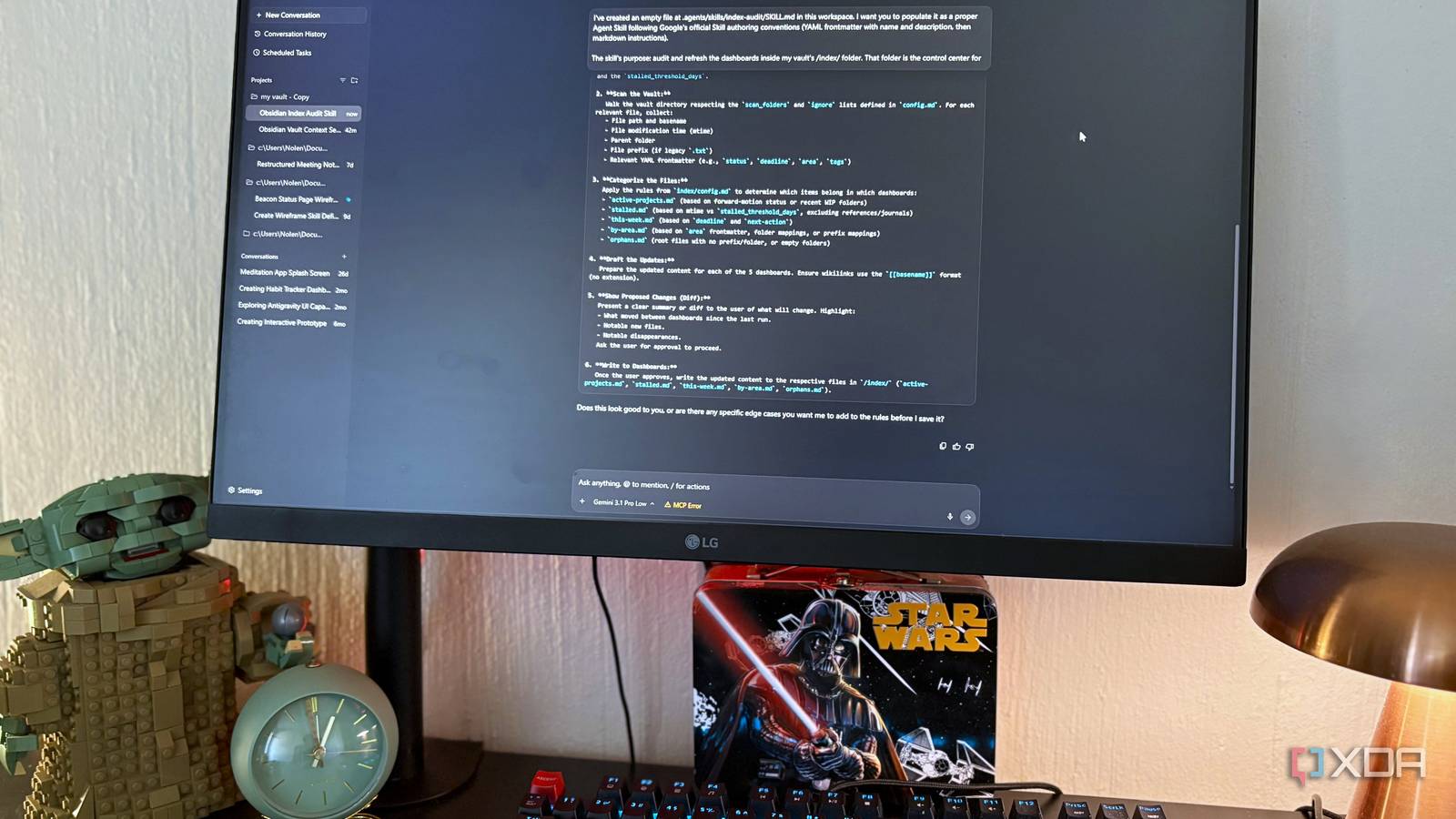
Published Aug 21, 2026, 10:30 AM EDT Nolen began their writing career in 2019, with three years dedicated to editing the Creative section at MakeUseOf. Their expertise lies at the crossroads of technology and creativity, covering areas like photography, video editing, and graphic design. Outside of work, you'll often find Nolen diving into a good book, writing their own stories, or playing video games. Antigravity has been a solid tool for me so far, and I'm not even a developer. I primarily use it for UI design work and experiments, and computer admin. The tool was never really the problem, it was that I had to start every session from scratch. The agent wouldn't know my folder layout or design conventions so it defaulted to assumptions that didn't apply to my projects. Google actually publishes documentation for exactly this problem. So I'm not talking about third-party tutorials here, but the official Antigravity pages, which lay out six customization surfaces under one panel. Two of them fixed the forgetfulness problem for me from opposite ends. Here's exactly how I implemented them into my specific workflows… Want to stay in the loop with the latest in AI? The XDA AI Insider newsletter drops weekly with deep dives, tool recommendations, and hands-on coverage you won't find anywhere else on the site. Subscribe by modifying your newsletter preferences! The problem with running Antigravity raw There's a whole customization panel you're probably ignoring Most people open Antigravity, load a project, and just start chatting. That's basically what I did, and for far too long. The thing is, an agent has no idea what your project actually is, so it defaults to assumptions, and those assumptions tend to apply to a codebase, which I rarely work with. So the suggestions were things that often made no sense outside of a dev project. Google's Customizations panel has six surfaces you can set up to fix this: MCP, Skills, Rules, Plugins, Hooks, and Sidecars. I was using none of them, which is entirely my fault. All it took was setting up two of them to solve my problem… Rules for persistent context The file Antigravity reads before it does anything else Google's Rules docs describe Rules as "manually defined constraints for the Agent to follow." Plain markdown files injected into every session automatically. Two scopes exist, one global (a file called GEMINI.md in your home directory under a .gemini folder) and one workspace-specific (a folder called .agents/rules at your project root, which can hold multiple rule files). Workspace rules also let you set activation modes, so a given rule can be Always On, or triggered by the model deciding it's relevant, or invoked manually with an @ mention, or applied via a glob pattern to specific file types. I created a rules file that hands the agent everything it kept asking me. In my case, not a codebase, but my Obsidian vault, the tools I use around it, my folder conventions, naming patterns, what I actually want the agent doing in there (like housekeeping and small utilities), and what I don't want it to touch (my actual drafts). A few hard guardrails at the end about what you don't want it to do or crawl are really important, so you don't have to add a disclaimer to every session. This is going to differ for everyone depending on your project, but this covers roughly what Google recommends: a markdown file with context and constraints is pretty much the whole mechanism. I dropped mine at the vault root as a single GEMINI.md file initially, which is closer to the older convention. The 2.0 pattern per Google is technically the folder-based approach. Both work because Antigravity keeps backward compatibility, though the folder version gives you those activation modes if you want to get more granular later. Skills for on-demand procedures So it stops forgetting how to do recurring tasks The rules I set in place above only solve the identity problem. Skills solve something different: how you want the agent to handle the specific recurring task without you having to re-explain every time. Google's Skills docs describe skills as "reusable packages of knowledge" using a progressive disclosure pattern. When the session starts, the agent only sees each skill's name and description as metadata. When your prompt semantically matches a description, the full instructions load - but only then. The official codelab is blunt about why this matters, saying that dumping unused instructions into every session causes latency and what Google calls "context rot," where the model gets confused by irrelevant data sitting in the window. The folder path is .agents/skills/skill-name/SKILL.md for workspace scope. The file itself has YAML frontmatter at the top with a name and description, and markdown instructions below. Google is very specific about one thing here, and it can kind of be easy to miss: the description is the trigger. So, write it in third-person, include the phrases you'd actually say when you want the skill to trigger, and the agent will handle the routing itself. A vague description means the skill never activates when you need it to. The one shown here is a skill I built for a recurring vault chore I'd been re-explaining every time. It reads a controlled folder, checks my dashboards for staleness, presents a diff, then waits for my approval. Another thing that saved me time here was asking Antigravity to help me author the skill itself after reading my vault first and getting a lay of the land. This is another pattern Google recommends for workflows and works equally well for skills. Forgetting was never Antigravity's fault Both of these fixes took under an hour combined, and I anticipate they'll probably save me hours to come. The reason Antigravity felt forgetful wasn't the tool itself, it was me skipping the entire Customizations surface Google has built specifically for this problem. Not every single one of them will apply to my use case - I did recently also set up some MCP connectors to improve my design workflow. But so far, just these two additions have made a major difference. Google Antigravity
I set up Antigravity the way Google itself recommends, and it stopped forgetting everything between sessions
Full Article
Original Source
Read the full article at Xda-developers →KhanList aggregates and links to publicly available news content. We do not host full articles from third-party sources. Always verify important information with original sources.