
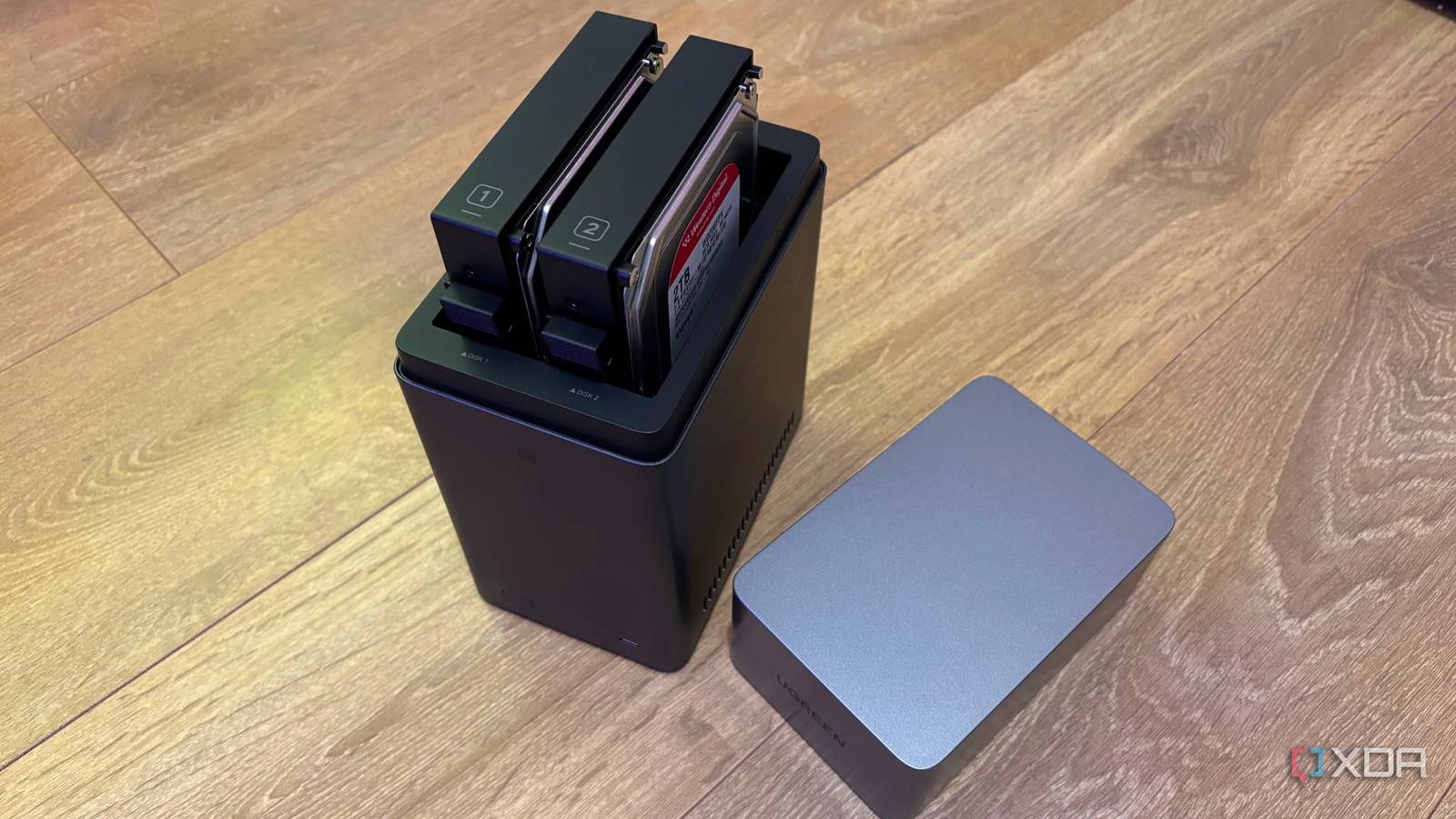
Published Aug 16, 2026, 10:00 AM EDT Jasmine is Software and PC Hardware Author at XDA with years of tech reporting experience ranging from AI chatbots right down to gaming hardware, she's covered just about everything. Whether it's breaking news about the latest AMD NPUs or creating video tutorials on social media platforms, Jasmine has contributed to the world of AI and tech in a variety of ways including interviewing the CEO of Razer, AMD's Director of Product Marketing and the VP of Lenovo. Passionate about gaming and PC technology, she has built countless computers, keyboards and other peripherals - knowing them inside and out. On paper, purchasing a multi-bay NAS might feel very boring since it's essentially an expensive black box full of spinning metal hard drives that you tuck away in a closet or server rack. However, despite my initial skepticism, the post-setup reality was that within weeks of deployment my NAS quietly supplanted every subscription cloud blocker and mini server in my home. A NAS is not just a glorified external hard drive. It is digital sovereignty in the form of a machine, by consolidating automated device backups, running an unthrottled private Plex media server, and hosting a home assistant in Docker. A single 24/7 low-power appliance solves the three biggest friction points in personal tech. Cloud storage subscriptions be gone Save yourself some major cash Using your NAS for automated backups is probably the first thing you'd do with it. While it sounds like a simple swap, the relief it brings both my wallet and my mind when it comes to security is unbeatable. It's so easy to fall victim to countless monthly cloud fees like Google One, iCloud, and Dropbox all creeping up while holding your high-resolution photos and phone backups hostage behind proprietary lock-in. Alongside being able to bypass this monthly subscription by using a NAS, you also get the benefit of instantaneous land speeds and mobile auto sync. Offloading 50 GB of 4K or camera footage over a multi-gigabit local network takes seconds to minutes instead of hours of residential ISP upload throttling when you're using a cloud service like Dropbox. Using a NAS also lets you implement another layer of security in all of your backups too. For example, you can opt for block-level snapshots, which provide you with instant, space-efficient file versioning that lets you roll back accidental deletions or protects against ransomware with zero performance penalty. Another benefit can be automated cold storage. You can set up your NAS to automatically encrypt and sync critical files and not lead to an off-site cold storage like a separate storage box or secondary off-site NAS. You can be 100% certain that if something happens to your primary NAS, your files are all still backed up. You also get the benefit of uncompressed streams One of the most exciting features I found when purchasing my NAS was the ability to self-host a media empire and play it all back using Plex. Modern streaming feels fragmented and frustrating. Content disappears constantly from platforms overnight due to licensing disputes and the experience just isn't great due to compressed bit rates and multi-service bills. I already have a large Blu-ray collection, but I just wanted to make it easier to access all of this media without having to physically load and offload the disks constantly. Using a NAS and storing my media library on it directly from rips of my Blu-rays gives me lossless bit rate and 4K HDR direct play. There's a massive audiovisual fidelity win over streaming services. This is because 4K Blu-ray rips play directly over the local network at uncompressed bit rates of 80 to 100 Mbps, delivering stunning visual clarity, Dolby Vision, and lossless Dolby Atmos audio that commercial streaming platforms heavily compress. Alongside this, you get hardware-accelerated transcoding. Running a Plex media server on a NAS with an Intel processor allows hardware-level video transcoding on the fly. Whether streaming to a mobile phone on LTE or burning dynamic subtitles on an Apple TV, the NAS handles the streaming effortlessly without pegging CPU cores. A NAS feels essential for smart home users Stop relying on a single board For smart home enthusiasts, investing in a NAS feels pretty much essential too, as making the switch to hosting a home assistant in Docker on my NAS felt revolutionary. Realistically, running home assistant on a Raspberry Pi with a micro SD card feels like a ticking time bomb, thanks to continuous database writes possibly leading to early flash wear, crash corruption, and unexpected downtime. Using an NAS allows you to retire your fragile single-board computer. It's also architected for continuous high uptime operation with ECC memory or robust Linux kernels, making it the ideal low-power server to anchor your entire smart home. You don't have to worry about the 24/7 always-on element. When using a Docker you get containerized speed and isolation. Running Home Assistant Core/Container on the NAS provides instant sub-millisecond local automation execution. Co-locating sidecar containers like Zigbee2MQTT, Mosquito Broker, and dedicated database engines directly on the same container network fabric ensures high internal throughput with zero LAN overhead. There's also the benefit of zero-downtime snapshots, as backing up your entire smart home configuration becomes pretty much trivial by using native NAS snapshot and container volume backup workflows. UGREEN NASync DH2300 2-Bay Desktop NAS $216 $270 Save $54 Memory 4GB LPDDR4X RAM Drive Bays 2 Ports USB-C, USB-A, HDMI, Ethernet If you're looking for a perfect starter NAS to use in place of cloud back ups and to start a media library then the UGREEN NASync DH2300 2-Bay Desktop NAS is a fantastic option. My NAS is fundamental to my set-up I already can't imagine life without it When first picking up my NAS, I thought it would be a practical tool to ditch cloud storage, but it quickly became the single most dependable piece of tech hardware in my entire home. I don't understand how I lived without it. Instead of scattering your digital files across third-party cloud lockers, multiple streaming apps, and single-purpose hardware, deploying a NAS allows you to spin up your core containers and take back full control of your data, environment, and home automation.
I set up a NAS for backups, but it quietly became my home's most essential machine
Full Article
Original Source
Read the full article at Xda-developers →KhanList aggregates and links to publicly available news content. We do not host full articles from third-party sources. Always verify important information with original sources.