
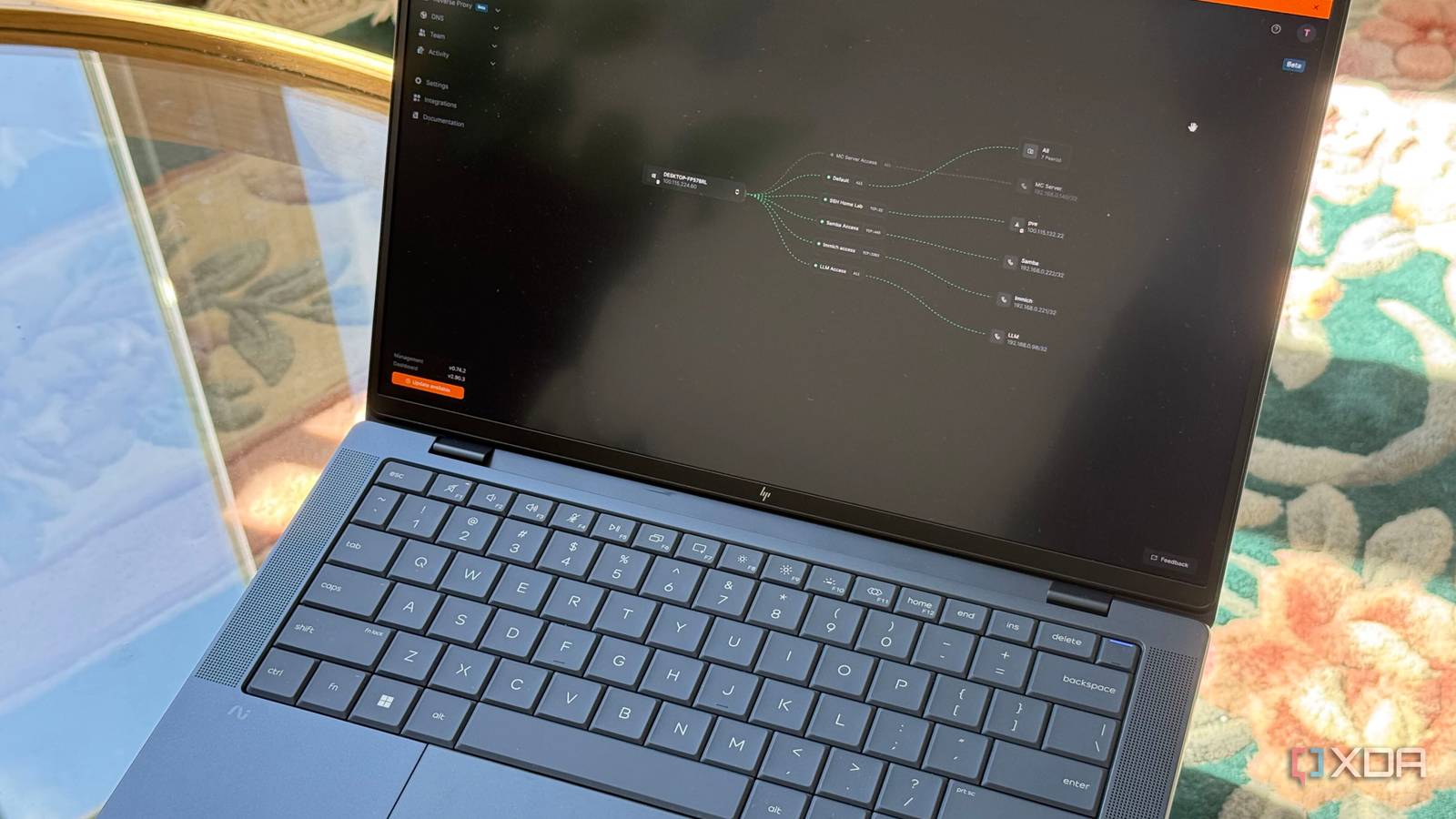
Published Sep 5, 2026, 8:00 AM EDT His love of PCs and their components was born out of trying to squeeze every ounce of performance out of the family computer. Tinkering with his own build at age 10 turned into building PCs for friends and family, fostering a passion that would ultimately take shape as a career path. Besides being the first call for tech support for those close to him, Ty is a computer science student, with his focus being cloud computing and networking. He also competed in semi-pro Counter-Strike for 8 years, making him intimately familiar with everything to do with peripherals. There's a persistent belief that people behind CGNAT can't fully participate in self-hosting, and it's not quite true. Sure, by default, you can host anything you want locally, but the hard part is being able to access it externally, and the portion that's even more difficult is being found externally. Publicly facing services behind CGNAT are a non-starter without a bit of extra setup, but thankfully, it has only become easier in recent years. Instead of paying your ISP for a dedicated IPv4, there are cheaper (and more secure) ways to expose your services to family, friends, and the general public. The VPS isn't a "server", it's just an address You don't have to pay for a beefy VPS to self-host The immediate instinct many have when they hit the CGNAT wall is to think about moving the services off of your own hardware and onto a data center, and while that's certainly an option, it's often a bit overkill. Renting a VPS is the right instinct, but you don't have to offload your services onto it to make them accessible—you can just use it as a means to get a public IPv4, which is exactly what I did. For the price of a cup of coffee per-month, you can easily get a VPS with modest specs and a public IP that earns you a ticket around CGNAT. Carrier-grade NAT restricts inbound connections because it assigns one address to a group of customers, and that saves ISPs a chunk of money on IPv4 address space, which isn't cheap. Your machines can always dial out, but CGNAT makes it so that your specific network is not reachable unless your devices establish a connection first. So, instead of trying to make your home reachable, you put a small rented VPS that's near you to act as an intermediary, and have your services dial out to it instead. The VPS doesn't actually house your files, serve your media streams, host your game servers, or do much of anything at all, which is why the cheapest tier from any given provider is usually more than enough. How my setup works Self-hosted VPN control plane with all the features I need, integrated I chose the self-hosted version of NetBird for my setup, because it had most of the features I wanted under the same roof. The management service is the most load-bearing, as it decides what machines belong to the mesh network and what they're allowed to reach. The signal service is what brokers connections from peers, and the relay is what's used when a direct peer-to-peer connection can't be established. So far, this isn't any different from the normal NetBird setup that's hosted on their cloud, but deployment is where it diverges. This is where the VPS comes in. The entire control plane is self-contained in a Docker compose file, and it includes Traefik for handling TLS certificates through Let's Encrypt, so all that's needed alongside spinning up the container is a DNS record from your domain pointing at the VPS. One thing that tripped me up was having my domain hosted through Cloudflare. If you do the same, do be sure to turn off the proxy function, as that will block the NAT traversal that NetBird needs to work properly. Once that's up and running, you've covered private access. Simply adding peers within NetBird can cover your own devices as well as close family who know their way around an app, but anyone who doesn't know what a VPN is (in addition to the public) won't be able to access your services. The Traefik container that's built in covers that gap, and you configure it entirely from the dashboard. You can create a service, provision a public hostname with a certificate, and send all incoming requests across the mesh to whatever you're running. Or, you can only send the requests you want, since you can put authentication in front of it in the form of a password, PIN, SSO, or HTTP headers. The same thing can be done without NetBird Tailscale users can do this just as easily Tailscale users can also implement this same shape with Headscale, which is an unofficial self-hosted flavor of Tailscale's control plane. The control server runs on the VPS, and enabling the embedded DERP server keeps relaying under your own roof instead of leaning on Tailscale's public relays. The biggest difference is that Headscale hasn't implemented Funnel or Serve, so there's no built-in way to expose something publicly. In theory, you can get something similar by running a Tailscale client on the VPS as well, so the VPS is a peer on your own network, and then putting a reverse proxy in front of it pointed at your home machine's address on the mesh. It takes a bit more setup, but you can get there. If you really want full, minute control over every aspect in the form of individual configuration files, you can strip it back even further and go with a plain WireGuard tunnel and a static peer configuration. Put a reverse proxy in front of that, and you can do all of this without a control plane. You can do this without renting a VPS It's more limited, but it's possible Cloudflare Tunnels are one way you can do something similar without having to rent a VPS at all. It's just a small daemon on your machine at home that dials straight to Cloudflare, and then the traffic gets served at their global edge with DDoS protection. Tailscale Funnel, while not implemented with Headscale, is a single command on the normal cloud version, and it's still free. The problem with both of those approaches is that they do limit you in what you're able to expose. Funnel can only listen on ports 443, 8443, and 10000, works exclusively over TLS-encrypted connections, and runs under bandwidth limits you can't configure. Cloudflare's public hostname path is shaped around HTTP, and UDP is available only in private network mode, which requires every connecting client to be running their client and logged in. This is fine when you need a tech-inclined friend or family member to access your stuff, but defeats the purpose when you want a publicly-exposed service, like a game server. CGNAT took my address, but it couldn't take my services Fundamentally, CGNAT really only took my public IPv4 address from me, not any kind of capability. If you're also behind CGNAT, or you're just looking for a good way to expose your services without using your own IPv4, a self-hosted control plane on a VPS is a good move, but if it's just a web service that you and a handful of other people use, the free options skip everything I've described here.
I self-host anything I want behind CGNAT, and here's how you can too
Full Article
Original Source
Read the full article at Xda-developers →KhanList aggregates and links to publicly available news content. We do not host full articles from third-party sources. Always verify important information with original sources.